

Fan-style pixel OC · portrait + full body · from text or a photo
Stardew Valley OC Maker — your own farmer in cozy 16-bit pixel art
Describe an original farmer, villager or shopkeeper and get a cozy farm-sim pixel portrait in a wooden frame. Then reuse it as a reference to put the same OC on the farm, or turn your own photo into a pixel portrait.
- 16-bit portrait
- Same OC full body
- Photo to pixel OC
- No watermark
Updated by the Kenerate AI team




Made with Kenerate
On this page
Quick answer

How do you make a Stardew Valley-style OC with AI?
A Stardew Valley OC maker turns a description of your original character into a cozy 16-bit farm-sim pixel portrait — the framed head-and-shoulders look of a dialogue portrait. On Kenerate AI you write the OC's hair, eyes, outfit and one signature item, generate with Seedream 5.0 Pro (13.5 credits at 1K), then upload that portrait as a reference to get the same OC full body on a farm. In our test the straw hat, red ribbon, freckles and overalls carried over. Fan-made style only: Kenerate is not affiliated with Stardew Valley or ConcernedApe.
Key facts
- Style
- 16-bit farm-sim pixel portrait
- Outputs
- Framed portrait · full body on the farm
- Model we used
- Seedream 5.0 Pro (ByteDance)
- References
- Up to 10 (Seedream 5.0 Pro)
- Our test
- 3 images, one try each
- Free start
- 25 starter credits on sign-up
- Affiliation
- None — fan-style, original characters only
Gallery
One farmer OC, a photo portrait and cozy scenes
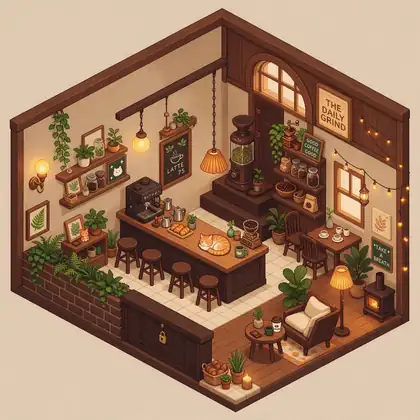
The portrait, the farm shot and the photo portrait are new Seedream 5.0 Pro images made for this page, one try each. The two scenes come from our image-to-pixel-art tests. Open any one to copy the prompt.
Same prompt
Portrait first, then the same OC on the farm
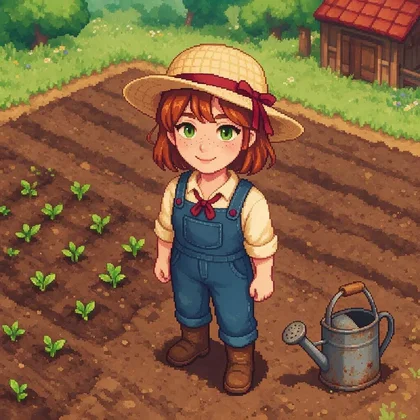
One portrait in, one full-body image out. The straw hat, red ribbon, auburn bob, freckles, green eyes, red neck bow and overalls all carried over, and the model added the boots we asked for. It drew a detailed pixel illustration rather than a tiny in-game sprite — downscale it if you need sprite size.
PromptSame character as this portrait — same auburn bob, freckles, green eyes, straw hat with red ribbon, cream shirt with red neck bow and denim overalls — now as a small full-body 16-bit pixel art game sprite standing on a tilled farm field …
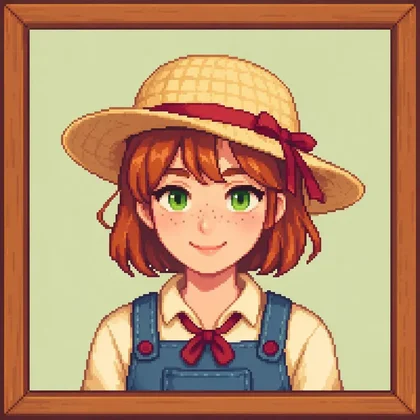
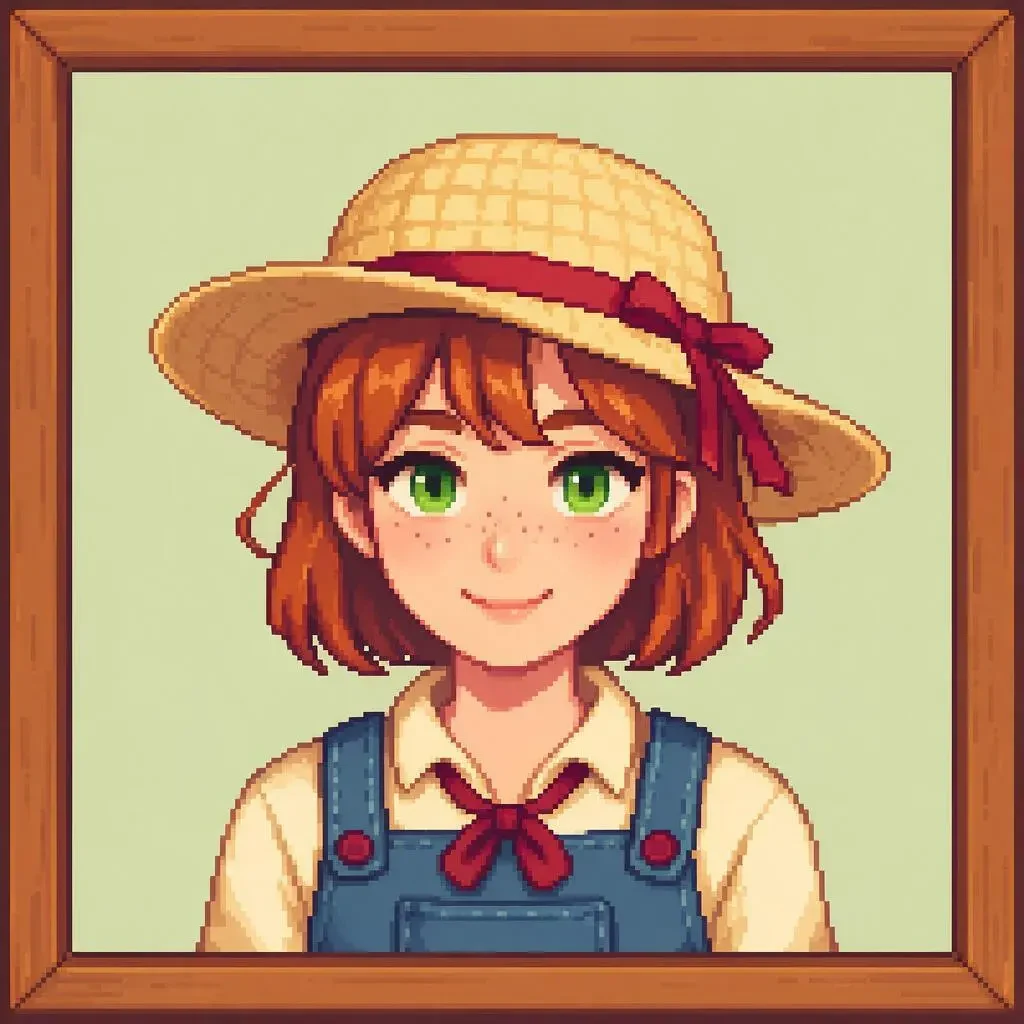 PortraitSeedream 5.0 Pro · text
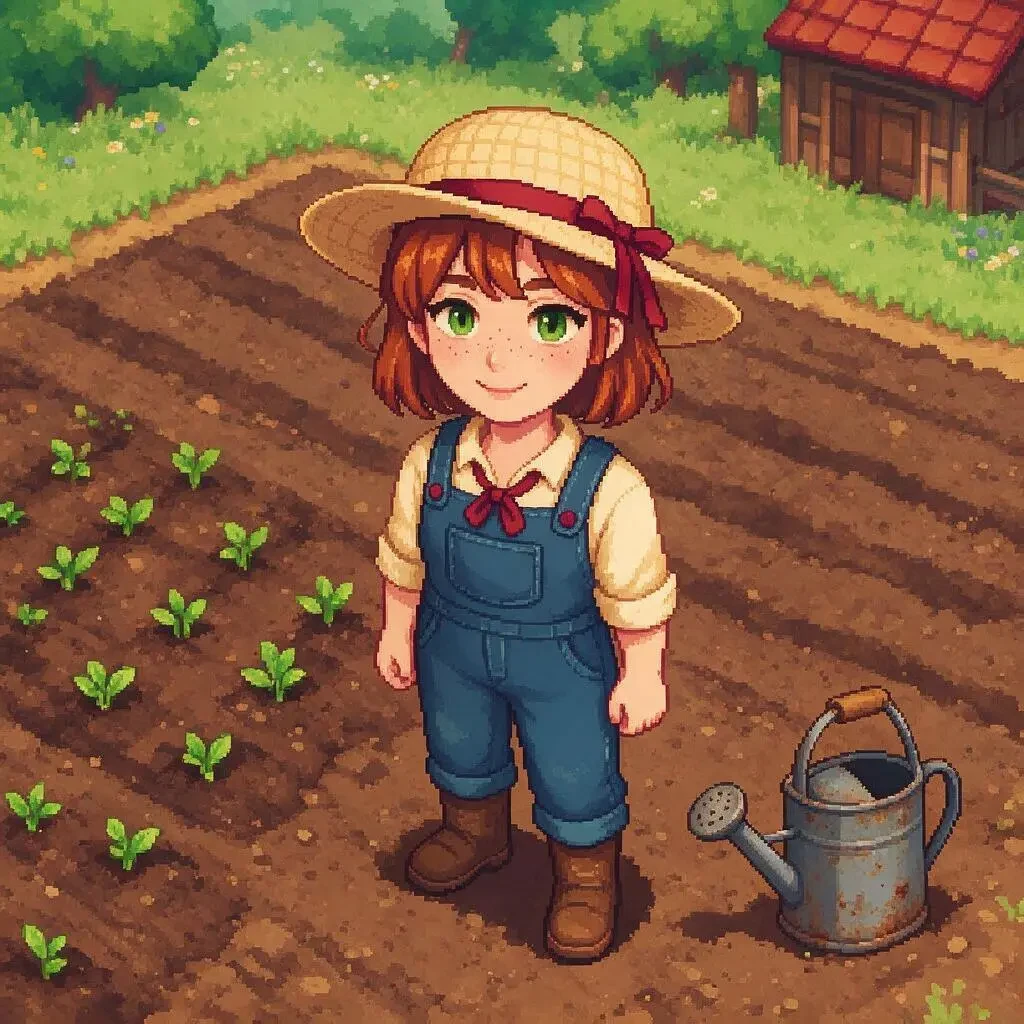 Same OC, full bodySeedream 5.0 Pro · edit
How to
How to use the stardew valley oc maker
- Time needed
- Steps
- 4 steps
Step 1
Write your OC
Role (farmer, blacksmith, shopkeeper), hair, eyes, outfit colours, one signature item and the season. Sign in free for 25 starter credits.
Step 2
Generate the portrait
In the Image Studio pick Seedream 5.0 Pro, 1:1, and paste the prompt recipe. Keep the portrait you like.
Step 3
Make the full body
Upload the portrait as a reference and ask for the same character full body on a farm field, town square or beach.
Step 4
Or start from a photo
Upload your own photo and ask for a 16-bit farm-sim portrait that keeps your face and hair.
See it in the app

Open Image Studio and type what you want to see — subject, style, lighting and mood.


Watch the tour · 1:23
Prompts, styles, references, edit, Arena & chat
Chapters
Tips
Prompt recipe for a farm-sim pixel OC
What worked in our test, and what to watch for.
Start with the format: “16-bit pixel art character portrait, cozy farming-sim dialogue portrait, head and shoulders”.
Ask for “a simple wooden picture frame border” and a plain pastel background for the classic framed look.
Give one signature item — straw hat, bandana, apron, fishing rod — and two or three outfit colours.
Set the season with the palette: pale green for spring, orange and plaid for autumn, scarves for winter.
Add “soft warm limited palette, crisp visible square pixels” so the result doesn't blur into painting.
For the full body, upload the portrait and repeat the signature details: “same hat, same ribbon, same overalls”.
Models
Models for pixel OCs
What each model is good at. Open any one straight in the generator.

ByteDance
Seedream 5.0 Pro
- Reference images
- Up to 10
- Output
- Up to 2K
Open Seedream 5.0 ProBest for
Made all three images on this page
Google
Nano Banana 2.1

Black Forest Labs
Flux 2 Dev
- Reference images
- Up to 3
- Output
- 2048 px
Open Flux 2 DevBest for
Cheap drafts of the prompt
FAQ
Stardew Valley OC Maker questions
8 questions

What is a Stardew Valley OC maker?
It's a tool for drawing your own original character (OC) in the cozy 16-bit pixel style of farming-sim games like Stardew Valley — usually the framed head-and-shoulders portrait shown next to dialogue, plus a full-body version. On Kenerate AI you describe the OC and an image model draws it; nothing is copied from the game.
Link to this answerIs this an official Stardew Valley tool?
No. Kenerate AI is not affiliated with, endorsed by or connected to Stardew Valley, ConcernedApe or its publishers. This page makes fan-style art of original characters. Don't use it to recreate the game's own characters, logos or sprites, and check a community's rules before sharing fan art there.
Link to this answerHow do I make a Stardew-style pixel portrait?
Write “16-bit pixel art character portrait, cozy farming-sim dialogue portrait, head and shoulders, inside a simple wooden picture frame border, soft warm limited palette, crisp visible square pixels”, then add your OC's hair, eyes, outfit and one signature item. Our portrait on Seedream 5.0 Pro used exactly that recipe and took one try.
Link to this answerCan I keep the same OC in a full-body image?
Yes. Upload the portrait as a reference and repeat the signature details — in our test “same auburn bob, freckles, straw hat with red ribbon, denim overalls”. The full-body farm image kept all of them. It came out as a detailed pixel illustration rather than a tiny sprite, so downscale it if you need sprite size.
Link to this answerCan I turn my photo into a Stardew-style portrait?
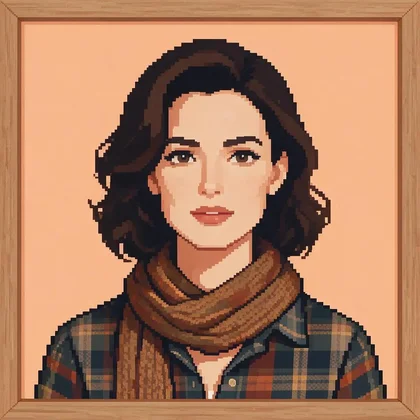
Yes — upload a photo and ask for a 16-bit farm-sim portrait that keeps the same face, hair colour and hairstyle, with a new outfit. Our test kept the face and hair and swapped in a plaid shirt and knitted scarf. It kept a fairly realistic face; for a cuter game look, add “simple cute game proportions, big eyes”.
Link to this answerCan I use the portrait in the game with a mod?
Players do load custom farmer portraits through community portrait mods. The game's portraits are small pixel images, so downscale our 1K output with nearest-neighbour resampling to the size the mod asks for, then tidy stray pixels by hand. Follow the mod's instructions; we don't make or support mods.
Link to this answerHow do I enlarge pixel art without blur?
Use nearest-neighbour (also called “pixel” or “point”) resampling in any image editor and scale by whole numbers — 2×, 4×, 8×. Smooth resampling and AI upscalers soften the edges and blend colours, which ruins the crisp-pixel look.
Link to this answerHow much does it cost?
Free to start: a new account gets 25 starter credits on sign-up. One Seedream 5.0 Pro image is 13.5 credits at 1K, so the portrait, full body and photo portrait on this page cost 40.5 credits together. After that, credits come from one-time packs. No watermark.
Link to this answerIn depth
Stardew Valley OC Maker, explained
What works, what to avoid, and how to pick a model.
On this page
What makes the farm-sim pixel look
The style is easy to describe once you name its parts. Put these in the prompt in your own words:
- Format: a framed head-and-shoulders portrait, front-facing, like a dialogue portrait.
- Pixels: 16-bit, crisp visible square pixels, no soft blending.
- Palette: soft, warm and limited — a handful of colours per area.
- Frame: a simple wooden picture frame border on a plain pastel background.
- Character: friendly proportions, big readable eyes, one signature item.
- Season: spring greens, summer sun hats, autumn plaid and scarves, winter coats.
OC ideas to start from
Pick a role and a season, then add one detail that tells the story: a beekeeper in a summer veil with a jar of honey, a fisherman in a yellow raincoat with a rod, a blacksmith with a soot-streaked apron, a librarian with round glasses and a stack of books, a winter forager with a red scarf and a basket of berries.
What we got
Three Seedream 5.0 Pro images, one try each:
- Portrait: framed 16-bit farmer with straw hat, red ribbon, freckles and overalls — the cleanest of the three.
- Full body: the same OC on a tilled field with crops, a watering can and a barn. Every outfit detail kept; drawn larger and more detailed than an in-game sprite.
- Photo portrait: face and hair kept, new plaid shirt and scarf, autumn background. Pixelated well but stayed closer to a realistic face than a cute game character.
By the Kenerate AI teamLast updated and reviewed
We build and run the Kenerate generator. Every example is a real output of the model named under it; models and presets were checked against the app's code.
Sources: Kenerate Image Studio · Stardew Valley (official site)
