

Nine images · every prompt included
Thank you images, flowers, funny, teacher and business
Nine thank you images made with AI — rose-gold text art, peonies with a tag, a dog holding a sign, a small-business order card, bold typography, watercolor hydrangeas, a story for followers, a teacher's chalkboard and gold balloons — each with the prompt that made it. Save one, or make your own.
- Nine real images with prompts
- “Thank You” lettered in
- Teacher, customer and follower thanks
- Sizes for chats, posts and stories
Updated by the Kenerate AI team




Made with Kenerate


On this page
Quick answer
How do I make thank you images with AI?
Save one of the nine thank you images on this page — rose-gold text art, peonies with a tag, a dog holding a sign, a “Thank you for your order” card, bold typography, watercolor hydrangeas, a 9:16 story, a teacher's chalkboard and balloons — or make your own in Kenerate's Image Studio: describe the scene, put “Thank You” in quotes and pick 1:1, 4:5, 9:16 or 16:9. GPT Image 2.6 Sunburst lettered every one, at 15 credits an image.
Key facts
- Images on this page
- Nine, with the prompt for each
- Best for lettering
- GPT Image 2.6 Sunburst
- Your photo
- Nano Banana 2.1 adds the words
- Free plan
- Qwen Image 3.0, with starter credits on sign-up
- Shapes
- 1:1 and 4:5 chats and posts, 9:16 stories, 16:9 wide
- Spelling
- All nine right first try
Two ways
Two ways to make a thank you image
Start from words for text art, flowers or a classroom. Start from a photo when you want your own product, team or pet in the picture.
From words: text to image
Describe the scene and put the words in quotes: “a bouquet of peonies in kraft paper with a gift tag reading ‘Thank You’ in black script”. Best for text art, flowers and cards.
From your photo: add the thanks
Upload your own photo in Image Studio, pick Nano Banana 2.1 and describe the change: “add a cream card reading ‘Thank you for your order’ on top, keep the product the same”. Works for products, a team photo or your pet.
Size guide
Which shape for which screen
Image Studio opens on Square 1:1, so pick the shape before you press Create. Then say in the prompt where the words go, and keep that area plain.
| Where it goes | Shape to pick | Where the words go |
|---|---|---|
| WhatsApp, text or email reply | 1:1 or 4:5 | Big and centred. A chat preview is small, so short words read best |
| Instagram or Facebook story to followers | 9:16 | In the middle third. The app's name, buttons and reply bar cover the top and bottom edges |
| Instagram feed post | 4:5 or 1:1 | Across the top third or on a card in the scene |
| Facebook post, LinkedIn or a slide | 16:9 | On a plain wall or board. Edit Studio can resize it to its 1200 × 630 Facebook canvas |
| Order insert or packing card | 4:5 | Leave a margin. Make it at 2K for a sharper print |
| Thank-you card for a teacher or host | 4:5 or 1:1 | Keep the words short; write the longer message by hand inside |
Prompts
Thank you prompts to copy
The exact prompts behind the gallery. Each names the scene, puts the words in quotes and says where they go.
- Scene
- Peonies, a dog on a porch, an order box, a classroom
- Words in quotes
- “Thank You”, plus one short line
- Where they go
- On a tag, a sign, a card, a chalkboard
- A plain area
- Empty paper or a plain wall, so the words stay clean
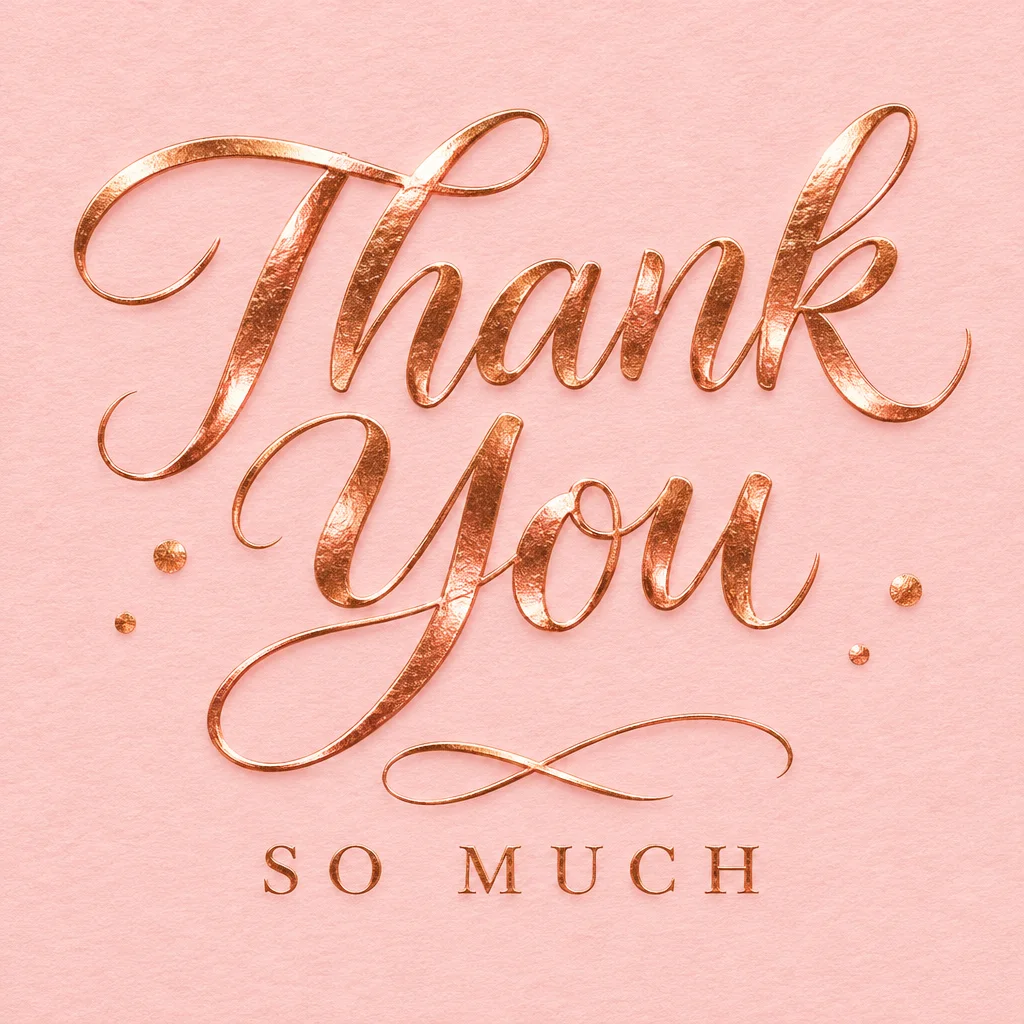
Rose-gold text art
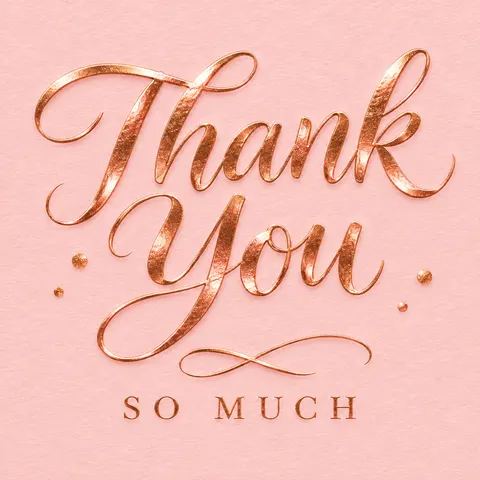
Thank you text art: the words "Thank You" in large shiny rose-gold foil script lettering, centred on a soft blush pink background with a subtle paper texture, spelled exactly. A few small rose-gold confetti dots and a thin flourish under the words, and "so much" in small rose-gold serif capitals below. Elegant greeting card style. No other text.
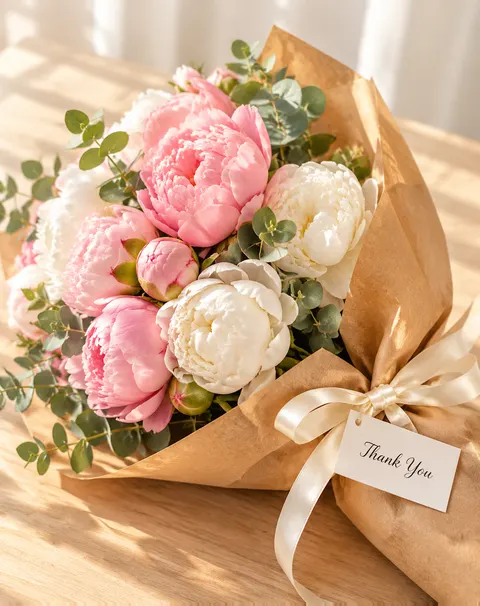
Peonies with a thank-you tag
Real photograph, a lush bouquet of pink and white peonies with eucalyptus wrapped in kraft paper and tied with a cream ribbon, lying on a light wooden table in soft daylight. A small white gift tag tied to the ribbon with the words "Thank You" handwritten in elegant black ink script, spelled exactly. Fresh, gentle, natural light, shallow depth of field. No other text, no logos.
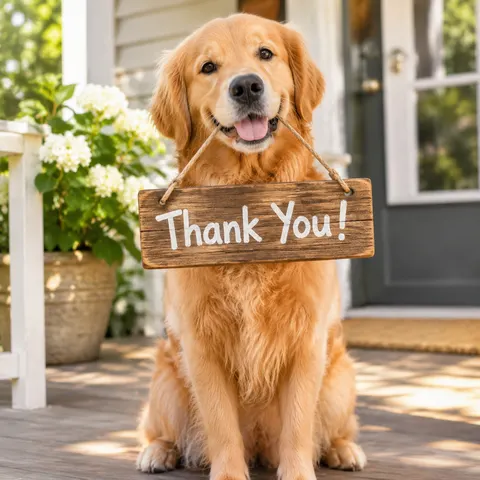
Dog with a Thank You sign
Real photograph, a happy golden retriever sitting on a sunny porch, holding in its mouth a small wooden sign with the words "Thank You!" painted in white letters, spelled exactly with the exclamation mark, tongue slightly out, soft afternoon light, shallow depth of field. Funny and sweet. No other text, no logos.
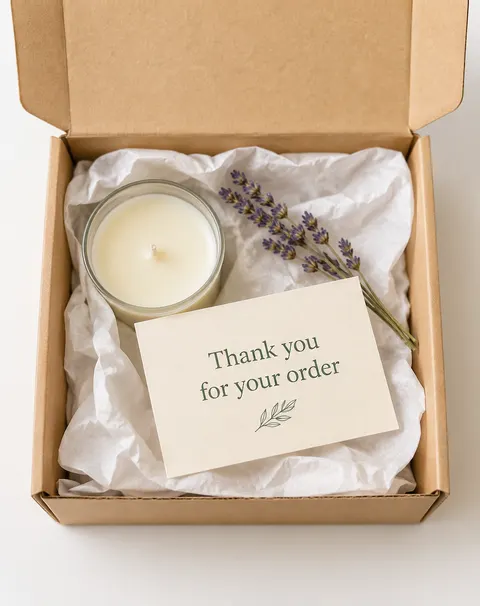
Thank you for your order
Real photograph from above, an open kraft shipping box with white tissue paper and a small handmade candle inside, a dried lavender sprig, and a printed cream card on top reading "Thank you for your order" in a dark green serif, spelled exactly, with a small hand-drawn leaf under the words. Small business packaging, soft daylight on a white table. No brand names, no logos, no other text.
More prompts (5)
Bold minimal typography
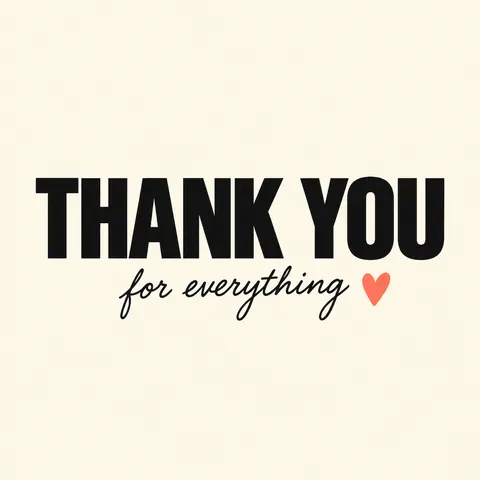
Minimal typographic thank you image: a plain warm off-white background, the words "THANK YOU" in a huge heavy black sans-serif, tightly spaced and centred, spelled exactly, and under them "for everything" in a small black handwritten script. A single small coral heart to the right of the script. Lots of empty space, modern Swiss poster style. No other text.
Watercolor hydrangeas
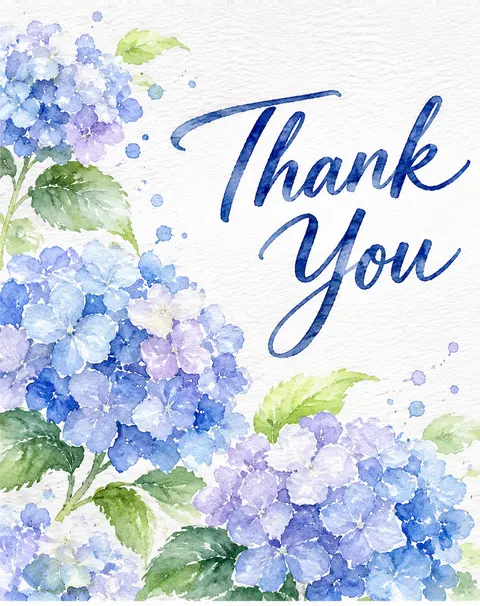
Loose watercolor painting on textured white watercolor paper: soft blue and lavender hydrangea blooms with green leaves curving around the lower half and the left edge, wet-in-wet petals, paint blooms and small splatters, white paper showing through. The words "Thank You" in flowing navy blue brush-script lettering in the upper right empty area, spelled exactly. Gentle and fresh. No other text.
Story for followers
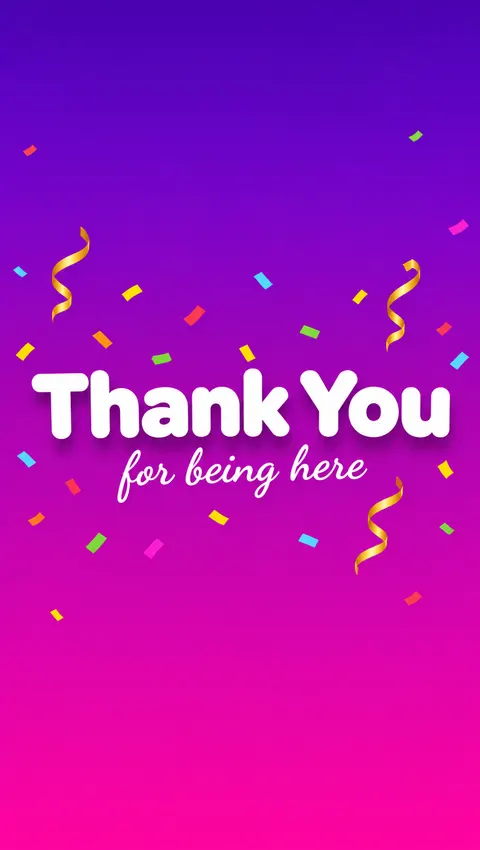
A tall phone story thank-you image for followers, vertical layout: a deep violet to hot pink gradient background with colourful paper confetti and a few gold streamers falling. In the middle third, the words "Thank You" in huge bold white rounded letters with a soft shadow, spelled exactly, and "for being here" in small white script underneath. Keep the top and bottom edges plain gradient with only a little confetti. Flat, festive, modern. No other text.
Thank You, Teacher! chalkboard
Real photograph, a tidy teacher's wooden desk by a sunny classroom window: a shiny red apple, a small stack of hardcover books, a jar of pencils and a potted succulent, and a green chalkboard on the wall behind with the words "Thank You, Teacher!" written in white chalk handwriting, spelled exactly with the comma and the exclamation mark. Warm afternoon light, shallow depth of field. No people, no other text, no logos.
THANK YOU balloons
Real photograph, shiny gold foil letter balloons spelling "THANK YOU" floating in one line in front of a soft sage green wall, one letter per balloon, spelled exactly T-H-A-N-K, then a gap, then Y-O-U, with a few round white and gold balloons and eucalyptus garland below. Bright, clean party styling, soft daylight. No other text, no logos.
Gallery
Thank you images, made with AI
Nine thank you images, each a single GPT Image 2.6 Sunburst run from the prompt under it, every “Thank You” and every extra line spelled right first time. Save one to send, or copy a prompt and change the scene, the words or the colours.
How to
How to make a thank you image
- Time needed
- Steps
- 4 steps
Step 1
Open the generator
Press “Make my thank you image”. Image Studio opens with GPT Image 2.6 Sunburst and the peonies prompt. Sign in free with Google, GitHub or Discord, no card needed.
Step 2
Pick a prompt and a shape
Keep the peonies or paste a prompt from the guide: text art, a dog with a sign, an order card, a teacher's chalkboard, a story. Set the shape: 1:1, 4:5, 9:16 or 16:9.
Step 3
Make it theirs
Add a name (“Thank You, Ms Rivera!”), your shop's colours or their favourite flower, and keep the words in quotes.
Step 4
Create, check the words, send
Press Create and read every letter. Run it again, or fix a letter in Edit Studio, then download it and send it.
See it in the app

Open Image Studio and type what you want to see — subject, style, lighting and mood.


Watch the tour · 1:23
Prompts, styles, references, edit, Arena & chat
Chapters
Tips
Get a thank you image that reads right
These habits got every word in the gallery right on the first run.
Put the exact words in quotes, “Thank You”, add “spelled exactly” and end with “no other text”.
Give the words a home in the scene: a gift tag, a wooden sign, a printed card, a chalkboard. Words on an object look natural and stay legible.
Keep the second line short: “so much”, “for everything”, “for being here” all rendered cleanly.
Want punctuation kept? Write it in the quote and name it, as “Thank You, Teacher!” with “the comma and the exclamation mark” did.
For letter balloons, spell the word out letter by letter in the prompt (T-H-A-N-K, then Y-O-U).
Want the spelling guaranteed or another language? Make the picture with “no text” and type the words in Edit Studio's text tool.
Models
Models for thank you images
What each model is good at. Open any one straight in the generator.
OpenAI
GPT Image 2.6 Sunburst
- Reference images
- Up to 16
- Output
- 1K to 4K
Open GPT Image 2.6 SunburstBest for
Made all nine · tagged for text rendering
Google
Nano Banana 2.1
- Reference images
- Up to 14
- Output
- 1K to 4K
Open Nano Banana 2.1Best for
Adds a thank-you to your own photo
- Free plan
Alibaba
Qwen Image 3.0
- Reference images
- Up to 3
- Output
- 1K or 2K
Open Qwen Image 3.0Best for
Free plan · scenes and short words
FAQ
Thank you image questions
9 questions

Where can I get thank you images?
Save any of the nine on this page: rose-gold text art, peonies with a tag, a dog holding a sign, a “Thank you for your order” card, bold typography, watercolor hydrangeas, a story for followers, a teacher's chalkboard and gold balloons. Open the image and save it, then send it by WhatsApp, email or a post. To make your own, copy a prompt into Image Studio and change the words.
Link to this answerHow do I make a thank you image with AI?
Describe the picture in Image Studio and put the words in quotes, for example “a bouquet of peonies in kraft paper with a gift tag reading ‘Thank You’ in black script”. Pick the shape for where it's going, press Create and check the spelling. The button on this page opens GPT Image 2.6 Sunburst with that prompt filled in.
Link to this answerAre these thank you images free?
Free to start. Sign in with Google, GitHub or Discord, with no card, and a new account gets 25 credits. Qwen Image 3.0 is on the free plan at 9 credits an image, so the starter credits make two. GPT Image 2.6 Sunburst costs 15 credits at 1K and Nano Banana 2.1 21, from one-time packs; the Starter pack is $15 for 1,300 credits, with no subscription.
Link to this answerCan I make a thank you image for a teacher?
Yes. Put the words where a teacher would see them, such as a chalkboard: our desk scene with “Thank You, Teacher!” in chalk came out right first try, comma and exclamation mark included. Add their name inside the quotes, like “Thank You, Ms Rivera!”, and print it at 4:5 for a card.
Link to this answerCan I make a thank you for your order image for my shop?
Yes. Describe your packaging and put the line on a printed card in the box: our kraft box with a candle, lavender and “Thank you for your order” card took one try. To use your real product, upload its photo with Nano Banana 2.1 and ask to add the card, keeping the product the same.
Link to this answerCan I make funny thank you images?
Yes. A pet holding a sign works well: our golden retriever with a wooden “Thank You!” sign took one try. Upload your own dog or cat with Nano Banana 2.1 and ask to add the sign, keeping the pet the same.
Link to this answerHow do I thank my followers with an image?
Make a 9:16 story with the words in the middle third, as in our violet-to-pink confetti story with “Thank You” and “for being here”. The app's name and reply bar cover the top and bottom, so keep those plain. Add a milestone inside the quotes if you like.
Link to this answerWhy does AI misspell the words in my thank you image?
Image models draw letters as shapes, so long lines and unusual punctuation slip most. Keep the words short, put them in quotes with “spelled exactly” and use GPT Image 2.6 Sunburst, the model tagged for text rendering; all nine here came out right. If one slips, run it again or fix it with Edit Text in Image in Edit Studio.
Link to this answerWhy was my prompt blocked?
Almost always a child word. The filter blocks words such as child, kid and baby, and catches everyday phrases too: write “from all of us” or “from the class” instead. Remove the word and run it again.
Link to this answerIn depth
Thank you images, explained
What works, what to avoid, and how to pick a model.
On this page
Thank you image ideas by who you're thanking
Pick the style for the person and the moment:
- A friend or host: flowers with a handwritten tag, or rose-gold text art.
- A teacher: a chalkboard with their name, an apple and books on the desk.
- Customers: a printed “Thank you for your order” card in your packaging, in your shop's colours.
- Followers: a 9:16 story with confetti and a short line, or a milestone number.
- Colleagues or a team: bold typography or balloon letters for a slide or a post.
- Someone with a sense of humour: a pet holding a sign.
Making your own thank you images vs downloading them
Most “thank you images” results are galleries of stock pictures, reused by thousands of people and each with its own licence to read. Making your own takes about a minute: the image is new, it can carry a name or your shop's line, it's in the shape you need, and Kenerate claims no ownership of it.
One caveat: the US Copyright Office's 2025 report ties copyright to human authorship, so an image made entirely from a prompt may not be protected against others copying it.
What we got
Nine images, made on 17 November 2026, each a single GPT Image 2.6 Sunburst run at medium quality and 1K, 15 credits each.
- Every “Thank You” and every second line (“so much”, “Thank you for your order”, “for everything”, “for being here”, “Thank You, Teacher!”) was spelled right first time, punctuation included.
- “so much” came out in capitals, as the prompt asked for serif capitals.
- The dog holds the sign by a rope rather than the board itself, and the model added white hydrangeas to the porch.
- No people and no brand names or logos appear in any of the nine.
By the Kenerate AI teamLast updated and reviewed
We build and run the Kenerate generator. Every example is a real output of the model named under it; models and presets were checked against the app's code.
Sources: US Copyright Office — Copyright and Artificial Intelligence (Part 2: Copyrightability, 29 January 2025) · Kenerate AI — Terms of Service · Kenerate Image Studio · Kenerate Edit Studio (text, resize and Edit Text in Image)

Make your thank you image
Free to start. Sign in with Google, GitHub or Discord, no card needed.
Tried it? Tell us how it went