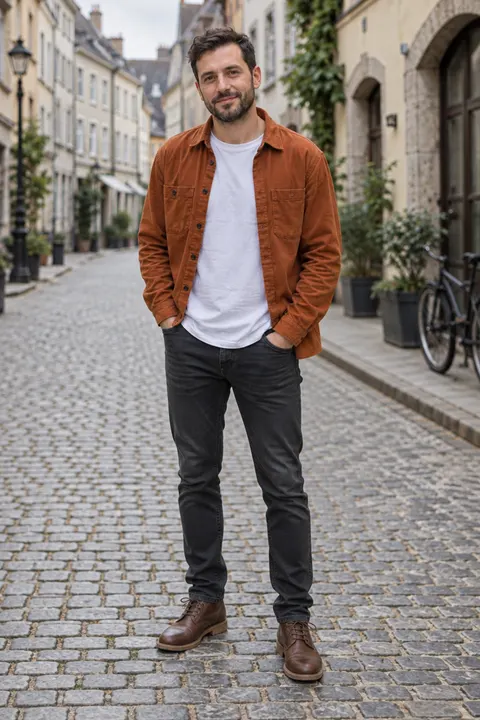
Waist-up or headshot → head to toe
AI full body generator — make any photo full body
Upload a waist-up photo or a headshot and ask for the whole person: legs, shoes and the ground under them. Same face, same outfit, same place. Two ways to do it, both shown below on the same photo.
- Headshot or waist-up in
- Head to toe out
- Same face and outfit
- No watermark
Updated by the Kenerate AI team




On this page
Quick answer

How do I make a photo full body with AI?
To make a photo full body with AI, upload it and ask for the whole person: "make it full body, head to toe, same face and outfit". Kenerate does it two ways: an Image Studio edit that redraws the photo as a full-length shot, or Expand Image, which keeps your pixels and paints the legs and ground below them. Our waist-up example took one try with each.
Key facts
- Input
- A headshot, waist-up or knee-up photo
- Way 1
- Image Studio edit · redraws the full-length shot
- Way 2
- Expand Image · keeps your pixels, adds up to 100% per edge
- Edit model here
- GPT Image 2.5 Sunburst
- Expand default
- Nano Banana 2 Fast
- Our expand output
- 1530 × 2741 px from a 912 × 1152 photo
- Watermark
- None
Two methods
Edit or expand: two ways to make it full body
Both start from one photo. Pick by what matters more: your original pixels, or a natural full-length framing.
| Compared | Image Studio edit (“make it full body”) | Expand Image (outpaint) |
|---|---|---|
| What it does | Redraws the whole picture as a head-to-toe shot | Keeps your photo and paints new canvas below and beside it |
| Your face | Redrawn to match; check it closely | Your original pixels, untouched |
| Framing | Natural full-length framing, person smaller in frame | Same size person; the picture grows taller |
| Legs, shoes, ground | Invented from your prompt | Invented to continue the photo |
| Control | A sentence; name the shoes and trousers | Ratio or % per edge (0–100%), optional prompt |
| Best for | Headshots, outfit ideas, a new full-length image | Waist-up photos where the face must stay exactly yours |
| Where | Image Studio, any edit model | Expand Image tool, six models |
Sources: Kenerate Expand Image (the tool)
Gallery
Make it full body: before and after
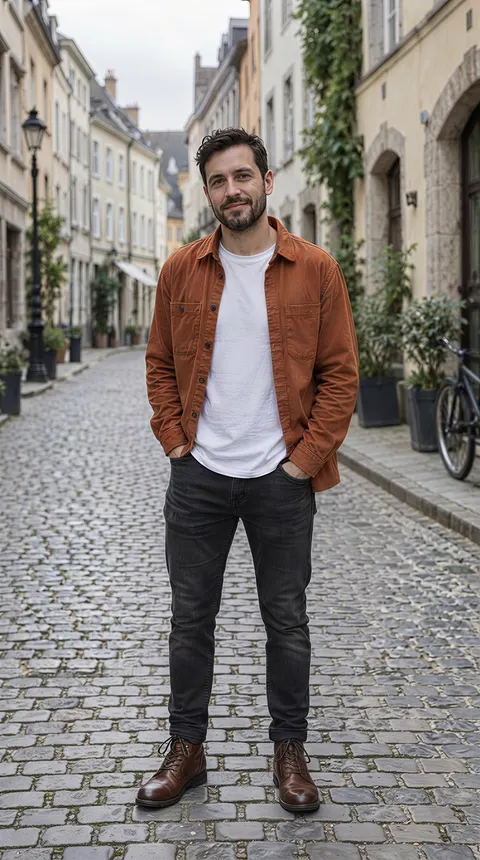
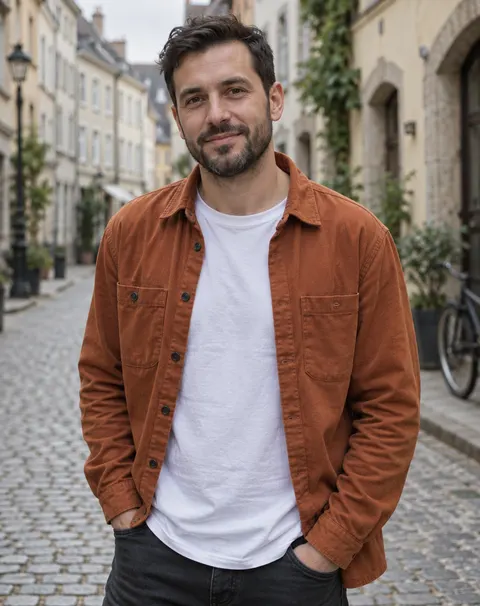
One fictional waist-up photo, made full body two ways, one try each. The edit redrew the scene at full length; the expand kept the original pixels and painted the jeans, boots and street below them.
Same prompt
Waist-up to head-to-toe, same photo
Left: the photo we started from. Middle: Expand Image grew the canvas. Right: the Image Studio edit redrew it full length.
PromptMake it full body: show this same person from head to toe, standing in the same place, with the whole body and both feet in frame. Keep the face, hair, clothing, pose, background and lighting the same; continue the outfit naturally below the frame.
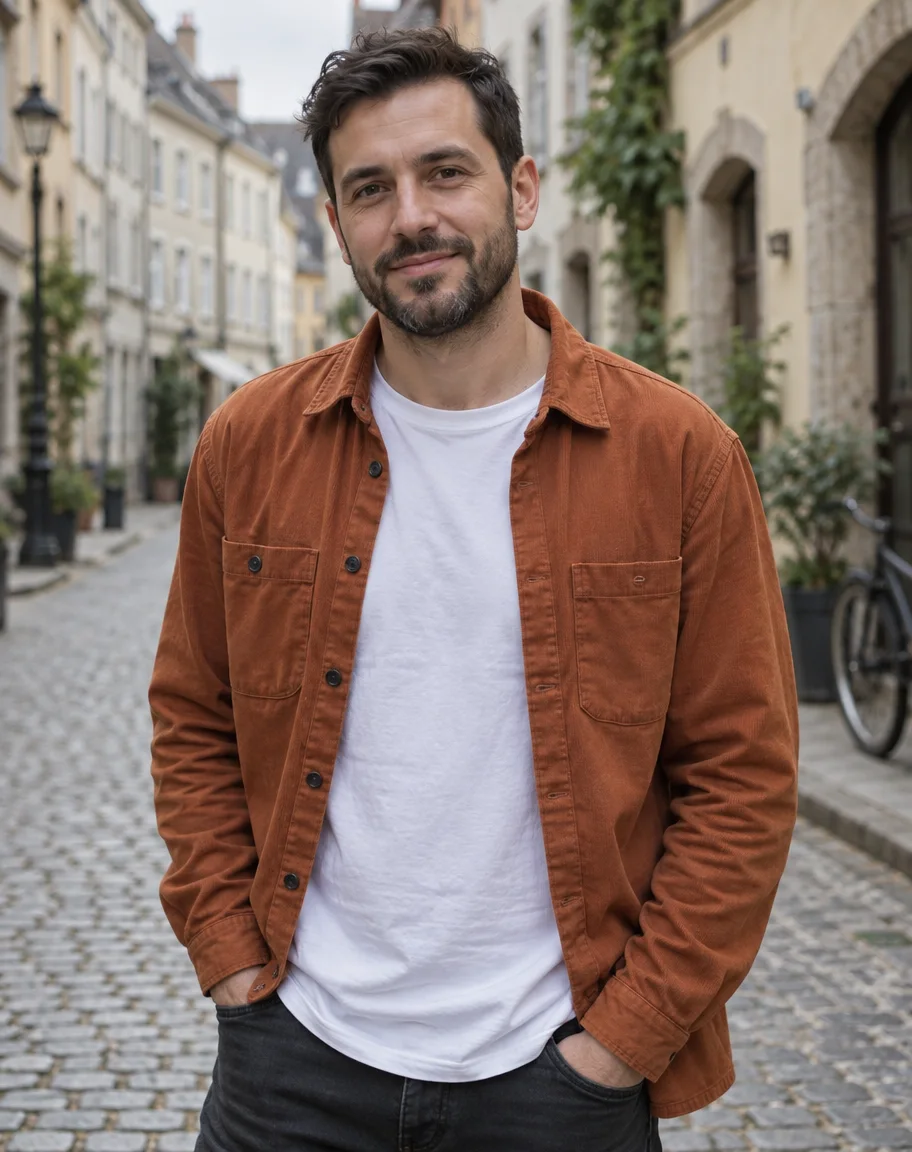 BeforeWaist-up
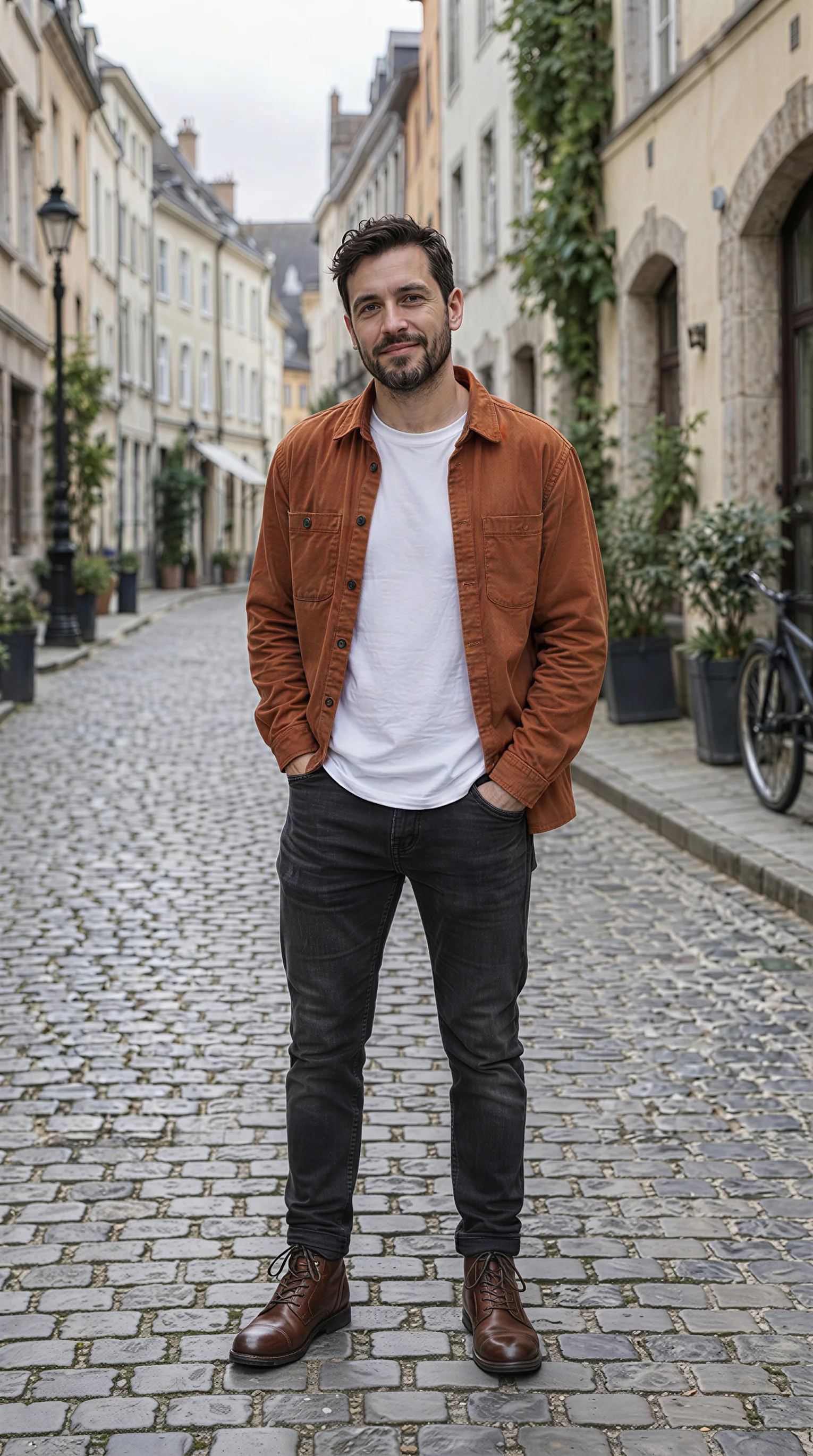 Expand ImageNano Banana 2 Fast
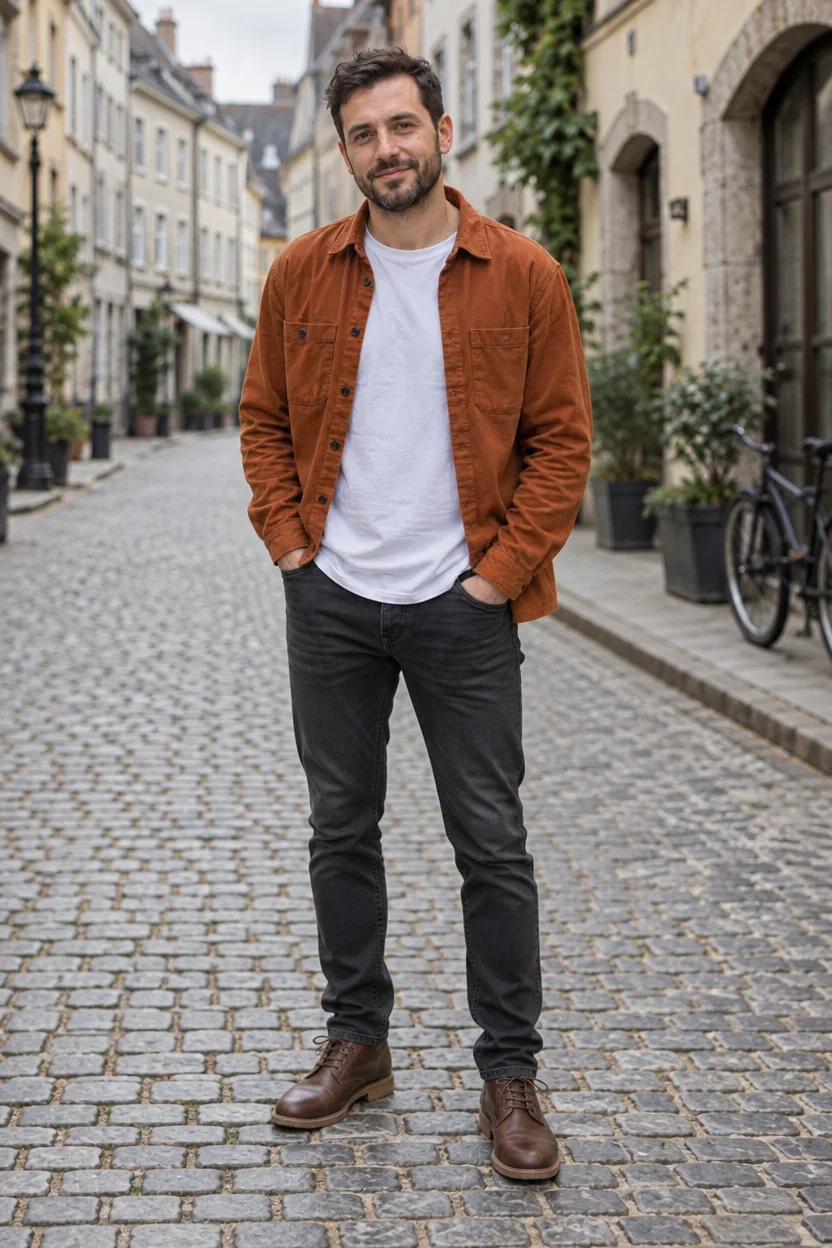 EditGPT Image 2.5 Sunburst
How to
How to use the AI full body generator
- Time needed
- Steps
- 4 steps
Step 1
Open the full body generator
Press “Add your photo”. Image Studio opens with the “make it full body” instruction and GPT Image 2.5 Sunburst picked. Sign in free for starter credits.
Step 2
Upload one photo
Add a waist-up photo or a headshot of yourself (or one you have permission to use), with the face clear.
Step 3
Describe the rest of the outfit
Add the trousers, shoes and ground to the prompt, and pick a tall ratio such as 2:3 or 9:16.
Step 4
Create, or expand instead
Press Create. To keep your original pixels, open Expand Image, add up to 100% at the bottom and press Expand. Download without a watermark.
See it in the app

Open Image Studio and type what you want to see — subject, style, lighting and mood.


Watch the tour · 1:23
Prompts, styles, references, edit, Arena & chat
Chapters
Tips
Get a full-body result that still looks like the photo
What worked on our example, and what to check.
Describe what's below the frame: “dark jeans and brown leather boots”. If you don't, the model guesses the trousers and shoes.
Say where the feet stand: “both feet on the cobblestones”, “standing on a wooden floor”.
Keep the pose line (“hands in pockets”) so the arms and hands still match.
Expand from a waist-up photo, not a tight headshot: +100% at the bottom roughly doubles the height, enough for legs and feet.
From a headshot, use the edit; there isn't enough body in the frame for an expand to continue.
Check the face and hands at full size; the edit redraws them, the expand doesn't.
Models
Models for making a photo full body
What each model is good at. Open any one straight in the generator.

OpenAI
GPT Image 2.5 Sunburst
- Reference images
- Up to 16
- Output
- 1K to 4K
Open GPT Image 2.5 SunburstBest for
Default here · made the edit example
Google
Nano Banana 2.1
- Reference images
- Up to 14
- Output
- 1K to 4K
Open Nano Banana 2.1Best for
Strong subject consistency for faces

ByteDance
Seedream 5.0 Pro
- Reference images
- Up to 10
- Output
- Up to 2K
Open Seedream 5.0 ProBest for
Good all-round edits
- Free plan

Google
Expand Image · Nano Banana 2 Fast
- Output
- Up to 2048 px canvas
Open Expand Image · Nano Banana 2 FastBest for
Expand default · made the expand example
FAQ
AI Full Body Generator questions
8 questions

How do I make a photo full body with AI?
Upload the photo and ask for the whole person: “make it full body, head to toe, same face and outfit”, plus the trousers and shoes you want. On Kenerate you can do it as an Image Studio edit, which redraws the shot at full length, or with Expand Image, which keeps your photo and paints the legs and ground below it.
Link to this answerCan AI turn a headshot into a full-body picture?
Yes, with an edit. A headshot has no body to continue, so the model has to draw the body, clothes and pose from your description; keep the face line in the prompt and check the face at full size. Expand Image works better from a waist-up photo, where it can continue the clothes that are already there.
Link to this answerIs the AI full body generator free?
Free to start. A new Kenerate account gets 25 free starter credits, and Qwen Image 3.0 is a free-plan model you can pick for the edit. GPT Image 2.5 Sunburst, used for our edit example, and the Expand Image models use credits from a one-time pack; there's no subscription. Downloads have no watermark.
Link to this answerWill it keep my face the same?
Expand Image keeps your original pixels, so the face is exactly yours. An edit redraws the whole image and usually keeps the face close, as in our example, but it is a new drawing: check the eyes, mouth and hands, and run it again if something drifted. Nano Banana 2.1 is built for strong subject consistency.
Link to this answerAre the legs and shoes real?
No. Neither method can recover what the camera didn't capture; the legs, trousers, shoes and ground are invented to match the photo and your prompt. That's fine for an outfit idea or a profile picture, but don't present the result as an unedited photo of what someone was wearing.
Link to this answerWhat's the difference between this and an image expander?
An image expander only grows the canvas and fills it, so it's one of the two methods here. “Make it full body” is about the person: you want legs and feet, not just more background. That's why this page also covers the edit, which reframes the person at full length, and gives the prompt words for the outfit.
Link to this answerWhat ratio should I use for a full-body photo?
A tall one. 2:3 suits a standing person with a little space around them, and 9:16 suits phone wallpapers, Stories and Reels. In Expand Image you can pick the ratio or add a percentage per edge; our example added 100% at the bottom and 15% at each side.
Link to this answerCan I use someone else's photo?
Only your own photo, or one the person has agreed to. Making someone full body changes how they appear, so share it only with their consent, and never use it to show a real person in clothes or a place they weren't in. Don't upload photos of anyone under 18 or combine photos of different people.
Link to this answerIn depth
AI Full Body Generator, explained
What works, what to avoid, and how to pick a model.
On this page
How does “make it full body” work?
There are two mechanisms. An edit sends your photo and the sentence to an image model's edit endpoint, and the model draws a new picture of the same person at full length. An expand (outpaint) places your photo on a bigger canvas, with black where the new area goes, and the model fills only that area so it joins the photo. On Kenerate, Expand Image grows each edge by up to 100% of the photo's own size, or to one of ten ratios, and the canvas is capped at 2048 px on the long side before the model answers at its own resolution.
How much do I need to expand to get to full body?
Work from where the frame cuts off:
- Waist-up (cut just above the belt, like our example): +100% at the bottom reaches the feet.
- Knee-up: +40–60% at the bottom is usually enough.
- Chest-up or a headshot: an expand can't add enough height in one go; use the edit, or expand twice and check the proportions.
- Add 10–20% at each side so the arms and shoulders don't touch the edge.
A full-body prompt to start from
Fill in the brackets: “Make it full body: show this same person from head to toe, standing [where], with both feet in frame. Keep the face, hair, [top], pose and lighting the same; add [trousers or skirt] and [shoes].”
By the Kenerate AI teamLast updated and reviewed
We build and run the Kenerate generator. Every example is a real output of the model named under it; models and presets were checked against the app's code.
Sources: Kenerate Expand Image (the tool) · Kenerate Image Studio