

Night · gothic · smoke · moonlight · 1:1 square
Dark PFP original dark, moody profile pictures you can make
Original dark profile pictures made on Kenerate, each with the prompt that made it — moody, not gory. Keep the light and colour words, swap the subject, and it's yours. Or turn your own photo into a dark, low-key portrait.
- Moody, not gory or violent
- Every prompt shown
- Your own photo made dark
- Square and centred for circle crops
Updated by the Kenerate AI team




Made with Kenerate
On this page
Quick answer

How do you make a dark PFP?
A dark PFP is a moody profile picture built from shadow and one light source — a raven against the moon, a black rose, a hooded figure in neon rain, a candle in the dark. On Kenerate AI, describe it in Image Studio and pick Seedream 5.0 Pro (13.5 credits) or GPT Image 2.5 Sunburst (7.2 credits) at 1:1. For your own photo, use Nano Banana 2.1 (21 credits).
Key facts
- Dark PFPs on this page
- 8 originals · 1 photo before/after
- Painted and gothic
- Seedream 5.0 Pro
- Photo-style night and candlelight
- GPT Image 2.5 Sunburst
- Your photo made dark
- Nano Banana 2.1 reference edit
- Shape
- Square 1:1, about 1024 × 1024 px
- Free plan
- Qwen Image 3.0
Gallery
Dark PFP ideas: real outputs with their prompts
Every dark PFP here is an original made on Kenerate, one try each. Open a tile to copy its prompt, keep the light and colour words, and swap the subject to make it yours.
From your photo
Make your own photo a dark PFP
Add your photo as the reference on Nano Banana 2.1 and describe the light, background and clothes. The office photo here is AI-made (GPT Image 2.5 Sunburst), so no real person is shown; the low-key portrait is a real Nano Banana 2.1 edit of it, one try.
PromptTurn this exact woman into a dark, moody profile picture: keep her face, black hair, smile lines and gold hoop earrings so she is clearly the same person, but change her sweater to a black turtleneck, put her against a pure black background, light her with one soft cold light from the side so half her face falls into shadow, a thin rim of light along her hair, calm serious expression looking at the camera, low-key cinematic portrait, desaturated with deep blacks, head and shoulders, square, centred for a circle crop, no text.
 Before: an ordinary photoGPT Image 2.5 Sunburst stand-in, office daylight
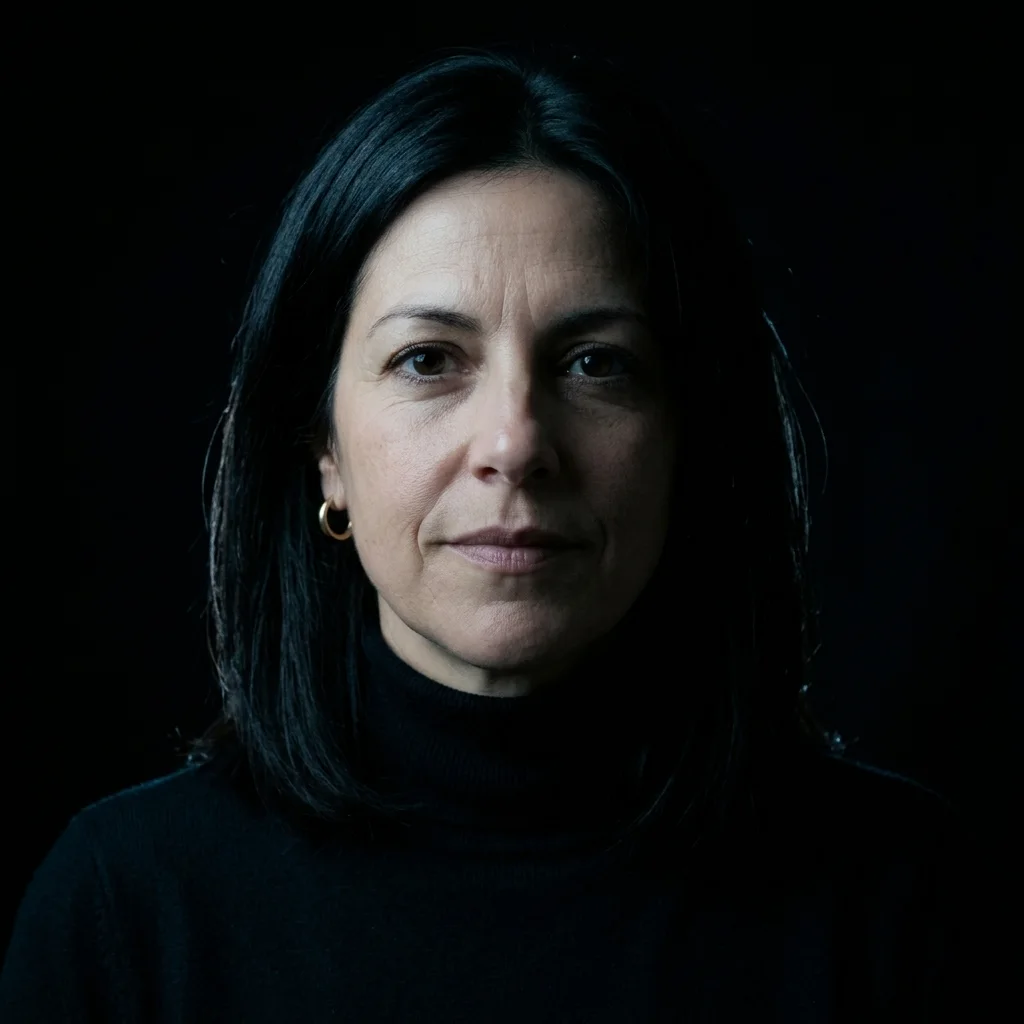 After: dark PFPNano Banana 2.1 edit — same face and earrings; the shadow came out softer than “half her face”
Prompts
Dark PFP prompts to copy
Each one opens Image Studio with the prompt filled in and the model that made it picked. Keep the light and colour words and swap the subject to make it yours.
- Subject
- Raven, rose, moth, moon, a figure
- Light
- One source: moon, candle, neon
- Palette
- Black plus one accent colour
- Clean
- Moody, not gory; no text
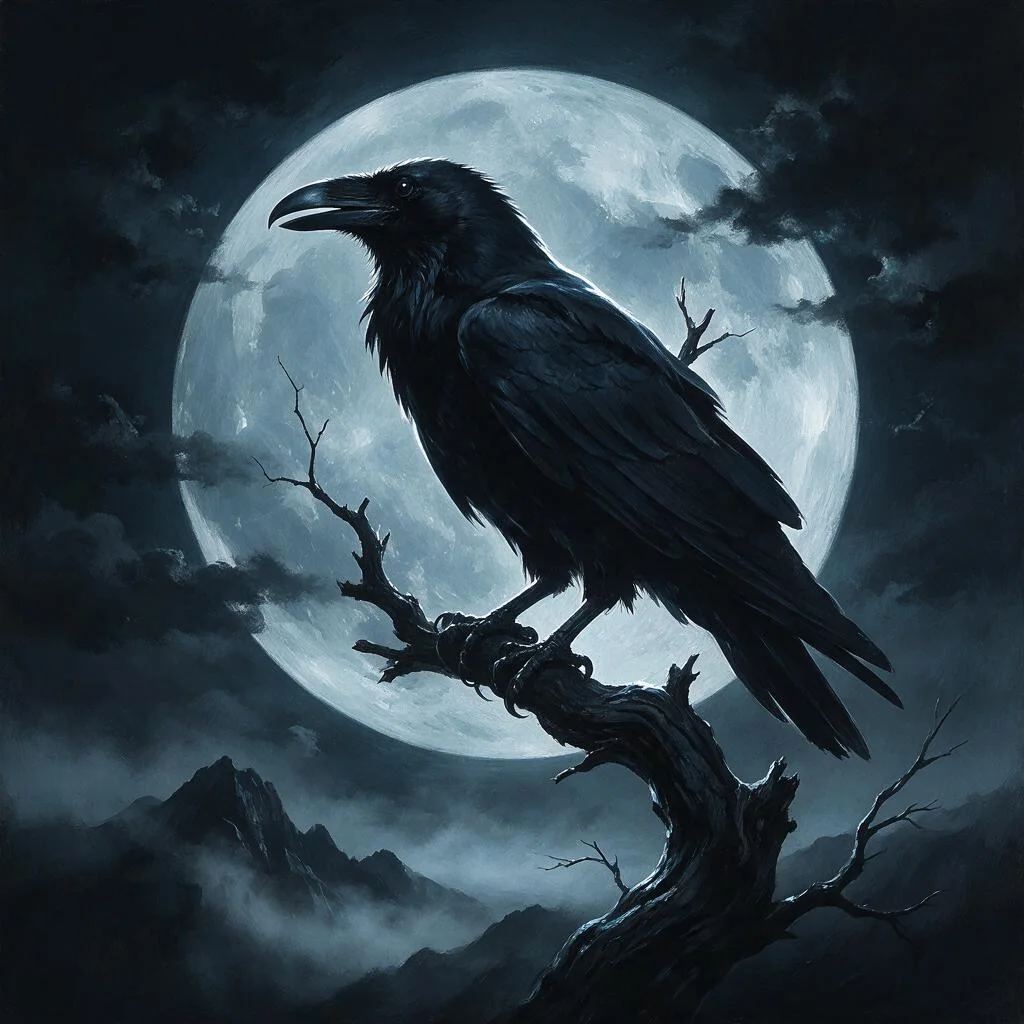
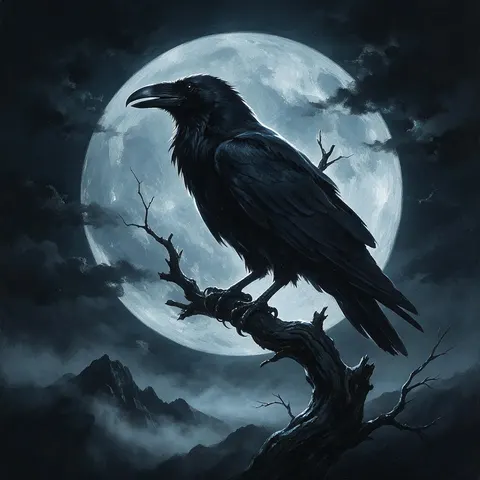
Raven against the full moon
Dark profile picture: a black raven perched on a bare twisted branch in front of a huge pale full moon, thin fog drifting below, deep charcoal and cold silver-blue palette, dramatic moonlight rim on the feathers, painterly dark fantasy illustration, centred for a circle crop, square, no text.
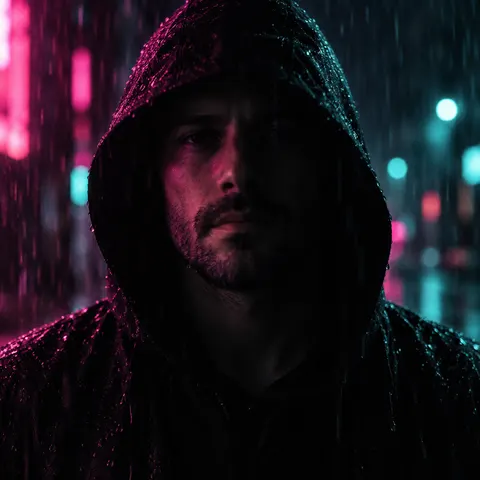
Hood up in neon rain
Dark profile picture: a man in his thirties with stubble wearing a black hoodie with the hood up, standing in the rain at night, half of his face lit by a magenta and teal neon glow from an unseen sign, the other half in deep shadow, calm serious expression, raindrops catching the light, cinematic moody night photo, head and shoulders, centred for a circle crop, square, no text, no readable signs, no logos.
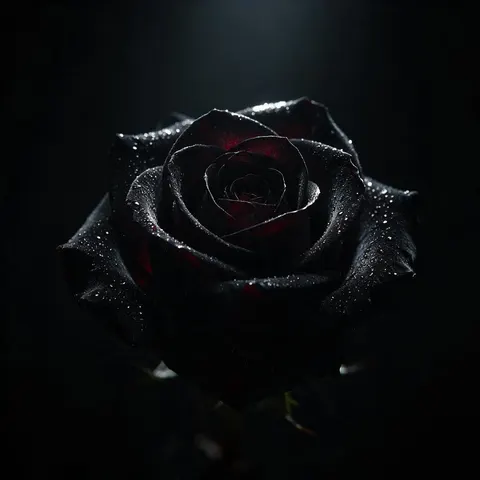
Black rose in a beam of light
Dark profile picture: a single black rose with velvety petals covered in tiny water droplets, one thin beam of cold light from above catching the edges of the petals, pure black background, deep crimson tint in the shadows of the petals, dramatic low-key still life, macro photo style, centred for a circle crop, square, no text.
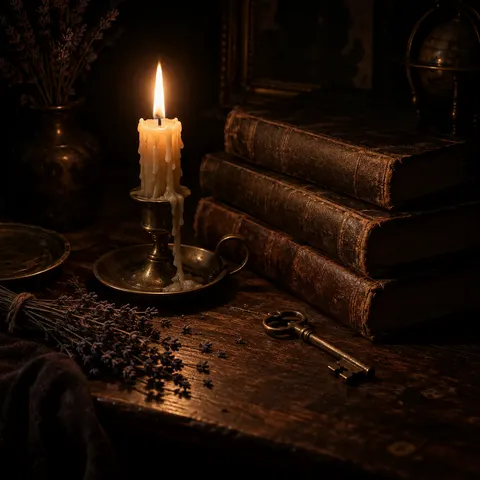
Dark academia candle
Dark profile picture: dark academia still life on an old wooden desk at night — a single lit candle in a brass holder with melted wax, a stack of worn leather-bound books with blank spines, an old brass key and dried lavender, everything else falling into deep shadow, warm amber candlelight against near-black brown, moody film photo with grain, centred for a circle crop, square, no text, no titles, no writing.
More prompts (5)
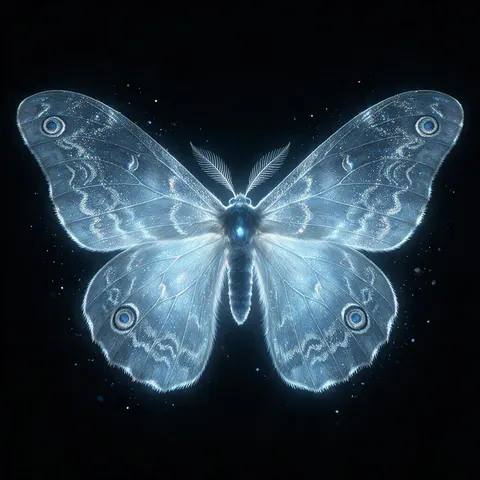
Glowing moth in the dark
Dark profile picture: a large moth with softly glowing pale-blue wings resting in total darkness, fine dust on the wings catching the light, faint glowing particles drifting around it, black background, cold blue and silver palette, ethereal dark fantasy illustration with fine detail, wings filling the frame, centred for a circle crop, square, no text.
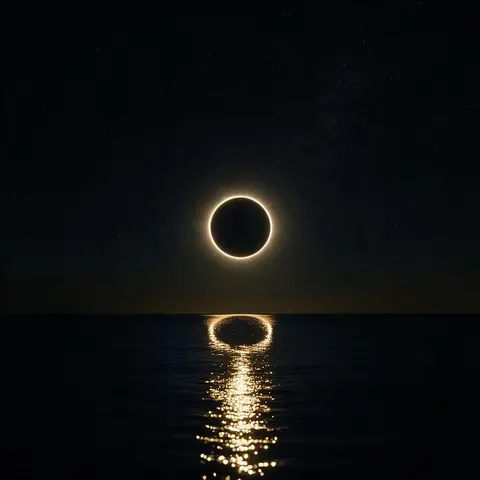
Eclipse over a black sea
Dark profile picture: a total solar eclipse hanging over a calm black sea at night, a thin bright white-gold ring of light around the black moon, its reflection rippling on the water, faint stars, deep black and cold gold palette, minimal and quiet, cinematic digital art, centred for a circle crop, square, no text.
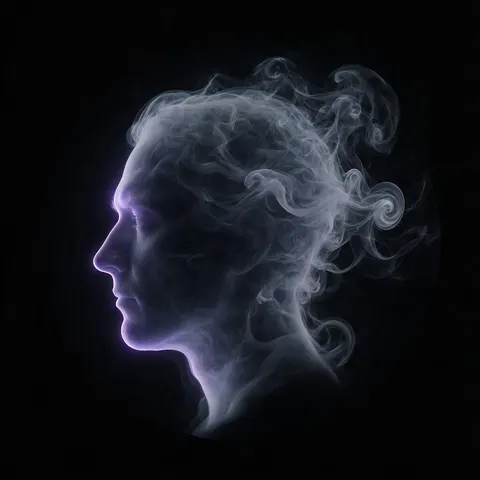
Face made of smoke
Dark profile picture: the side profile of an adult man's face formed entirely from drifting pale grey smoke against a pure black background, the smoke trailing off the back of his head into soft swirls, one cool violet light from the side catching the smoke edges, minimal surreal dark art, centred for a circle crop, square, no text.
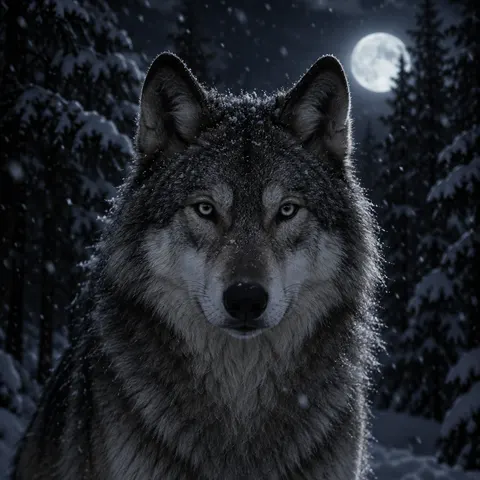
Wolf in a snowy night forest
Dark profile picture: a grey wolf standing calmly in a snowy pine forest at night, looking straight at the camera, its eyes catching a faint silver light, snowflakes falling, cold moonlight from behind outlining its fur, everything else in deep blue-black shadow, calm and quiet mood, realistic wildlife night photo, head and shoulders, centred for a circle crop, square, no text.
From your photo (add your photo first)
Turn this exact woman into a dark, moody profile picture: keep her face, black hair, smile lines and gold hoop earrings so she is clearly the same person, but change her sweater to a black turtleneck, put her against a pure black background, light her with one soft cold light from the side so half her face falls into shadow, a thin rim of light along her hair, calm serious expression looking at the camera, low-key cinematic portrait, desaturated with deep blacks, head and shoulders, square, centred for a circle crop, no text.
How to
How to use the dark pfp
- Time needed
- Steps
- 4 steps
Step 1
Open Image Studio
Press “Make my dark PFP” — Image Studio opens with Seedream 5.0 Pro. Pick GPT Image 2.5 Sunburst for photo-style night and candlelight.
Step 2
Describe the darkness
The subject, one light source, black plus one accent colour, the texture (fog, smoke, rain, grain) and “square, centred, no text”.
Step 3
Set a square
Choose 1:1 and generate. If the subject disappears, ask for a rim of light and generate again.
Step 4
Or use your photo
Switch to Nano Banana 2.1, add your photo as the reference and describe the low-key light, background and colours.
See it in the app

Open Image Studio and type what you want to see — subject, style, lighting and mood.


Watch the tour · 1:23
Prompts, styles, references, edit, Arena & chat
Chapters
Tips
What makes a dark PFP read at 40 pixels
A dark picture shrunk to a small circle can turn into a black dot. These keep the subject visible.
Use one light source and name it: “full moon behind”, “single candle”, “neon glow from one side”. One light gives a clear shape.
Black plus one accent colour: silver-blue, crimson, magenta, amber. The accent is what people see first in a dark circle.
Silhouettes and rim light read best — a raven against the moon, a profile outlined in light.
Moody, not gory: shadow, fog, smoke, rain and night do the work. Skip blood, weapons and horror — many platforms remove those PFPs.
Check the shadows: if the face or subject is lost, ask for “a thin rim of light on the edges”.
Make your own instead of reposting a film still or game character — those belong to someone else.
Square and centred: apps crop PFPs to a circle, so keep the lit part in the middle.
Models
Which models make dark PFPs?
What each model is good at. Open any one straight in the generator.

ByteDance
Seedream 5.0 Pro
- Reference images
- Up to 10
- Output
- 1:1 up to 2K
Open Seedream 5.0 ProBest for
Painted gothic scenes, smoke, moons, still lifes

OpenAI
GPT Image 2.5 Sunburst
- Reference images
- Up to 16
- Output
- 1K to 4K
Open GPT Image 2.5 SunburstBest for
Photo-style night, rain and candlelight
Google
Nano Banana 2.1
- Reference images
- Up to 14
- Output
- 1K to 4K
Open Nano Banana 2.1Best for
Your own photo made dark — keeps your face
- Free plan

FAQ
Dark PFP questions
7 questions

What is a dark PFP?
A dark PFP is a moody profile picture made mostly of shadow, with one light source and one accent colour — a raven against the moon, a black rose, a figure in neon rain, a candle on a desk. It is about atmosphere, not gore: fog, smoke, night and low-key light do the work.
Link to this answerHow do I make a dark PFP?
Describe it in Image Studio: the subject, one light source, black plus one accent colour, a texture like fog or film grain, and “square, centred, no text”, then generate at 1:1. Every PFP on this page was made that way; open a tile to copy its prompt.
Link to this answerCan I make my own photo dark and moody?
Yes. Pick Nano Banana 2.1, add your photo as the reference and describe the low-key light — “keep her face exactly, black background, one soft light from the side”. The before/after on this page was made that way from an AI-made photo, one try, for 21 credits.
Link to this answerIs there a free dark PFP maker?
Yes, with limits. A new Kenerate account gets 25 credits on sign-up, and Qwen Image 3.0 is on the free plan at 9 credits a picture, so you can make a couple of dark PFPs before paying. GPT Image 2.5 Sunburst costs 7.2 credits and Seedream 5.0 Pro 13.5.
Link to this answerCan a dark PFP get removed?
A moody PFP on its own is not a problem; what platforms take down is graphic violence, gore or hateful imagery, which their community rules don't allow. Keep it to shadow, night, smoke and moonlight, as every PFP on this page does.
Link to this answerWhy does my dark PFP look like a black circle?
Too little light on the subject. Ask for one clear light source and “a thin rim of light on the edges”, add one bright accent colour, and keep the subject large in the frame — at 40 pixels, only the lit parts show.
Link to this answerWhat size should a dark PFP be?
Square. Every PFP here is 1:1 at about 1024 × 1024 pixels, which every app accepts and crops to a circle. X recommends 400 × 400 pixels and Discord's design team suggests at least about 200 × 200, so 1024 px leaves room to crop.
Link to this answerIn depth
Dark PFP, explained
What works, what to avoid, and how to pick a model.
Dark PFP ideas to try
Untested starting points — each has one light source and one accent colour, which is what survives a 40-pixel circle:
- A black cat's yellow eyes glowing out of total darkness, nothing else visible.
- A lighthouse beam cutting through fog over a black sea, cold white light.
- An empty swing under a single streetlight in thick fog, sodium-orange glow.
- A crescent moon caught in bare black branches, deep indigo sky.
- A hand holding a lit match in the dark, warm flame, black background.
- Rain on a dark window with one red neon reflection, no readable sign.
Painted vs photo-style dark PFPs
Painted and fantasy dark PFPs (the raven, the black rose, the moth, the eclipse, the smoke profile) came from Seedream 5.0 Pro at 13.5 credits each. Photo-style night and candlelight (the neon hood, the dark academia desk, the snowy wolf) came from GPT Image 2.5 Sunburst at 7.2 credits each.
To make a photo of yourself dark and moody, Nano Banana 2.1 keeps your face and changes the light, background and clothes, at 21 credits a picture.
By the Kenerate AI teamLast updated and reviewed
We build and run Kenerate Image Studio. Every dark PFP here is a real output made on 17 November 2026 with the model named under it, one try each. The selfie in the before/after is AI-generated, so no real person is shown. Models, prices and limits were checked against the app's code.
Sources: Discord — Make Your Discord Profile Shine: Profile Pointers from Design Pros · X Help Center — Help with uploading a profile photo · Kenerate Image Studio
