

Anime couple · best friends · cat & dog · gamer · Christmas
Matching PFP generator two profile pictures that belong together
Make one profile picture, then make its partner from it — same style, same background, mirrored pose, a different character. Or draw one wide scene and cut it in half. Five real pairs below, with both prompts for each.
- 5 real matching pairs
- Picture 2 made from picture 1
- Or split one wide image
- Square and centred for circle crops
Updated by the Kenerate AI team




Made with Kenerate
On this page
Quick answer

How do you make matching PFPs?
Matching PFPs are two profile pictures that read as a set: the same art style, background and framing, with mirrored poses and a different character in each — often with one object, like a heart or a scarf, split between them. The reliable way to make them with AI is a reference edit: make the first picture, then add it as a reference and ask for “the matching partner of this picture, same style and background, mirrored pose, a different character”. On Kenerate AI we made picture 1 with Seedream 5.0 Pro (13.5 credits) and picture 2 with Nano Banana 2.1 (21 credits), the model built for keeping characters and style consistent. The other way is to make one wide 2:1 picture with a character on each half and crop it into two squares — Edit Studio's crop is free.
Key facts
- Pairs on this page
- 4 reference edits · 1 split image
- Picture 1
- Seedream 5.0 Pro
- Picture 2
- Nano Banana 2.1 with picture 1 as reference
- Split method
- One 2:1 image → two 1:1 crops
- Shape
- Square 1:1, centred for circle crops
- People
- Adults only · original characters
- Also works with
- GPT Image 2.5 Sunburst · Qwen Image 3.0 (free plan)
Gallery
Matching PFPs: 5 real pairs
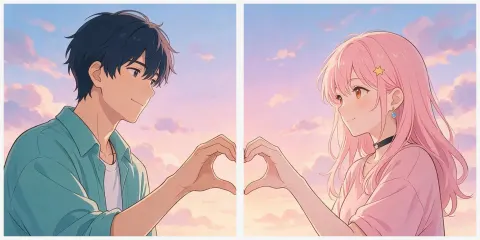
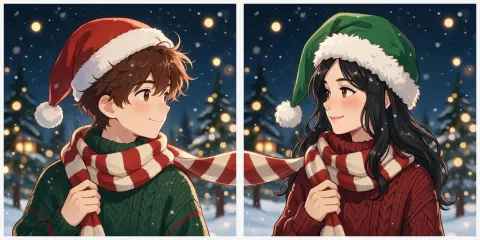
Each tile shows the two square PFPs side by side. Four pairs are a first picture plus a Nano Banana 2.1 edit made from it; the anime couple is one wide picture cut in half. Open any pair for the first prompt — the partner prompts are in the guide below.
Method
How the pairs were made
Two honest methods. Every pair in the gallery says which one it used.
Reference edit — picture 2 from picture 1
Make the first PFP from a prompt (Seedream 5.0 Pro), then add it as the reference in Nano Banana 2.1 and ask for “the matching partner: same style, background, framing and light, a different character, mirrored pose”. Two full portraits that match.
Split image — one wide scene, two squares
Make one 2:1 picture with a character in each half and the shared object on the centre line, then crop the left and right squares with Edit Studio's Crop & Rotate at 1:1. One continuous scene; to change one half you redraw both.
Prompts
Matching PFP prompts — both halves
Picture 2 prompts only work with picture 1 added as the reference image. Each one opens Image Studio with the prompt filled in.
- Same
- Style, background, framing, light
- Mirror
- One faces right, one faces left
- Swap
- One colour or one character
- Share
- Half a heart, one scarf
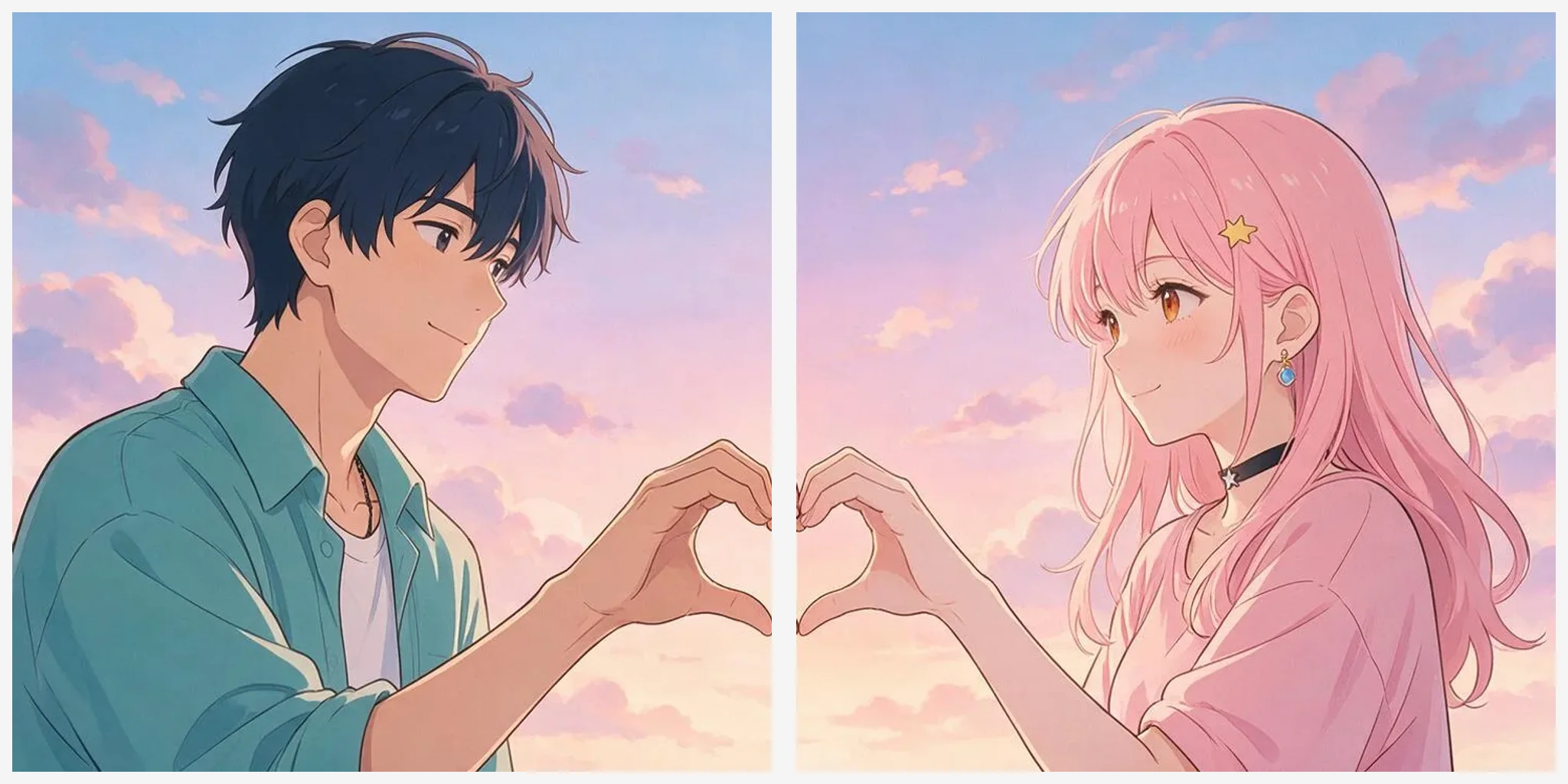
Anime couple, one scene split in two — one 2:1 picture
Wide anime illustration made to be split down the middle into two matching square profile pictures: on the left half, an adult man with short dark blue hair, head and shoulders, facing right; on the right half, an adult woman with long pink hair, head and shoulders, facing left; between them, exactly at the centre line, their hands together form a heart shape, half of the heart on each side. Shared pastel sunset sky with soft clouds across both halves, clean line art, soft cel shading. Each face is well inside its own half, nothing important on the centre line except the heart, no text.
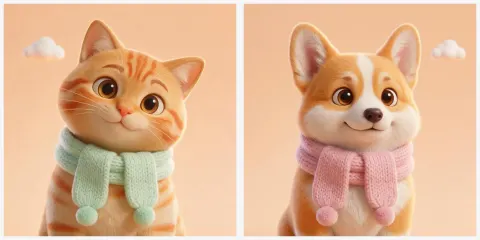
Cat and dog — picture 1
Matching profile picture, one of a pair: a cute 3D cartoon orange tabby cat, head and shoulders, wearing a mint green knitted scarf, facing slightly right and looking at the viewer, soft pastel peach background with a small white cloud, soft studio light, Pixar-style 3D render, square, centred for a circle crop, no text.
Cat and dog — picture 2 (add picture 1)
Make the matching partner of this profile picture: the same 3D cartoon style, the same pastel peach background with a small white cloud, the same lighting and framing, but a cute corgi dog instead of the cat, wearing the same knitted scarf in pink instead of mint green, facing slightly left (mirrored pose) and looking at the viewer. Square, centred for a circle crop, no text.
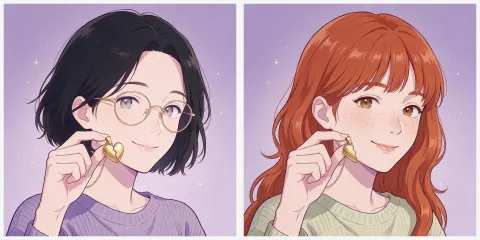
Best friends — picture 1
Matching best friend profile picture, one of a pair: anime-style illustration of an adult woman in her twenties with a short black bob and round glasses, head and shoulders, holding one half of a gold heart-shaped pendant up near her cheek, facing slightly right, smiling, lavender background with small sparkles, clean line art, soft cel shading, square, centred, no text.
More prompts (5)
Best friends — picture 2 (add picture 1)
Make the matching best-friend partner of this profile picture: same anime illustration style, same lavender background with sparkles, same framing and lighting. A different adult woman in her twenties with long wavy red hair and freckles, holding the other half of the gold heart pendant, facing slightly left (mirrored pose), smiling. Square, centred, no text.
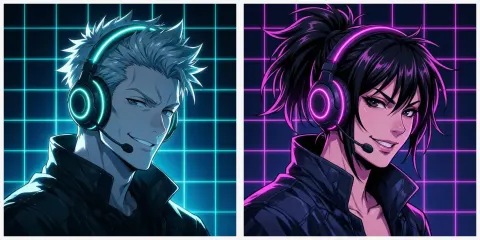
Gamer duo — picture 1
Matching gamer profile picture, one of a pair: neon cyberpunk anime-style illustration of an adult man with spiky silver hair wearing a glowing cyan gaming headset, head and shoulders, facing slightly right, confident grin, dark navy background with cyan neon grid lines, rim lighting, square, centred, no text.
Gamer duo — picture 2 (add picture 1)
Make the matching partner of this gamer profile picture: same neon anime illustration style, same dark navy background with neon grid lines, same framing and rim lighting. A different adult woman with a high black ponytail wearing the same gaming headset glowing magenta instead of cyan, facing slightly left (mirrored), playful grin. Square, centred, no text.
Christmas matching pair — picture 1
Matching Christmas profile picture, one of a pair: chibi-style anime illustration of an adult man with messy brown hair in a red Santa hat and a green knitted sweater, head and shoulders, holding one end of a long red-and-white striped scarf that trails off the right edge of the picture, facing right, snowy night background with warm fairy lights, soft cel shading, square, centred, no text.
Christmas matching pair — picture 2 (add picture 1)
Make the matching partner of this Christmas profile picture: same chibi anime style, same snowy night background with fairy lights, same framing. A different adult woman with long black hair in a green elf hat and a red knitted sweater, holding the other end of the same red-and-white striped scarf, which comes in from the left edge of the picture, facing left (mirrored). Square, centred, no text.
How to
How to use the matching pfp generator
- Time needed
- Steps
- 4 steps
Step 1
Make picture 1
Press “Make my matching PFPs” — Image Studio opens with Seedream 5.0 Pro. Describe the first character, the style, the background and the pose (facing right), in a square 1:1.
Step 2
Add it as a reference
Switch to Nano Banana 2.1 (or GPT Image 2.5 Sunburst) and add picture 1 as the reference image.
Step 3
Ask for the partner
“Make the matching partner of this picture: same style, background, framing and light; a different character; facing left; the other half of the heart.”
Step 4
Check and set both
Look at them side by side, regenerate picture 2 if the style drifted, then set one each as your PFPs.
See it in the app

Open Image Studio and type what you want to see — subject, style, lighting and mood.


Watch the tour · 1:23
Prompts, styles, references, edit, Arena & chat
Chapters
Tips
What makes two PFPs look like a matching pair
Keep almost everything the same and change one or two things on purpose.
Same style, same background, same framing and light — that's what makes two pictures read as a set at small sizes.
Mirror the pose: one faces right, the other faces left, so they look at each other when they sit side by side.
Split one object between them: two halves of a heart, a scarf that runs from one picture into the other, one pendant in two pieces.
Swap one colour: cyan and magenta headsets, a mint and a pink scarf. Change more than that and they stop looking like a pair.
Make picture 2 from picture 1: add it as a reference and say “the matching partner of this picture”. Two separate prompts drift in style.
Square and centred: Discord, Instagram and X all show profile pictures as a circle, so keep faces and the shared object away from the corners.
Adults and pets only. The prompt filter blocks words about children and ages — write “adult” in every prompt with people.
Models
Which models make matching PFPs?
What each model is good at. Open any one straight in the generator.

ByteDance
Seedream 5.0 Pro
- Reference images
- Up to 10
- Output
- Up to 2K · 2:1 for split pairs
Open Seedream 5.0 ProBest for
Made every picture 1 and the split anime couple
Google
Nano Banana 2.1
- Reference images
- Up to 14
- Output
- 1K to 4K
Open Nano Banana 2.1Best for
Made every picture 2 from picture 1 — keeps style and background

OpenAI
GPT Image 2.5 Sunburst
- Reference images
- Up to 16
- Output
- 1K to 4K
Open GPT Image 2.5 SunburstBest for
Partner pictures and lettering, like your names
- Free plan

Alibaba
Qwen Image 3.0
- Reference images
- Up to 3
- Output
- 1K or 2K
Open Qwen Image 3.0Best for
Free plan · budget pairs
FAQ
Matching PFP Generator questions
9 questions

How do I make matching PFPs with AI?
Make the first picture, then make its partner from it. In Image Studio, create picture 1 (we used Seedream 5.0 Pro), then switch to Nano Banana 2.1, add picture 1 as the reference and write “make the matching partner of this picture: same style, background, framing and light, a different character, facing the other way”. Every reference pair on this page was made that way, one try each.
Link to this answerHow much does a matching PFP pair cost?
Our reference pairs cost 34.5 credits each: 13.5 for picture 1 on Seedream 5.0 Pro and 21 for the Nano Banana 2.1 partner. The split method is cheaper — one Seedream 5.0 Pro image at 13.5 credits, cut into two squares for free in Edit Studio. On the free plan, Qwen Image 3.0 does it for 9 credits plus 9.9 with a reference, and a new account gets 25 credits to start.
Link to this answerCan I make one picture and split it into two PFPs?
Yes — that's how the anime couple on this page was made. Ask for a wide 2:1 picture “made to be split down the middle”, with one character in each half and the shared object (a heart, a scarf) exactly on the centre line. Then crop the left square and the right square in Edit Studio's Crop & Rotate with the 1:1 ratio. Keep both faces well inside their halves, or the cut goes through someone's ear.
Link to this answerHow do I make anime couple PFPs?
Name an anime style (“clean line art, soft cel shading”), describe both people as adults with different hair colours, and give them something to share — hands making a heart, a pair of matching rings, one umbrella. Use the split method for one continuous scene, or the reference method for two separate portraits that match. Original characters only; the prompt filter blocks words about children and ages.
Link to this answerCan I make matching PFPs from our real photos?
Yes, from one photo that already shows the two of you. Upload it with “redraw this couple as anime characters in one wide 2:1 picture made to be split down the middle, same hairstyles and hair colours, one person in each half”, then cut it into two squares in Edit Studio, as with the split pair above. Or each of you redraws a photo of yourself with the same style prompt. Only use a photo of people who agreed. For Christmas pairs from photos, the Christmas PFP generator walks through it.
Link to this answerCan I combine separate photos of different people into one picture?
No. Kenerate's terms (kenerateai.com/terms) don't allow merging a real person's face into another image, even with consent, so don't add your partner's or a friend's photo as a reference next to yours. Start from one photo that already shows everyone, a photo of yourself, or describe fictional characters, as every pair on this page does.
Link to this answerWhat can matching PFPs be besides couples?
Best friends, siblings who are adults, gaming duos, a pet pair, a band, two Discord server mods. The trick is the same: same style and background, mirrored poses, one colour swapped, one object split between them.
Link to this answerWhat size should matching PFPs be?
Square. Every picture here is 1:1 (the split pair is two 1:1 crops of one 2:1 image), which every app accepts and crops to a circle. Discord's design team suggests at least about 200 × 200 pixels; X recommends 400 × 400. A 1K picture covers both.
Link to this answerWhy does my second PFP look different from the first?
If you write two separate prompts, the model starts from scratch each time and the style, colours and background drift. Add picture 1 as a reference and say “same style, background, framing and light” — Nano Banana 2.1 is built for that kind of consistency. If it still drifts, regenerate picture 2, not picture 1.
Link to this answerIn depth
Matching PFP Generator, explained
What works, what to avoid, and how to pick a model.
On this page
Two ways to make a matching pair — and which we used
We used both on this page and say which is which under each pair:
- Reference edit (four pairs): picture 1 from a prompt on Seedream 5.0 Pro, then picture 2 on Nano Banana 2.1 with picture 1 as its only reference and a prompt that asks for the partner. Two separate portraits, each a full square, that match in style. Cost: 13.5 + 21 credits.
- Split image (the anime couple): one Seedream 5.0 Pro picture at 2:1 with a character in each half, cut down the middle into two squares. One continuous scene — the heart really joins when they sit side by side. Cost: 13.5 credits, the crop is free. The catch: you can't change one half without redrawing both.
Matching PFP ideas to try
Untested starting points. Use the reference method and change only what's in brackets for picture 2:
- Sun and moon: an adult in gold with a sun behind them (silver, a crescent moon, night sky).
- Coffee and tea: a cartoon coffee cup character with a latte heart (a teacup character with a tea bag tag).
- Frog and duck: a cute frog in a yellow raincoat under a rain cloud (a duck in a green raincoat).
- Angel and devil: an adult with a halo and white wings, pastel sky (horns and small bat wings, dusk sky).
- Retro pixel: a 16-bit pixel knight facing right on a green field (a pixel mage facing left).
- Lock and key: an adult holding a golden heart-shaped lock (holding the golden key).
Setting them as your profile pictures
Each of you sets one picture. Upload a square image: the apps crop it to a circle, so the corners disappear — which is why the faces and the shared object are kept in the middle. Discord's design team suggests about 200 × 200 pixels at minimum and under 10 MB; X recommends 400 × 400 pixels under 2 MB.
By the Kenerate AI teamLast updated and reviewed
We build and run Kenerate Image Studio. Every PFP here is a real output, one try each (13 November 2026): picture 1 from Seedream 5.0 Pro, picture 2 from Nano Banana 2.1 with picture 1 as the reference, and the anime couple from one Seedream 5.0 Pro 2:1 image cut in half. Models and limits were checked against the app's code.
Sources: Discord — Make Your Discord Profile Shine: Profile Pointers from Design Pros · X Help Center — Help with uploading a profile photo · Kenerate Image Studio · Kenerate Edit Studio · Kenerate Terms of Service — prohibited uses
