

Profile banner 3:1 · server banner 16:9 · gaming, anime, pixel, lo-fi
Discord banner maker — profile and server banners from a description
Describe the vibe — gaming, anime, minimal, pixel art, lo-fi — and get a wide banner shaped for your Discord profile or your server, with your server name spelled out if you want one.
- Profile and server banners
- Shaped for Discord's crop
- Server names spelled out
- No watermark
Updated by the Kenerate AI team




Made with Kenerate
On this page
Quick answer

How do you make a Discord banner with AI?
A Discord banner is the wide image at the top of your profile or your server. Discord asks for a profile banner of at least 680 × 240 px (PNG, JPG or GIF, under 10 MB, a Nitro perk) and recommends 960 × 540 px (16:9) for a server banner. On Kenerate AI you describe the banner in Image Studio, pick Wide 3:1 for a profile or Widescreen 16:9 for a server, and GPT Image 2.5 Sunburst draws it, server name included, for 7.2 credits at the default size. Keep the bottom-left of a profile banner clear: your avatar sits over it.
Key facts
- Profile banner
- At least 680 × 240 px · PNG, JPG or GIF · under 10 MB · Nitro
- Ratio to pick for a profile
- Wide 3:1 (closest to 680 × 240)
- Server banner
- 960 × 540 px recommended · 16:9 · Server Boosting perk
- Ratio to pick for a server
- Widescreen 16:9
- Default model
- GPT Image 2.5 Sunburst (spells names)
- Free-plan model
- Qwen Image 3.0 (has 3:1 and 16:9)
- Watermark
- None
Sizes
What size is a Discord banner?
Discord's numbers from its help centre, and the Image Studio ratio that fits each one. Checked 13 Nov 2026.
| Banner | Discord's size | Pick in Image Studio | Design note |
|---|---|---|---|
| Profile banner | At least 680 × 240 px, PNG, JPG or animated GIF, under 10 MB | Wide 3:1 | Discord crops the sides a little to fit; keep the subject in the middle. |
| Profile banner, avatar area | Your round avatar overlaps the bottom-left | — | Leave the bottom-left quarter plain; put text or the main subject centre or right. |
| Server banner | 960 × 540 px recommended, 16:9; 1920 × 1080 can be resized in the app | Widescreen 16:9 | Shown above the channel list; the server name goes in the centre. |
| Who can upload | Profile banner: Nitro · server banner: Server Boosting perk | — | Check your plan or the server's boost status before you design. |
Prompts
Discord banner prompts to copy
Pick Wide 3:1 (profile) or Widescreen 16:9 (server) in Image Studio first. Each prompt opens Image Studio with the text filled in.
- Shape
- 3:1 profile or 16:9 server
- Style
- Gaming, anime, minimal, pixel, lo-fi
- Layout
- Bottom-left plain for the avatar
- Name
- Server name in quotes, or no text
Neon gaming setup
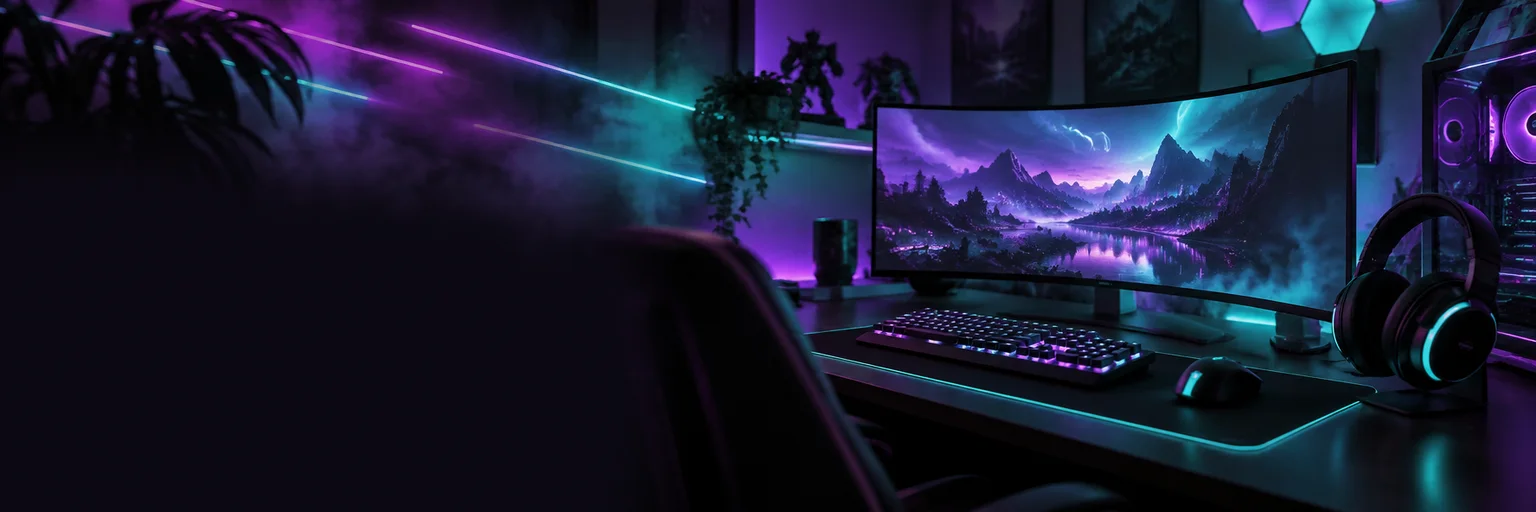
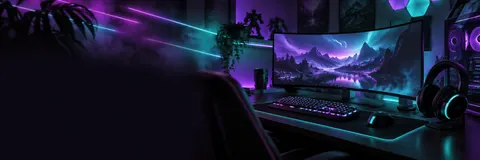
Discord profile banner, wide 3:1. A dark gaming room glowing with neon purple and teal light: a curved monitor, an RGB keyboard and a headset on the right side, light streaks and soft haze across the rest. The bottom-left quarter stays dark and plain for the avatar. No text, no logos.
Anime seaside sunset
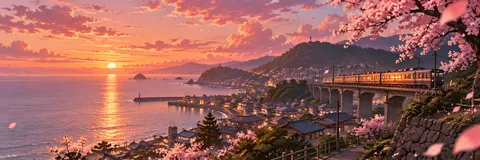
Discord profile banner, wide 3:1, anime background art. A seaside town at sunset seen from a hill, pink and orange clouds, a train crossing a bridge, cherry blossom petals drifting across the frame. No people, no text. Keep the bottom-left calm sky or sea.
Minimal gradient
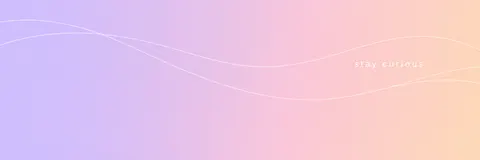
Discord profile banner, wide 3:1. A soft gradient from lilac to peach with three thin white line waves flowing across. On the right third, the words "stay curious" in a small lowercase white sans-serif. Nothing else, lots of empty space, the bottom-left plain.
Pixel art forest
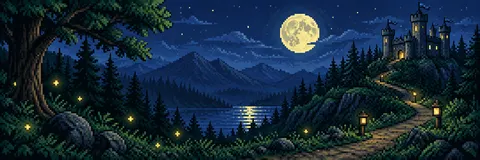
Discord profile banner, wide 3:1, 16-bit pixel art. A night forest with a small stone castle on a hill to the right, a big moon, fireflies and a winding path. Crisp pixel edges, limited palette of deep blue, green and warm yellow. No text.
More prompts (5)
Lo-fi rainy desk
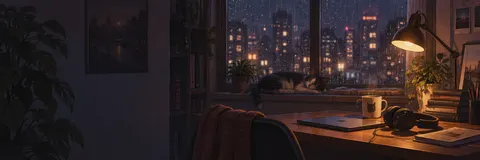
Discord profile banner, wide 3:1, lo-fi illustration. A desk by a rainy window at night: a warm lamp, headphones, a mug, a stack of books and a cat asleep on the windowsill, city lights blurred outside. Soft grainy colours. Main detail on the right half, no text.
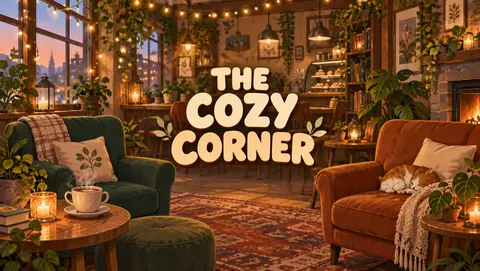
Server banner: The Cozy Corner
Discord server banner, 16:9. A warm illustrated cafe interior with plants, fairy lights and armchairs. In the centre, the server name "THE COZY CORNER" in a rounded cream font with a soft shadow. No other words.
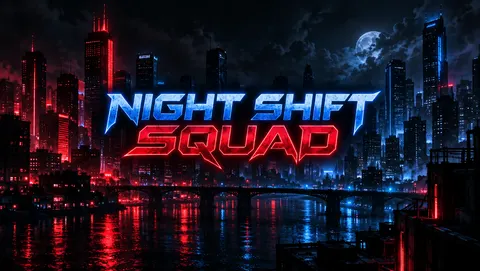
Server banner: Night Shift Squad
Discord server banner, 16:9, esports style. A dark city skyline at night with red and blue neon light. In the centre, the server name "NIGHT SHIFT SQUAD" in bold angular capitals with a neon glow. No other words, no logos.
Space profile banner
Discord profile banner, wide 3:1. A deep-space scene with a ringed planet on the right, a purple nebula and scattered stars. The bottom-left stays dark and empty for the avatar. No text.
Match your avatar
Discord profile banner, wide 3:1, in the same art style and colours as the reference image: a wide background scene that matches the character's world, with the bottom-left left plain. No text.
Gallery
Discord banners made with AI
Five profile banners at 3:1 and two server banners at 16:9, each one GPT Image 2.5 Sunburst run from the prompt shown. Open one to make your own.
How to
How to use the discord banner maker
- Time needed
- Steps
- 4 steps
Step 1
Open Image Studio
Press “Make my banner”. Image Studio opens on GPT Image 2.5 Sunburst. Sign in free for starter credits.
Step 2
Pick the shape
Choose Wide 3:1 for a profile banner or Widescreen 16:9 for a server banner.
Step 3
Describe the banner
Style, colours and the main subject, plus where it sits. Put a server name in quotes, and say “bottom-left plain” for a profile banner.
Step 4
Download and upload
Check the spelling, download, then upload it in Discord: User Settings > Profiles for your banner, or Server Settings for the server banner.
See it in the app

Open Image Studio and type what you want to see — subject, style, lighting and mood.


Watch the tour · 1:23
Prompts, styles, references, edit, Arena & chat
Chapters
Tips
Banners that survive Discord's crop
A profile banner is short and wide, and your avatar covers part of it.
Pick the ratio first: Wide 3:1 for a profile, Widescreen 16:9 for a server.
Say “keep the bottom-left plain” for profile banners; that is where your round avatar overlaps.
Put the server name in quotes — “the server name "THE COZY CORNER"” — and keep it to the name plus nothing else.
Busy, detailed art reads badly at banner height. One subject on one side and calm space elsewhere works best.
Matching set: upload your avatar as a reference and ask for a banner in the same style and colours.
Use your own art and names. Leave out game logos, other servers' branding and characters you don't own.
Models
Models for Discord banners
What each model is good at. Open any one straight in the generator.

OpenAI
GPT Image 2.5 Sunburst
- Reference images
- Up to 16
- Output
- 1K to 4K
Open GPT Image 2.5 SunburstBest for
Default here · spelled-out server names · 3:1 and 16:9
OpenAI
GPT Image 2
- Reference images
- Up to 16
- Output
- 1K to 4K
Open GPT Image 2Best for
Accurate text and realistic scenes

ByteDance
Seedream 5.0 Pro
- Reference images
- Up to 10
- Output
- Up to 2K
Open Seedream 5.0 ProBest for
Rich anime and illustrated backgrounds
- Free plan

Alibaba
Qwen Image 3.0
- Reference images
- Up to 3
- Output
- 1K or 2K
Open Qwen Image 3.0Best for
Free plan · has 3:1 and 16:9
FAQ
Discord Banner Maker questions
8 questions

In depth
Discord Banner Maker, explained
What works, what to avoid, and how to pick a model.
On this page
Which style fits which profile?
Pick by what the rest of your profile says. Gaming and esports banners suit dark, glowing scenes; anime and lo-fi suit painted backgrounds with soft light; minimal banners are a gradient and a few words; pixel art matches retro and indie game communities. Whatever the style, a banner that repeats your avatar's colours makes the whole profile look planned.
By the Kenerate AI teamLast updated and reviewed
We build and run the Kenerate generator. Every example is a real output of the model named under it; models and presets were checked against the app's code.
Sources: Discord Support — Custom Profiles · Discord Support — server banner size · Discord Nitro · Kenerate Image Studio
