

1200 × 480 profile banner · gaming, cozy, pixel, horror, music, art
Twitch banner maker — a profile banner with your channel name
Describe your stream — the games, the mood, the colours — and get a wide Twitch banner with your channel name and schedule spelled out on the left, where Twitch keeps it in view.
- Wide enough for 1200 × 480
- Channel name spelled out
- Schedule line if you want one
- No watermark
Updated by the Kenerate AI team




Made with Kenerate
On this page
Quick answer

How do you make a Twitch banner with AI?
A Twitch banner is the wide profile banner on your channel page, and Twitch recommends 1200 × 480 px (GIF, JPG or PNG, up to 10 MB). In Kenerate AI's Twitch banner maker you pick Cinema 21:9, the closest shape, describe the banner, and GPT Image 2.5 Sunburst draws it with your channel name for 7.2 credits. Upload it under Creator Dashboard > Settings > Channel > Brand.
Key facts
- Twitch profile banner
- 1200 × 480 px recommended (5:2)
- File rules
- GIF, JPG or PNG · 10 MB max
- Ratio to pick
- Cinema 21:9 (closest) or Wide 3:1 (wider)
- How Twitch shows it
- Scaled to 480 px high, stretched to the window width
- Where to upload
- Creator Dashboard > Settings > Channel > Brand
- Default model
- GPT Image 2.5 Sunburst (spells names)
- Free-plan model
- Qwen Image 3.0 (has 21:9 and 3:1)
Sizes
What size is a Twitch banner?
Twitch's numbers from its help centre, and the Image Studio ratio that fits. Checked 14 Nov 2026.
| Item | Twitch's rule | Pick in Image Studio | Design note |
|---|---|---|---|
| Profile banner | 1200 × 480 px recommended (5:2), GIF, JPG or PNG, 10 MB max | Cinema 21:9 | 21:9 (2.33:1) is the closest preset to 5:2; it comes out 1568 × 672 px on GPT Image 2.5 Sunburst. |
| Height | Shorter or taller images are scaled to 480 px high | — | Any of our wide ratios works; Twitch does the resizing. |
| Width | The banner stretches when the browser window is wider than the image | Wide 3:1 for extra width | At 480 px high a 3:1 banner is 1440 px wide, a 21:9 one 1120 px. Wider stretches less. |
| Layout | Twitch suggests keeping the graphics on the left | — | Put the channel name and any schedule on the left third; let the right side be scenery. |
| Where to upload | Creator Dashboard > Settings > Channel > Brand > Profile Banner > Update | — | No resizing needed on your side: Twitch scales the file itself. |
Prompts
Twitch banner prompts to copy
Pick Cinema 21:9 (or Wide 3:1) in Image Studio first. Each prompt opens Image Studio with the text filled in.
- Shape
- 21:9, or 3:1 for extra width
- Style
- Gaming, cozy, pixel, horror, music, art
- Layout
- Name on the left third
- Name
- Channel name in quotes, plus an optional schedule
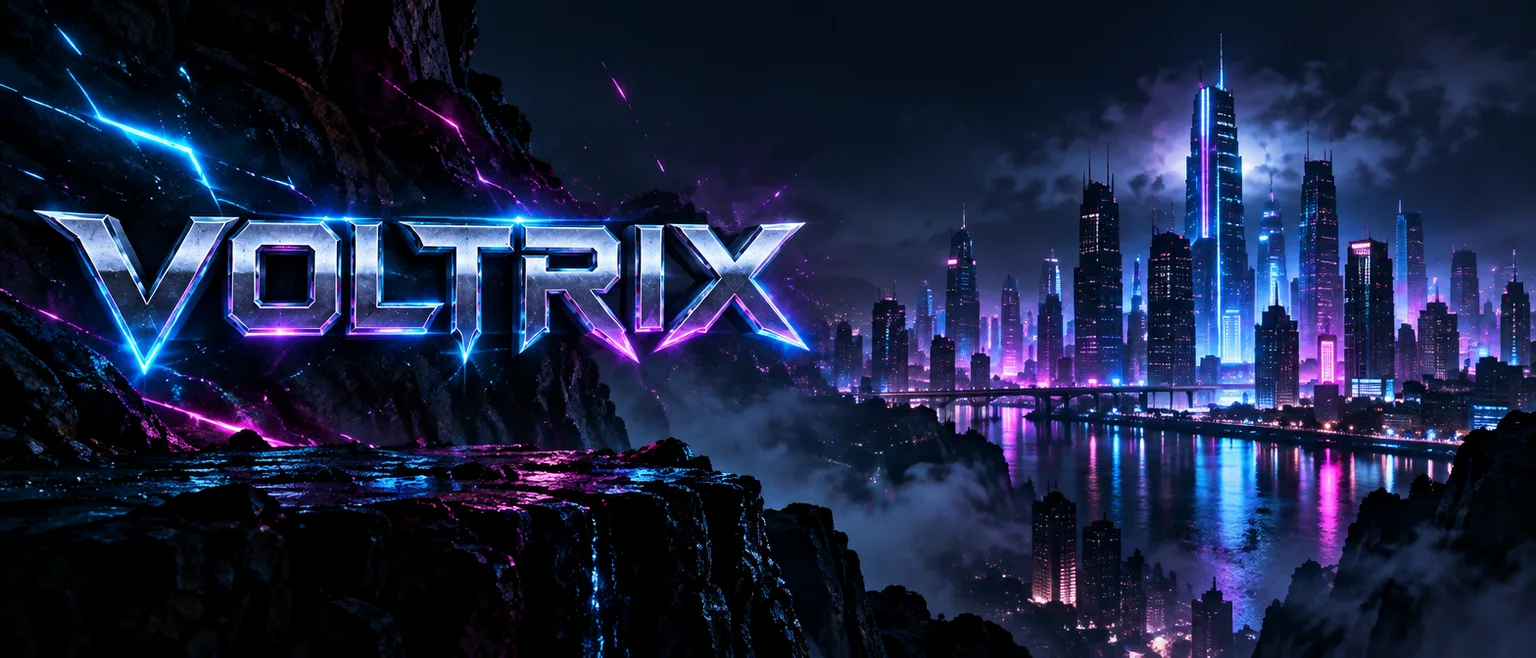
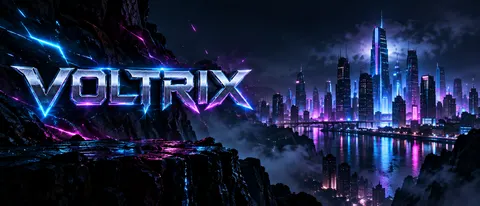
Neon esports: VOLTRIX
Twitch profile banner, ultra-wide. A dark esports scene with electric blue and magenta neon light streaks and sparks. On the left side, the channel name "VOLTRIX" in bold angular chrome capitals with a neon glow. The right side is a moody glowing city skyline at night with soft haze. No other words, no logos.
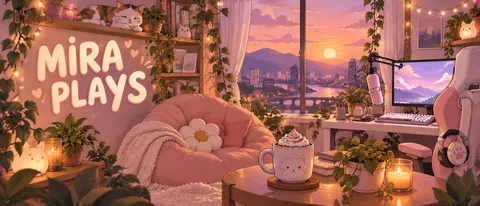
Cozy streamer: MIRA PLAYS
Twitch profile banner, ultra-wide, cozy illustrated style. A pastel streaming room at dusk: fairy lights, plants, a beanbag, a mug of cocoa and a sleeping cat on a shelf. On the left side, the channel name "MIRA PLAYS" in a rounded hand-lettered cream font with a soft pink outline. Warm peach and lilac palette. No other words.
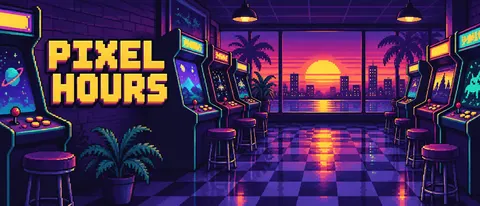
Pixel arcade: PIXEL HOURS
Twitch profile banner, ultra-wide, 16-bit pixel art. A retro arcade at night: rows of glowing arcade cabinets, a checkered floor and a sunset gradient window. On the left side, the channel name "PIXEL HOURS" in chunky yellow pixel letters with a dark outline. Crisp pixel edges, limited palette of purple, teal and yellow. No other words, no logos.
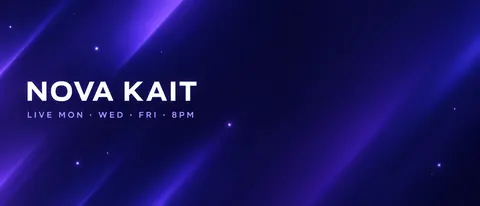
Minimal with schedule
Twitch profile banner, ultra-wide, clean minimal design. A deep navy to violet gradient with soft diagonal light bands and a few small glowing dots. On the left side, the channel name "NOVA KAIT" in a bold white geometric sans-serif, and under it in smaller light-violet letters "LIVE MON · WED · FRI · 8PM". The right side stays calm and empty. No other words, no logos.
More prompts (6)
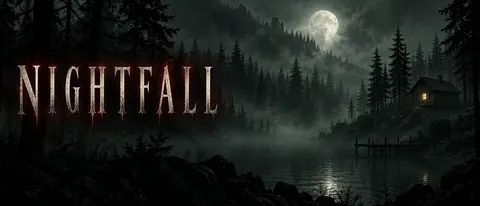
Horror games: NIGHTFALL
Twitch profile banner, ultra-wide, horror game channel. A foggy pine forest at night under a pale full moon, an old wooden cabin with one lit window far on the right, cold green-grey mist. On the left side, the channel name "NIGHTFALL" in tall cracked off-white serif capitals with a faint red glow. Dark, eerie, no gore. No other words, no logos.
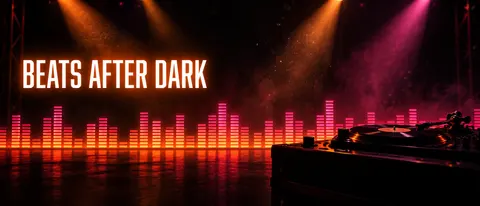
DJ stream: BEATS AFTER DARK
Twitch profile banner, ultra-wide, music and DJ stream. A dark stage with a glowing audio equalizer of orange and pink bars running across the bottom, soft spotlights and floating dust in the beams, a turntable silhouette on the right. On the left side, the channel name "BEATS AFTER DARK" in a bold condensed white sans-serif with an orange glow. No other words, no logos.
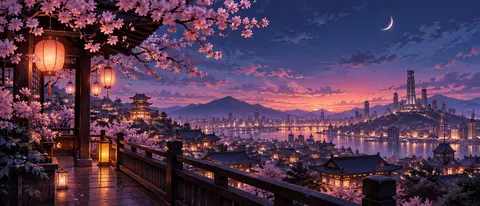
Anime city at blue hour
Twitch profile banner, ultra-wide, anime background art. A rooftop view over a city at blue hour, cherry blossom branches framing the left side, paper lanterns, a crescent moon and distant glowing towers. Soft painted light in pink, indigo and gold. No people, no text, no logos.
Art stream: SKETCH & CHILL (3:1)
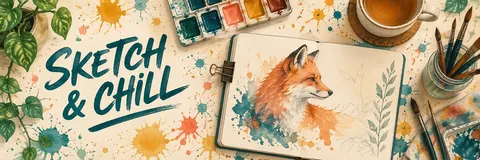
Twitch profile banner, extra wide, art stream. A watercolour artist's desk seen from above: paint pans, brushes in a jar, a sketchbook with a half-painted fox, a cup of tea and scattered paint splashes in teal, coral and mustard on cream paper. On the left side, the channel name "SKETCH & CHILL" in a hand-lettered dark-teal brush script. No other words, no logos.
Racing / sim channel
Twitch profile banner, ultra-wide. A rain-soaked race track at night with red tail-light streaks and a blurred grandstand on the right. On the left side, the channel name "APEX LINE" in bold italic white capitals with a red underline. No other words, no logos.
Match your emotes
Twitch profile banner, ultra-wide, in the same art style and colours as the reference image: a wide background scene from the character's world, with the left third kept simple for the channel name "YOUR NAME". No other words.
Gallery
Twitch banners made with AI
Each Twitch banner here is one GPT Image 2.5 Sunburst run from the prompt shown: seven at Cinema 21:9 and one at Wide 3:1, every channel name spelled right first time. Open one to make your own.
How to
How to use the twitch banner maker
- Time needed
- Steps
- 4 steps
Step 1
Open Image Studio
Press “Make my Twitch banner”. Image Studio opens on GPT Image 2.5 Sunburst. Sign in free for starter credits.
Step 2
Pick the shape
Choose Cinema 21:9, the closest preset to Twitch's 1200 × 480, or Wide 3:1 for a wider banner.
Step 3
Describe the banner
Style, colours and the scene, plus your channel name in quotes on the left. Add a short schedule line if you want one.
Step 4
Upload to Twitch
Check the spelling and download. In Twitch go to Creator Dashboard > Settings > Channel > Brand > Profile Banner > Update.
See it in the app

Open Image Studio and type what you want to see — subject, style, lighting and mood.


Watch the tour · 1:23
Prompts, styles, references, edit, Arena & chat
Chapters
Tips
Banners that hold up on Twitch
Twitch scales the banner to 480 px high and stretches it to the window, so plan for both.
Pick the ratio before you type: Cinema 21:9 is closest to Twitch's 1200 × 480; Wide 3:1 gives more width to stretch.
Put the channel name on the left third — Twitch's own advice is to keep the graphics on the left.
Name in quotes, nothing else: “the channel name "PIXEL HOURS"”. Add a schedule line only if it's short.
Write “no other words, no logos” — models like to add fake sponsor marks and extra captions.
Matching set: upload your emote or profile picture as a reference and ask for the same style and colours.
Use your own names and art. Leave out game logos, publisher art and characters you don't own.
Models
Models for Twitch banners
What each model is good at. Open any one straight in the generator.

OpenAI
GPT Image 2.5 Sunburst
- Reference images
- Up to 16
- Output
- 1K to 4K
Open GPT Image 2.5 SunburstBest for
Default here · made every banner on this page · 21:9 and 3:1
OpenAI
GPT Image 2
- Reference images
- Up to 16
- Output
- 1K to 4K
Open GPT Image 2Best for
Accurate text and realistic scenes

ByteDance
Seedream 5.0 Pro
- Reference images
- Up to 10
- Output
- Up to 2K
Open Seedream 5.0 ProBest for
Rich anime and illustrated backgrounds
- Free plan

Alibaba
Qwen Image 3.0
- Reference images
- Up to 3
- Output
- 1K or 2K
Open Qwen Image 3.0Best for
Free plan · has 21:9 and 3:1
FAQ
Twitch Banner Maker questions
8 questions

In depth
Twitch Banner Maker, explained
What works, what to avoid, and how to pick a model.
Which style fits which stream?
Pick by what your viewers come for:
- Competitive shooters and esports: dark scenes, neon edges, chrome or angular lettering (VOLTRIX).
- Cozy games and just chatting: a lit room, soft pastels, rounded hand lettering (MIRA PLAYS).
- Retro and indie games: 16-bit pixel art with a limited palette (PIXEL HOURS).
- Horror games: fog, moonlight and a serif title, no gore needed (NIGHTFALL).
- Music, DJ and art streams: show the gear or the desk (BEATS AFTER DARK, SKETCH & CHILL).
Name only, or name plus schedule?
Your channel name already shows under the banner, so the banner name is for style and recognition. A schedule line — “LIVE MON · WED · FRI · 8PM” — earns its place if you stream at fixed times; keep it to one short line, and remake the banner when the schedule changes. Long text is better added in Edit Studio's Text tool so every character is exact.
By the Kenerate AI teamLast updated and reviewed
We build and run the Kenerate generator. Every example is a real output of the model named under it; models and presets were checked against the app's code.
Sources: Twitch Help — Channel Page Setup · Twitch Help — Twitch Account Settings · Kenerate Image Studio
