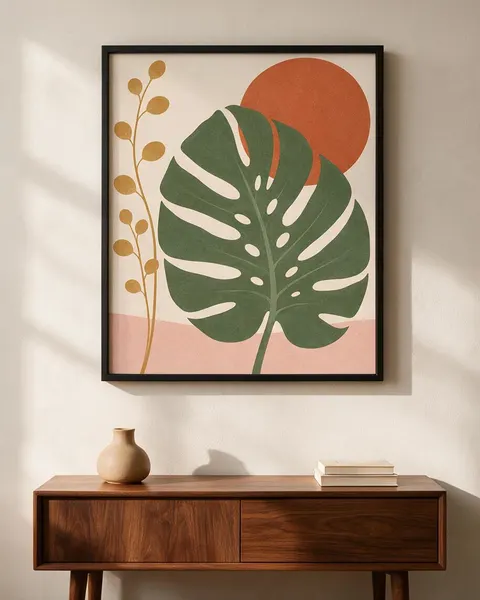
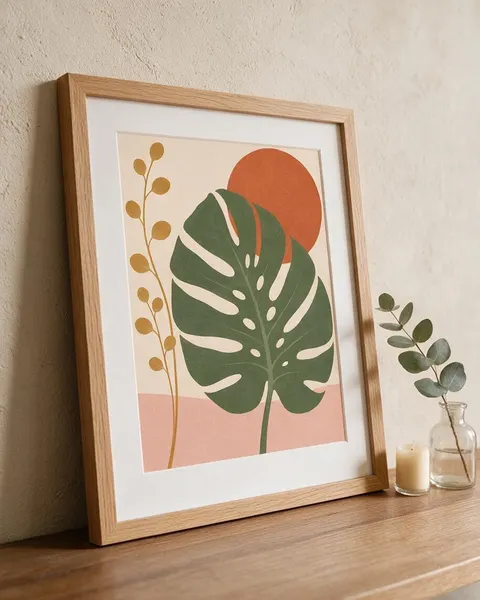
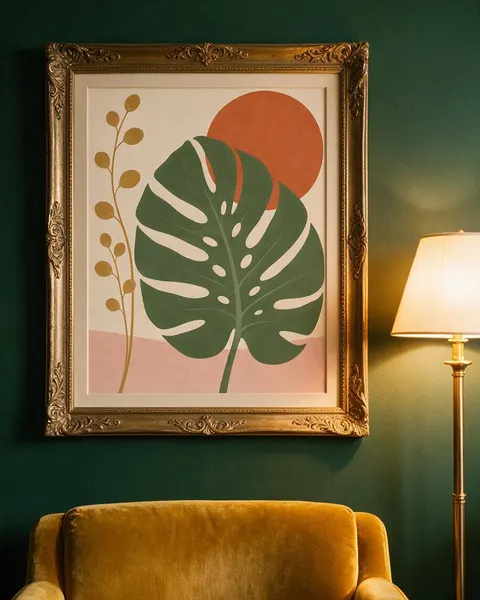
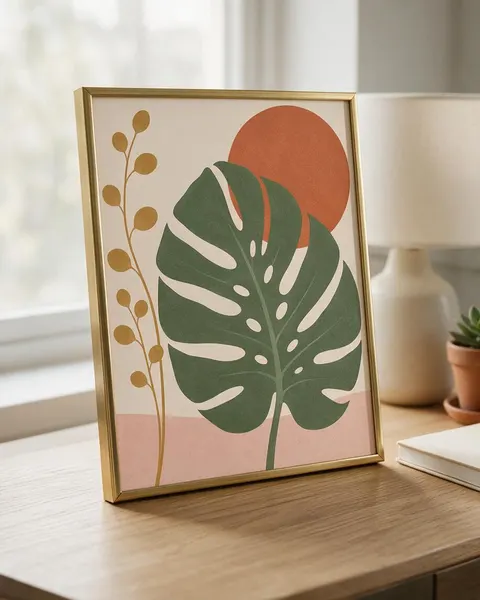
Thin black · oak with mat · gold ornate · tabletop
Frame Mockup Generator
Upload your art print or photo, name the frame (material, colour, mat) and the room, and get a photorealistic frame mockup with your artwork inside: a thin black frame, oak with a wide mat, an ornate gold frame or a small frame on a desk. No PSD templates or smart objects.
- Your art, kept the same
- Any frame and mat
- Wall, shelf or desk
- No watermark
Updated by the Kenerate AI team




On this page
Quick answer

How do I make a frame mockup?
To make a frame mockup, upload your art print to Kenerate's Image Studio, pick Seedream 5.0 Pro and name the frame and the room: “a thin matte black frame, no mat, above a walnut sideboard”. It returns a 915 × 1144 px (4:5) photo for 13.5 credits at 1K. Our botanical print stayed whole, uncropped, in all four frames.
Key facts
- Input
- Your art print or photo: PNG or JPG
- Frames tested
- Thin black · oak with wide mat · gold ornate · tabletop
- Model used
- Seedream 5.0 Pro edit
- Output
- 1K, 1.5K or 2K · 4:5 for shops and Instagram
- Art kept
- Whole and uncropped in 4 of 4 frames
- Templates needed
- None
- Watermark
- None
Gallery
Frame mockups from one print
Real Seedream 5.0 Pro edits, one try each. Every frame mockup started from the same flat botanical print we made for this page.
Before / after
From flat art to frame mockup
The art file on one side, the framed mockup on the other. Drag the slider and check the shapes, the colours and the edges.
Same prompt
Same prompt, two models
The art, then the same thin-black-frame prompt run on Seedream 5.0 Pro and on GPT Image 2.5 Sunburst.
PromptPhotorealistic frame mockup: this exact art print in a thin matte black picture frame with no mat, hanging on a warm white wall above a low walnut sideboard with a ceramic vase and a stack of two books with plain spines, soft morning light from a window on the left, straight-on view, the frame centred in the upper half of the image, no glare on the glass. The artwork must match the image exactly, edge to edge and not cropped: the sage green monstera leaf with its splits and holes, the terracotta sun circle, the tall ochre stem with round leaves on the left, the blush band at the bottom and the cream background, same colours and composition. Do not add any text or logos.
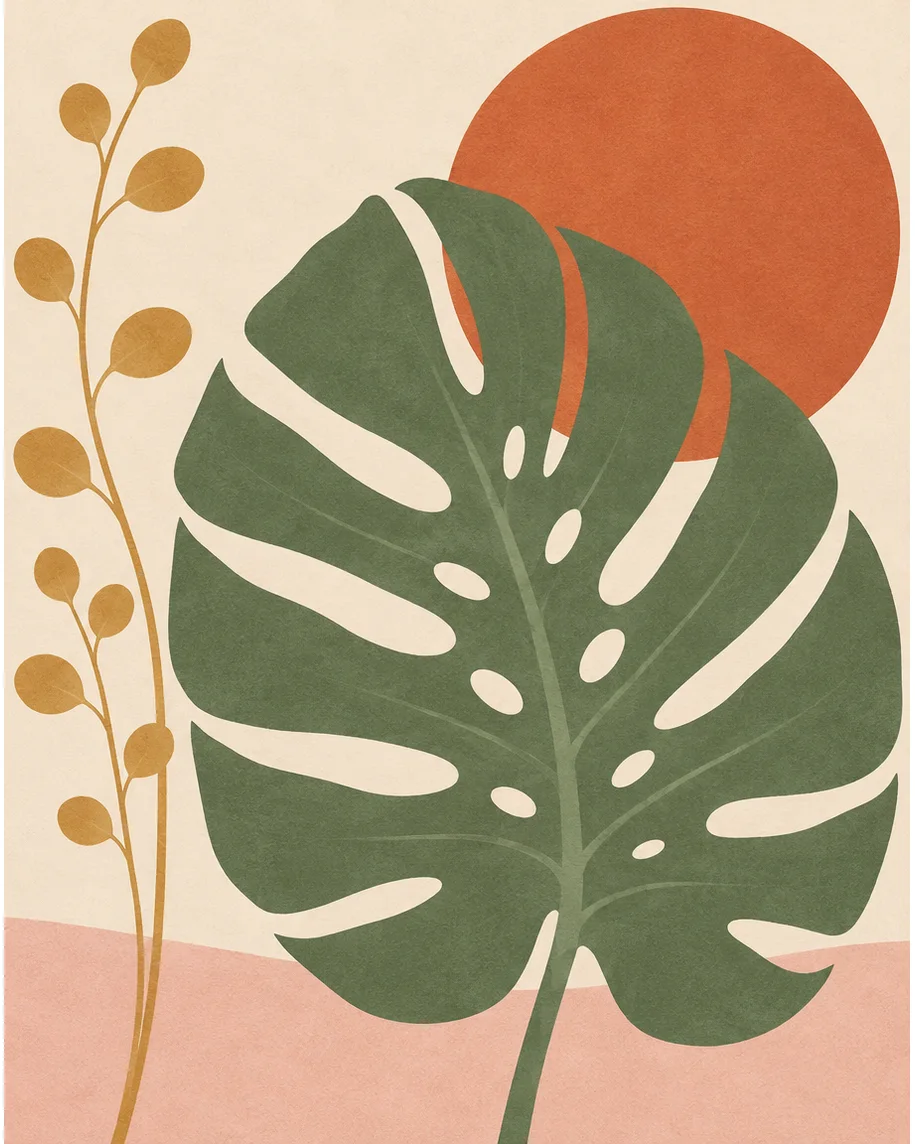 ArtInput · GPT Image 2.5 Sunburst
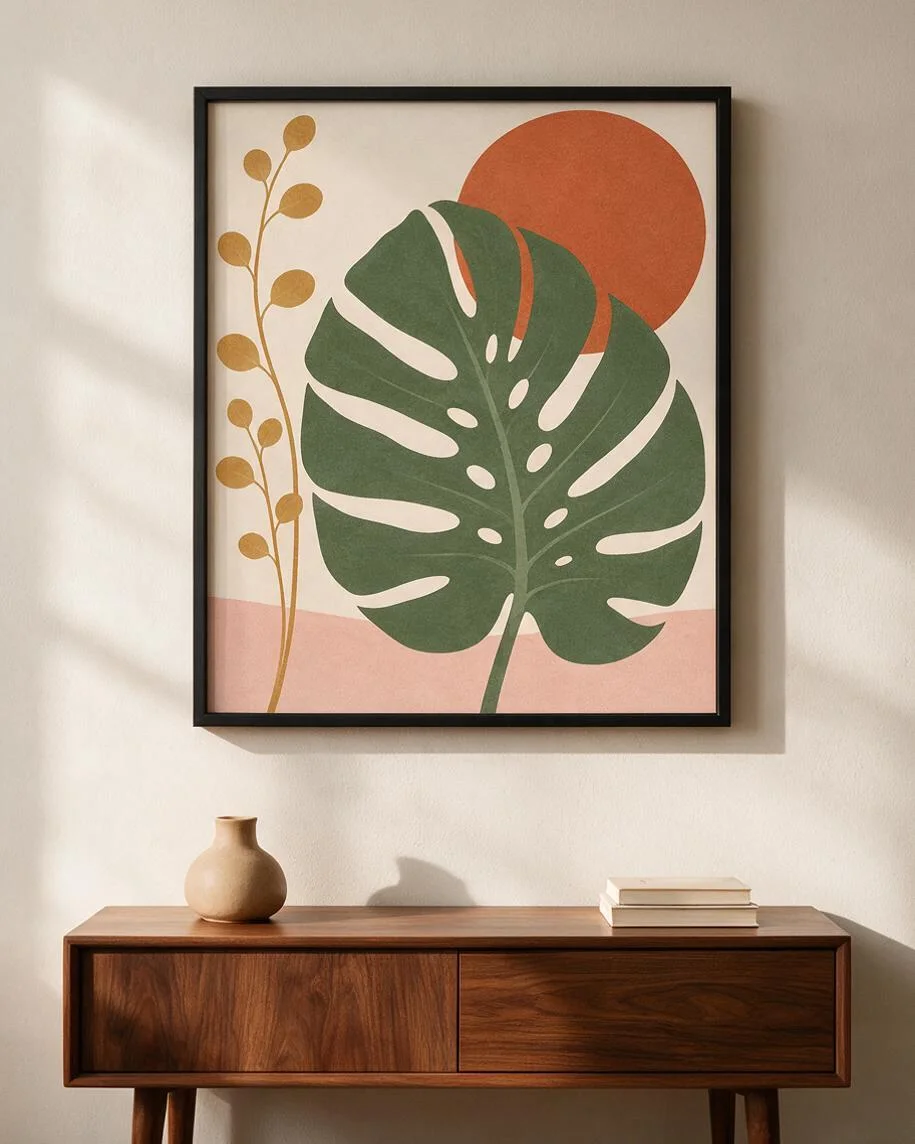 Seedream 5.0 ProCalm room, frame slightly wider than the art
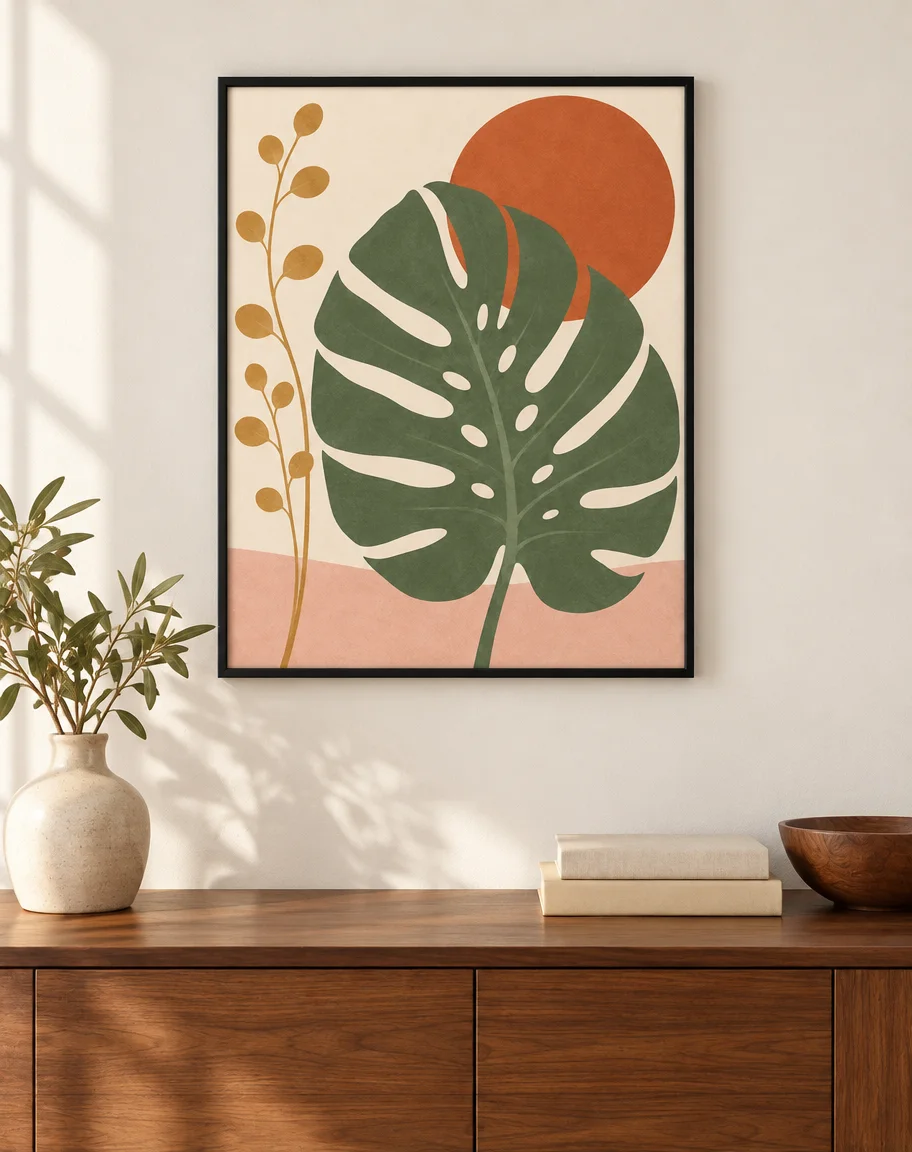 GPT Image 2.5 SunburstFrame matches 4:5, leaf shadows on the wall
How to
How to use the frame mockup generator
- Time needed
- Steps
- 4 steps
Step 1
Open Image Studio
Press “Make a frame mockup”: Image Studio opens with Seedream 5.0 Pro selected. Sign in with Google, GitHub or Discord.
Step 2
Upload your art
Add the flat art print or photo as the reference image: a PNG or JPG of the whole picture, edge to edge.
Step 3
Describe the frame and the room
Frame material, colour and mat, then the wall, shelf or desk and the light. Pick 4:5 for shop listings.
Step 4
Check and download
Compare the art with your file, then download. No watermark.
See it in the app

Open Image Studio and type what you want to see — subject, style, lighting and mood.


Watch the tour · 1:23
Prompts, styles, references, edit, Arena & chat
Chapters
Tips
Frame mockups that keep your art right
What made the difference in our tests.
Upload the flat art file, not a phone photo of a print: the model copies the glare, angle and paper colour it sees.
Make the art in the ratio of the frame you sell: 8 × 10 in and 16 × 20 in are 4:5, 11 × 14 in is about 4:5.1, 18 × 24 in is 3:4.
Name the frame: material, colour, profile width and the mat (“thin matte black, no mat”, “natural oak with a wide white mat”).
Name where it hangs or stands, and the light (“above a walnut sideboard, morning light from the left”).
Add “the artwork must match the image exactly, edge to edge, not cropped”. Models like to crop or redraw art to fit a frame.
Glass adds reflections. Ask for “no glare on the glass” if you want the art fully visible.
Compare the colours with your file at 100% before you list the print: warm room light can shift them.
Models
Which model is best for frame mockups?
What each model is good at. Open any one straight in the generator.

ByteDance
Seedream 5.0 Pro
- Reference images
- Up to 10
- Output
- 1K–2K
Open Seedream 5.0 ProBest for
Made every mockup in the gallery: frames, mats and rooms

OpenAI
GPT Image 2.5 Sunburst
- Reference images
- Up to 16
- Output
- 1K–4K
Open GPT Image 2.5 SunburstBest for
Keeps the frame to the art's shape; brighter rooms
Google
Nano Banana 2.1
- Free plan

Alibaba
Qwen Image 3.0
- Reference images
- Up to 3
- Output
- 1K · 2K
Open Qwen Image 3.0Best for
Free plan · quick drafts
FAQ
Frame Mockup Generator questions
8 questions

How do I make a frame mockup?
Upload your art print or photo in Kenerate's Image Studio, pick Seedream 5.0 Pro and describe the frame and the room, for example “in a thin matte black frame with no mat, on a white wall above a walnut sideboard”. The four frame mockups in the gallery were made that way from one print, one try each, and their full prompts are shown.
Link to this answerIs there a free frame mockup generator?
You can start free. A new Kenerate account gets 25 credits, enough for one Seedream 5.0 Pro frame mockup at 1K (13.5 credits) or two GPT Image 2.5 Sunburst mockups (11.7 credits each with one print), and Qwen Image 3.0 is on the free plan for drafts. After that, credits come in one-time packs with no subscription.
Link to this answerWill the AI change my artwork?
It can, so check every result. In our test Seedream 5.0 Pro kept the leaf, the sun, the stem and the blush band in place and in colour in all four frames, with nothing cropped. What it changed were small details: the holes in the leaf are redrawn, and in the thin black frame the stem lost a couple of its round leaves. Warm lamp light also shifts the colours.
Link to this answerCan I choose the frame and the mat?
Yes. Name the material, colour and profile (“thin matte black”, “natural oak”, “ornate antique gold”) and the mat (“no mat”, “wide white mat”). Seedream 5.0 Pro followed the frame and mat in every test on this page.
Link to this answerWhat size frame fits my print?
Match the ratio. 8 × 10 in and 16 × 20 in frames are 4:5, 18 × 24 in is 3:4, 24 × 36 in is 2:3 and A-size frames are about 1:1.41. Our print was made at 4:5 and stayed whole in every 4:5 frame. If the ratios differ, ask for a mat to fill the gap.
Link to this answerCan I put a photo in a frame mockup?
Yes. Upload your own photo instead of an art print and describe the frame and the place, such as a small black frame on a desk or a gallery wall. Only use photos you took or have the rights to, and don't upload photos of other people without their permission.
Link to this answerWhat resolution do I get?
Seedream 5.0 Pro outputs 1K, 1.5K or 2K; our 4:5 mockups came out at 915 × 1144 pixels at 1K. For a bigger listing image pick 2K (27 credits) or upscale the result. Send your original art file to the printer, not the mockup.
Link to this answerCan I use frame mockups to sell prints?
Yes, as a preview of the product. Check the colours of the mockup against your file, because warm or cool room light can shift them, and order a test print. Kenerate puts no watermark on downloads.
Link to this answerIn depth
Frame Mockup Generator, explained
What works, what to avoid, and how to pick a model.
Frame mockup prompts to copy
Upload your art, then pick one line and add “the artwork must match the image exactly, edge to edge and not cropped, no text or logos”:
- Thin black: a thin matte black frame, no mat, on a white wall above a walnut sideboard, morning light from the left.
- Oak with mat: a natural oak frame with a wide white mat, leaning on a shelf beside a vase and a candle.
- Gold ornate: an ornate antique gold frame on a deep green wall above a velvet armchair, warm lamp light.
- Tabletop: a small brass or black frame standing on a desk beside a lamp and a notebook.
- Gallery wall: the print in the largest of five mixed frames above a sofa.
- Floating frame: the print in a thin oak floating frame on a canvas, on a plaster wall.
- Close-up: the corner of the frame and mat, to show the paper texture and the mat bevel.
Frame sizes and ratios
Make the art in the ratio of the frame, or ask for a mat that makes up the difference. 8 × 10 in and 16 × 20 in are exactly 4:5; 11 × 14 in is close to it; 5 × 7 in is about 5:7; 18 × 24 in is 3:4; 24 × 36 in and 12 × 18 in are 2:3; the A sizes (A4, A3, A2) are about 1:1.41.
A mat also adds space around a small print in a larger frame, for example an 8 × 10 in print in an 11 × 14 in frame. Say the mat width in the prompt (“wide white mat”, “thin mat”) to control it.
By the Kenerate AI teamLast updated and reviewed
We build and run Kenerate Image Studio. Every mockup here is a real output of the model named under it (one try each, 15 November 2026), made from an art print we generated for this page; models and limits were checked against the app's code.
Sources: Kenerate Image Studio