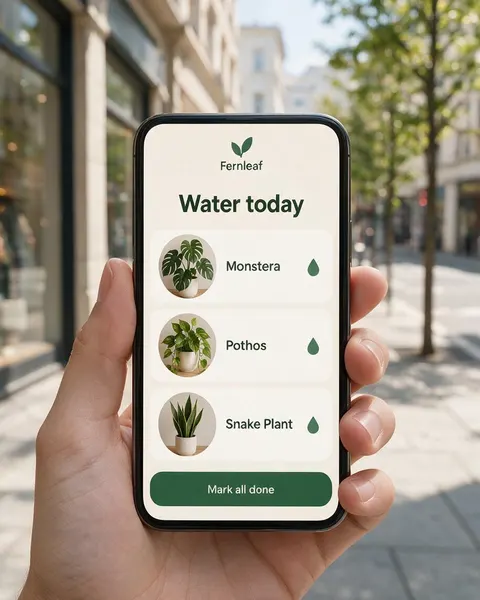
In hand · desk · café · floating
iPhone Mockup Generator
Upload a screenshot of your app or website, say where the phone should be, and get a photorealistic phone mockup with your screen on it — in a hand on the street, on a desk, on a café table or floating on a colour backdrop. iPhone-style phones with no logo, no PSD templates.
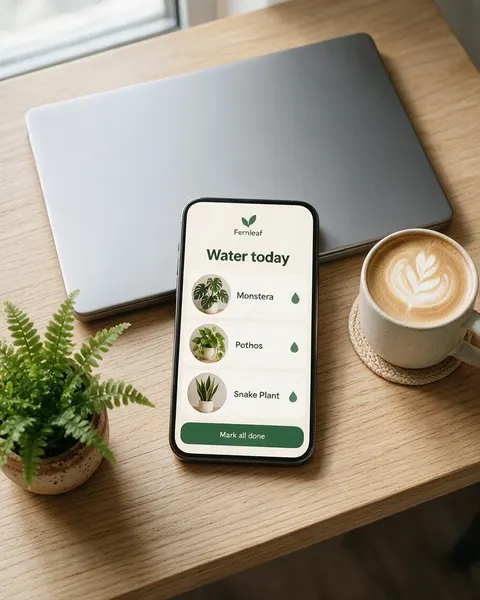
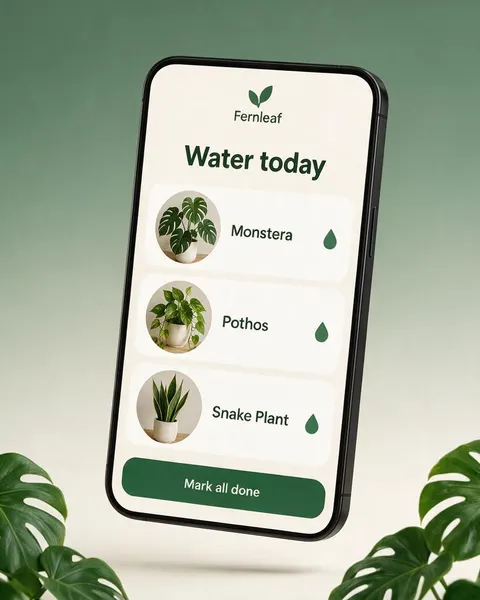
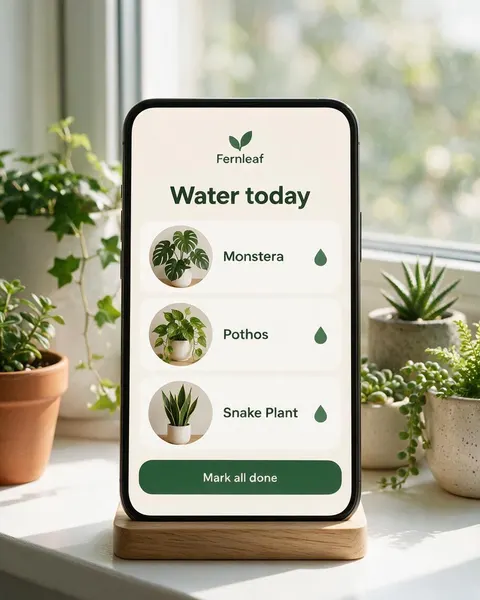
- Your screen, kept the same
- Any hand, desk or backdrop
- Phone and smartphone mockups
- No watermark
Updated by the Kenerate AI team




On this page
Quick answer

How do I make an iPhone mockup?
To make an iPhone mockup, upload a screenshot of your app or website to Kenerate's Image Studio, pick Seedream 5.0 Pro and describe the phone and the scene: “a modern smartphone with thin black bezels, held in a hand on a city street”. It returns a 915 × 1144 px (4:5) photo for 13.5 credits at 1K. In our test all six lines of app text stayed spelled right in four of four scenes.
Key facts
- Input
- A screenshot of your app or mobile site: PNG or JPG
- Scenes tested
- In a hand · on a desk · floating · in a stand
- Model used
- Seedream 5.0 Pro edit
- Output
- 1K, 1.5K or 2K · 4:5, 9:16 or 16:9
- Screen text kept
- 6 of 6 lines spelled right in 4 of 4 tests
- Device
- Generic iPhone-style phone, no logo
- Watermark
- None
Gallery
Phone mockups from one app screen
Real Seedream 5.0 Pro edits, one try each. Every iPhone mockup here started from the same flat “Fernleaf” app screen we made for this page.
Before / after
From screenshot to phone mockup
The app screen on one side, the mockup on the other. Drag the slider and check the words, the photos and the button.
Same prompt
Same prompt, two models
The app screen, then the same phone-in-a-hand prompt run on Seedream 5.0 Pro and on GPT Image 2.5 Sunburst.
PromptPhotorealistic phone mockup: this exact app screen displayed on a modern smartphone with thin even black bezels and rounded corners, held upright in an adult's hand on a sunny city street, blurred shop fronts and trees behind, soft natural daylight, the screen facing the camera, sharp and bright, the phone filling the middle of the image. The screen must match the image exactly: same cream background, green cards, plant photos and the words "Fernleaf", "Water today", "Monstera", "Pothos", "Snake Plant" and "Mark all done" spelled exactly as in the image. No logos on the phone, no other text.
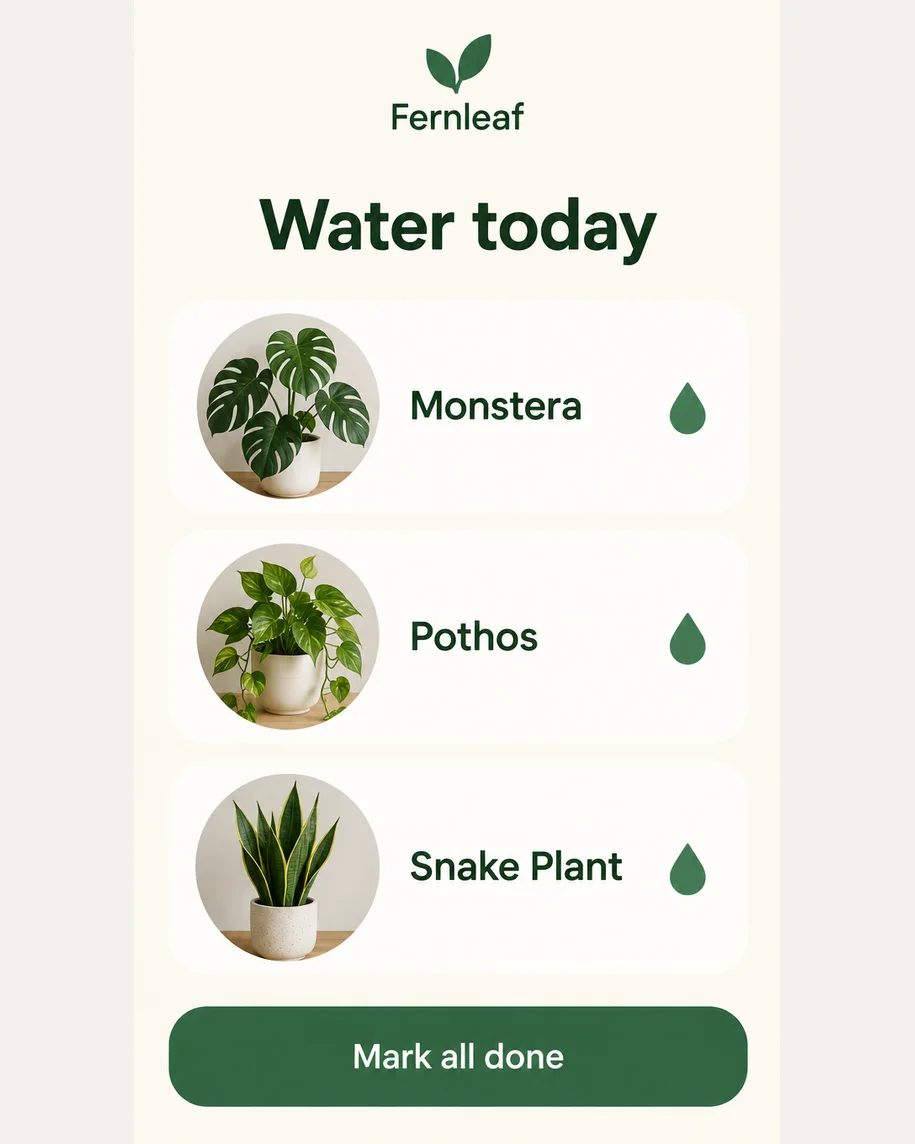 ScreenInput · GPT Image 2.5 Sunburst
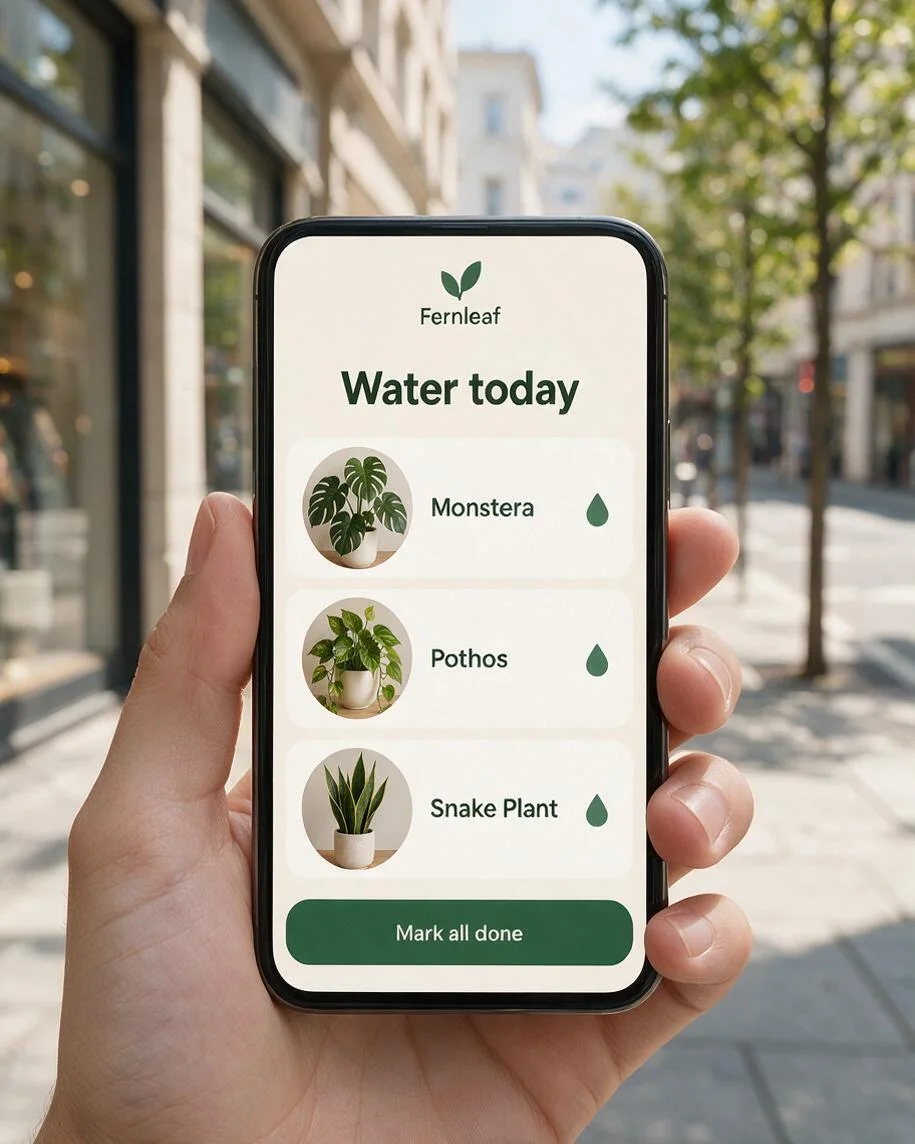 Seedream 5.0 ProBright street, bare hand
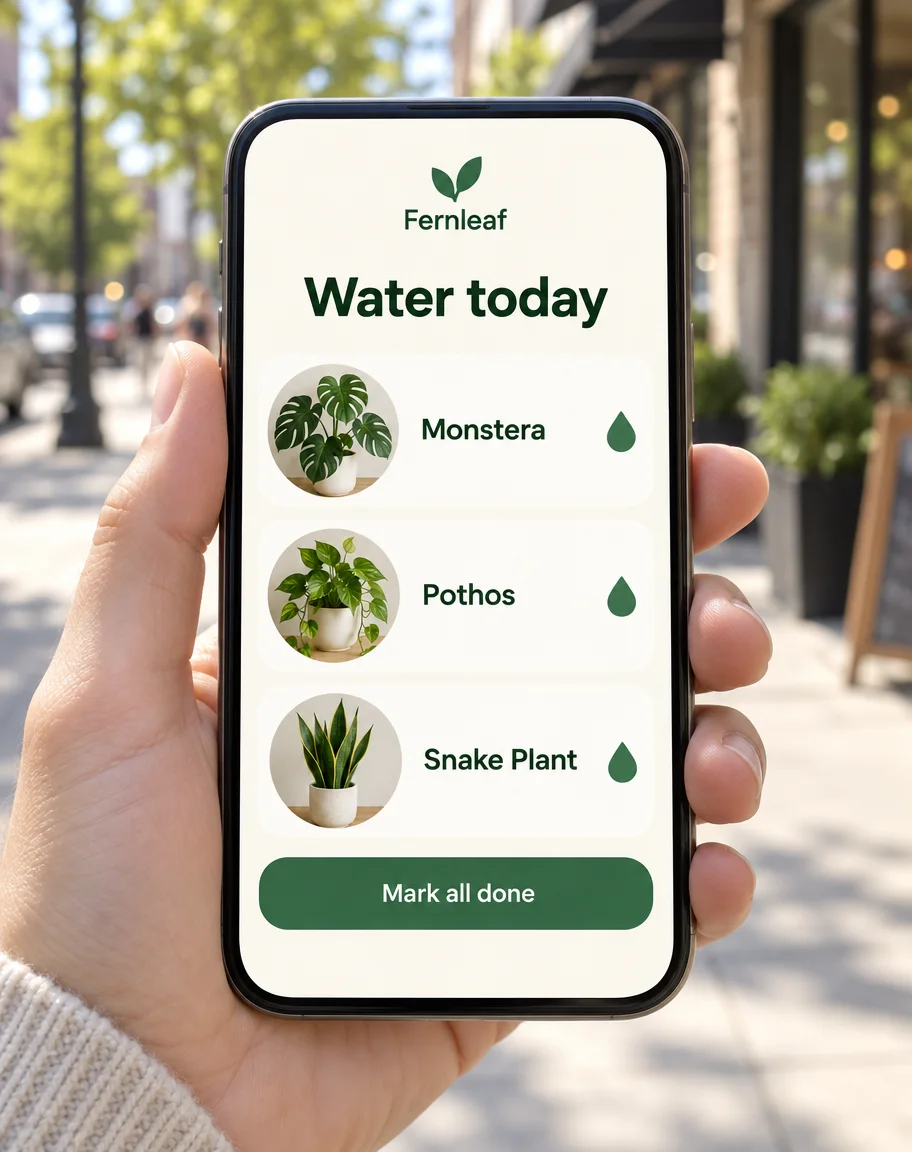 GPT Image 2.5 SunburstCloser crop, sweater sleeve
How to
How to use the iphone mockup generator
- Time needed
- Steps
- 4 steps
Step 1
Open Image Studio
Press “Make a phone mockup”: Image Studio opens with Seedream 5.0 Pro selected. Sign in with Google, GitHub or Discord.
Step 2
Upload your screen
Add a screenshot of your app or mobile website as the reference image: a tall PNG or JPG of the whole screen, about 9:19.5 or 9:16.
Step 3
Describe the phone and the scene
“A modern smartphone with thin black bezels”, then where it is (in a hand, on a desk, on a backdrop), the light and the angle. Pick 4:5 for posts.
Step 4
Check and download
Compare the screen with your screenshot, word by word, then download. No watermark.
See it in the app

Open Image Studio and type what you want to see — subject, style, lighting and mood.


Watch the tour · 1:23
Prompts, styles, references, edit, Arena & chat
Chapters
Tips
Phone mockups that keep your screen right
What made the difference in our tests.
Upload a real screenshot or the exported screen design, not a photo of a phone: the model copies glare and fingerprints.
Crop off the status bar if it shows your carrier or battery; the model may redraw it with other numbers.
Write out the key words on the screen in the prompt and add “spelled exactly as in the image”.
Ask for “a modern smartphone with thin even bezels, no logos” for a neutral, iPhone-style phone.
Name the camera: “straight-on”, “three-quarter”, or “camera directly above” for a true flat lay.
Use 4:5 for Instagram and store listings, 9:16 for stories, 16:9 for a website hero with space around the phone.
Zoom in on the smallest text before you publish: it is the first thing to blur or slip.
Models
Which model is best for phone mockups?
What each model is good at. Open any one straight in the generator.

ByteDance
Seedream 5.0 Pro
- Reference images
- Up to 10
- Output
- 1K–2K
Open Seedream 5.0 ProBest for
Made every mockup in the gallery: screen kept, clean devices

OpenAI
GPT Image 2.5 Sunburst
- Reference images
- Up to 16
- Output
- 1K–4K
Open GPT Image 2.5 SunburstBest for
Crisp small text; styles the scene more
Google
Nano Banana 2.1
- Free plan

Alibaba
Qwen Image 3.0
- Reference images
- Up to 3
- Output
- 1K · 2K
Open Qwen Image 3.0Best for
Free plan · quick drafts
FAQ
iPhone Mockup Generator questions
8 questions

How do I make an iPhone mockup?
Upload a screenshot of your app or website in Kenerate's Image Studio, pick Seedream 5.0 Pro and describe the phone and where it is, for example “a modern smartphone with thin black bezels, held in a hand on a sunny city street”. The four mockups in the gallery were made that way from one app screen, one try each, and their full prompts are shown.
Link to this answerIs there a free phone mockup generator?
You can start free. A new Kenerate account gets 25 credits, enough for one Seedream 5.0 Pro phone mockup at 1K (13.5 credits) or two GPT Image 2.5 Sunburst mockups (11.7 credits each with one screenshot), and Qwen Image 3.0 is on the free plan at 9.9 credits with one reference. After that, credits come in one-time packs with no subscription.
Link to this answerWill the AI change my app screen?
It can, so check every result. In our test Seedream 5.0 Pro kept “Fernleaf”, “Water today”, the three plant names and “Mark all done” spelled right in all four scenes, with the photos and the button in place. Small text and status bars are what slip first, so crop the status bar and zoom in before you publish.
Link to this answerIs this an official iPhone mockup?
No. Kenerate is not affiliated with or endorsed by Apple, and iPhone is Apple's trademark. The mockups show generic modern smartphones in the iPhone style, with thin bezels and rounded corners and no logo, and our prompts ask for “no logos on the phone”.
Link to this answerWhat size should a phone mockup be?
Use 4:5 for Instagram posts and store listings, 9:16 for stories and 16:9 for a website hero. Seedream 5.0 Pro outputs 1K, 1.5K or 2K; our 4:5 mockups came out at 915 × 1144 pixels at 1K. For a bigger file, pick 2K (27 credits) or upscale the result.
Link to this answerCan I put a website on a phone mockup?
Yes. Take a screenshot of the mobile version of the page (the device toolbar in Chrome DevTools shows it at phone width), upload it and use the same prompts. Keep it to one screen tall: a long full-page screenshot gets squeezed to fit the phone.
Link to this answerCan I make a mockup with two or three phones?
Yes, with a model that takes several references. Upload each screen and say which goes where: “three phones side by side, the first screen on the left”. Nano Banana 2.1 takes up to 14 references and Seedream 5.0 Pro up to 10. Check each screen, as more phones means smaller text.
Link to this answerCan I use the mockup on the App Store or Google Play?
Use it on your website, social posts and ads. For the store's screenshot slots, Apple and Google ask for screenshots of the real app at set pixel sizes, so upload those and keep the mockups for marketing. Kenerate puts no watermark on downloads.
Link to this answerIn depth
iPhone Mockup Generator, explained
What works, what to avoid, and how to pick a model.
Phone mockup prompts to copy
Upload your screen, then pick one line and add “the screen must match the image exactly, the words … spelled exactly as in the image, no logos on the phone, no other text”:
- In hand: held upright in an adult's hand on a sunny city street, blurred shop fronts behind, the screen facing the camera.
- Desk: lying on a light oak desk next to a closed laptop, a cup of coffee and a small fern, camera directly above.
- Promo: floating and slightly tilted on a smooth gradient backdrop in your brand colour, a soft shadow beneath it.
- Stand: upright in a wooden phone stand on a sunny windowsill among houseplants, straight-on view.
- Café: on a marble café table next to a cappuccino, shallow depth of field, warm afternoon light.
- Two phones: two smartphones side by side on a pastel backdrop, the first screen on the left, the second on the right.
- Night: held in a hand in a city at night, neon reflections, the screen glowing and sharp.
Mockup template or AI phone mockup?
A template (a PSD or Figma frame with your screen pasted in) keeps the screenshot pixel for pixel, and it is the right choice for store screenshots and pixel-exact UI reviews.
An AI phone mockup draws a new photo each time, so you choose the hand, the place and the light. The trade-off is that the screen is redrawn, not pasted, which is why the before/after check above matters.
By the Kenerate AI teamLast updated and reviewed
We build and run Kenerate Image Studio. Every mockup here is a real output of the model named under it (one try each, 16 November 2026), made from an app screen we generated for this page; models and limits were checked against the app's code.
Sources: Kenerate Image Studio · Apple — Guidelines for using Apple trademarks