

Boogu Team; technical report "Boogu-Image-0.1", arXiv 2607.13125 (July 2026). The team calls it a research project and offers no paid API of its own
Boogu-Image
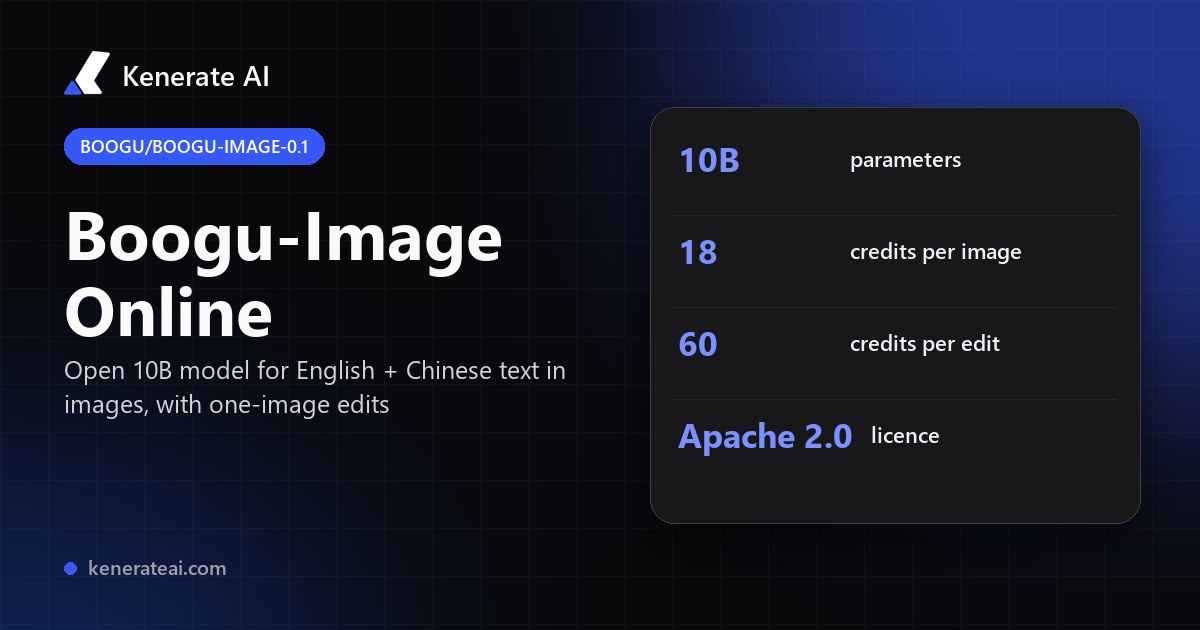
The open 10B Boogu-Image model in your browser: English and Chinese prompts, text inside the picture, and edits from one reference image. 18 credits an image, 60 an edit — no GPU, no ComfyUI setup.
- Variants
- Base (text to image, 25–50 steps), Turbo (text to image, 4 steps, distilled with Decoupled DMD), Edit (image + text, 25–50 steps), Edit-Turbo (4-step editing)
- Parameters
- 10B for every variant, per the model zoo on GitHub
- Text encoder · VAE
- A Qwen3-VL-8B vision-language encoder reads the prompt (ComfyUI workflow files); the open FLUX.1 VAE decodes the picture
- Native sizes
- Base and Edit 1K, 1.5K or 2K; Turbo 1K; 9 ratios from 1:2 to 2:1 when self-hosted
- Weights
- Open on Hugging Face and ModelScope (Boogu org), fp8 builds for 12–24 GB GPUs; ComfyUI and vLLM-Omni support
- On Kenerate
- kenerate/boogu-image — text to image, or edit one uploaded image; 5 aspect ratios; PNG or JPEG
- Real specs
- Official sources
- Free to start
- No watermark
Updated by the Kenerate AI team




On this page
What is Boogu-Image?

What is Boogu-Image?
Boogu-Image (Boogu-Image-0.1) is an open-weight image generation and editing family from the Boogu Team, released in June 2026 under Apache 2.0. Every version has 10B parameters: Base, Turbo (4 steps), Edit and Edit-Turbo. It is built for English and Chinese prompts and text rendering. On Kenerate AI it runs in the browser for 18 credits per image or 60 credits per edit with one reference, in 5 aspect ratios.
Key facts
- Official name
- Boogu-Image-0.1
- Hugging Face org
- Boogu (e.g. Boogu/Boogu-Image-0.1-Base)
- Maker
- Boogu Team (boogu-project on GitHub)
- Released
- 16 June 2026 (Edit-Turbo 30 June)
- Size
- 10B parameters, every variant
- Variants
- Base, Turbo, Edit, Edit-Turbo
- Licence
- Apache 2.0
- Inputs
- Text prompt + up to 1 reference image
- Aspect ratios
- 5 — 1:1, 3:4, 9:16, 4:3, 16:9
Models
Boogu-Image on Kenerate
Every version in the generator, and what each is good at.
Boogu Team
Boogu Image
- Reference images
- 1 image (edit)
- Output
- 5 ratios
Open Boogu ImageBest for
This model — English + Chinese text
Alibaba
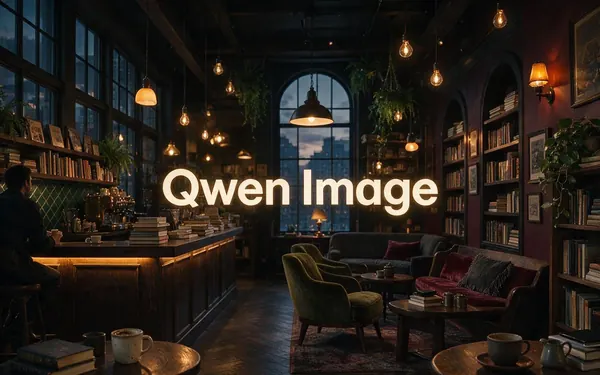
Qwen Image
- Reference images
- 1 image (edit)
- Output
- 1328 px
Open Qwen ImageBest for
Original open Qwen-Image, strong text
- Free plan

Alibaba
Qwen Image 3.0
- Reference images
- Up to 3
- Output
- Up to 2K
Open Qwen Image 3.0Best for
English + Chinese text, free plan

ByteDance
Seedream 5.0 Pro
- Reference images
- Up to 10
- Output
- Up to 2K
Open Seedream 5.0 ProBest for
Multi-reference edits
Nucleus AI
Nucleus Image
From our tests
Strengths and limits
Good at

- Built for both English and Chinese: prompts in either language, and lettering in either language inside the picture.
- Generate and edit with the same model — upload one photo and describe the change.
- Open Apache 2.0 weights with Base, Turbo, Edit and Edit-Turbo versions, so a look you find here can be reproduced on your own GPU.
- Trained on 208.62M unique images for an estimated ~$400K — a small budget for a 10B model, which is the point of the project (technical report).
Limits
- No real Boogu-Image outputs on this page yet — we only show a model's own images, so try an 18-credit run.
- Edits take one reference image only. For several references use Seedream 5.0 Pro (up to 10) or Qwen Image 3.0 (up to 3).
- No seed or negative prompt on Kenerate, and not on the free plan — for free drafts use Qwen Image 3.0.
- The team says long text, small fonts and complex layouts can still give typos, and other languages than English and Chinese are not optimised.
How to
How to use Boogu-Image on Kenerate
Step 1
Open the model
Go to /app/image and pick Boogu Image (the button on this page selects it). Sign in free to get started.
Step 2
Write the prompt
Describe the subject, setting, light and style in English or Chinese. Put any words that must appear in quotes, e.g. a poster that reads "OPEN DAY".
Step 3
Pick a ratio and format
Choose 1:1, 3:4, 9:16, 4:3 or 16:9 and PNG or JPEG, then generate for 18 credits.
Step 4
Edit with one image
To change a photo, upload one image and say what to change and what to keep. An edit costs 60 credits.
See it in the app

Open Image Studio and type what you want to see — subject, style, lighting and mood.


Watch the tour · 1:23
Prompts, styles, references, edit, Arena & chat
Chapters
FAQ
Boogu-Image questions
9 questions

What is Boogu-Image?
Boogu-Image-0.1 is an open-weight image generation and editing model family from the Boogu Team, published on GitHub as boogu-project/Boogu-Image and on Hugging Face under the Boogu org. It has four 10B-parameter versions — Base, Turbo, Edit and Edit-Turbo — released in June 2026 under Apache 2.0, with a technical report on arXiv (2607.13125).
Link to this answerWhat is the difference between Boogu Image Base, Turbo, Edit and Edit-Turbo?
Base is the full text-to-image model (25–50 steps, 1K to 2K, best for dense text). Turbo is a distilled text-to-image version that needs only 4 steps at 1K. Edit changes an existing picture from one reference image and a text instruction. Edit-Turbo is the 4-step distilled editor, released on 30 June 2026.
Link to this answerHow much does Boogu-Image cost on Kenerate?
18 credits per generated image and 60 credits per edit with a reference image — about $0.18–$0.21 and $0.60–$0.69 depending on which credit pack you buy. Packs are one-time purchases with no subscription. Boogu Image is not on the free plan; Qwen Image 3.0 is.
Link to this answerCan Boogu-Image write Chinese and English text in images?
Yes — bilingual Chinese and English text rendering is its main focus. The team prioritised the 3,500 most common modern Chinese characters in training. It still warns that long text, small fonts and complex layouts can produce typos or missing characters, and that other languages are not optimised.
Link to this answerIs Boogu-Image made by the Boogu Team an official product?
The Boogu Team describes the release as a research project and says it offers no paid API, subscription or commercial service, so paid sites using the name are not affiliated with it. Kenerate AI is not affiliated either: we run a hosted copy of the open Apache 2.0 model so you can use it without a GPU.
Link to this answerHow do I use Boogu-Image in ComfyUI?
ComfyUI has an official Boogu-Image tutorial with templates for Turbo and Edit. You download the fp8 diffusion model, the Qwen3-VL-8B text encoder and the VAE from Comfy-Org/Boogu-Image on Hugging Face into the matching models folders, then load the workflow. Turbo needs 3–4 sampling steps.
Link to this answerWhat GPU do I need to run Boogu-Image locally?
The GitHub README lists settings from 12 GB up: on 12–16 GB cards you use the fp8 weights with CPU offload, 24–32 GB runs fp8 directly at 1K, and the unquantized Base model is listed for 40–80 GB. In the browser on Kenerate you need no GPU.
Link to this answerBoogu-Image vs Qwen-Image — which should I use?
Both handle English and Chinese text. In the Boogu technical report the authors claim state-of-the-art open-source results on Qwen-Image-Bench, but those are author-reported. On Kenerate Qwen Image costs 6 credits and Qwen Image 3.0 costs 9 (free plan, up to 3 references), so start there and try Boogu Image (18 credits) when you want a second open model for bilingual lettering.
Link to this answerIs Boogu-Image good at following prompts?
The technical report gives GenEval scores of 0.84–0.85, below HiDream-O1-Image (0.90) and GPT-Image-2 (0.89), and the authors say GenEval differs from human preference. These are the authors' own numbers; we found no independent benchmark yet, so judge it with your own prompts.
Link to this answerIn depth
Boogu-Image, in depth
Background, how to prompt it, and when to pick something else.
On this page
Boogu-Image variants at a glance
All four versions share the same 10B size; they differ in task and speed [1]:
- Base — text to image, 25–50 steps, 1K / 1.5K / 2K. The one the team recommends for dense text at 2K.
- Turbo — text to image in 4 steps at 1K, distilled with Decoupled DMD. The ComfyUI default for most prompts [3].
- Edit — one reference image plus an instruction, 25–50 steps, most stable at 1K.
- Edit-Turbo — 4-step editing, released 30 June 2026 and patched on 8 July 2026.
Text in English and Chinese
Bilingual lettering is what the project is built around: the team says Chinese and English are the focus and that the 3,500 most common modern Chinese characters were repeated in training [1][2]. Put the exact words in quotes, keep them short, and give the layout in plain words ("title at the top, price in the bottom right"). For long paragraphs or tiny type, expect occasional typos — the team says so itself [1].
Boogu-Image vs Qwen-Image vs Seedream on Kenerate
Pick by input and budget, not by headline score:
- Boogu Image — 18 credits, edit 60 with 1 reference, English + Chinese lettering, 5 ratios.
- Qwen Image — 6 credits, edits 1 uploaded image, strong lettering.
- Qwen Image 3.0 — 9 credits, up to 3 references, 1K or 2K, on the free plan.
- Seedream 5.0 Pro — 13.5 credits at 1K, 27 at 2K, up to 10 references for product and character consistency.
By the Kenerate AI teamLast updated and reviewed
We run these models in the Kenerate generator. Model facts come from the makers' own pages; specs and limits were checked against our code; the examples are our own outputs.
Sources: boogu-project/Boogu-Image — GitHub (model zoo, news, hardware table) · Boogu-Image-0.1 technical report — arXiv 2607.13125 · Boogu-Image 0.1 ComfyUI tutorial — Comfy docs · Boogu org — Hugging Face
