

Bria (bria.ai), which says its foundation models are trained only on licensed content
Bria FIBO 1.5 vs Bria 3.2
Bria builds image models it says are trained only on licensed data. Kenerate runs two of them: FIBO 1.5, the JSON-native model with 4 MP output and reference edits, and Bria 3.2 with negative prompts. Same four prompts on both, plus one FIBO edit.
- FIBO
- An 8B-parameter DiT trained on structured JSON captions of about 1,000 words; Bria calls it the first JSON-native text-to-image model
- Structured prompts
- Bria's FIBO expands a short prompt into a JSON scene description; in Kenerate's studio you write a plain-text prompt
- FIBO 1.5 on Kenerate
- 1 MP (~1024 px) or 4 MP (~2048 px), 9 ratios, optional Photoreal preset, seed, edits with 1–4 references
- Bria 3.2 on Kenerate
- 9 ratios, negative prompt, seed; text-to-image only
- Open weights
- FIBO weights are on Hugging Face for non-commercial use (CC BY-NC 4.0); commercial use goes through Bria
- Real outputs
- Official sources
- Free to start
- No watermark
Updated by the Kenerate AI team




Made with Kenerate
On this page
What is Bria FIBO?

What is Bria FIBO?
Bria FIBO 1.5 and Bria 3.2 are Bria's image models on Kenerate AI; Bria says both are trained only on licensed data. FIBO 1.5 renders at 1 MP or 4 MP in 9 ratios, has a Photoreal preset and edits with 1–4 references; Bria 3.2 adds a negative prompt. Pick one in /app/image, write a detailed prompt and generate — 12 credits per image on either.
Key facts
- Maker
- Bria (bria.ai)
- Training data
- Licensed only, per Bria
- FIBO
- 8B parameters · JSON-native
- FIBO 1.5 output
- 1 MP or 4 MP · 9 ratios
- FIBO 1.5 edits
- 1–4 reference images
- Bria 3.2
- Negative prompt · seed · text only
- Free plan
- No
Gallery
Bria FIBO examples
Real outputs made on Kenerate. Open any image to copy its prompt and run it yourself.
Same prompt, both models
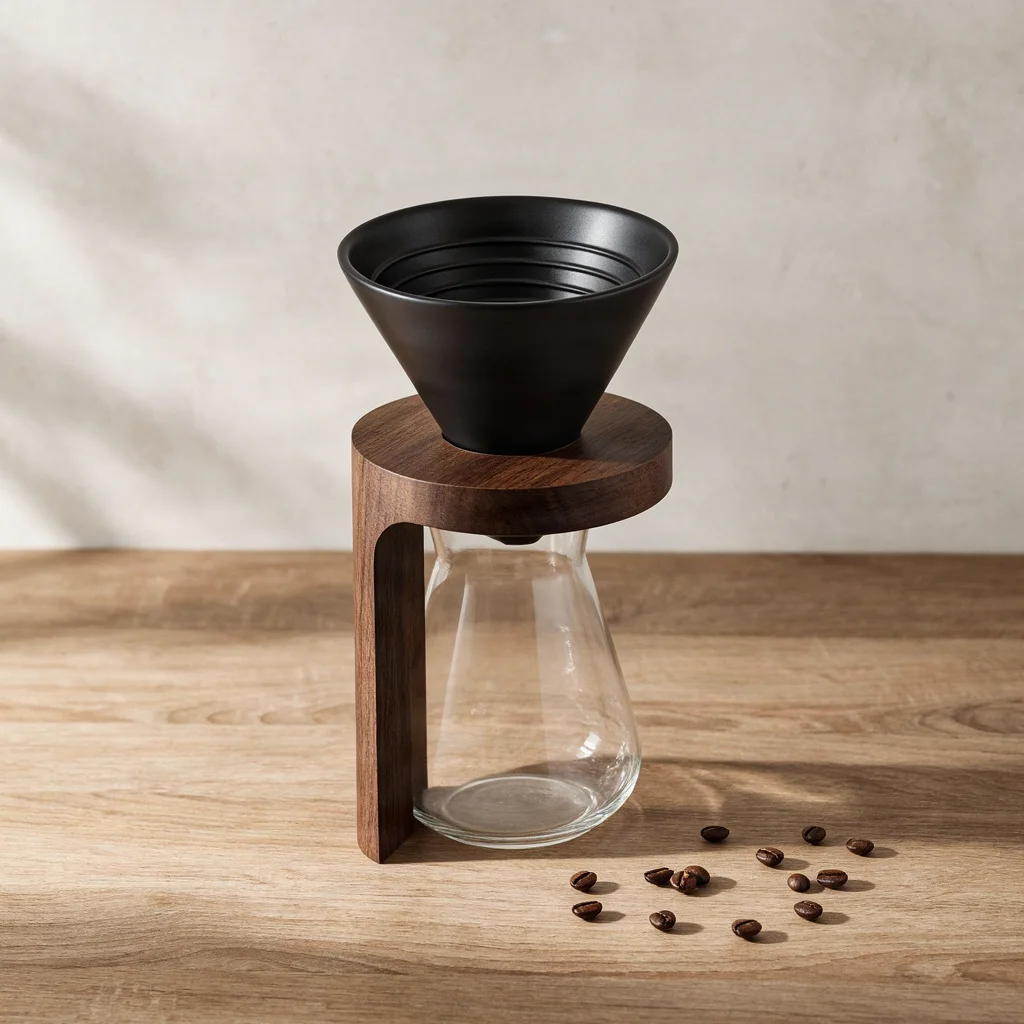
Product test: the pour-over dripper
A catalogue shot with materials and light named. Square, 1 MP, one try each.
PromptProduct photo of a matte black ceramic pour-over coffee dripper on a walnut stand, a glass carafe below, coffee beans scattered on a light oak table, soft window light from the left, shallow depth of field, clean neutral background
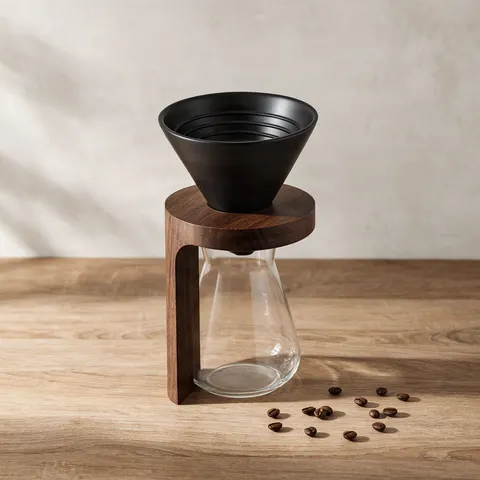 Bria FIBO 1.5Cleanest catalogue frame; window shadows as asked
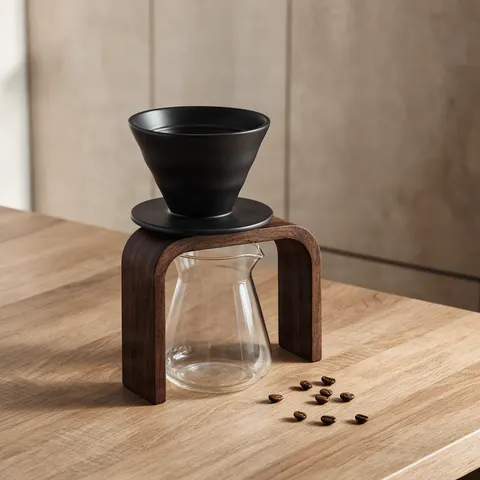 Bria 3.2Arched stand and spouted carafe; busier wall
Same prompt, both models
Text test: the coffee bag label
Two short lines in quotes. Both spelled them right — with almost the same label.
PromptProduct photo of a kraft paper coffee bag standing on a light oak table, a cream label with the words "HIGHLAND ROAST" in bold black letters and "SINGLE ORIGIN" in small letters below, coffee beans in front, soft window light, neutral background, no other text
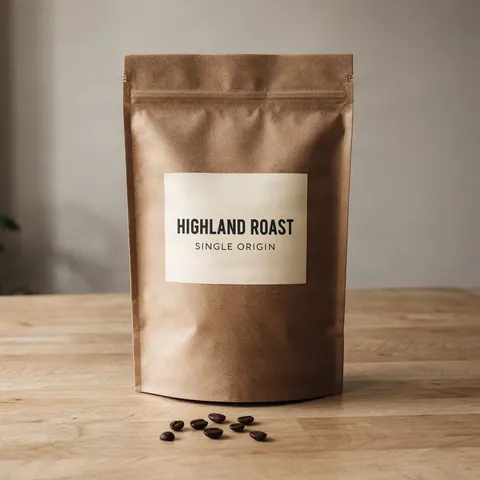 Bria FIBO 1.5HIGHLAND ROAST and SINGLE ORIGIN, correct
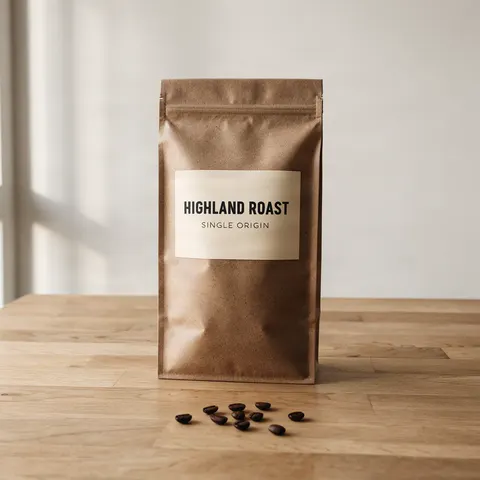 Bria 3.2Correct too; near-identical type and layout
Same prompt, both models
Portrait test: the potter
An editorial portrait of a fictional man in his 50s.
PromptEditorial portrait of a potter in his 50s with a salt-and-pepper beard and rolled-up navy linen sleeves, holding a freshly thrown clay bowl in his ceramics studio, shelves of glazed pots behind him, warm side light from a high window, 50mm lens, natural skin texture
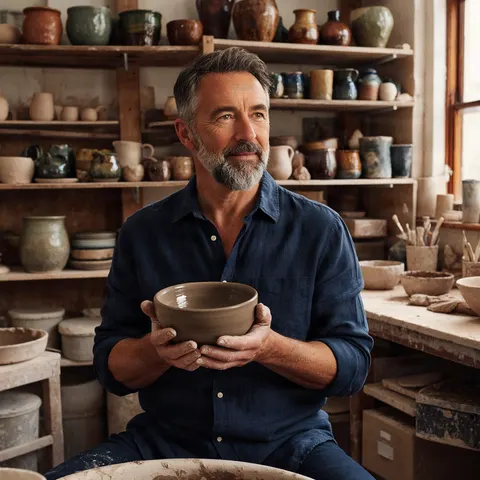 Bria FIBO 1.5Looks off-camera; sleeves not rolled up
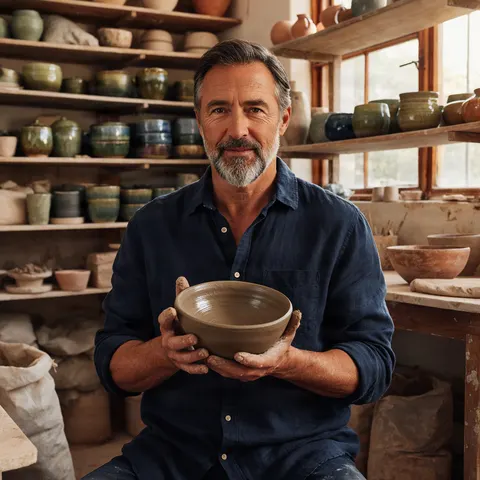 Bria 3.2Almost the same man, facing camera; wetter clay
Same prompt, both models
Illustration test: the balloon festival
Flat vector art with a count: six balloons.
PromptFlat vector illustration of a hot air balloon festival over green rolling hills at sunrise, six striped balloons in coral, teal and mustard, simple geometric shapes, no gradients, no outlines, wide empty sky
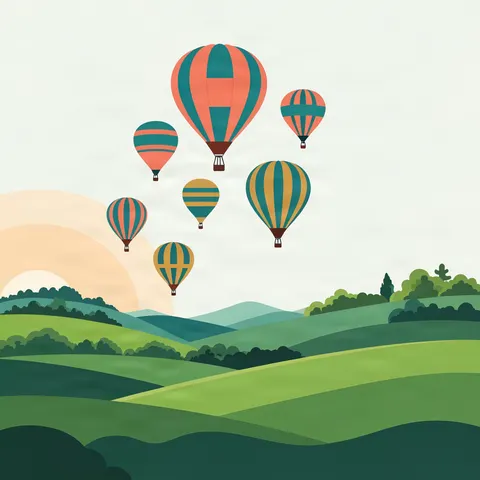 Bria FIBO 1.5Drew seven, with a sunrise
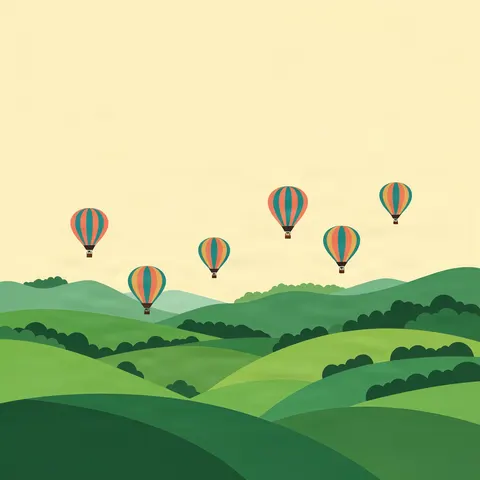 Bria 3.2Exactly six and a wide empty sky; no sun
One photo, one edit
Edit test: FIBO 1.5 changes one thing
The FIBO dripper went back in as the reference. Bria 3.2 takes no reference images, so this is FIBO only.
PromptReplace the light oak table with white marble and add a small white cup of black coffee beside the carafe. Keep the black dripper, the walnut stand, the glass carafe, the beans and the light exactly the same.
- Before (FIBO 1.5)The original generation
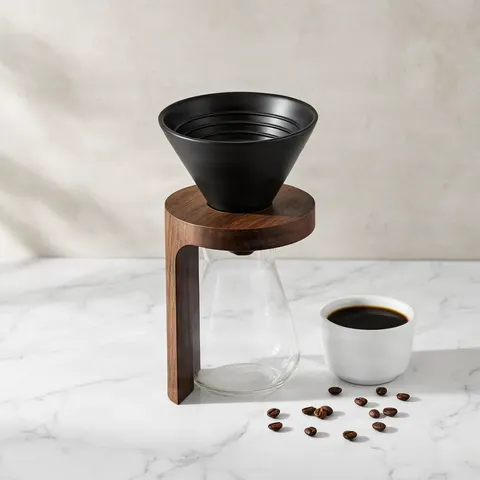 After (FIBO 1.5 edit)Marble and a cup; everything else kept
Models
Bria FIBO on Kenerate
Every version in the generator, and what each is good at.
Bria
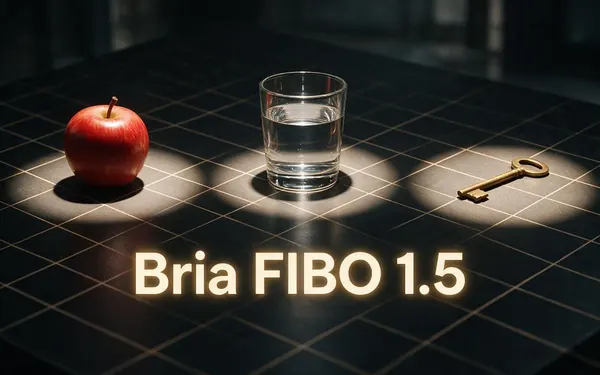
Bria FIBO 1.5
- Reference images
- 1–4 (edit)
- Output
- 9 ratios, 1 MP or 4 MP
Open Bria FIBO 1.5Best for
Tight product shots; edits that keep the scene
Bria
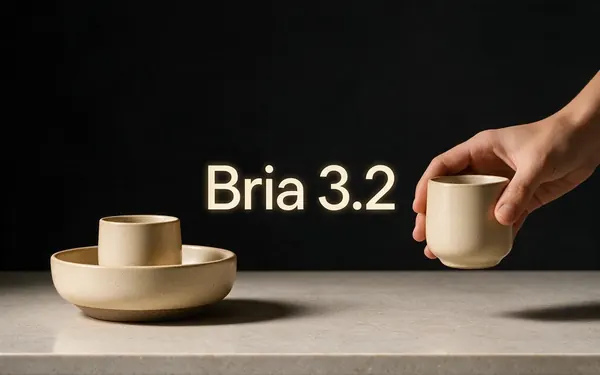
Bria 3.2
- Reference images
- Text only
- Output
- 9 ratios
Open Bria 3.2Best for
Negative prompt; held the count
From our tests
Strengths and limits
Good at
- Clean product photos: both dripper shots look like catalogue work, and FIBO followed the window-light instruction closely.
- Short text holds: both spelled HIGHLAND ROAST and SINGLE ORIGIN right on the first try.
- FIBO edits change only what you ask: the marble swap kept the dripper, stand, carafe and every bean in place.
- 4 MP on FIBO 1.5 at no extra cost, and a negative prompt on Bria 3.2.
Limits
- Little variety: the two models drew almost the same label and almost the same potter's face from one prompt.
- Details slip: neither rolled up the potter's sleeves, and FIBO drew seven balloons when we asked for six.
- Kenerate's studio takes plain text — FIBO's JSON structured prompt is not exposed — and Bria 3.2 takes no reference images.
- Not on the free plan, and plainer than Krea 2 or Seedream for stylised art.
How to
How to use Bria FIBO on Kenerate
Step 1
Pick a Bria model
Open /app/image and choose Bria FIBO 1.5 (the button on this page) or Bria 3.2.
Step 2
Write a detailed brief
Name the subject, materials, light source and direction, lens and background separately; put words that must appear in quotes.
Step 3
Set size and options
FIBO 1.5: 1 MP or 4 MP, one of 9 ratios, Photoreal preset on or off. Bria 3.2: a ratio and an optional negative prompt.
Step 4
Edit with references
On FIBO 1.5, upload 1–4 images and describe only the change — then generate and download.
See it in the app

Open Image Studio and type what you want to see — subject, style, lighting and mood.


Watch the tour · 1:23
Prompts, styles, references, edit, Arena & chat
Chapters
FAQ
Bria FIBO questions
9 questions

What is Bria FIBO?
FIBO is Bria's 8-billion-parameter text-to-image model, with a technical report dated 11 November 2025. Bria calls it the first JSON-native model: it was trained on structured JSON captions of about 1,000 words, and Bria says on licensed data only. Kenerate runs Bria FIBO 1.5 for generation at 1 MP or 4 MP and for edits with 1–4 reference images.
Link to this answerIs Bria trained on licensed data?
Bria says so. Its FIBO page lists 100M+ training images and 100% licensed data with provenance tracking, and its docs say its foundation models are trained only on licensed content. That is Bria's claim; we have not audited it. Check Bria's own terms if your use depends on indemnity or a licence.
Link to this answerBria FIBO 1.5 vs Bria 3.2 — which should I use?
Use FIBO 1.5 for product photos, 4 MP files and edits, and Bria 3.2 when you want a negative prompt. In our tests FIBO gave the cleaner catalogue shot and a near-perfect edit; Bria 3.2 was the one that held the count of six balloons. On the label and the portrait the two gave almost the same image.
Link to this answerHow much does Bria cost on Kenerate?
Both Bria models cost 12 credits per image. On FIBO 1.5 that price is the same at 1 MP and 4 MP, and an edit with references also costs 12. Credits come in one-time packs that never expire, and the cost is shown before you generate.
Link to this answerIs Bria FIBO free?
Not on Kenerate: neither Bria model is on the free plan, so the 25 sign-up credits go to the free models (Flux 2 and Qwen Image) and any credit pack unlocks Bria. Separately, Bria publishes FIBO weights on Hugging Face for non-commercial use under CC BY-NC 4.0.
Link to this answerCan I use JSON prompts with FIBO on Kenerate?
Not directly. Bria's FIBO turns a short prompt into a structured JSON scene description, and Bria's own API accepts that JSON. Kenerate's Image Studio takes a plain-text prompt, so describe light, camera, materials and composition in separate clauses — FIBO was trained on long, structured captions and uses each one.
Link to this answerCan Bria edit images?
Bria FIBO 1.5 can: upload 1–4 reference images and describe the change. In our test it swapped an oak table for white marble and added a cup while keeping the dripper, stand, carafe and beans exactly as they were. Bria 3.2 is text-to-image only.
Link to this answerCan Bria write text in images?
Short text, yes. Both models spelled HIGHLAND ROAST and SINGLE ORIGIN correctly on a coffee bag label on the first try. For long text such as menus or infographics, GPT Image 2.6 is the stronger pick on Kenerate.
Link to this answerWhat does the Photoreal preset do?
It is the one optional style preset Bria offers on FIBO 1.5 (style_id photoreal); leaving it on "No preset" applies none. It applies to generation only — edits ignore the preset and the 1 MP / 4 MP setting. All the FIBO images on this page were made with no preset.
Link to this answerIn depth
Bria FIBO, in depth
Background, how to prompt it, and when to pick something else.
On this page
What Bria FIBO and Bria 3.2 are
Bria is an image-model company that says its foundation models are trained only on licensed content [3]. Its FIBO page describes the newer of the two models on Kenerate [1][2]:
- FIBO — 8B parameters, trained on structured JSON captions of about 1,000 words; Bria calls it the first JSON-native text-to-image model [1][2].
- Structured prompts — a vision-language model expands a short prompt into a JSON scene description, which can then be refined attribute by attribute [1]. Kenerate's studio sends a plain-text prompt.
- Licensed data — Bria lists 100M+ training images, 100% licensed, with provenance tracking [1]; FIBO's open weights are for non-commercial use (CC BY-NC 4.0) [2].
- On Kenerate — FIBO 1.5 (1 MP or 4 MP, Photoreal preset, 1–4 reference edits) and Bria 3.2 (negative prompt), 12 credits each. Bria's docs now also describe a newer Fibo 2 [3].
What our tests showed
We ran a product photo, a two-line label, an editorial portrait and a flat vector illustration on both models at 1 MP, then edited the FIBO product shot. Both product shots were clean; FIBO's followed the window-light and neutral-background notes more closely. Both labels were spelled right — and looked almost identical, as did the two potters, so don't expect the second model to give you a different take on the same prompt. Neither rolled up the potter's sleeves.
The illustration split them: FIBO drew seven balloons and a sunrise, Bria 3.2 drew exactly six under a wide empty sky but left out the sun. The FIBO edit was the standout — oak became marble and a cup appeared, while the dripper, stand, carafe and even the bean positions stayed put.
Which one to run
Both cost 12 credits, so pick by feature. Use Bria FIBO 1.5 for product and catalogue images — at 4 MP for print — and for edits that must leave the rest of the scene alone. Use Bria 3.2 when a negative prompt helps keep something out of frame. For stylised illustration, Krea 2 or Seedream give more range; for long text, GPT Image 2.6.
By the Kenerate AI teamLast updated and reviewed
We run these models in the Kenerate generator. Model facts come from the makers' own pages; specs and limits were checked against our code; the examples are our own outputs.
Sources: FIBO — Bria · FIBO model card — Bria on Hugging Face · Bria API documentation
