

HiDream.ai. HiDream-I1 was open-sourced on 7 April 2025; the technical report describes a sparse diffusion transformer
HiDream-I1 Full vs HiDream-I1 Dev
HiDream-I1 is HiDream.ai's 17-billion-parameter open image model, released under MIT in April 2025. Kenerate runs two versions: Full (50 steps, single-image edits) and the distilled Dev (28 steps, half the price). Same three prompts on both, plus one Full edit.
- Variants
- Full (50 inference steps), Dev (28 steps) and Fast (16 steps); Kenerate runs Full and Dev
- Licence
- MIT for the code and the HiDream-I1 models
- Text encoder
- HiDream's own example code loads Llama 3.1 8B Instruct as one of its text encoders
- HiDream I1 Full on Kenerate
- 8 presets from 1024 × 1024 to 1536 × 1536, seed, output format, and single-image edits (HiDream E1)
- HiDream I1 Dev on Kenerate
- The same 8 presets and seed; text-to-image only, no references
- Real outputs
- Official sources
- Free to start
- No watermark
Updated by the Kenerate AI team




Made with Kenerate
On this page
What is HiDream-I1?

What is HiDream-I1?
HiDream-I1 is HiDream.ai's 17B open image model (MIT licence, April 2025). Kenerate AI runs HiDream I1 Full (50-step, edits one image) and HiDream I1 Dev (distilled, 28-step) at sizes up to 1536 × 1536: pick one in /app/image, write a prompt and generate. Full costs 7.2 credits per image or edit; Dev costs 3.6 and makes new images only.
Key facts
- Maker
- HiDream.ai
- Released
- April 2025, open weights
- Size
- 17B parameters
- Licence
- MIT
- Sizes on Kenerate
- 8 presets, up to 1536 × 1536
- Edits
- Full only, 1 reference image
- Free plan
- No
Gallery
HiDream-I1 examples
Real outputs made on Kenerate. Open any image to copy its prompt and run it yourself.
Same prompt, Full and Dev
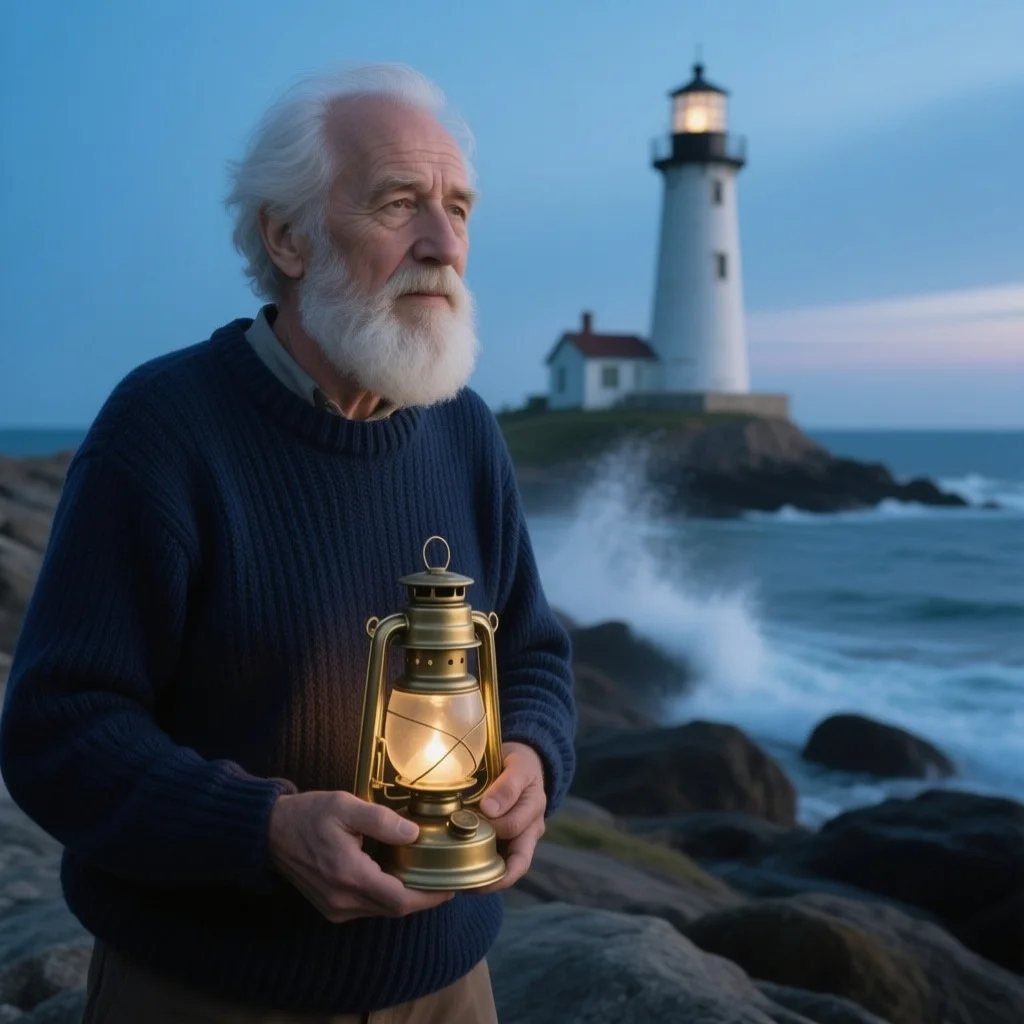
Photo test: the lighthouse keeper
A portrait with age, beard, sweater, prop, place and light named. Both got every item.
PromptPortrait photo of a lighthouse keeper in his 70s with a white beard and a navy knitted sweater, holding a brass lantern on a windy rocky shore, the lighthouse behind him at blue hour, sea spray, 85mm lens, natural skin texture
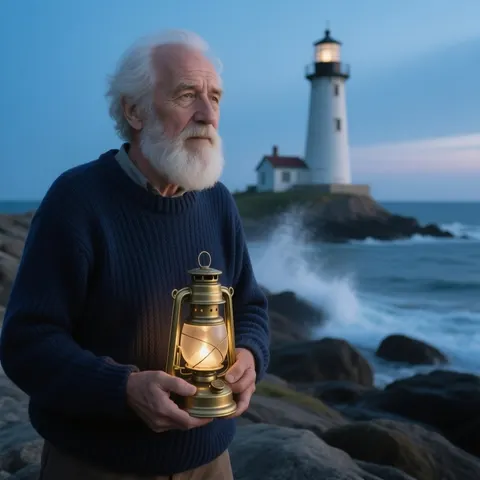 HiDream I1 FullEvery item; skin a touch smooth
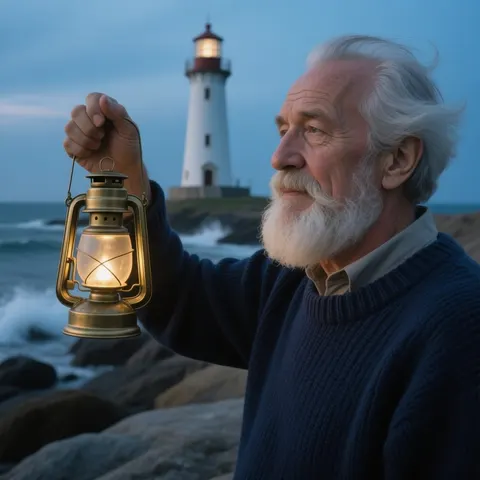 HiDream I1 DevEvery item, plus wind in his hair
Same prompt, Full and Dev
Text test: the café chalkboard
Three lines in quotes, each with a position. Both spelled every word; only Full kept the order.
PromptPhoto of a café chalkboard menu on an easel by a sunny window, hand-lettered in white chalk: "SOUP OF THE DAY" at the top, "ROAST TOMATO" in the middle and "WITH SOURDOUGH" at the bottom, a small chalk drawing of a steaming bowl, wooden frame, shallow depth of field, no other text
 HiDream I1 FullAll correct, lines where asked
 HiDream I1 DevAll correct; WITH SOURDOUGH moved up
Same prompt, Full and Dev
Style test: anime rooftop at sunset
Cel-shaded anime with hair, coat, crows and sky colours named. The two share one palette.
PromptAnime-style illustration of a young adult woman with short silver hair and a long red coat standing on a rooftop at sunset, city skyline below, wind in her hair, crows flying, cel shading, vivid orange and purple sky
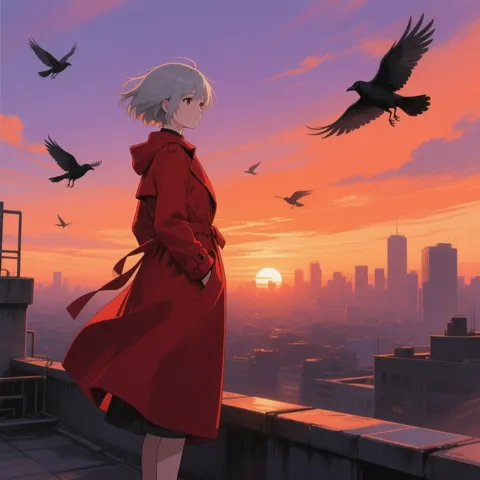 HiDream I1 FullThree-quarter view, coat in the wind
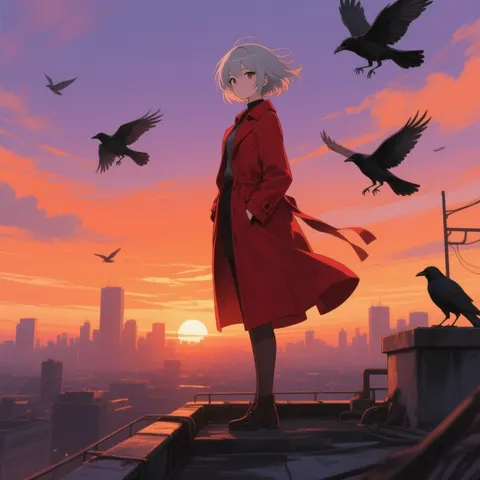 HiDream I1 DevFull-length on the ledge; near-same style
One photo, one edit
Edit test: HiDream I1 Full changes one thing
The Full lighthouse keeper went back in as the single reference with a one-line change. Dev cannot edit.
PromptChange his navy knitted sweater to a yellow oilskin rain jacket. Keep his face, white beard, white hair, the lit brass lantern, the lighthouse, the waves and the blue-hour light exactly the same.
- Before (HiDream I1 Full)The original generation
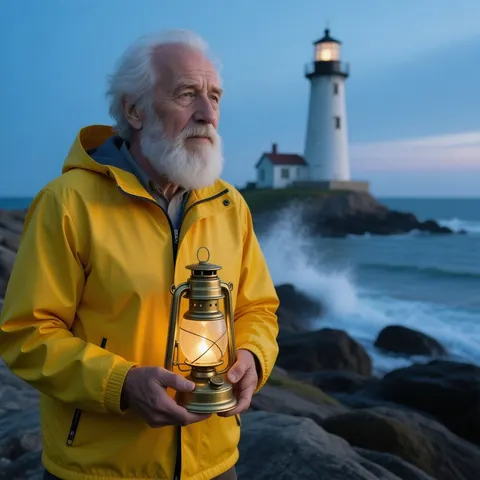 After (HiDream I1 Full edit)Yellow jacket; everything else unchanged
Models
HiDream-I1 on Kenerate
Every version in the generator, and what each is good at.
HiDream.ai
HiDream I1 Full
- Reference images
- 1 (edit)
- Output
- 8 presets, up to 1536 px
Open HiDream I1 FullBest for
Kept text layout; clean one-image edits
HiDream.ai
HiDream I1 Dev
- Reference images
- None
- Output
- 8 presets, up to 1536 px
Open HiDream I1 DevBest for
Half the price; same look
From our tests
Strengths and limits
Good at
- Both versions spelled SOUP OF THE DAY, ROAST TOMATO and WITH SOURDOUGH right on the first try.
- Both drew every item in the photo prompt: age, white beard, navy sweater, lit brass lantern, lighthouse, spray and blue hour.
- The Full edit changed only the sweater and left the face, the lantern and the lighthouse as they were.
- Dev looks almost the same as Full on photos and anime at half the price, and the weights are MIT-licensed.
Limits
- Dev moved WITH SOURDOUGH up under ROAST TOMATO instead of putting it at the bottom as asked.
- Full's lighthouse keeper has slightly smooth, polished skin, and his hair ignores the wind.
- Sizes stop at 1536 × 1536 on Kenerate; only Full edits, and only from one image.
- Neither version is on the free plan, and HiDream-I1 Fast is not offered.
How to
How to use HiDream-I1 on Kenerate
Step 1
Pick a HiDream model
Open /app/image and choose HiDream I1 Full (the button on this page) or HiDream I1 Dev.
Step 2
Write the prompt
Name subject, age, clothing, props, light and lens in separate clauses; put words that must appear in quotes and say where each line goes.
Step 3
Set size and seed
Pick one of 8 presets up to 1536 × 1536 and fix the seed to repeat a result.
Step 4
Edit on Full
Upload one image to HiDream I1 Full, describe only the change, then generate and download.
See it in the app

Open Image Studio and type what you want to see — subject, style, lighting and mood.


Watch the tour · 1:23
Prompts, styles, references, edit, Arena & chat
Chapters
FAQ
HiDream-I1 questions
8 questions

What is HiDream-I1?
HiDream-I1 is an open-source text-to-image model from HiDream.ai with 17 billion parameters, released on 7 April 2025 under the MIT licence. It comes in Full, Dev and Fast versions that run 50, 28 and 16 inference steps. Kenerate runs Full and Dev in the browser.
Link to this answerHiDream I1 Full vs Dev — what is the difference?
Full runs 50 inference steps and Dev is a distilled 28-step version. On Kenerate Full costs 7.2 credits and can edit one image; Dev costs 3.6 and only makes new images. In our test both spelled a three-line chalkboard right, but only Full kept the lines in the asked order; photos and anime looked almost the same.
Link to this answerIs HiDream free?
The HiDream-I1 weights are free to download under MIT if you run them yourself. On Kenerate neither version is on the free plan: Full costs 7.2 credits and Dev 3.6 per image, and the cost is shown before you generate.
Link to this answerCan HiDream edit images?
Yes, on HiDream I1 Full. Upload one image and describe the change; Kenerate runs it as a HiDream E1 edit, HiDream.ai's instruction-based editing model. In our test it turned a navy sweater into a yellow rain jacket and kept the face, lantern and lighthouse unchanged. HiDream I1 Dev cannot edit.
Link to this answerCan HiDream-I1 write text?
Short text, yes. Both Full and Dev spelled SOUP OF THE DAY, ROAST TOMATO and WITH SOURDOUGH correctly on a chalkboard. Full put each line where we asked; Dev moved the last line up. Quote each line and say where it goes.
Link to this answerWhat resolution does HiDream-I1 make on Kenerate?
Up to 1536 × 1536. Both versions have 8 presets: 1024 × 1024, 768 × 1024, 1024 × 768, 1280 × 720, 720 × 1280, 1536 × 1536, 1024 × 1536 and 1536 × 1024, at one price each.
Link to this answerHow good is HiDream-I1 on benchmarks?
HiDream.ai's README reports 85.89 on DPG-Bench, 0.83 on GenEval and 33.82 on HPSv2.1 for HiDream-I1. These are the maker's own numbers, not an independent test.
Link to this answerCan I use HiDream-I1 commercially?
HiDream.ai publishes the HiDream-I1 code and models under the MIT licence, which allows commercial use. Images made on Kenerate fall under Kenerate's terms.
Link to this answerIn depth
HiDream-I1, in depth
Background, how to prompt it, and when to pick something else.
On this page
HiDream-I1 Full and Dev
What our tests showed
We ran a portrait, a chalkboard menu and an anime illustration on both at 1024 × 1024, one try each, then edited the Full portrait. The two versions were hard to tell apart on the photo and the anime: both lighthouse keepers had every item we named, and the two rooftop pictures share one palette and style. Dev even added the wind-blown hair Full left out.
Text split them. Both spelled all three chalkboard lines right, but Dev moved WITH SOURDOUGH up under ROAST TOMATO and put the soup bowl at the bottom, while Full kept the order we asked for. The Full edit was clean: only the sweater changed.
Which one to run
HiDream I1 Dev at 3.6 credits is the better buy for photos, illustration and drafts — it matched Full on two of three prompts. Use HiDream I1 Full (7.2 credits) when the layout of lettering matters or you need an edit. For larger files or multi-image edits, look at FLUX.2 Dev or Qwen Image 3.0.
By the Kenerate AI teamLast updated and reviewed
We run these models in the Kenerate generator. Model facts come from the makers' own pages; specs and limits were checked against our code; the examples are our own outputs.
Sources: HiDream.ai — HiDream-I1 (GitHub) · HiDream.ai — HiDream-E1 (GitHub)
