

Mother's Day: Sunday 9 May 2027 · 5×7 print
Mother's Day card maker — printable cards with her name
Describe the card — watercolor peonies, a gold “Mom”, a melon pun, a card for Grandma — and put her name and your greeting in quotes. You get a finished front with the words lettered in, ready to print at 5×7 or send as an e-card. Eight real designs below, each with its prompt.
- Her name lettered in
- Eight real card designs
- 5×7 print sizes explained
- Cards for Grandma and mother-in-law
Updated by the Kenerate AI team




Made with Kenerate
On this page
Quick answer

How do I make a Mother's Day card with AI?
A Mother's Day card maker designs the card front — artwork, layout and your greeting and her name lettered in — from a short description. On Kenerate, GPT Image 2.6 Sunburst lettered all eight cards on this page at 15 credits a design (1K; 30 at 2K). Pick 3:4 for a 5×7 card, which needs about 1500×2100 px to print. Mother's Day 2027 is Sunday 9 May.
Key facts
- Best for lettering
- GPT Image 2.6 Sunburst, 1K to 4K
- Card designs on this page
- Eight, with the prompt for each
- 5×7 print
- ≈ 1500×2100 px at 300 DPI, + 0.125 in bleed
- Ratios to pick
- 3:4 for 5×7 · 2:3 for 4×6 · 1:1 square
- Fix a word
- Edit Text in Image in Edit Studio
- Mother's Day 2027
- Sunday 9 May
Gallery
Mother's Day cards made with Kenerate
Eight card fronts, each a single GPT Image 2.6 Sunburst run at 3:4 from the prompt under it. Every greeting and every made-up name came out spelled right. Open one to copy the prompt, then swap in her name.
How to
How to make a Mother's Day card
- Time needed
- Steps
- 4 steps
Step 1
Open Image Studio
Press “Design my Mother's Day card”. Image Studio opens with GPT Image 2.6 Sunburst (credit pack), or pick Qwen Image 3.0 on the free plan. Sign in free with Google, GitHub or Discord.
Step 2
Choose the ratio
3:4 for a 5×7 card, 2:3 for 4×6, 1:1 for a square card or e-card, and 2K if you'll print.
Step 3
Describe the card
Her favourite flowers or a style, the colours, and the greeting and her name in quotes with where each goes.
Step 4
Check, fix, print
Zoom in on the lettering, fix any word with Edit Text in Image, upscale to 4K for print, then download and print or send.
See it in the app

Open Image Studio and type what you want to see — subject, style, lighting and mood.


Watch the tour · 1:23
Prompts, styles, references, edit, Arena & chat
Chapters
Tips
Get a card you can actually print
Lettering and print are where AI cards go wrong. This avoids both.
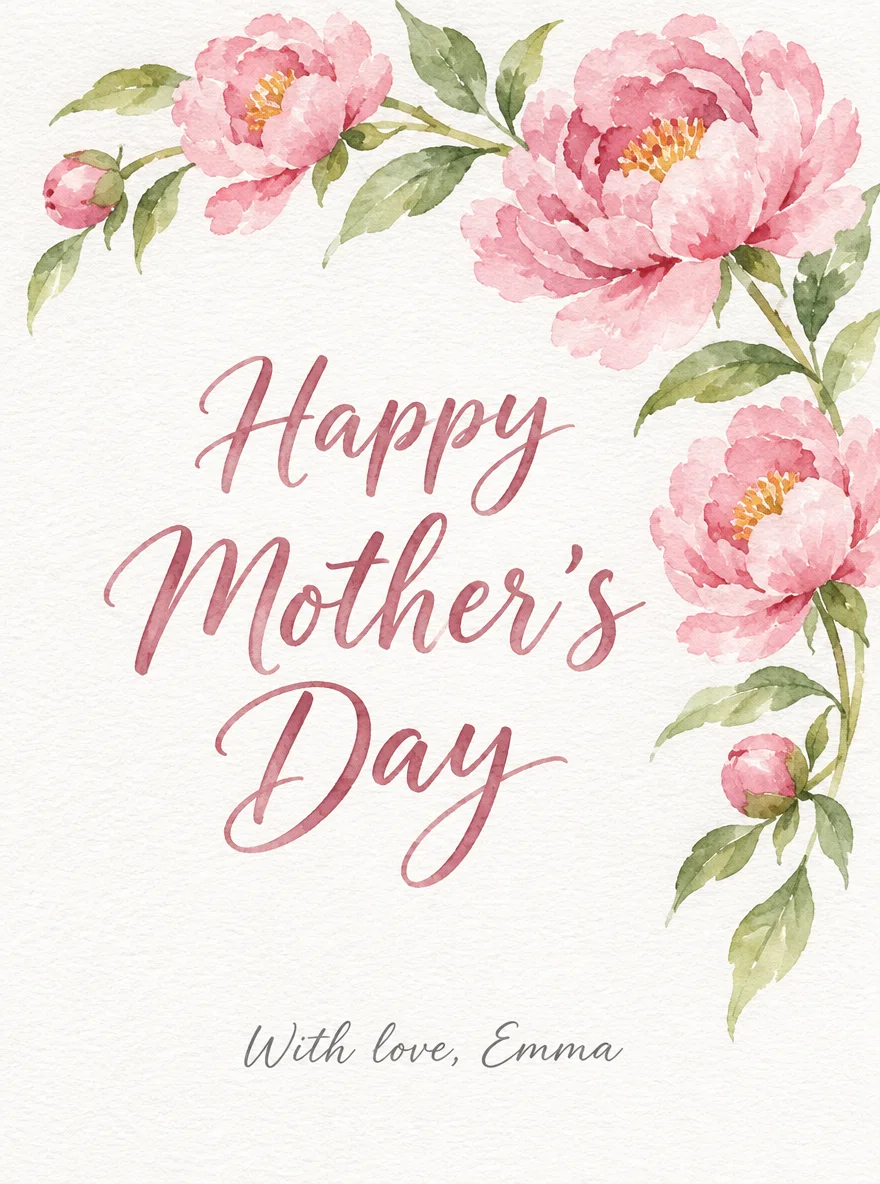
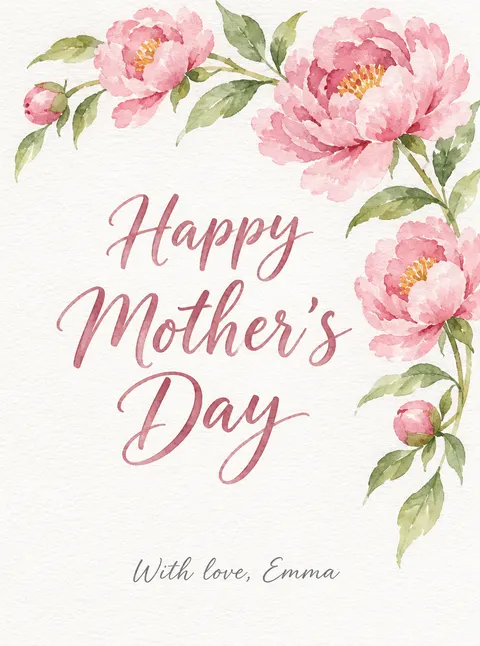
Put every word in quotes and say where it goes: “Happy Mother's Day” in rose script in the middle, “With love, Emma” small at the bottom.
Type the apostrophe in “Mother's” and add “spelled exactly with the apostrophe”; models sometimes drop it.
Keep the front to one greeting and one name line. Long messages and poems belong inside the card.
Pick the ratio for the print: 3:4 for a 5×7 (trim the sides a little), 2:3 for a 4×6, 1:1 for a square card.
Render at 2K or upscale to 4K, and keep names a quarter inch away from the edges.
Zoom in on every letter before printing; if one word is off, fix it with Edit Text in Image instead of regenerating.
Models
Models for Mother's Day cards
What each model is good at. Open any one straight in the generator.
OpenAI
GPT Image 2.6 Sunburst
- Reference images
- Up to 16
- Output
- 1K–4K
Open GPT Image 2.6 SunburstBest for
Made all eight cards · greetings and names lettered in
Recraft
Recraft V4.1
- Output
- 5 ratios
Open Recraft V4.1Best for
Flat, graphic and typographic card designs
Google
Nano Banana 2.1
- Reference images
- Up to 14
- Output
- Up to 4K
Open Nano Banana 2.1Best for
Your own photo on the card, faces kept the same
- Free plan

FAQ
Mother's Day card questions
9 questions

How do I make a Mother's Day card with AI?
Open Kenerate's Image Studio, pick GPT Image 2.6 Sunburst and a 3:4 ratio, and describe the card: her favourite flowers or a style, the colours, and the greeting and her name in quotes with where each goes — “Happy Mother's Day” in rose script in the middle, “With love, Emma” small at the bottom. Generate, zoom in on the lettering, then download. A design costs 15 credits at 1K or 30 at 2K.
Link to this answerIs the Mother's Day card maker free?
Free to start. A new Kenerate account gets 25 credits on sign-up — enough for two Qwen Image 3.0 card designs at 9 credits each, which runs on the free plan. GPT Image 2.6 Sunburst, which lettered the cards on this page, needs a one-time credit pack; the Starter pack is $15 for 1,300 credits, with no subscription.
Link to this answerCan I put her name on the card?
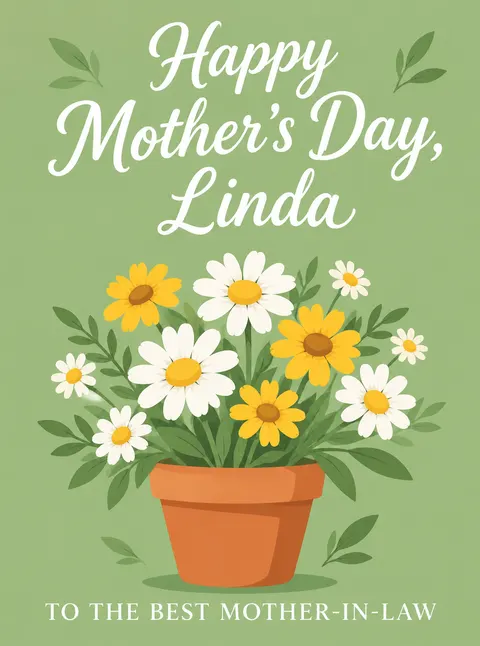
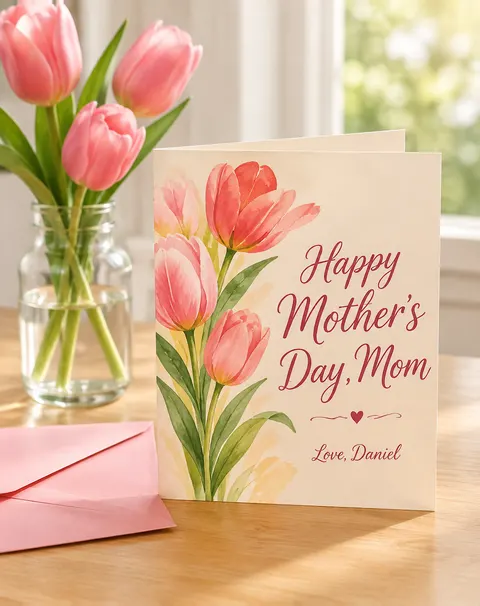
Yes. Put the name in quotes with the greeting, such as “Happy Mother's Day, Grandma Rosa” or “Happy Mother's Day, Linda”, and say where it goes. All four made-up names on this page (Emma, Rosa, Linda, Daniel) came out spelled right first time. Read every letter anyway; fix a slip with Edit Text in Image in Edit Studio.
Link to this answerWhat size should a printed Mother's Day card be?
The usual size is 5×7 inches with an A7 envelope (5.25×7.25 in). Print shops ask for at least 300 DPI at the final size, which is about 1500×2100 pixels for a 5×7, and usually 0.125 in of bleed on each side, so keep words away from the edges. Generate at 3:4 and crop a little, or 2:3 for a 4×6 card.
Link to this answerCan I make a card for my grandmother or mother-in-law?
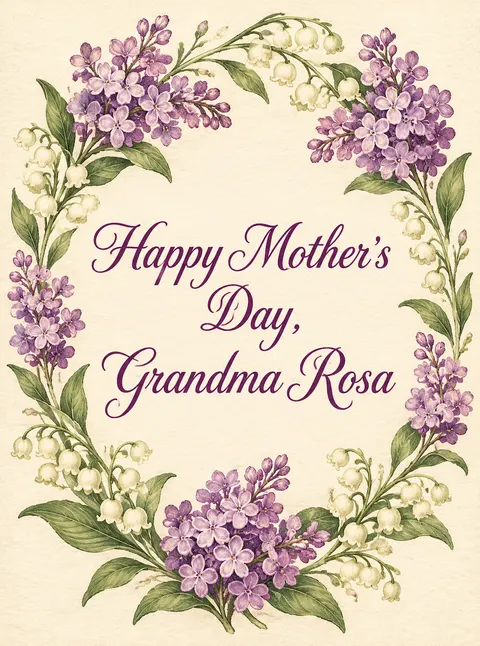
Yes. Two of the eight cards here are for them: a vintage lilac wreath reading “Happy Mother's Day, Grandma Rosa” and a pot of daisies reading “Happy Mother's Day, Linda” with “To the best mother-in-law”. Name who it's for in the prompt and pick a style she likes.
Link to this answerCan I make a funny Mother's Day card?
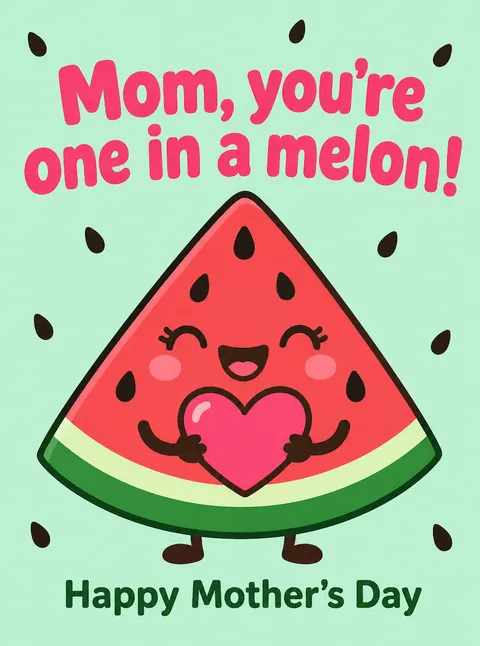
Yes. Short puns letter best: our watermelon card reads “Mom, you're one in a melon!” with “Happy Mother's Day” below, spelled right first time. Keep the joke under about eight words and put a longer funny line inside the card.
Link to this answerWhat should I write inside the card?
Keep the inside out of the image and write it by hand or print it from a word processor; AI lettering is reliable for a few words, not paragraphs. Our guide “What to write in a Mother's Day card” has 100+ messages from a daughter or son, funny and short ones, and messages for a grandmother, a mother-in-law and someone grieving.
Link to this answerCan I add a photo of us to the card?
Yes. Upload your photo in Image Studio, pick Nano Banana 2.1 or GPT Image 2.6 Sunburst, and describe the card around it, ending with “keep both faces exactly the same”. A GPT Image 2.6 edit with one photo costs 19.5 credits at 1K. Use photos of adults who agreed; prompts that mention children are blocked.
Link to this answerCan I send it as an e-card instead?
Yes. Make it at 1:1 or 4:5, download it and send it by text, WhatsApp or email. To make it move, see the Happy Mother's Day GIF page.
Link to this answerIn depth
Mother's Day cards, explained
What works, what to avoid, and how to pick a model.
On this page
Card sizes, ratios and pixels
Pick the ratio before you generate, so nothing important gets cropped:
- 5×7 in (A7 envelope, 5.25×7.25 in): generate at 3:4, crop a little off the sides; about 1500×2100 px at 300 DPI.
- 4×6 in photo card: 2:3 fits exactly; about 1200×1800 px.
- 5.5×5.5 in square: 1:1; about 1650×1650 px.
- With 0.125 in bleed on each side, a 5×7 file is 5.25×7.25 in — about 1575×2175 px. A 4K upscale covers it.
- Our cards came out at 1K (880×1184 px for 3:4), fine for an e-card; for print, make them at 2K or run the Image Upscaler at 4K.
16 Mother's Day card prompt ideas
Add the greeting and her name in quotes and say where they go:
- Watercolor peonies around the edge, “Happy Mother's Day” in rose brush script, “With love, Emma” small below.
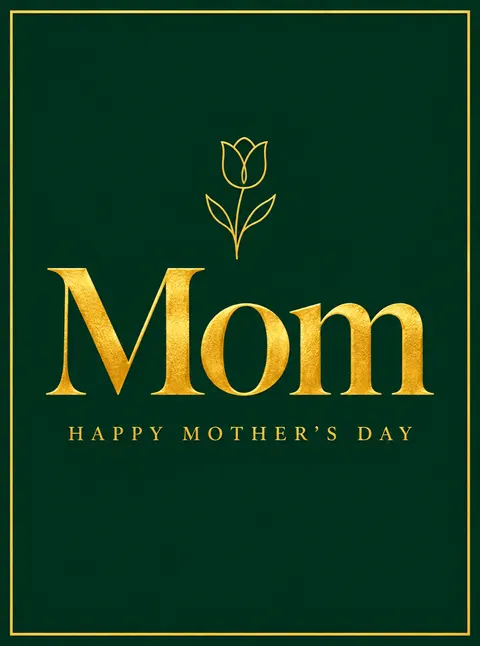
- Deep green with a thin gold border, “Mom” in large gold foil serif.
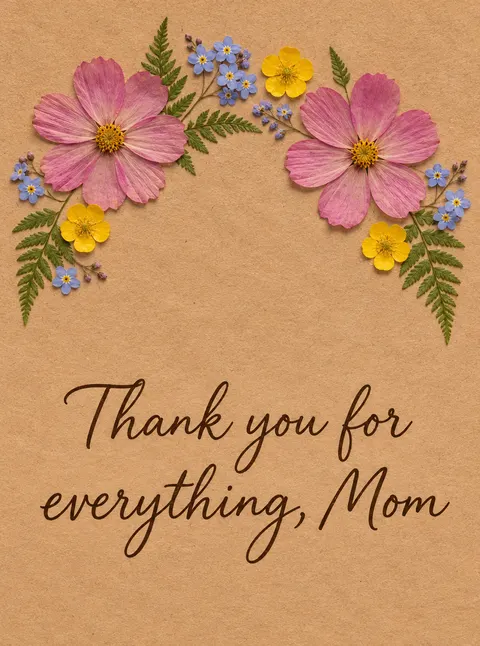
- Pressed flowers on kraft paper, “Thank you for everything, Mom” in brown handwriting.
- A cartoon watermelon hugging a heart, “Mom, you're one in a melon!”.
- Vintage lilacs in an oval wreath, “Happy Mother's Day, Grandma Rosa”.
- Daisies in a terracotta pot on sage green, “To the best mother-in-law”.
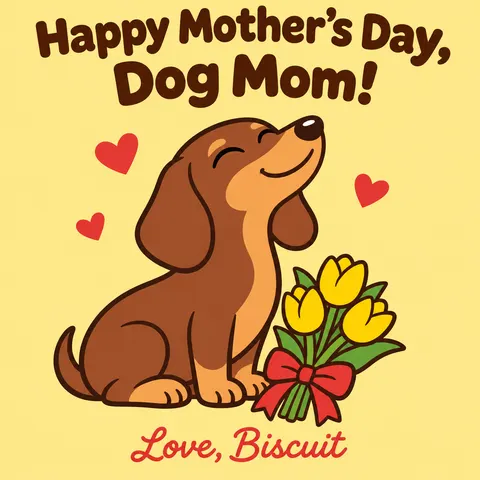
- Her dog with a bouquet at its feet, “Happy Mother's Day, Dog Mom! Love, Biscuit”.
- A single line-art tulip on blush, “Love you, Mom” in thin black script.
- Lemon branches on white, “Mom, you're simply the zest”.
- A cup of tea and a slice of cake, “Put your feet up, Mom”.
- Botanical roses in a vintage seed-catalogue style, “For Mother”.
- Bold retro 70s type in orange and pink, “Best Mom Ever”.
- A garden gate covered in climbing roses, “Happy Mother's Day, Mum” for a UK card.
- Paper-cut layered flowers in coral and cream, “Thank you, Mom”.
- Night sky with one bright star, “Thinking of you this Mother's Day” for someone grieving.
- Two coffee mugs side by side, “To my mom and my best friend”.
What we got
Eight card designs, made on 16 November 2026, each a single GPT Image 2.6 Sunburst run at medium quality and 1K, 15 credits each.
- Every “Happy Mother's Day” kept its apostrophe, and every name and extra line (Emma, Rosa, Linda, Daniel, Biscuit, “one in a melon”, “To the best mother-in-law”) was spelled right first time.
- The flat card fronts filled the frame as asked; the printed-card photo shows the same idea standing on a table with an envelope.
- No people are shown: the designs are flowers, lettering, a cartoon watermelon and a cartoon dog.
Why lettering fails, and how to fix it
Image models draw letters as shapes, so they slip on long or unusual words and drop small marks such as apostrophes. Short greetings in quotes, a named letter style (“rose brush script”, “gold serif capitals”) and a clear position help most. When one word is wrong, Edit Studio's Edit Text in Image changes just that text and keeps the design.
By the Kenerate AI teamLast updated and reviewed
We build and run the Kenerate generator. Every example is a real output of the model named under it; models and presets were checked against the app's code.
Sources: Vistaprint — Christmas card sizes (5x7, A7 envelope, 300 DPI) · 4OVER4 — file size for a 5×7 greeting card · Kenerate AI — Terms of Service · Kenerate Image Studio

Make her card
Sign in with Google, GitHub or Discord. Starter credits on sign-up; GPT Image 2.6 runs on a one-time credit pack.
Tried it? Tell us how it went