Speech · thought · shout bubbles · comic panels
Speech bubble maker — add a comic bubble to any photo
Upload a photo, write what it should say, and the AI draws a comic speech, thought or shout bubble into the picture with your words lettered inside — or describe a whole comic panel and get the bubbles with it.
- Photo or text
- Speech, thought and shout bubbles
- Words lettered for you
- No watermark
Updated by the Kenerate AI team




On this page
Quick answer
How do you add a speech bubble to a photo?
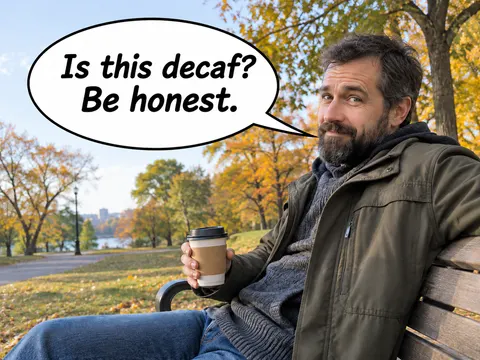
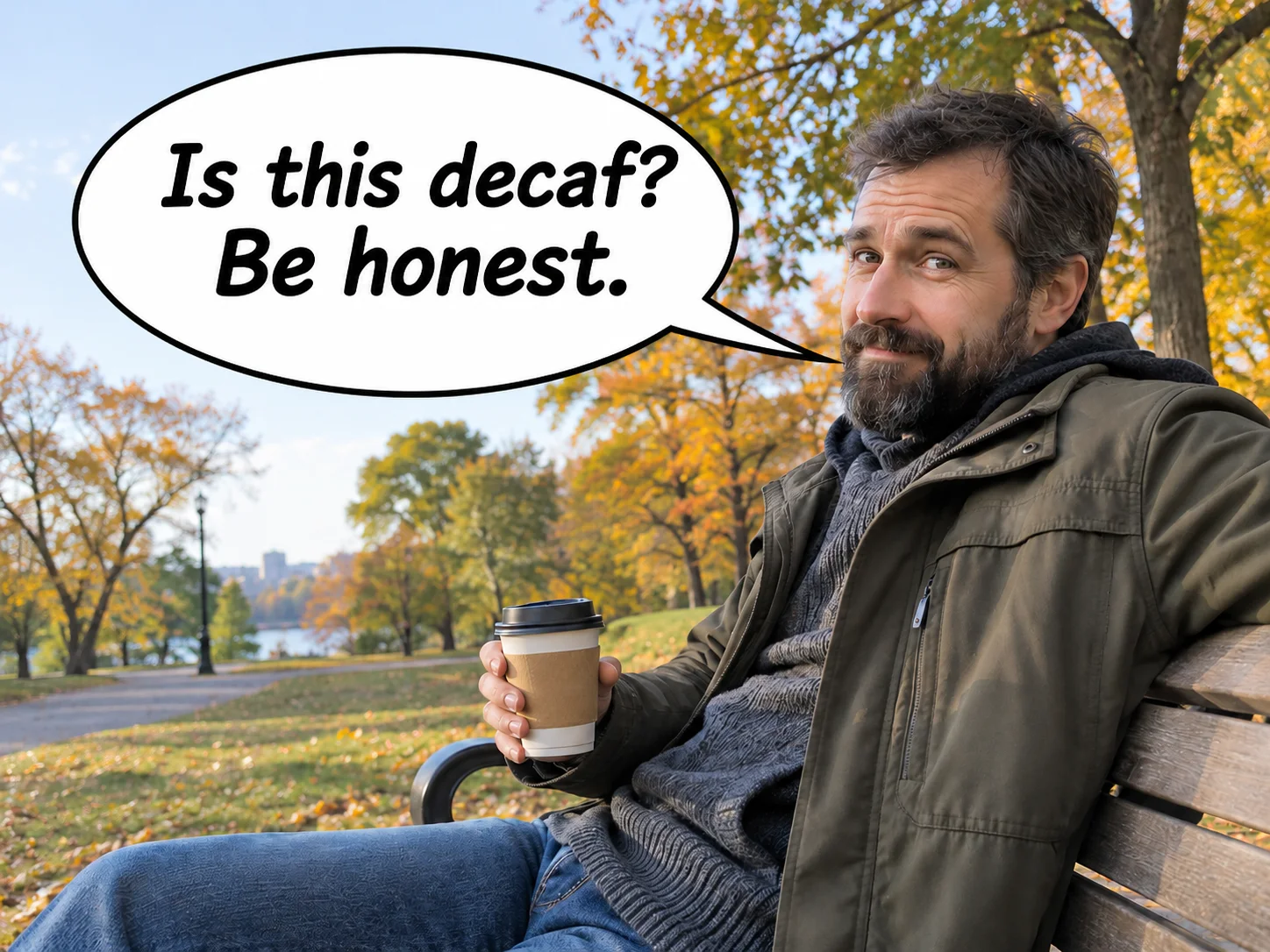
To add a speech bubble to a photo, upload it to Kenerate Image Studio and write one sentence: the bubble type, where it goes, who it points at and the exact words in quotes, for example: add a white comic speech bubble in the empty sky at the upper left, tail pointing to the man's mouth, with the words "Is this decaf? Be honest." GPT Image 2, the default here, draws the bubble and letters the text while keeping the rest of the photo the same, for 21 credits per photo at the default size. It also does thought bubbles, shout bubbles and whole comic panels from a text prompt.
Key facts
- Two ways in
- Add a bubble to your photo · make a comic panel from text
- Bubble types
- Speech · thought · shout · whisper · caption box
- Default model
- GPT Image 2 (built for text in images)
- Exact wording
- Words in quotes; check the spelling before you download
- Type it yourself
- Edit Studio Text tool on a blank bubble
- Watermark
- None
Before / after
Speech bubbles added to real photos
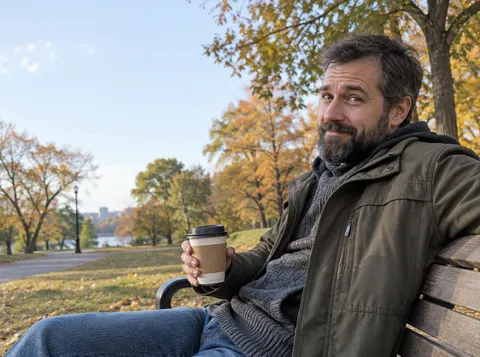
Each pair is one photo and one GPT Image 2 edit in Image Studio with the prompt shown, one try each. The cat and dog photos kept their framing; the park photo came back a little tighter on the man. Drag the slider to compare.
Bubble types
Which bubble to use, and the words that get it
Name the bubble, say where it goes and who it points at, then put the exact words in quotes.
| Bubble | Looks like | Use it for | Prompt words |
|---|---|---|---|
| Speech bubble | Oval with a pointed tail | Normal talk, captions on photos | white comic speech bubble with a black outline, tail pointing to the mouth |
| Thought bubble | Cloud with small circles trailing to the head | Inner thoughts, pets' opinions | cloud thought bubble with three small circles leading to the head |
| Shout bubble | Jagged, spiky outline, often a bright fill | Yelling, surprise, sound effects | spiky shout bubble, thick black outline, yellow fill, bold uppercase letters |
| Whisper bubble | Dashed or dotted outline | Asides, secrets, quiet lines | whisper bubble with a dashed outline, small lowercase letters |
| Caption box | Rectangle in a corner, no tail | Narration, time and place | rectangular caption box in the top-left corner, no tail |
| Two bubbles | Two joined bubbles from one speaker | A pause or a second line | two joined speech bubbles from the same speaker |
Prompts
Speech bubble prompts to copy
Photo prompts need an upload; the rest work from text alone. Each one opens Image Studio with the prompt filled in — swap in your own words.
- Bubble
- Speech, thought, shout, caption
- Place
- An empty part of the photo
- Speaker
- Who the tail points at
- Words
- Exact text in quotes
Photo: speech bubble
Add a classic white comic speech bubble with a black outline in the empty sky at the upper left, its tail pointing to the man's mouth. Inside, in a clean hand-lettered comic font, the words "Is this decaf? Be honest." Keep the man, the bench, the coffee cup and the park exactly as they are.
Photo: thought bubble
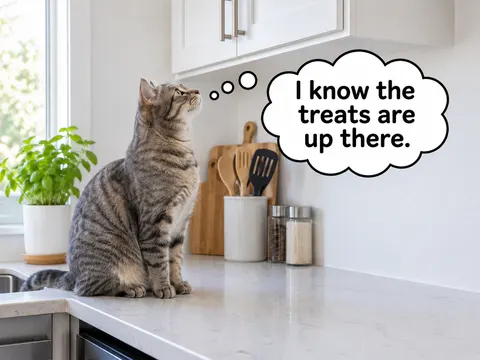
Add a white comic thought bubble — a fluffy cloud shape with a trail of three small circles leading down to the cat's head — in the empty wall space at the upper right. Inside, in a clean comic font, the words "I know the treats are up there." Keep the cat and the kitchen exactly as they are.
Photo: shout bubble
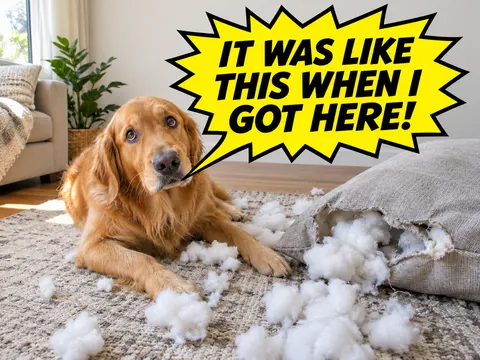
Add a jagged, spiky comic shout bubble with a thick black outline and a bright yellow fill above the dog, its point aimed at the dog's mouth. Inside, in bold uppercase comic letters, the words "IT WAS LIKE THIS WHEN I GOT HERE!" Keep the dog, the cushion and the room exactly as they are.
Photo: two people talking
Add two white comic speech bubbles: one above the person on the left saying "Who took the last slice?" and one above the person on the right saying "Not me." Each tail points to its speaker. Keep both people and the background exactly as they are.
More prompts (4)
Photo: caption box
Add a rectangular comic caption box in the top-left corner with a cream fill and a black outline, reading "Meanwhile, on Monday morning..." in a comic font. Keep the rest of the photo exactly as it is.
Comic strip
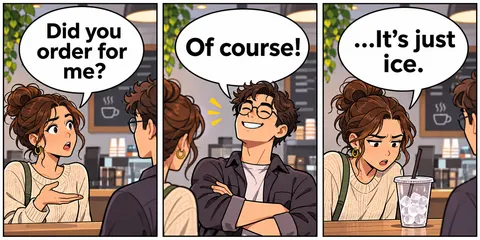
Three-panel comic strip in a clean colour comic style, two adult friends in their twenties at a coffee shop counter. Panel 1: a woman with a messy bun asks, in a speech bubble, "Did you order for me?" Panel 2: a man with round glasses smiles proudly, speech bubble "Of course!" Panel 3: she stares at a cup of plain ice, speech bubble "...It's just ice." White gutters between panels, each bubble's tail points to its speaker, text spelled exactly.
Blank bubble set
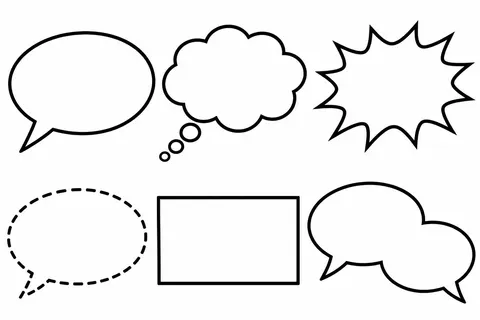
A neat sheet of six empty comic bubbles on a plain white background, evenly spaced in two rows: an oval speech bubble with a tail, a cloud thought bubble with three small circles, a spiky shout bubble, a whisper bubble with a dashed outline, a rectangular caption box, and two joined speech bubbles. Clean black outlines, white fill, no text at all.
Single comic panel
A single comic panel in a bold pop-art style: an adult astronaut floating outside a space station, holding a wrench, with a speech bubble saying "Has anyone seen the other screw?" Halftone dots, thick outlines, text spelled exactly.
Gallery
Comic panels and bubbles from a text prompt
No photo needed: each is a single GPT Image 2 run from the prompt under it. The blank set is for typing your own words in Edit Studio.
How to
How to use the speech bubble maker
- Time needed
- Steps
- 4 steps
Step 1
Open Image Studio
Press “Add a speech bubble”. Image Studio opens on GPT Image 2. Sign in free for starter credits.
Step 2
Upload your photo
Add the picture you want the bubble on. For a comic panel from scratch, leave the upload empty.
Step 3
Describe the bubble
Bubble type, where it goes, who it points at, and the words in quotes — the table has the prompt words for each bubble.
Step 4
Check the words and download
Read every letter, regenerate if anything is off, then download with no watermark.
See it in the app

Open Voice Studio in Text to speech and type the words you want spoken, or start from a script template.


Watch the tour · 1:41
Text to speech, emotions & tags, Hindi, voice design, cloning & chat
Chapters
Tips
Bubbles that read well and say the right thing
What makes the model put the bubble where you want it, with every word right.
Put the exact words in quotes and keep them short — one line of up to about ten words reads best.
Say where the bubble goes (“in the empty sky at the upper left”) and who the tail points at.
Pick photos with some empty space — sky, wall or floor — so the bubble doesn't cover a face.
Add “keep everything else exactly as it is” so only the bubble is added.
Read every letter before you download. If one is wrong, regenerate rather than settle.
Need exact wording or a special font? Make a blank bubble, then type the words in Edit Studio's Text tool.
Models
Models for speech bubbles
What each model is good at. Open any one straight in the generator.
OpenAI
GPT Image 2
- Reference images
- Up to 16
- Output
- 1K to 4K
Open GPT Image 2Best for
Default here · bubble and lettering added to your photo
OpenAI
GPT Image 2.5 Sunburst
- Reference images
- Up to 16
- Output
- 1K to 4K
Open GPT Image 2.5 SunburstBest for
Text rendering · fine detail
- Free plan
Alibaba
Qwen Image 3.0
- Reference images
- Up to 3
- Output
- 1K or 2K
Open Qwen Image 3.0Best for
Free plan · photo edits and panels
FAQ
Speech Bubble Maker questions
8 questions

How do I add a speech bubble to a photo?
Upload the photo in Image Studio and describe the bubble in one sentence: the type (speech, thought or shout), where it goes, who the tail points at, and the exact words in quotes. Add “keep everything else exactly as it is”. GPT Image 2, the default here, draws the bubble into the picture and letters the words for you.
Link to this answerWill the text in the bubble be spelled right?
Usually, if you keep it short and put it in quotes; GPT Image 2 is built for text in images. Image models can still drop or swap a letter, so read the bubble before you download and regenerate if it's wrong. For long lines or a set font, make a blank bubble and type the words in Edit Studio's Text tool.
Link to this answerCan I make a thought bubble or a shout bubble?
Yes. Ask for a “cloud thought bubble with three small circles leading to the head” or a “spiky shout bubble with a yellow fill and bold uppercase letters”. The table above has the words for speech, thought, shout and whisper bubbles and caption boxes.
Link to this answerCan I make a comic strip with speech bubbles?
Yes. Leave the upload empty and describe each panel: who is in it, what they do and what their bubble says, in quotes. Three panels is a good size for one image; for longer comics see the AI comic generator.
Link to this answerIs the speech bubble maker free?
Free to start. A new Kenerate account gets 25 free credits. Adding a bubble to one photo costs 21 credits on GPT Image 2 or 11.7 on GPT Image 2.5 Sunburst at the default size, and Qwen Image 3.0, a free-plan model, costs 9.9. Credits come in one-time packs with no subscription, and downloads have no watermark.
Link to this answerCan I add a speech bubble to a photo of my pet?
Yes — pets are some of the best subjects. Ask for the tail (or the thought-bubble circles) to point at the animal's mouth or head, and leave some empty space in the photo for the bubble.
Link to this answerDoes it change the rest of my photo?
It's an AI edit, so the model redraws the picture with the bubble added. Saying “keep the person, the background and the light exactly as they are” keeps changes to a minimum; in our examples the cat and dog photos kept their framing, while the park photo came back framed a little tighter on the man.
Link to this answerCan I edit the words after the bubble is added?
Yes. Open the result in Edit Studio and use Edit Text in Image to replace the words in the bubble, or use the Text tool to type over a blank bubble.
Link to this answerIn depth
Speech Bubble Maker, explained
What works, what to avoid, and how to pick a model.
On this page
AI bubble vs a drag-and-drop bubble editor
A bubble editor gives you a shape to place and a text box to type in: exact, but flat, and you do the layout. An image model draws the bubble as part of the picture — it finds empty space, points the tail and letters the words in a comic style. The trade-off is control: the AI version can misspell, so check it, and use Edit Studio's Text tool when the wording has to be exact.
Writing a bubble prompt
Every good bubble prompt answers four questions:
- Which bubble? Speech, thought, shout, whisper or a caption box.
- Where? A part of the photo that's empty — sky, wall, floor — so no face gets covered.
- Who's talking? The tail or the thought circles point at that person or animal.
- What does it say? The exact words in quotes, one short line.
Use your own photos
Put bubbles on your own pictures, your pets and friends who are happy to be in the joke. Don't put words in a real person's mouth to mislead anyone, and leave out other people's characters and logos.
By the Kenerate AI teamLast updated and reviewed
We build and run the Kenerate generator. Every example is a real output of the model named under it; models and presets were checked against the app's code.
Sources: Kenerate Image Studio · Kenerate Edit Studio