Laptop · water bottle · notebook · peeling
Sticker Mockup Generator
Upload your sticker design, say where it's stuck, and get a photorealistic sticker mockup — on a laptop lid, a water bottle or a notebook, or half peeled from its backing. No PSD templates or smart objects.
- Your sticker, kept the same
- Die-cut white border kept
- Laptop, bottle or notebook
- No watermark
Updated by the Kenerate AI team




On this page
Quick answer

How do I make a sticker mockup?
To make a sticker mockup, upload your sticker design to Kenerate's Image Studio, pick Seedream 5.0 Pro and say where it's stuck: “a die-cut vinyl sticker on the lid of a plain grey laptop, wooden desk”. It returns a 915 × 1144 px (4:5) photo for 13.5 credits at 1K. In our test the “STAY SHARP” sticker stayed the same in all four scenes.
Key facts
- Input
- Your sticker design: PNG or JPG, with or without a white border
- Scenes tested
- Laptop lid · water bottle · notebook · peeling from the backing
- Model used
- Seedream 5.0 Pro edit
- Output
- 1K, 1.5K or 2K · 4:5 for shops and Instagram
- Design kept
- Lettering, colours and border in 4 of 4 tests
- Templates needed
- None
- Watermark
- None
Gallery
Sticker mockups from one design
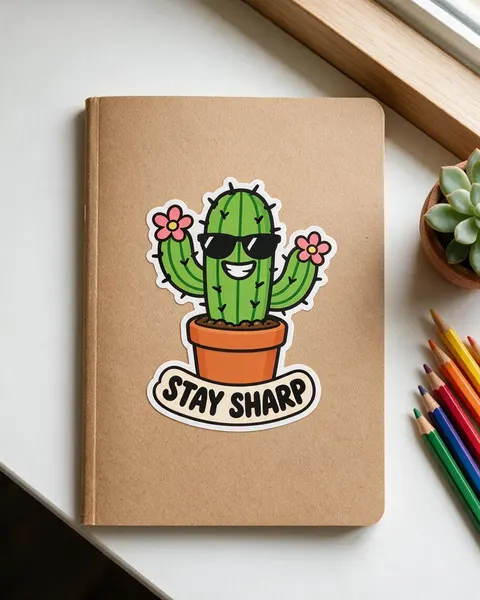
Real Seedream 5.0 Pro edits, one try each. Every sticker mockup started from the same flat “STAY SHARP” cactus sticker we made for this page.
Before / after
From flat design to sticker mockup
The sticker file on one side, the mockup on the other. Drag the slider and check the lettering, the colours and the border.
Same prompt
Same prompt, two models
The sticker, then the same laptop-lid prompt run on Seedream 5.0 Pro and on GPT Image 2.5 Sunburst.
PromptPhotorealistic sticker mockup: this exact die-cut vinyl sticker, about 3 inches tall, stuck on the closed lid of a plain matte space grey laptop with no logo, on a wooden desk, a few other plain laptop details, soft daylight from a window, slight angle from above, the sticker slightly glossy with a thin white border. The sticker must match the image exactly: same cactus with sunglasses and two pink flowers, same terracotta pot, the words "STAY SHARP" spelled exactly as in the image, same white die-cut border. Do not add any other stickers, text or logos.
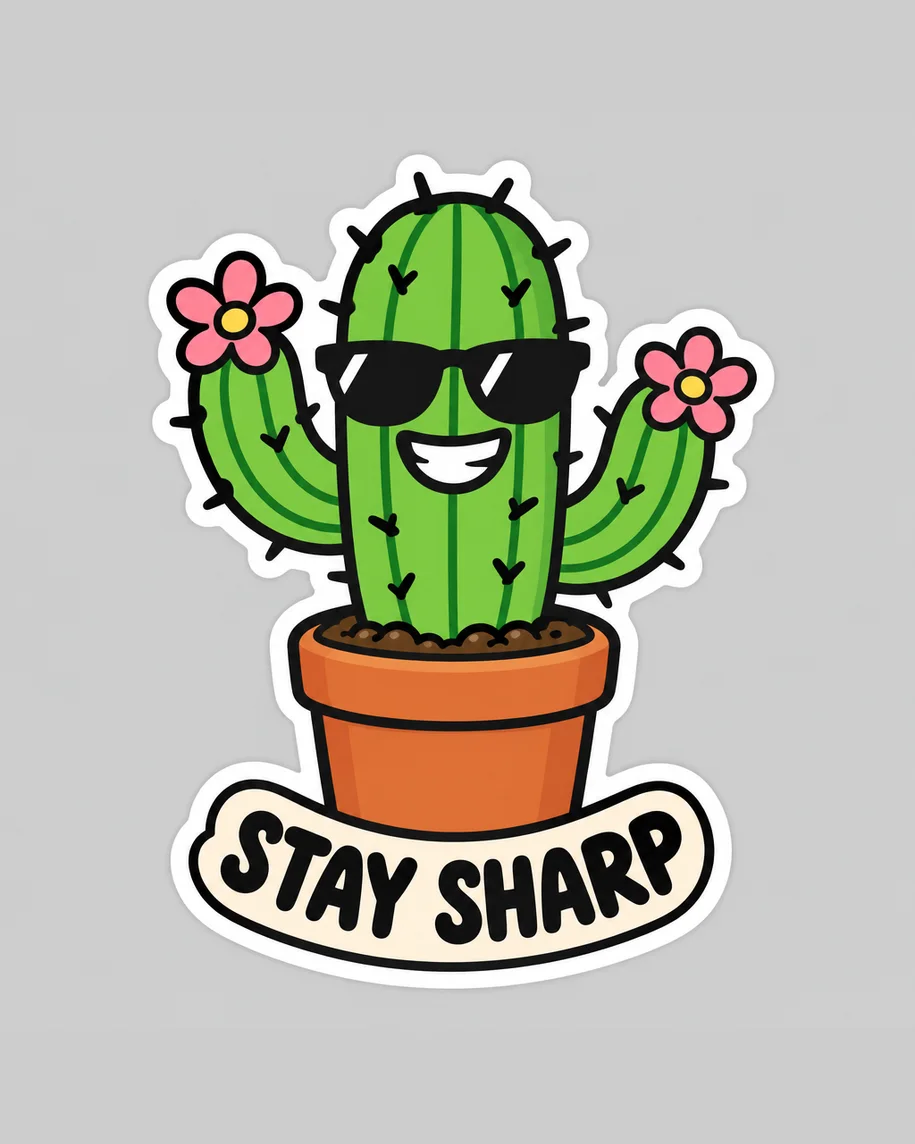 DesignInput · GPT Image 2.5 Sunburst
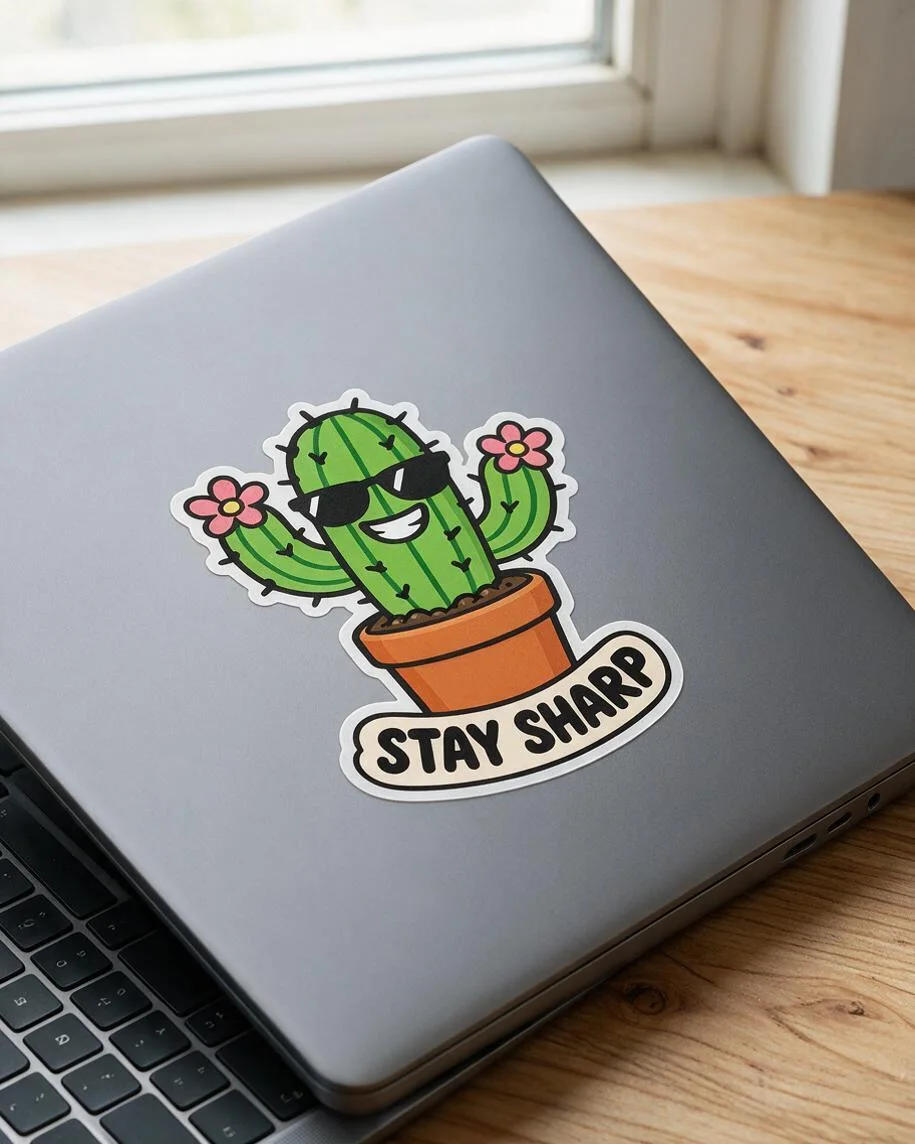 Seedream 5.0 ProBigger sticker; keyboard slip
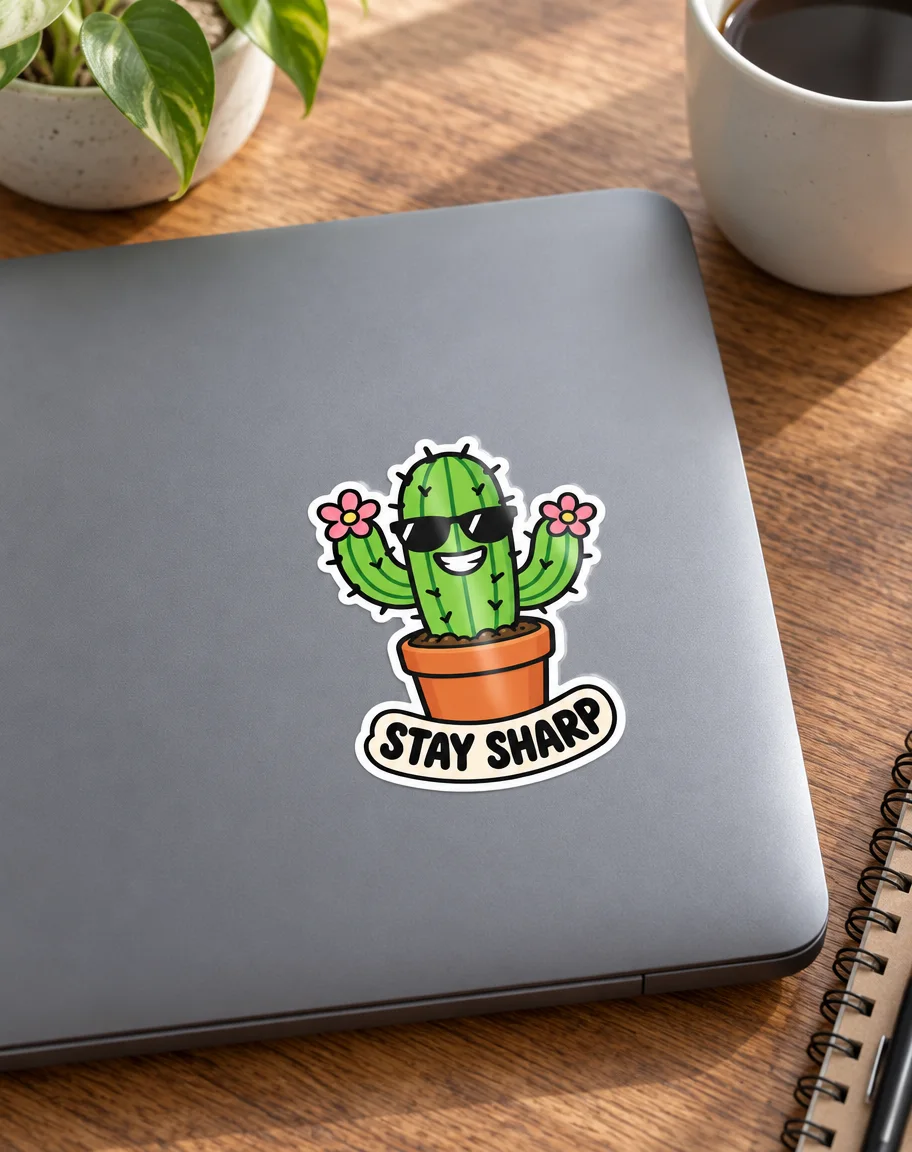 GPT Image 2.5 SunburstClean closed lid, styled desk
How to
How to use the sticker mockup generator
- Time needed
- Steps
- 4 steps
Step 1
Open Image Studio
Press “Make a sticker mockup”: Image Studio opens with Seedream 5.0 Pro selected. Sign in with Google, GitHub or Discord.
Step 2
Upload your sticker
Add the sticker file as the reference image: a PNG with its white die-cut border, on a plain or transparent background.
Step 3
Describe where it's stuck
The surface and its colour, the size of the sticker, the setting and the light. Pick 4:5 for product pages.
Step 4
Check and download
Compare the sticker with your file, letter by letter, and check the scene, then download. No watermark.
See it in the app

Open Image Studio and type what you want to see — subject, style, lighting and mood.


Watch the tour · 1:23
Prompts, styles, references, edit, Arena & chat
Chapters
Tips
Sticker mockups that keep your design right
What made the difference in our tests.
Upload the sticker with its white border already on, on a plain grey or transparent background, so the model sees the cut line.
Name the surface: “matte space grey laptop lid with no logo”, “sage green steel bottle”, “plain kraft notebook”.
Give a size (“about 3 inches tall”) so the sticker isn't drawn as big as the lid.
Add “the words … spelled exactly as in the image” and “do not add any other stickers, text or logos”.
Ask for “no logo” on laptops and bottles: real products come with brand marks you can't use.
Check the scene, not only the sticker: lids, hands and corners can come out physically wrong.
Zoom in on the lettering before you list it — one wrong letter is the most common slip.
Models
Which model is best for sticker mockups?
What each model is good at. Open any one straight in the generator.

ByteDance
Seedream 5.0 Pro
- Reference images
- Up to 10
- Output
- 1K–2K
Open Seedream 5.0 ProBest for
Made every mockup in the gallery: follows curves, check the scene

OpenAI
GPT Image 2.5 Sunburst
- Reference images
- Up to 16
- Output
- 1K–4K
Open GPT Image 2.5 SunburstBest for
Cleanest laptop shot in our test; adds props
Google
Nano Banana 2.1
- Free plan

Alibaba
Qwen Image 3.0
- Reference images
- Up to 3
- Output
- 1K · 2K
Open Qwen Image 3.0Best for
Free plan · quick drafts
FAQ
Sticker Mockup Generator questions
8 questions

How do I make a sticker mockup?
Upload your sticker in Kenerate's Image Studio, pick Seedream 5.0 Pro and say where it's stuck, for example “a die-cut vinyl sticker about 3 inches tall on the lid of a plain grey laptop with no logo, wooden desk”. The four mockups in the gallery were made that way from one sticker, one try each, and their full prompts are shown.
Link to this answerIs there a free sticker mockup generator?
You can start free. A new Kenerate account gets 25 credits, enough for one Seedream 5.0 Pro mockup at 1K (13.5 credits) or two GPT Image 2.5 Sunburst mockups (11.7 credits each with one sticker), and Qwen Image 3.0 is on the free plan at 9.9 credits with one reference. After that, credits come in one-time packs with no subscription.
Link to this answerWill the AI change my sticker?
It can, so check every result. In our test Seedream 5.0 Pro kept “STAY SHARP”, the cactus, the sunglasses, both flowers and the white border in all four scenes. The slips were in the scene: one laptop showed its keyboard under a closed lid. Check the whole photo before you post it.
Link to this answerCan I make a laptop sticker mockup?
Yes. Say “stuck on the closed lid of a plain matte laptop with no logo” and give the sticker a size. Asking for no logo matters: real laptops carry brand marks you shouldn't show in a listing. GPT Image 2.5 Sunburst gave the cleanest laptop in our test.
Link to this answerCan I make a die-cut sticker mockup?
Yes. Upload the design with its white border and ask for the sticker “on its white backing paper, the corner lifting” or “a sheet of die-cut stickers”. The border in your file becomes the cut line in the mockup.
Link to this answerWhat size should a sticker mockup be?
Use 4:5 for Etsy, Shopify and Instagram listings and 1:1 for marketplaces that crop to squares. Seedream 5.0 Pro outputs 1K, 1.5K or 2K; our 4:5 mockups came out at 915 × 1144 pixels at 1K. For a bigger file, pick 2K (27 credits) or upscale the result.
Link to this answerCan I use the mockup to sell stickers?
Yes, as a preview of the product. Send your original design file, not the mockup, to your sticker printer or print it yourself, and check colours on a test sheet. Kenerate puts no watermark on downloads.
Link to this answerHow do I make the sticker design itself?
Use the AI Sticker tool in Kenerate's Edit Studio, which makes a sticker from a description on a transparent background (9 credits at turbo speed), or add a white die-cut border to your own image with the outline image tool. Then print it on sticker paper or vinyl, or export it at 512 × 512 px for chat apps.
Link to this answerIn depth
Sticker Mockup Generator, explained
What works, what to avoid, and how to pick a model.
Sticker mockup prompts to copy
Upload your sticker, then pick one line and add “the sticker must match the image exactly, the words … spelled exactly as in the image, same white die-cut border, no other stickers, text or logos”:
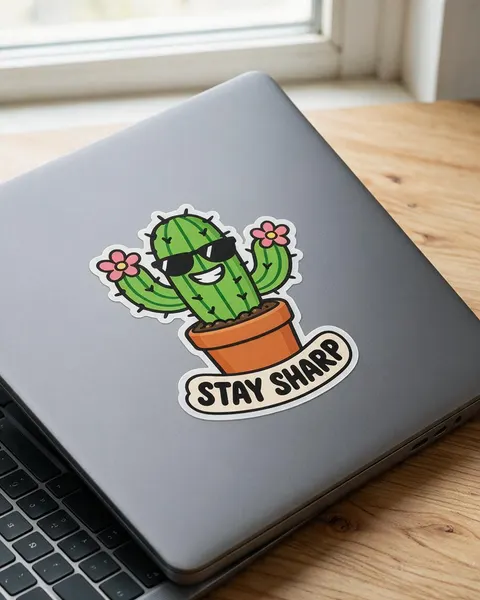
- Laptop: about 3 inches tall on the closed lid of a plain matte space grey laptop with no logo, wooden desk, window light.
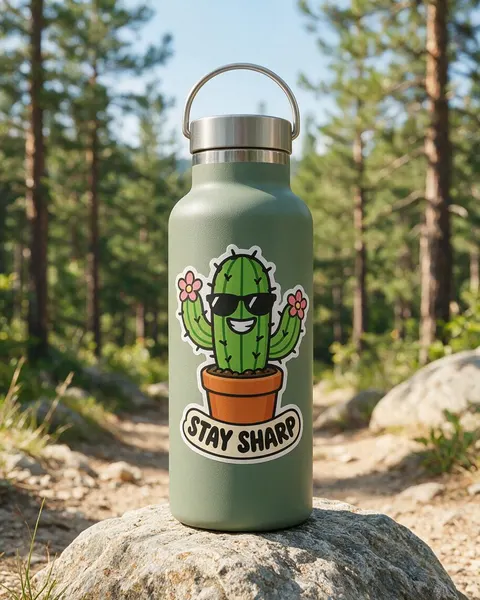
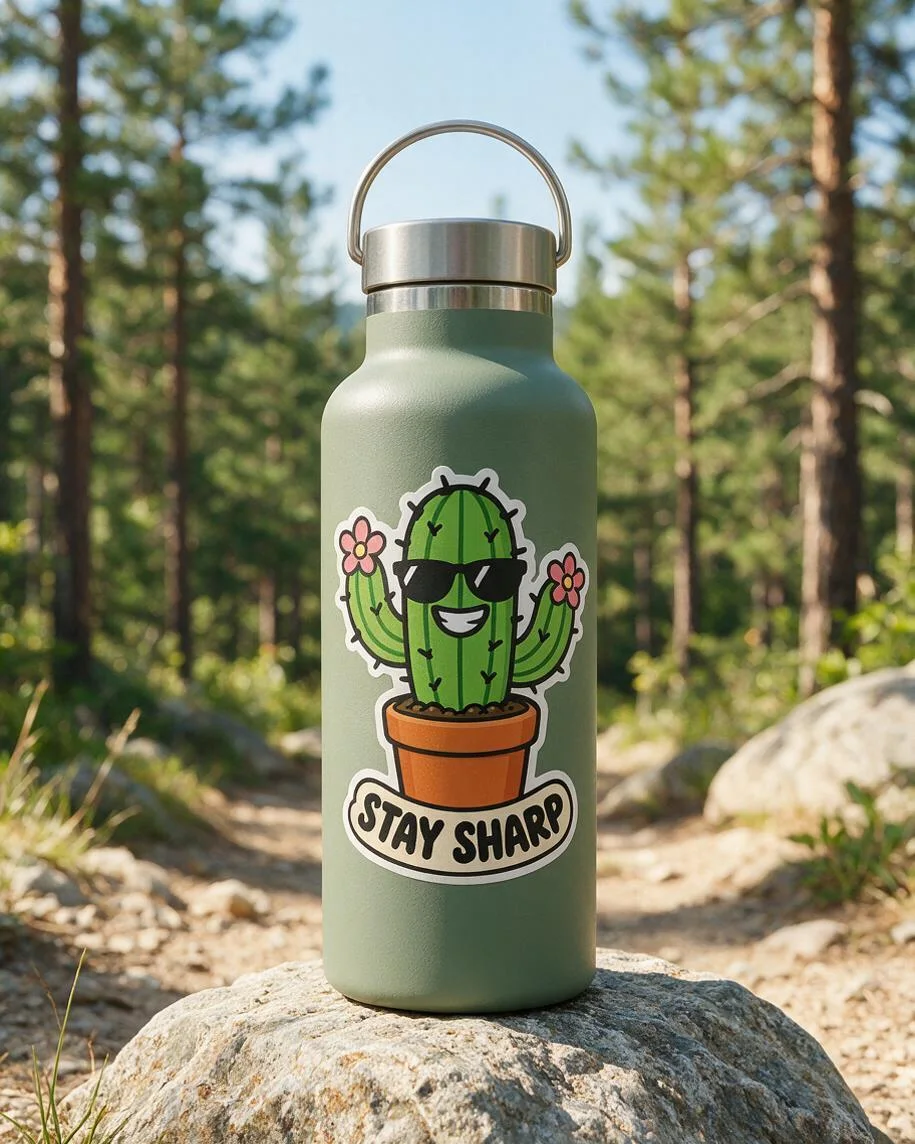
- Bottle: on a matte sage green steel water bottle on a rock by a hiking trail, following the curve of the bottle.
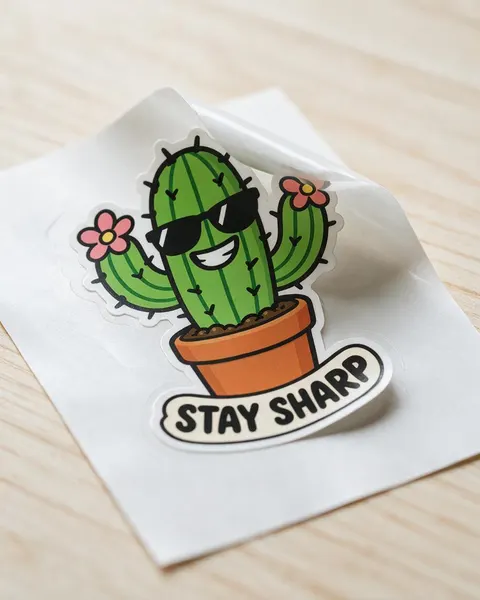
- Backing: half peeled off its glossy white backing paper on a pale wooden table, the cut line visible.
- Notebook: on the cover of a plain kraft notebook seen from above, coloured pencils and a succulent beside it.
- Sheet: six copies as a kiss-cut sticker sheet on a white desk, one sticker peeled and stuck on a phone case.
- Car: on the rear window of a car, seen from outside, overcast light.
- Hand: held between an adult's thumb and finger against a plain pastel background.
Mockup template or AI sticker mockup?
A template (a PSD with a smart object) places your sticker onto one fixed photo: it keeps the artwork pixel for pixel, but every shop using that template shows the same laptop.
An AI sticker mockup generator draws a new photo each time, so you choose the surface, the setting and the light. The trade-off is that the sticker is redrawn, not pasted, and the scene can have slips of its own, which is why the before/after check above matters.
By the Kenerate AI teamLast updated and reviewed
We build and run Kenerate Image Studio. Every mockup here is a real output of the model named under it (one try each, 15 November 2026), made from a sticker we generated for this page; models and limits were checked against the app's code.
Sources: Kenerate Image Studio · Kenerate Edit Studio (AI Sticker tool)