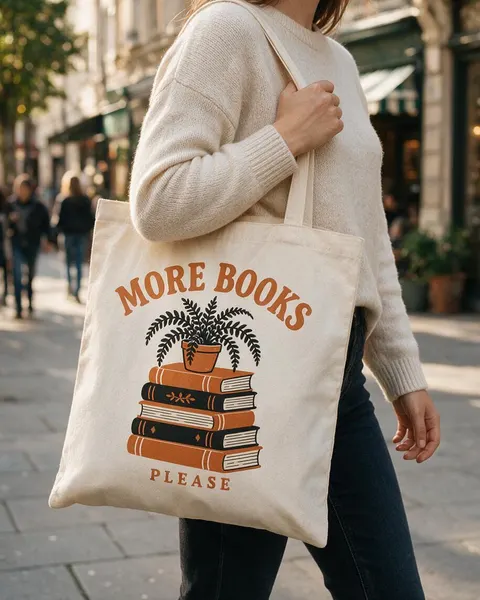
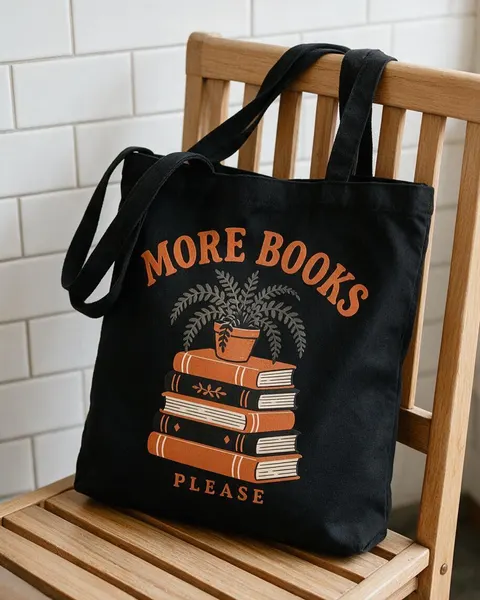
On a shoulder · flat lay · on a hook · black tote
Tote Bag Mockup Generator
Upload your tote design, say how the bag should be shown, and get a photorealistic tote bag mockup with your print on it — carried on a shoulder, laid flat, hanging on a peg or on a black bag. No PSD templates or smart objects.
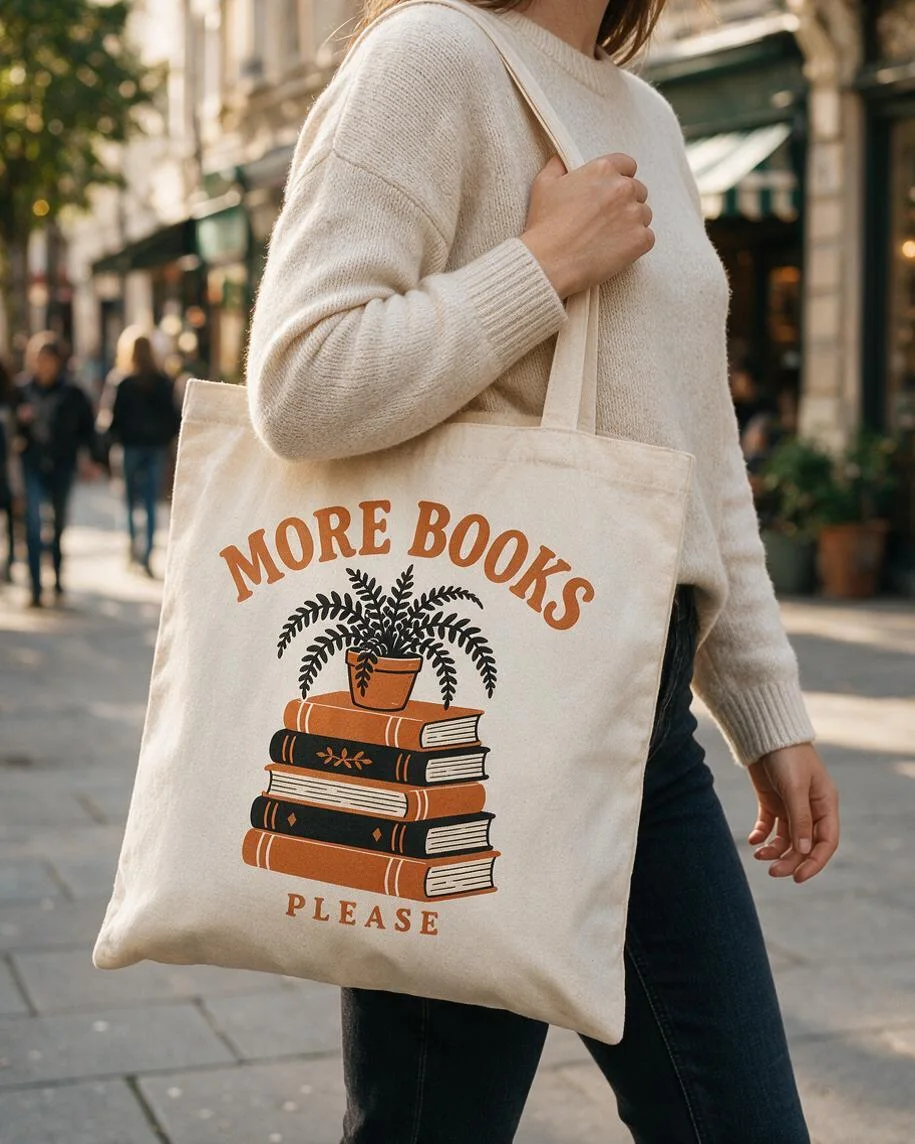
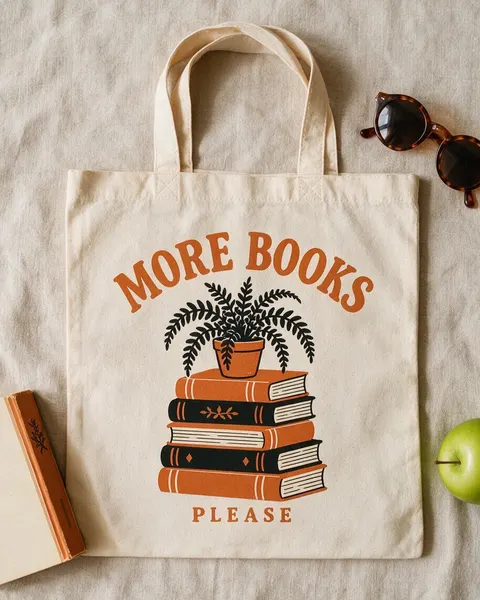
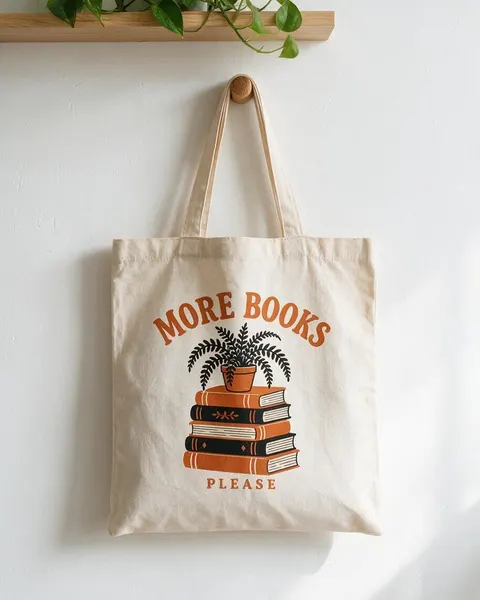
- Your design, kept the same
- Natural or black canvas
- Shoulder, flat lay or hook
- No watermark
Updated by the Kenerate AI team




On this page
Quick answer

How do I make a tote bag mockup?
To make a tote bag mockup, upload your design to Kenerate's Image Studio, pick Seedream 5.0 Pro and describe the bag and the shot: “printed on a natural canvas tote carried on a shoulder, city street”. It returns a 915 × 1144 px (4:5) photo for 13.5 credits at 1K. In our test the “MORE BOOKS / PLEASE” print stayed the same on all four bags.
Key facts
- Input
- Your design: PNG or JPG, plain background
- Shots tested
- On a shoulder · flat lay · on a peg · black tote on a chair
- Model used
- Seedream 5.0 Pro edit
- Output
- 1K, 1.5K or 2K · 4:5 for product pages
- Design kept
- Lettering, colours and shapes in 4 of 4 tests
- Templates needed
- None
- Watermark
- None
Gallery
Tote bag mockups from one design
Real Seedream 5.0 Pro edits, one try each. Every tote bag mockup started from the same flat “MORE BOOKS / PLEASE” design we made for this page.
Before / after
From flat design to tote bag mockup
The design file on one side, the mockup on the other. Drag the slider and check the lettering, the colours and the shapes.
Same prompt
Same prompt, two models
The design, then the same flat-lay prompt run on Seedream 5.0 Pro and on GPT Image 2.5 Sunburst.
PromptPhotorealistic flat lay tote bag mockup, shot from directly above: a natural undyed cotton canvas tote bag laid flat on a light oatmeal linen cloth, handles arranged neatly at the top, with this exact design screen-printed large on the center of the bag, a paperback book, a pair of round sunglasses and a green apple at the edges of the frame, soft natural daylight. The print must match the design exactly: same two ink colours, same stack of five books and potted fern, the words "MORE BOOKS" and "PLEASE" spelled exactly as in the image. Do not add any other text or logos.
 DesignInput · GPT Image 2.5 Sunburst
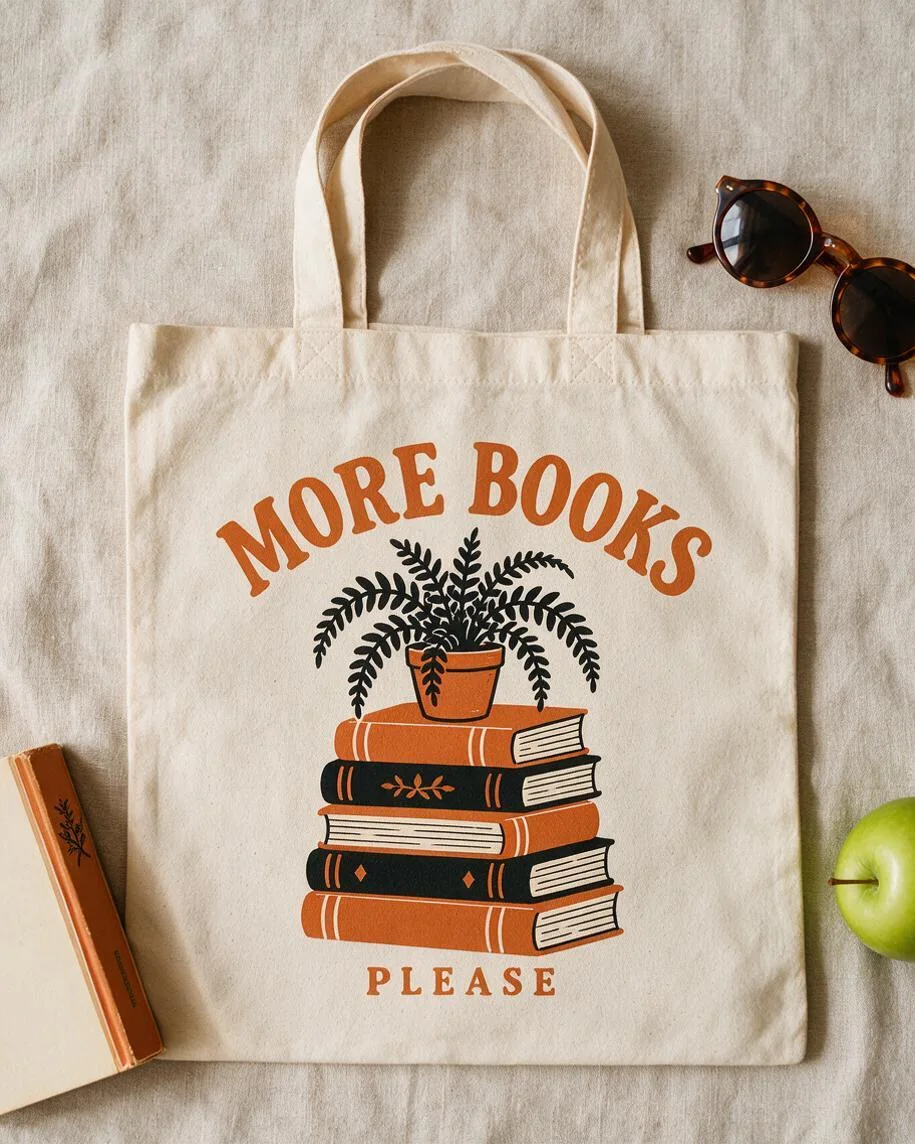 Seedream 5.0 ProPrint takes the canvas weave
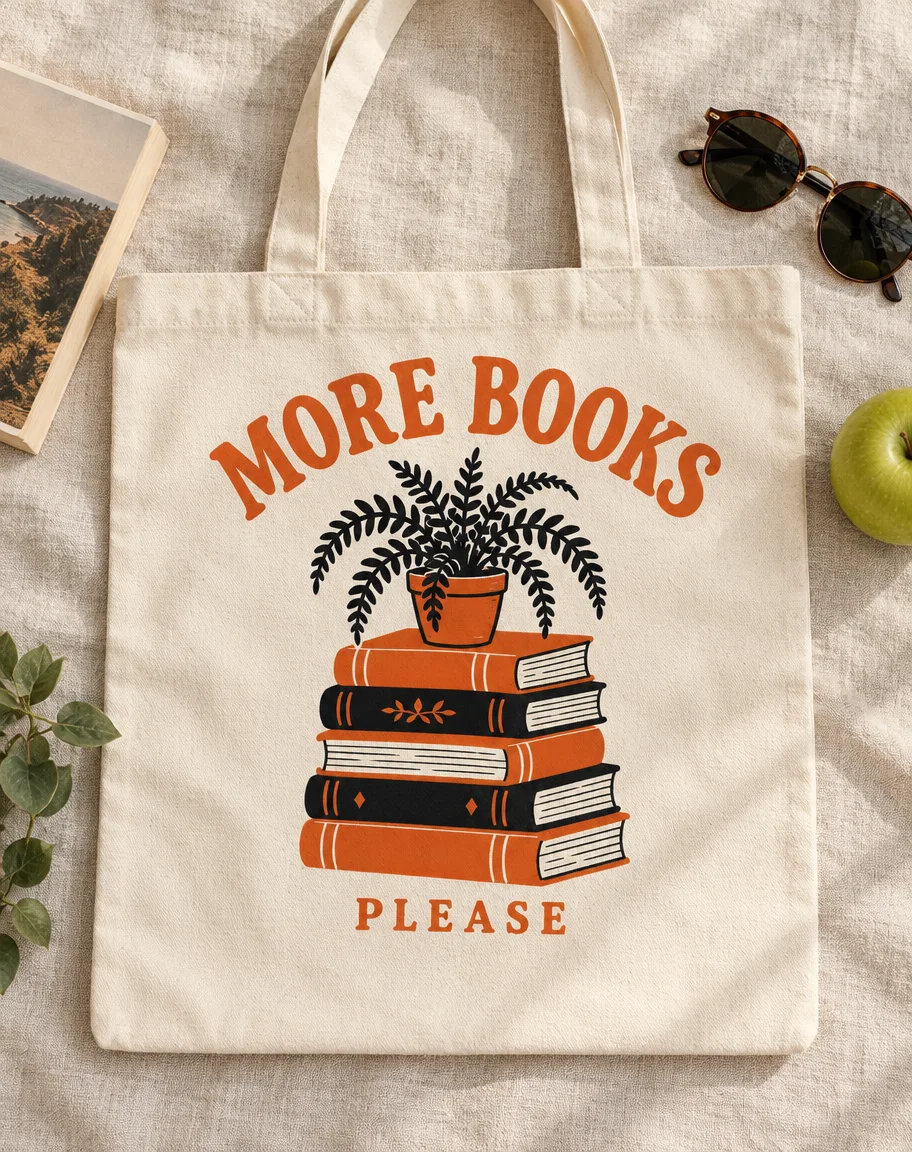 GPT Image 2.5 SunburstBrighter, flatter ink; added a leafy sprig
How to
How to use the tote bag mockup generator
- Time needed
- Steps
- 4 steps
Step 1
Open Image Studio
Press “Make a tote bag mockup”: Image Studio opens with Seedream 5.0 Pro selected. Sign in with Google, GitHub or Discord.
Step 2
Upload your design
Add the design file as the reference image: a PNG or JPG on a plain background, cropped close to the artwork.
Step 3
Describe the bag and the shot
Bag colour and fabric, where the print sits, and the shot: on a shoulder, flat lay, on a hook or in a scene. Pick 4:5 for product pages.
Step 4
Check and download
Compare the print with your file, letter by letter, then download. No watermark.
See it in the app

Open Image Studio and type what you want to see — subject, style, lighting and mood.


Watch the tour · 1:23
Prompts, styles, references, edit, Arena & chat
Chapters
Tips
Tote bag mockups that keep your design right
What made the difference in our tests.
Upload the design on a plain white or transparent background, cropped close. Photos of other bags confuse the model.
Name the bag: colour and fabric (“natural undyed cotton canvas”, “black canvas”). The model invents what you leave out.
Say where the print goes and how big: “large on the center of the bag” is the usual tote placement.
Add “the words … spelled exactly as in the image” and “do not add any other text or logos”.
On a black tote, decide what happens to the black parts of your design: dropped, grey, or printed in white ink.
Crop faces out (“from the shoulders to the knees”) so the bag stays the subject.
Zoom in on the lettering before you list it — one wrong letter is the most common slip.
Models
Which model is best for tote bag mockups?
What each model is good at. Open any one straight in the generator.

ByteDance
Seedream 5.0 Pro
- Reference images
- Up to 10
- Output
- 1K–2K
Open Seedream 5.0 ProBest for
Made every mockup in the gallery: the print takes the canvas weave

OpenAI
GPT Image 2.5 Sunburst
- Reference images
- Up to 16
- Output
- 1K–4K
Open GPT Image 2.5 SunburstBest for
Crisp, bright ink; adds props of its own
Google
Nano Banana 2.1
- Reference images
- Up to 14
- Output
- 1K–4K
Open Nano Banana 2.1Best for
The same bag and model across a set of shots
- Free plan

Alibaba
Qwen Image 3.0
- Reference images
- Up to 3
- Output
- 1K · 2K
Open Qwen Image 3.0Best for
Free plan · quick drafts
FAQ
Tote Bag Mockup Generator questions
8 questions

How do I make a tote bag mockup?
Upload your design in Kenerate's Image Studio, pick Seedream 5.0 Pro and describe the bag and the shot, for example “printed large on a natural canvas tote carried on a woman's shoulder, city street, cropped from the shoulders to the knees”. The four in the gallery were made that way from one design, one try each, and their full prompts are shown.
Link to this answerIs there a free tote bag mockup generator?
You can start free. A new Kenerate account gets 25 credits, enough for one Seedream 5.0 Pro mockup at 1K (13.5 credits) or two GPT Image 2.5 Sunburst mockups (11.7 credits each with one design), and Qwen Image 3.0 is on the free plan at 9.9 credits with one reference. After that, credits come in one-time packs with no subscription.
Link to this answerWill the AI change my design?
It can, so check every result. In our test Seedream 5.0 Pro kept “MORE BOOKS” and “PLEASE”, all five books and the fern on all four bags. What changes is how dark ink prints on a dark bag: on the black tote the black fern turned grey. Say what you want in the prompt.
Link to this answerCan I make a black tote bag mockup?
Yes. Say “black cotton canvas tote” and decide what happens to the black in your design: on our black tote the black fern printed grey and the black book covers stayed near-black. Ask for “the black parts printed in white ink” if you want them to stand out.
Link to this answerHow do I make a flat lay tote bag mockup?
Say “flat lay, shot from directly above, laid flat on a linen cloth, handles arranged neatly at the top”, and put props at the edges, for example a paperback, sunglasses and an apple. The flat lay in the gallery shows the print closest to the file, because nothing bends it.
Link to this answerWhat size should a tote bag mockup be?
Use 4:5 for Shopify, Etsy and Instagram product images and 1:1 for marketplaces that crop to squares. Seedream 5.0 Pro outputs 1K, 1.5K or 2K; our 4:5 mockups came out at 915 × 1144 pixels at 1K. For a bigger file, pick 2K (27 credits) or upscale the result.
Link to this answerCan I use the mockup to sell tote bags?
Yes, as a preview of the product. The mockup is a photo of a bag that doesn't exist yet, so send your original design file, not the mockup, to your printer or print-on-demand service, and check the ink colours on a real sample. There is no watermark on downloads.
Link to this answerCan the tote bag mockup show a real person?
Yes. Describe an adult and the crop, or add a photo of your own model as a second reference; Seedream 5.0 Pro takes up to 10 images. Cropping the face, as in our shoulder shot, keeps the bag the subject and avoids needing anyone's permission.
Link to this answerIn depth
Tote Bag Mockup Generator, explained
What works, what to avoid, and how to pick a model.
On this page
Tote bag mockup prompts to copy
Upload your design, then pick one line and add “the print must match the design exactly, the words … spelled exactly as in the image, no other text or logos”:
- On a shoulder: an adult woman in a cream sweater carrying a natural canvas tote on a sunny city sidewalk, cropped from the shoulders to the knees.
- Flat lay: a natural canvas tote laid flat on oatmeal linen, shot from directly above, a paperback, sunglasses and an apple at the edges.
- Hook: a natural canvas tote hanging from a wooden peg on a white plaster wall, a pothos on a shelf above.
- Black tote: a black canvas tote on a wooden café chair, white tiled wall, window light.
- Market: a canvas tote full of vegetables and a baguette held at a farmers market stall, morning light.
- Beach: a canvas tote on striped sand towel with a book and sunglasses, bright summer sun.
- Shop: a row of three canvas totes on hooks in a small bookshop, the middle one with the design.
Mockup template or AI tote bag mockup?
A template (a PSD with a smart object) maps your design onto one fixed photo: it keeps the artwork pixel for pixel, but every shop using that template shows the same bag on the same wall.
An AI tote bag mockup generator draws a new photo each time, so you choose the bag colour, the person, the setting and the light. The trade-off is that the design is redrawn, not pasted, which is why the before/after check above matters.
Canvas texture and ink colours
A screen print on canvas never looks as flat as the file: the weave shows through the ink and edges soften a little. The mockups here show that, which makes them a fair preview. For a dark bag, print the light parts in white ink, or make a version of the design with no black in it.
By the Kenerate AI teamLast updated and reviewed
We build and run Kenerate Image Studio. Every mockup here is a real output of the model named under it (one try each, 14 November 2026), made from a design we generated for this page; models and limits were checked against the app's code.
Sources: Kenerate Image Studio