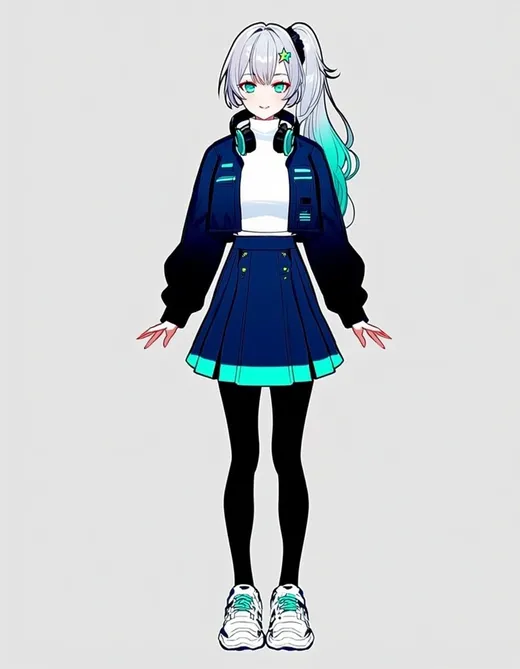
Character art · expression sheet · turnaround
VTuber Maker — design your VTuber avatar, expressions and turnaround
Describe your VTuber — hair, eyes, outfit, a signature accessory — and get the front-view character art, an expression sheet and side and back views of the same character, ready to hand to a rigger or take into Live2D or VRoid.
- Front-view character art
- Expression sheet from the same design
- Front, side and back views
- No watermark
Updated by the Kenerate AI team




On this page
Quick answer

Can AI make a VTuber model?
AI can design a VTuber, but it does not rig one. On Kenerate AI you describe the character and Neta Lumina, an anime model, draws the full-body front view for 3 credits; then Flux 2 Dev uses that picture as a reference to draw an expression sheet and a turnaround of the same character for 3 credits each. What you get are flat 2D images — not a layered Live2D file and not a 3D VRM avatar. To move on stream, the art still has to be split into parts and rigged in a tool such as Live2D Cubism (2D) or rebuilt in VRoid Studio (3D), then run through a face-tracking app.
Key facts
- What it makes
- 2D character art, expression sheets, turnaround views
- What it doesn't make
- A rigged Live2D model or a VRM file
- Watermark
- None
Gallery
One VTuber, three sheets
Real outputs from 1 November 2026, one try each: the design on Neta Lumina, then two Flux 2 Dev edits that used it as the reference. Open any one to copy the prompt.
Same prompt
Design first, then everything else from it
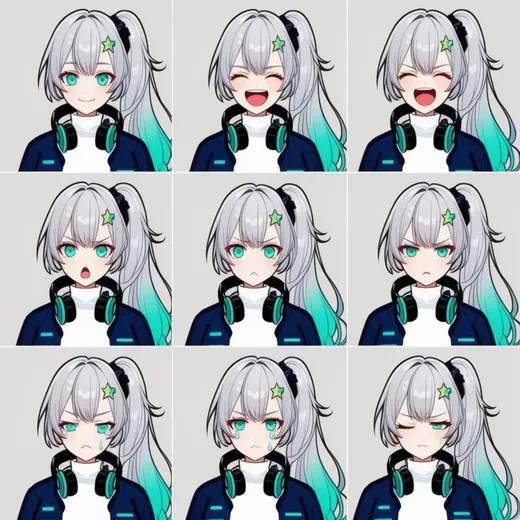
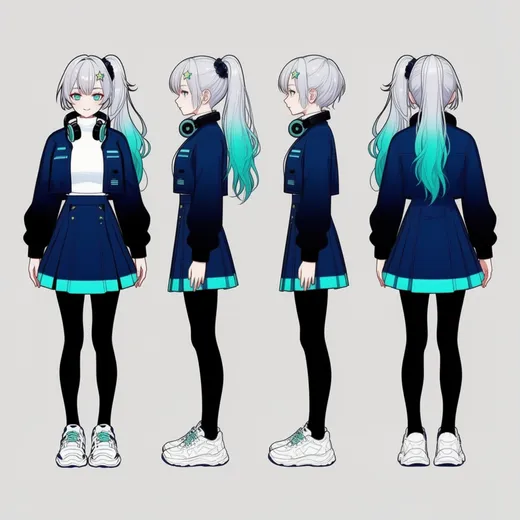
The expression sheet and the turnaround were both made from the front-view design, so hair, clip, headphones and outfit carry over. Not perfect: we asked for six expressions and got nine panels with two near-identical laughs, and the turnaround drew both profiles facing left and lost the ponytail in one of them.
PromptMake an expression sheet of this exact character: a grid of head-and-shoulders portraits on a plain light grey background, same hair, clip, eyes, headphones and jacket in every panel. Expressions: neutral smile, big laugh, surprised, angry pout, sad, wink. Same anime line art and cel shading as the reference. No text.
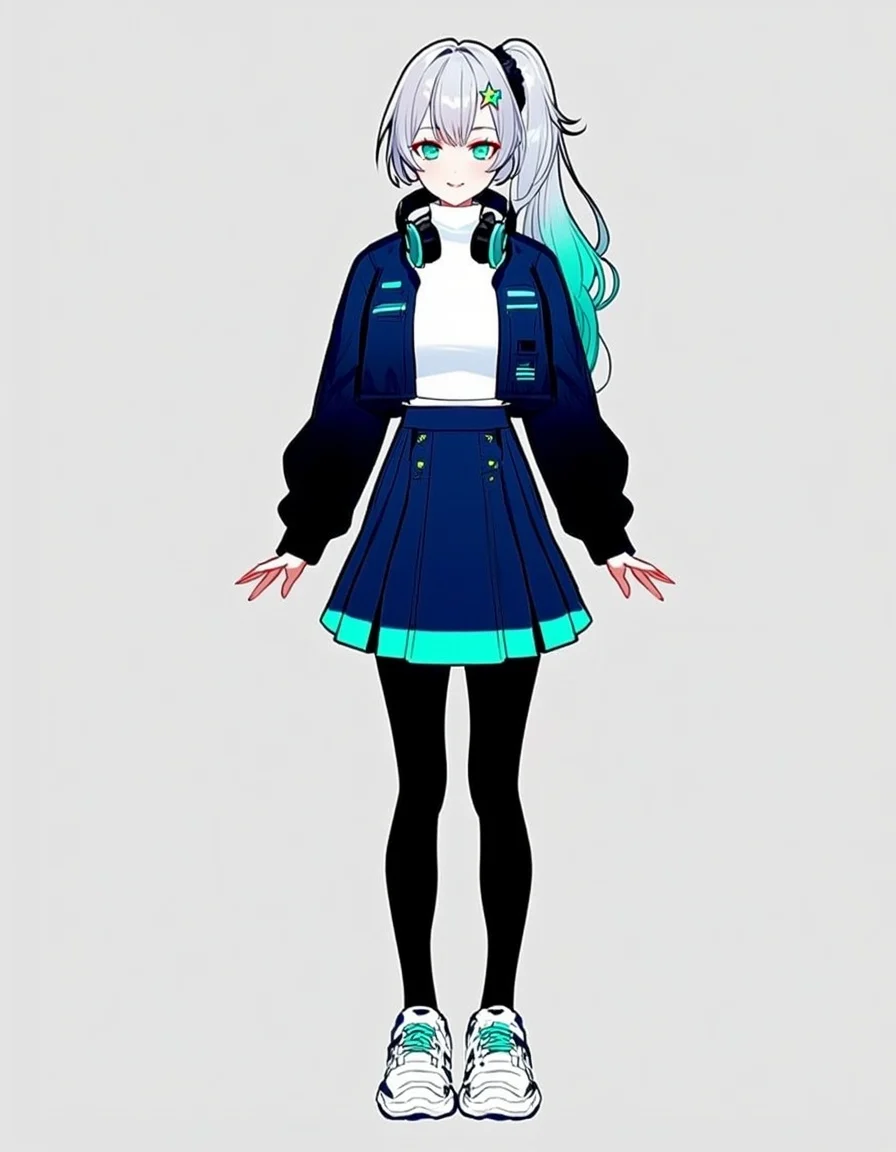 DesignNeta Lumina · from text
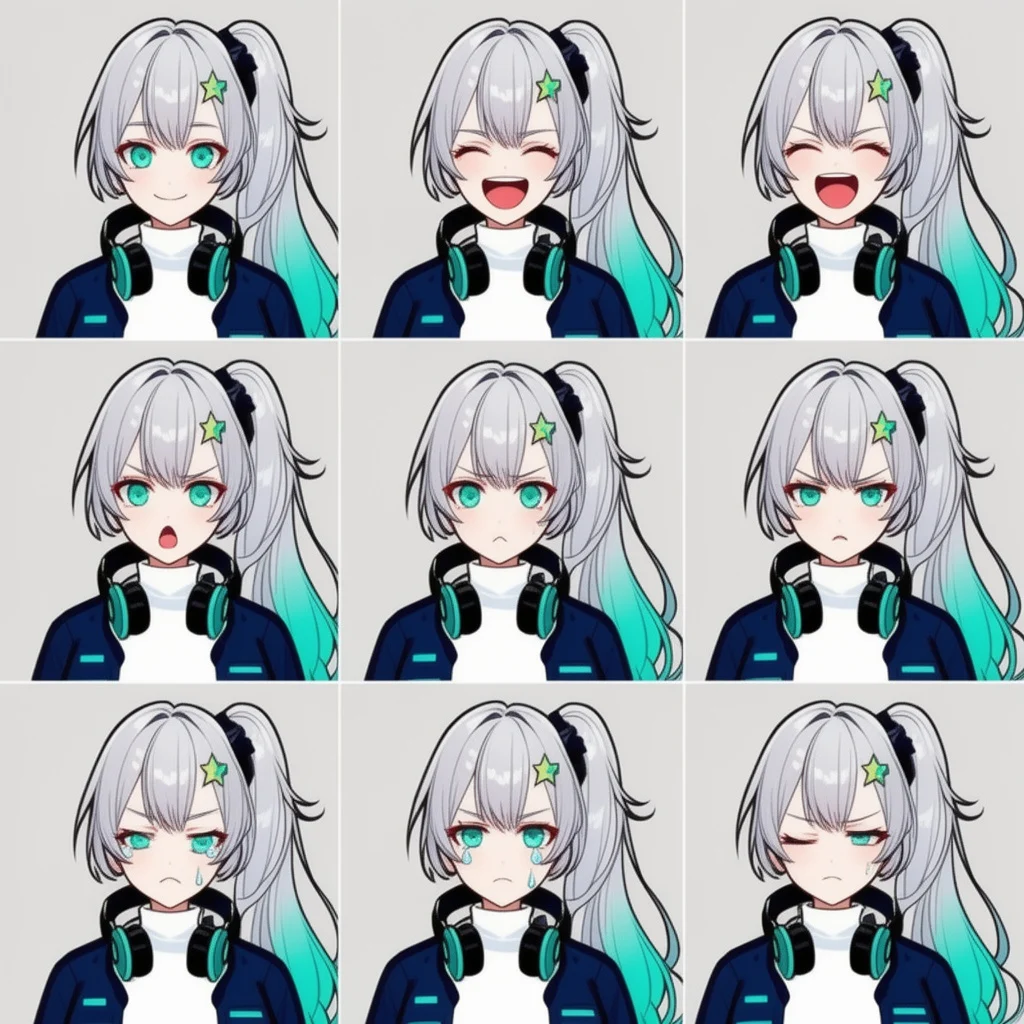 Expression sheetFlux 2 Dev · design as reference
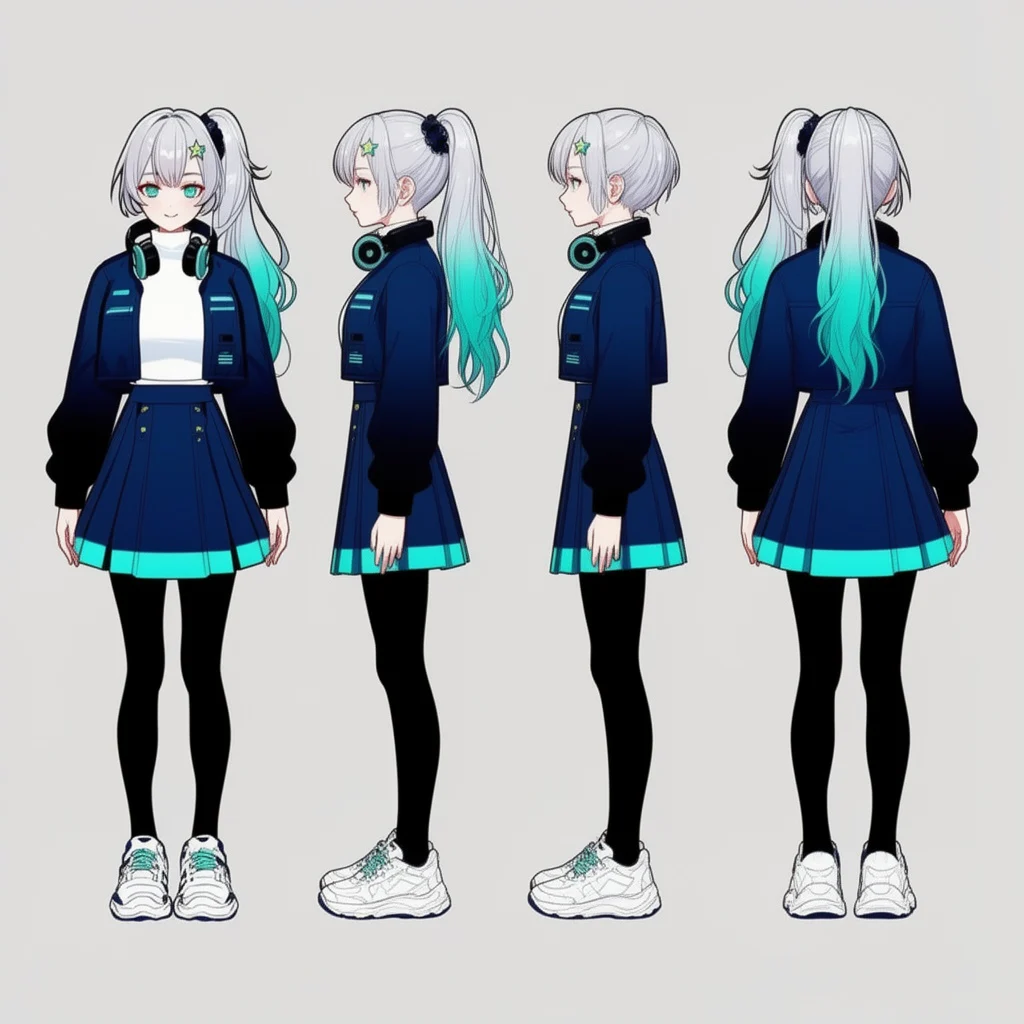 TurnaroundFlux 2 Dev · design as reference
How to
How to use the vtuber maker
- Time needed
- Steps
- 4 steps
Step 1
Describe your VTuber
In /app/image, pick Neta Lumina and write the hair, eyes, outfit and one signature accessory, in a full-body front view on a plain background.
Step 2
Make the expression sheet
Switch to Flux 2 Dev, add the design as a reference image and list the expressions you want.
Step 3
Get the other views
Open the design in Camera Angle and tap Turnaround for front, right, back and left — or ask Flux 2 Dev for a turnaround sheet.
Step 4
Cut out and hand off
Remove the background for a transparent PNG, download without a watermark, and take the art to your rigger or into Live2D Cubism or VRoid Studio.
See it in the app

Open Image Studio and type what you want to see — subject, style, lighting and mood.


Watch the tour · 1:23
Prompts, styles, references, edit, Arena & chat
Chapters
Tips
Get VTuber art a rigger can use
What worked in our tests, and what riggers ask for.
Design in a front view, standing straight, arms a little away from the body — that's the view a 2D rig is built from.
Use a plain light background so the character cuts out cleanly; Remove BG turns it into a transparent PNG.
Give the character one or two signature details (a hair clip, headphones, a colour streak) and repeat them word for word in every prompt.
Make the design once, then use it as the reference image for expressions, outfits and other views instead of re-describing it.
Check the hands: in our design the fingers came out long and stiff — regenerate or fix them before rigging.
For a turnaround you can trust, use Camera Angle's one-tap turnaround rather than asking an image model for four views in one picture.
Models
Models for VTuber art
What each model is good at. Open any one straight in the generator.
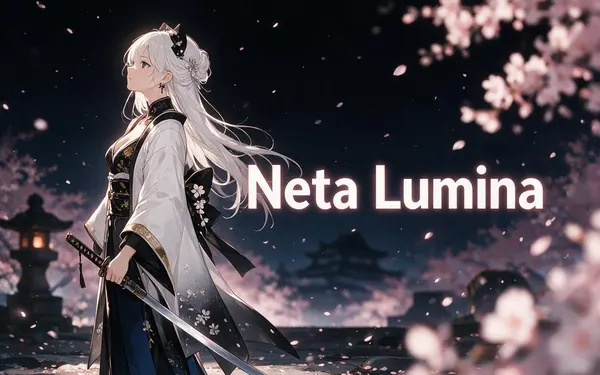
Neta.art
Neta Lumina
- Output
- SDXL sizes
Open Neta LuminaBest for
Drew our design · anime specialist, text only
- Free plan
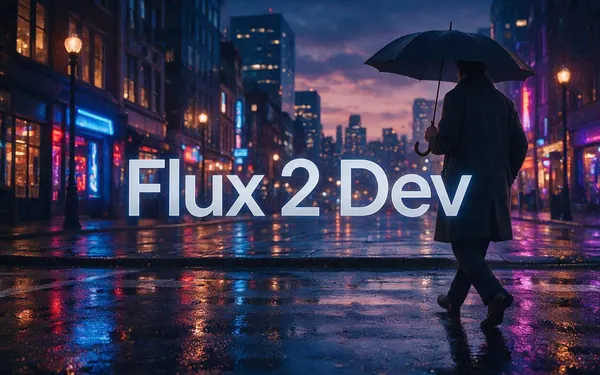
Black Forest Labs
Flux 2 Dev
- Reference images
- Up to 3
- Output
- 2048 px
Open Flux 2 DevBest for
Expression sheet and turnaround from the design · free plan

ByteDance
Seedream 5.0 Pro
- Reference images
- Up to 10
- Output
- Up to 2K
Open Seedream 5.0 ProBest for
More polished illustration, more references
Google
Nano Banana 2.1
- Reference images
- Up to 14
- Output
- Up to 4K
Open Nano Banana 2.1Best for
Built for keeping the same character
FAQ
VTuber Maker questions
10 questions

Can AI make a VTuber model?
AI can make the art for one, not the moving model. An image model gives you flat pictures: a front-view design, expressions, outfits and side or back views. A VTuber model that follows your face on stream needs that art split into separate parts and rigged — in Live2D Cubism for 2D, or built as a 3D avatar in a tool like VRoid Studio — and then a face-tracking app. Kenerate does the art step.
Link to this answerHow do I make my own VTuber with AI?
Start with the design: in Kenerate's Image Studio, pick Neta Lumina and describe a full-body front view — hair, eyes, outfit, one signature accessory — on a plain background. Then use that picture as the reference in Flux 2 Dev for an expression sheet and other views. Take the finished art to a rigger, or learn Live2D Cubism and rig it yourself.
Link to this answerIs this VTuber maker free?
Free to start. A new account gets 25 credits on sign-up. A design on Neta Lumina costs 3 credits and each Flux 2 Dev edit 3 credits, so the design, expression sheet and turnaround on this page took 9. Flux 2 Dev is on the free plan; Neta Lumina and Camera Angle use credits from a pack or plan. Downloads carry no watermark.
Link to this answerCan I export a Live2D or VRM file?
No. Kenerate gives you PNG or WebP images, not a layered PSD for Live2D and not a VRM avatar. Live2D's own manual starts by cutting the illustration into the parts that will move and drawing the bits hidden behind them, such as the hair behind the face — work done by hand in a drawing app. Our Image Layer tool splits a picture into background and subject layers, not into eyes, mouth and hair.
Link to this answerHow do I keep my VTuber looking the same in every picture?
Make the design once and add it as a reference image to every later edit, then name what must stay: “same silver hair with teal tips in a side ponytail, star hair clip, headphones”. Flux 2 Dev takes up to 3 references, Seedream 5.0 Pro 10 and Nano Banana 2.1 14. In our test the clip, headphones and jacket carried over to all nine expression panels.
Link to this answerHow do I get a VTuber turnaround or reference sheet?
Two ways. Ask an image model for a sheet of four views in one picture — quick, but in our Flux 2 Dev test both profiles faced left and one lost the ponytail. Or open the front view in Camera Angle and tap Turnaround: it returns front, right, back and left as four separate images, 7.5 credits each. See the character turnaround page for examples.
Link to this answerCan I make a PNGTuber with this?
Yes — a PNGTuber is a still picture that swaps between states, often idle and talking, instead of a rigged model. Make the design, then use it as a reference for “same character, mouth open, talking” and any other states, and cut each one out with Remove BG (1.2 credits on Kenerate Cutout). The swapping on stream happens in a PNGTuber app.
Link to this answerCan my VTuber talk or move in a video?
For a pre-recorded clip, yes: Avatar Talk turns a still picture and a voice track into a lip-synced video. That's a finished video file, not live face tracking — it won't follow your face while you stream.
Link to this answerCan I turn my VTuber into a 3D model?
Kenerate's 3D Studio can turn an image into a textured 3D mesh (GLB, FBX and more by engine), and Meshy's Auto-rig adds a skeleton for animation for 72 extra credits. That rig is for animation in 3D software and game engines; it isn't a VRM avatar with face tracking. 3D generation needs a paid plan or credit pack.
Link to this answerWho owns the VTuber I design?
You can download and use what you make, with no watermark. Keep the character original: don't copy another VTuber's design or a studio's character, and don't base it on a real person without their permission.
Link to this answerIn depth
VTuber Maker, explained
What works, what to avoid, and how to pick a model.
On this page
What a VTuber maker can and can't do
“VTuber maker” covers two different jobs. One is designing the character — the look, the outfit, the faces it pulls. The other is making that character move with you on stream: separating the art into parts, rigging them and tracking your face with a webcam.
An image AI does the first job well and fast. It doesn't do the second. Some tools blur this; we'd rather say it plainly, so you know what you are paying credits for.
- Yes: full-body front-view design, expression sheets, outfit variations, side and back views, emote-style headshots, transparent cut-outs.
- No: a layered Live2D file, a rigged model, a VRM avatar, live face tracking.
From AI art to a moving VTuber
The usual path after the design, as Live2D's manual and VTuber guides describe it:
- 2D (Live2D): redraw or split the art into separate layers — each eye, eyebrow, the mouth, front and back hair, arms — and draw the parts that were hidden behind others.
- Rig the layers in Live2D Cubism so they move and blink, then load the model into a face-tracking app.
- 3D (VRM): rebuild the character in a 3D avatar tool such as VRoid Studio, using your front and side views as the reference, and export a VRM file.
- PNGTuber: skip rigging — a few cut-out states (idle, talking, a reaction) that swap while you speak.
- Many creators commission an artist or rigger for the moving model; a clear design, expression sheet and turnaround make that brief much easier.
What to put in a VTuber prompt
The prompt behind our design, broken down — reuse the structure for your own character:
- View: “full-body front view, standing straight, arms relaxed slightly away from the body”.
- Hair and eyes: colour, length, style and one twist — “silver hair with teal tips in a high side ponytail, teal eyes”.
- Outfit: top, bottom, shoes, in colours that read on a small stream overlay.
- Signature accessory: headphones, a hair clip, animal ears, a hat — something viewers recognise at thumbnail size.
- Style and background: “clean anime line art, flat cel shading, plain light grey background”.
Expressions and outfit variations
Once the design exists, every other picture should start from it. Add it as the reference and change one thing at a time: the expression, the outfit, the pose. Our expression sheet kept the hair, clip, headphones and jacket in all nine panels.
Expect some misses: ours repeated the laugh and turned the wink into a half-wink. Regenerate a single panel rather than the whole sheet when one face is off.
What we got
One character, three pictures, one try each, 9 credits in total:
- Design (Neta Lumina): a clean full-body front view, colours as asked; the hands came out stiff with long fingers.
- Expression sheet (Flux 2 Dev edit): nine panels instead of six, character kept in all of them, two near-identical laughs.
- Turnaround (Flux 2 Dev edit): outfit and colours kept, but both side views face left and one lost the ponytail — use Camera Angle for a turnaround you can rig from.
By the Kenerate AI teamLast updated and reviewed
We build and run the Kenerate generator. Every example is a real output of the model named under it; models and presets were checked against the app's code.
Sources: Live2D Cubism manual — Production Flow · Live2D Cubism tutorial — Illustration Processing · VIVERSE — How to make a VTuber model · Kenerate Image Studio