

Bakery · coffee shop · gift shop · salon · gym · candle shop
Christmas logo maker — holiday versions of your business logo, name spelled right
Describe your business and get a Christmas logo with holly, snow, a Santa hat or a gingerbread house worked in — and your name spelled right. Already have a logo? Upload it and get the holiday version of the same mark.
- Names spelled right
- New logo or your own, made festive
- Flat, print-ready colours
- No watermark
Updated by the Kenerate AI team




Made with Kenerate
On this page
Quick answer
How do you make a Christmas logo with AI?
A Christmas logo is a holiday version of a business logo, with holly, snow or a Santa hat added for December. In Kenerate AI's Christmas logo maker you describe the business with the name in quotes and Recraft V4.1 draws it for 12 credits; to make your existing logo festive, upload it to GPT Image 2.5 Sunburst (11.7 credits). Every name in our eight test logos was spelled right.
Key facts
- New Christmas logo
- Recraft V4.1 (design logos) or Ideogram v4
- Your logo, made festive
- GPT Image 2.5 Sunburst edit (takes a reference)
- Names spelled right
- 8 of 8 test logos
- Shape
- Square 1:1 · 1024 × 1024 px
- Businesses shown
- Bakery, coffee, gift, salon, gym, candles
- Free-plan option
- Qwen Image 3.0
- Watermark
- None
Gallery
Christmas logos for small businesses
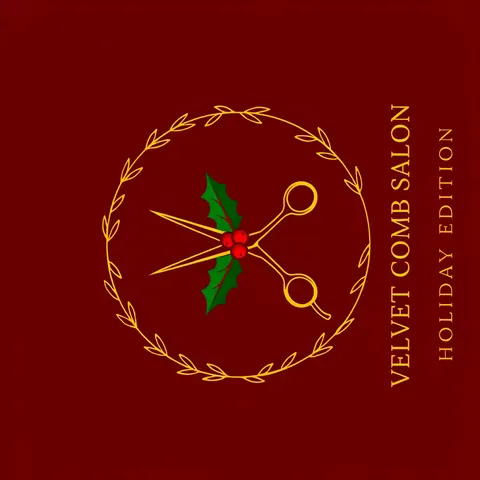
Seven Christmas logos for fictional shops, each one a single run from the prompt shown on Recraft V4.1, GPT Image 2.5 Sunburst or Ideogram v4. Every business name is spelled right; the last tile shows Ideogram v4 turning the salon name sideways.
Same prompt
Your logo, Christmas edition
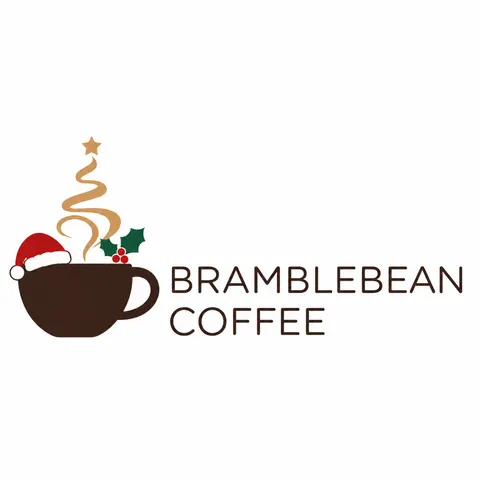
Left: an everyday coffee-shop logo made with Recraft V4.1. Right: that file uploaded to GPT Image 2.5 Sunburst with one instruction. The cup, the font and the name stayed; the steam became a little tree and the cup got a Santa hat.
PromptMake a Christmas version of this logo: keep the same cup shape, layout, font and the name "BRAMBLEBEAN COFFEE" exactly as it is. Add a small red Santa hat on the cup's rim, turn the steam into a tiny swirl shaped like a Christmas tree, and add a small holly sprig with two red berries.
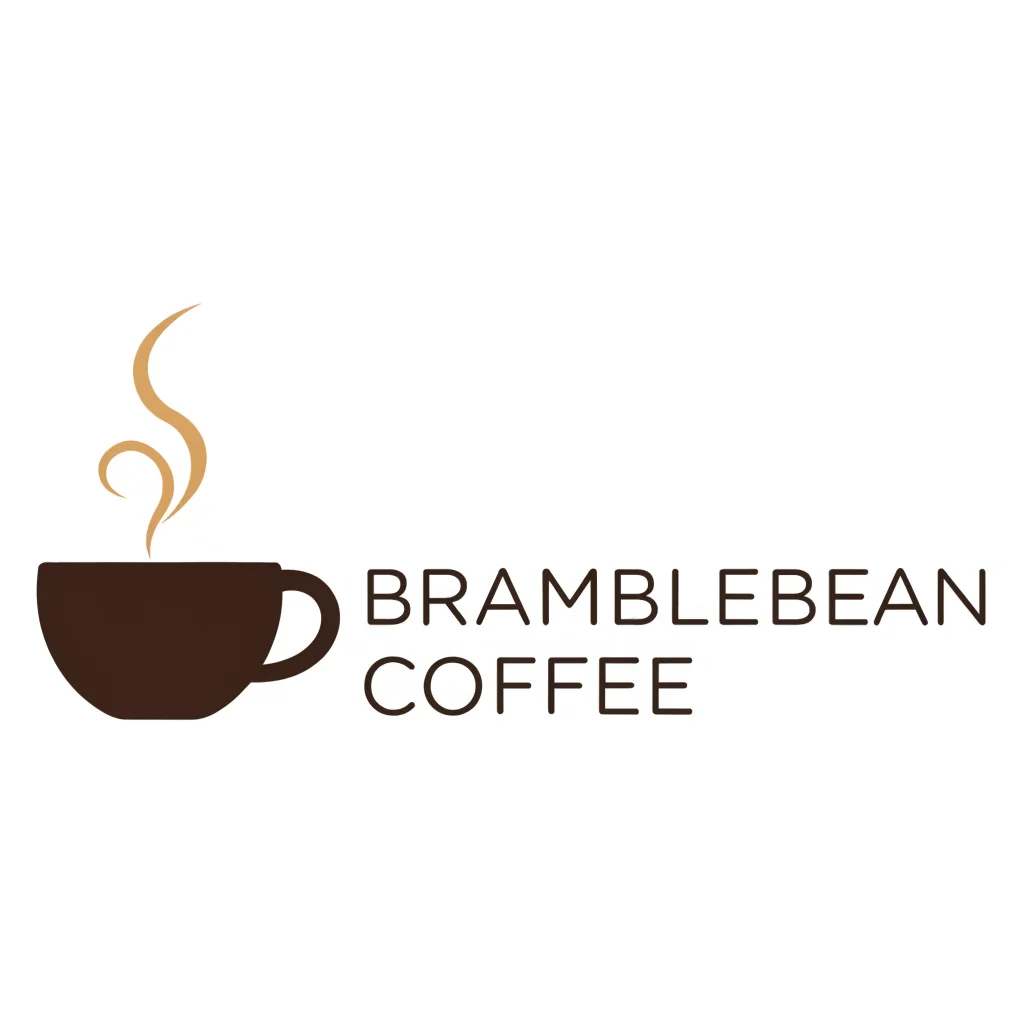 BeforeEveryday logo, Recraft V4.1
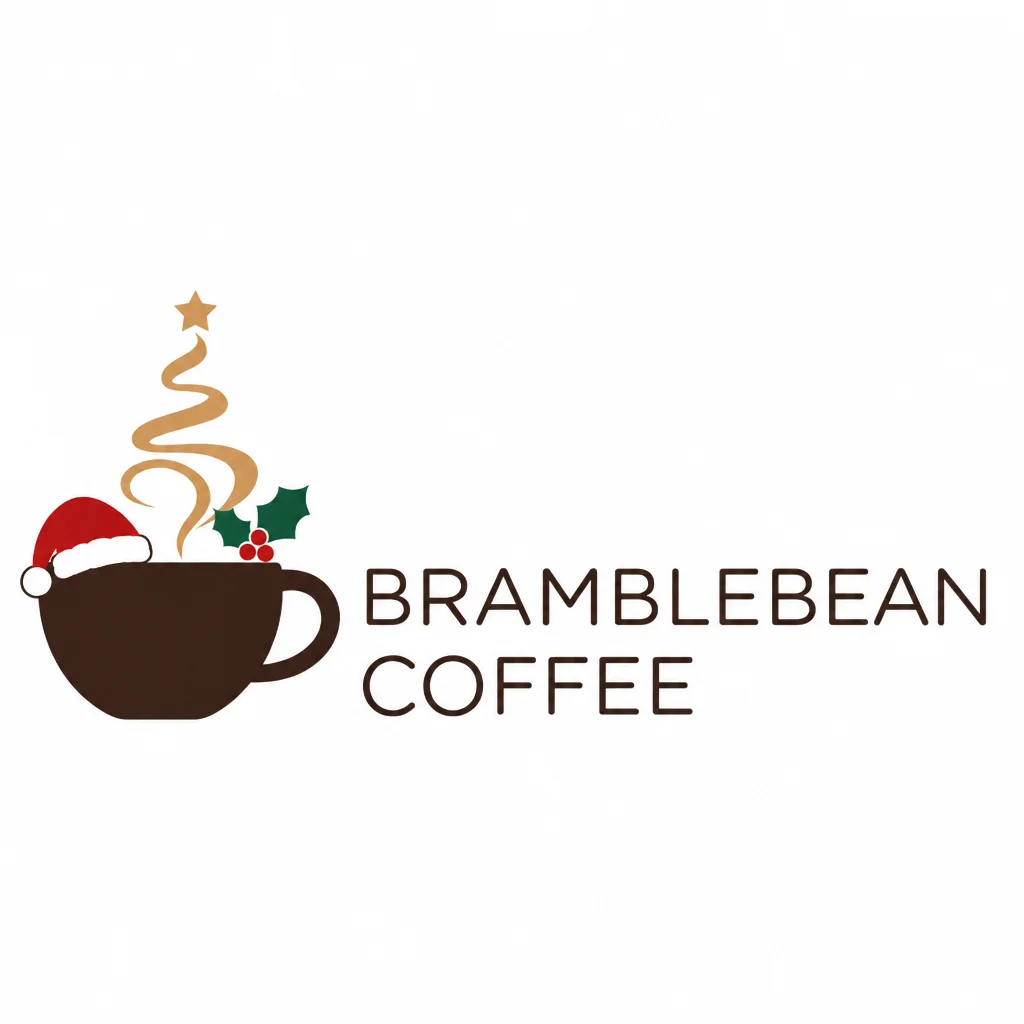 Christmas versionGPT Image 2.5 Sunburst edit, one try
How to
How to use the christmas logo maker
- Time needed
- Steps
- 4 steps
Step 1
Open Image Studio
Press “Make a Christmas logo”. Image Studio opens on Recraft V4.1. Sign in free for starter credits.
Step 2
Describe the logo
Business type, one holiday symbol, colours, “flat vector logo”, and the name in quotes. Pick Square 1:1.
Step 3
Or upload your logo
To make the logo you already have festive, switch to GPT Image 2.5 Sunburst, upload it and say what must stay the same.
Step 4
Check and download
Read every letter, regenerate if one is off, then download with no watermark. Remove the background if you need a transparent PNG.
See it in the app

Open Image Studio and type what you want to see — subject, style, lighting and mood.


Watch the tour · 1:23
Prompts, styles, references, edit, Arena & chat
Chapters
Tips
Christmas logos that still look like you
What worked across our eight logos.
Put the business name in quotes and add “no other words” — extra taglines are where spelling slips.
Pick one holiday symbol that fits the trade: gingerbread for a bakery, a Santa hat on the cup, holly on the scissors.
Name three or four colours. Red, green and gold read as Christmas; your own brand colour keeps it yours.
Say “flat vector logo, white background” so it works on a sign, a sticker and a profile picture.
Already have a logo? Upload it to GPT Image 2.5 Sunburst and write what must stay: shape, layout, font, name.
If the text lands somewhere odd, say where it goes — “under it, set horizontally” fixed our salon logo.
Models
Models for Christmas logos
What each model is good at. Open any one straight in the generator.
Recraft
Recraft V4.1
- Output
- 5 ratios
Open Recraft V4.1Best for
Default here · made the bakery, gift-shop and gym logos

OpenAI
GPT Image 2.5 Sunburst
- Reference images
- Up to 16
- Output
- 1K–4K
Open GPT Image 2.5 SunburstBest for
Makes your own logo festive · made the salon and coffee edits
Ideogram
Ideogram v4
- Output
- 5 ratios
Open Ideogram v4Best for
Badge lettering · made the candle-shop badge
- Free plan
FAQ
Christmas Logo Maker questions
8 questions

How do I make a Christmas logo?
Describe it in Image Studio: the kind of business, one holiday symbol (holly, snow, a Santa hat, a gingerbread house), three or four colours, “flat vector logo”, and the business name in quotes. Recraft V4.1, the default here, made the bakery, gift-shop and gym logos above in one try each.
Link to this answerCan I turn my existing logo into a Christmas version?
Yes. Upload your logo to GPT Image 2.5 Sunburst and say what must stay — shape, layout, font, name — and what to add. Our coffee-shop logo kept its cup, font and name and gained a Santa hat and a tree of steam. Recraft and Ideogram can't take a reference image, so use Sunburst for this.
Link to this answerWill the AI spell my business name right?
Usually. Every name in our eight logos came out correct, including MAPLE & RYE BAKERY and SNOWFALL CANDLE CO. Keep the wording short, put it in quotes, add “no other words”, and read every letter before you print — regenerate if one is off.
Link to this answerIs the Christmas logo maker free?
Free to start. A new Kenerate account gets 25 free credits. A Christmas logo costs 12 credits on Recraft V4.1, 15 on Ideogram v4, 7.2 on GPT Image 2.5 Sunburst, or 11.7 to make an uploaded logo festive. Recraft V4.1 Flash drafts cost 2.4, and Qwen Image 3.0 works on the free plan. Credits come in one-time packs, no subscription, no watermark.
Link to this answerWhich model is best for a Christmas logo?
Recraft V4.1 for clean, design-style marks; GPT Image 2.5 Sunburst for detailed emblems and for editing your own logo; Ideogram v4 for badge lettering around a circle. On the same salon brief, Ideogram v4 turned the name sideways while Sunburst set it under the wreath once we added “set horizontally”.
Link to this answerCan I get a transparent PNG or SVG of my Christmas logo?
The logos here come on a solid background. For a transparent PNG, run the download through the logo background remover. For an editable SVG, make the logo with GPT Image 2.6 on the ChatGPT logo generator page, which exports SVG from text.
Link to this answerWhere can I use a Christmas logo?
Anywhere your normal logo shows in December: your social profile picture, the website header, shop-window signs, gift tags, packaging stickers and holiday flyers. Switch back to the regular logo in January so customers don't lose track of it.
Link to this answerCan I use Santa or famous Christmas characters in my logo?
A generic Santa hat, reindeer or snowman is fine. Don't copy trademarked characters, other brands' logos or film characters, and check that your business name itself is free to use before you print it.
Link to this answerIn depth
Christmas Logo Maker, explained
What works, what to avoid, and how to pick a model.
On this page
Christmas logo ideas by business
One holiday symbol tied to what you sell beats a pile of decorations:
- Bakery: a gingerbread house, a candy cane rolling pin, a snow-dusted loaf.
- Coffee shop: a Santa hat on the cup, steam shaped like a tree, a peppermint stripe on the sleeve.
- Gift shop: a wrapped present with snowflakes, a ribbon that spells the initial.
- Hair or beauty salon: scissors or a comb with holly, a gold wreath around the monogram.
- Gym or fitness studio: a kettlebell or dumbbell in a Santa hat, a tree cut out of the weight.
- Candle, soap or craft shop: a retro circle badge with snowflakes and pine.
New Christmas logo or a festive version of yours?
If people already know your logo, keep it and add one seasonal touch. Upload it to GPT Image 2.5 Sunburst and list what must not change. If you're starting fresh for a holiday market stall or a pop-up, make a new logo on Recraft V4.1 or Ideogram v4.
Cost per try: 12 credits on Recraft V4.1, 15 on Ideogram v4, 7.2 on GPT Image 2.5 Sunburst from text and 11.7 with your logo uploaded. Each logo on this page took one try.
What we got
Eight logos, one try each, made on 14 November 2026:
- Every business name and tagline was spelled right on the first run.
- The GPT Image 2.5 Sunburst edit kept the coffee logo's cup, font and layout and added only what we listed.
- Ideogram v4 put the salon name sideways down the right edge and drew one pair of scissors instead of two crossed.
- Recraft V4.1 used a thin hand-drawn font for the gift shop instead of the rounded sans we asked for.
By the Kenerate AI teamLast updated and reviewed
We build and run the Kenerate generator. Every example is a real output of the model named under it; models and presets were checked against the app's code.
Sources: Kenerate Image Studio · Kenerate terms of service
