

Pajamas · cabin · snowy street · couple · pet · photo booth · vintage film · flat lay
Christmas photoshoot ideas — 8 setups, and an AI photoshoot from your own photo
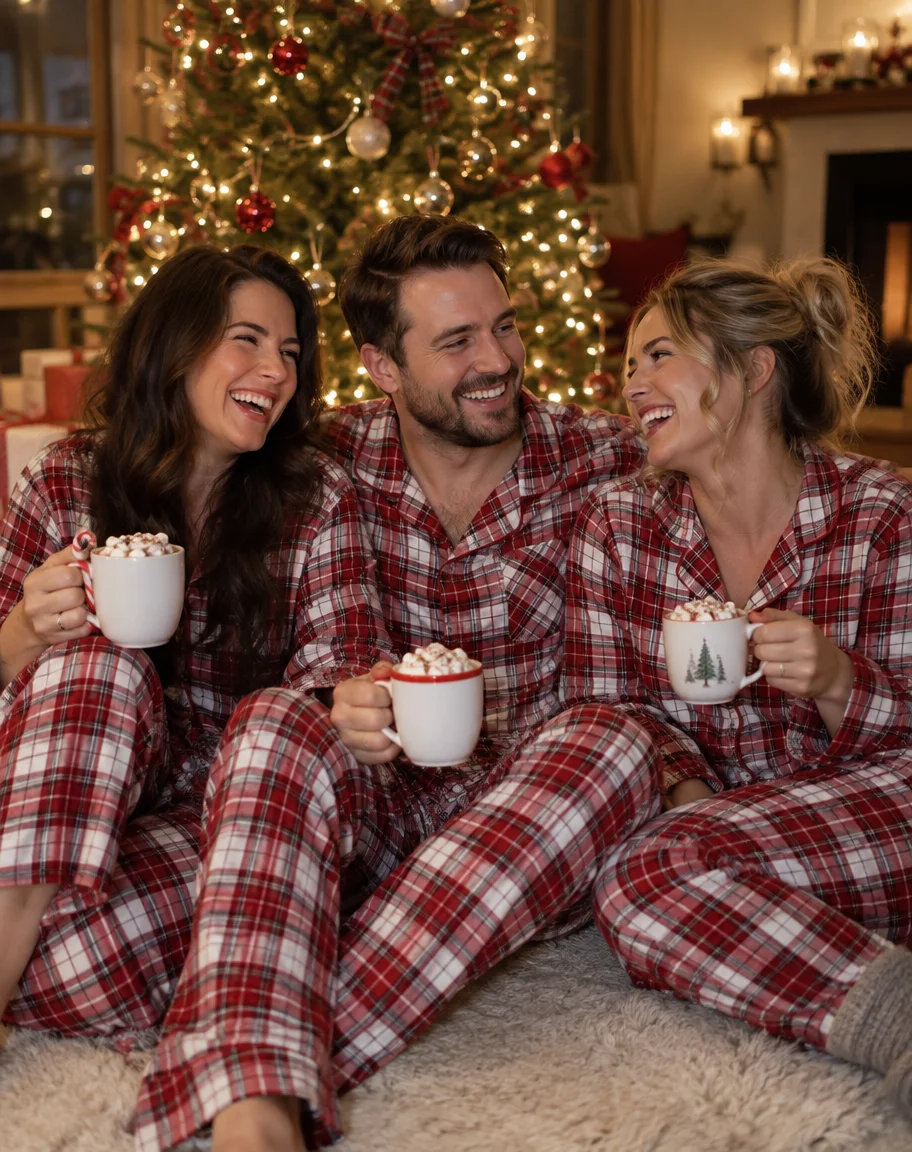
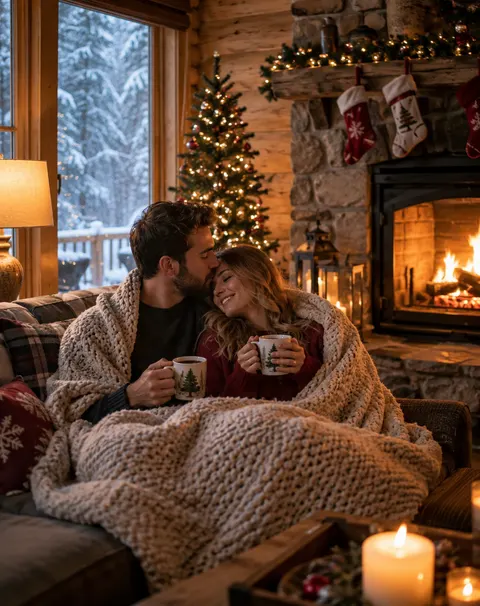
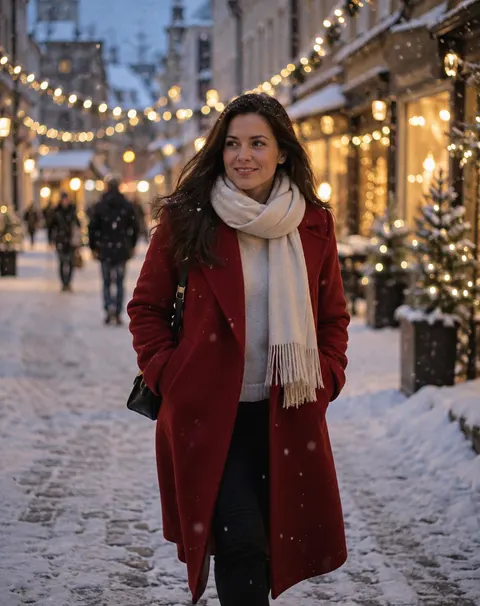
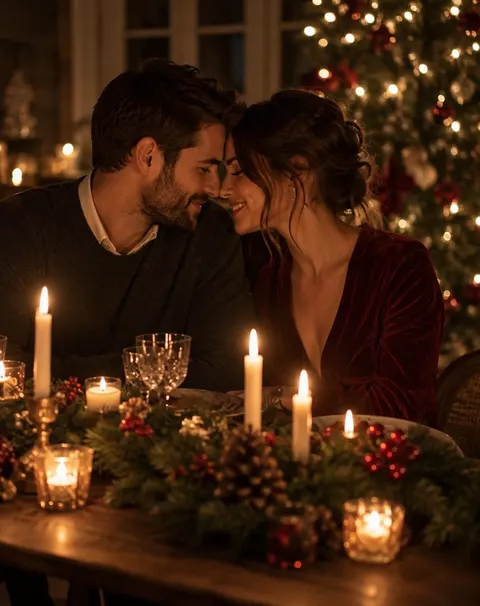
Eight Christmas photo ideas you can copy — for couples, adult siblings, grandparents and pets — each made with AI from the prompt shown. Shoot them yourself, or upload one photo and get the setup without a photographer.
- 8 setups with prompts
- Couples, siblings, pets
- Works from your own photo
- No watermark
Updated by the Kenerate AI team




Made with Kenerate
On this page
Quick answer

What are good Christmas photoshoot ideas?
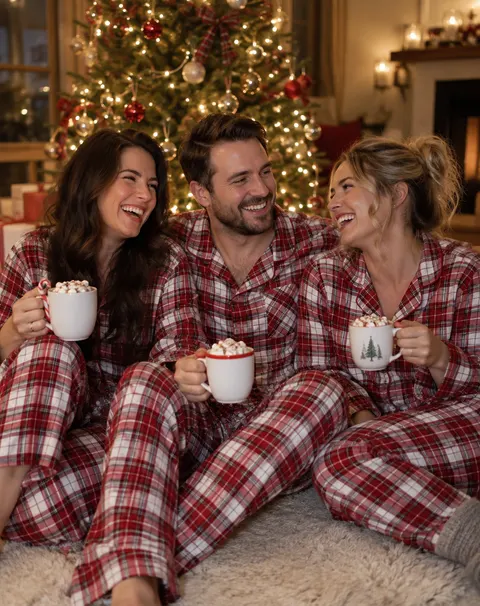
Eight Christmas photoshoot ideas that work: matching pajamas by the tree, a cozy cabin, a snowy street at dusk, a candlelit couple dinner, a pet in a Santa hat, a photo booth with props, a vintage film look and a gift-wrapping flat lay. On Kenerate AI you can make any of them from one photo: upload it, describe the setup, and Nano Banana 2.1 returns it for 21 credits.
Key facts
- Ideas shown
- 8 setups, one photo each
- Made with
- GPT Image 2.5 Sunburst (ideas) · Nano Banana 2.1 (your photo)
- Shape
- 4:5 portrait — fits a 4 × 5 print or an Instagram post
- From your own photo
- Yes — face kept in our test
- People
- Adults and pets
- Free-plan option
- Qwen Image 3.0
- Watermark
- None
Gallery
Christmas photoshoot ideas, made with AI
Eight Christmas photoshoot ideas, each one a single GPT Image 2.5 Sunburst run from the prompt under it. Every person is fictional. Copy a prompt to make the scene, or upload your own photo and add “keep my face the same”.
Same prompt
An AI Christmas photoshoot from one everyday photo
Left: a plain daylight portrait (a fictional man made with GPT Image 2.5 Sunburst). Right: the same photo edited with Nano Banana 2.1 into the cozy-sweater setup. Face, curls, beard and smile stayed; the model added the gifts and a Santa figurine on its own.
PromptTurn this photo into a Christmas photoshoot: the same man, now wearing a dark green cable-knit sweater, sitting in an armchair beside a decorated Christmas tree with warm white lights, a fireplace with stockings behind him, holding a mug of cocoa. Keep his face, curly hair, beard and smile exactly the same. Warm evening light, real photograph, 50mm lens. No text.
 BeforeEveryday portrait, plain wall
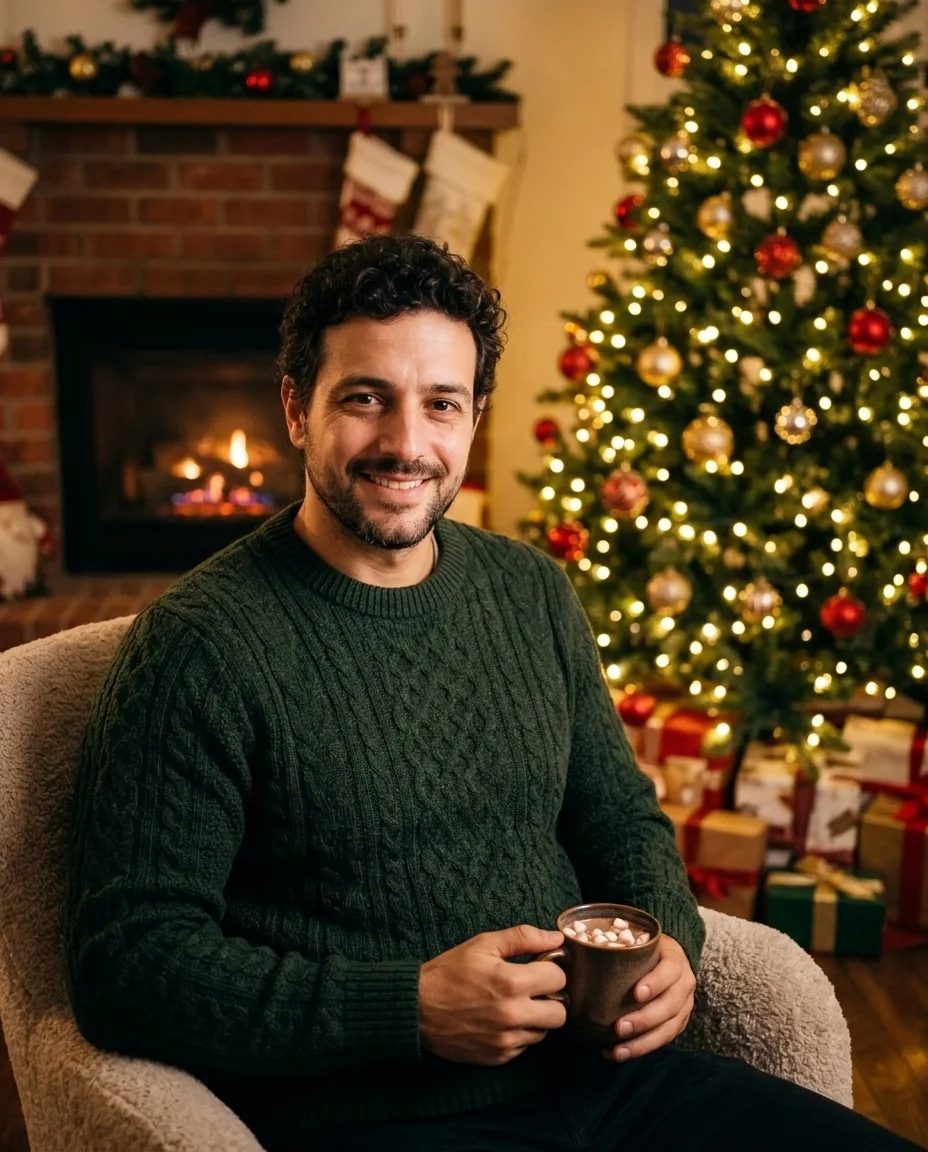 AfterNano Banana 2.1 edit, one try
How to
How to use the christmas photoshoot ideas
- Time needed
- Steps
- 4 steps
Step 1
Pick an idea
Choose a setup above and copy its prompt, or open Image Studio with “Try an idea”.
Step 2
Add your photo
In Image Studio, upload a clear, well-lit photo of you, your partner or your pet. Pick Nano Banana 2.1 (or GPT Image 2.5 Sunburst).
Step 3
Describe the scene
Paste the idea, swap in your details, and add what must stay — “keep my face and hair exactly the same”. Set 4:5.
Step 4
Download
Check faces and hands, regenerate if a detail is off, then download without a watermark.
See it in the app

Open Image Studio and type what you want to see — subject, style, lighting and mood.


Watch the tour · 1:23
Prompts, styles, references, edit, Arena & chat
Chapters
Tips
Make the setup look like a real shoot
What worked across our ten images.
Give one light source a name — fairy lights, firelight, candles, flash, window daylight. It sets the whole mood.
Pick one outfit idea for everyone: matching plaid pajamas, red coat and cream scarf, sequins for a party.
Ask for “real photograph, 50mm lens, natural skin texture” or the result drifts toward illustration.
For your own photo, say what stays: “keep his face, curly hair, beard and smile exactly the same”.
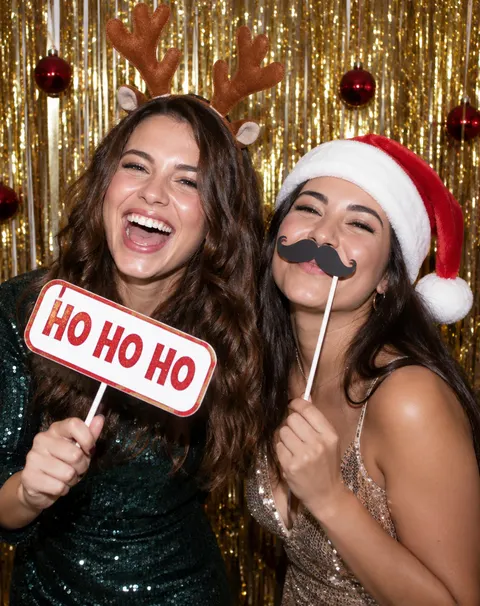
Props with words go in quotes — a sign that reads “HO HO HO” — and add “no other text”.
Use 4:5 for prints and posts; leave a little room around faces so a 5 × 7 crop doesn't cut anyone.
Models
Models for Christmas photoshoots
What each model is good at. Open any one straight in the generator.
Google
Nano Banana 2.1
- Reference images
- Up to 14
- Output
- Up to 4K
Open Nano Banana 2.1Best for
Made the photo-to-photoshoot edit; keeps faces

OpenAI
GPT Image 2.5 Sunburst
- Reference images
- Up to 16
- Output
- 1K–4K
Open GPT Image 2.5 SunburstBest for
Made the 8 idea photos; writes sign text

ByteDance
Seedream 5.0 Pro
- Reference images
- Up to 10
- Output
- 1K · 2K
Open Seedream 5.0 ProBest for
Painted and illustrated Christmas looks
- Free plan

FAQ
Christmas Photoshoot Ideas questions
9 questions

What are good Christmas photo ideas?
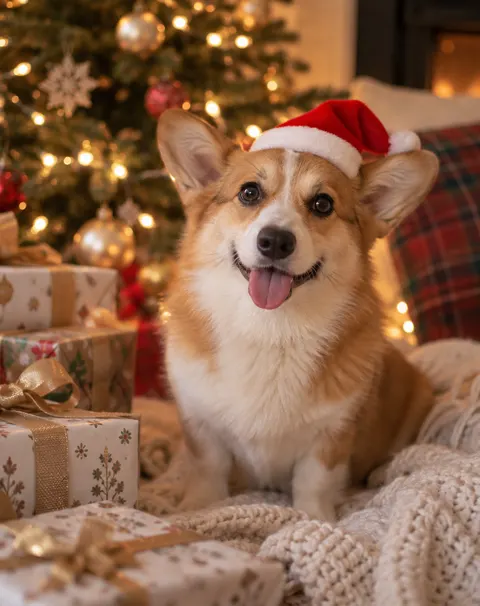
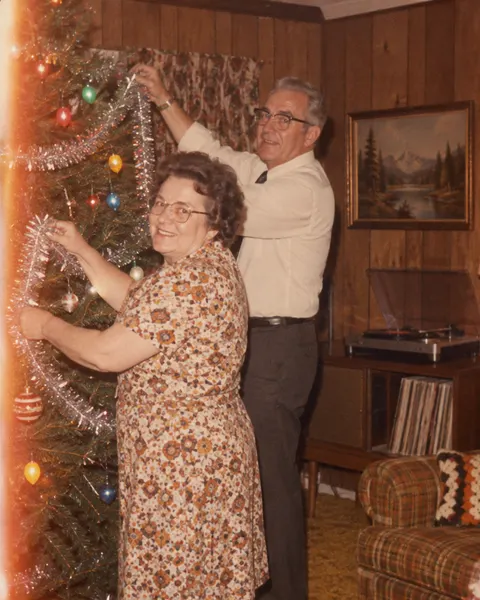
Eight that work well: matching pajamas by the tree, a cozy cabin with a fire, a snowy street at dusk, a candlelit couple dinner, a pet in a Santa hat, a photo booth with props, a 1970s vintage film look and a gift-wrapping flat lay. Each one is shown above with the exact prompt that made it.
Link to this answerWhat are good Christmas family photo ideas for adults?
Matching plaid pajamas on the rug with cocoa, everyone by the fireplace in knit sweaters, a vintage-film shot of grandparents decorating the tree, or a dinner table lit by candles. Our pajamas photo shows three adult siblings; name each person's age and place in the prompt so the group looks planned.
Link to this answerWhat are cute Christmas couple photoshoot ideas?
A shared blanket by a cabin fire, foreheads together at a candlelit table, a walk on a snowy street under string lights, or wrapping gifts side by side. The cabin and candlelit photos above are both couple setups; for a photo of the two of you, upload one picture of each and say who stands where.
Link to this answerHow do I set up a Christmas photo booth?
Hang a gold or silver tinsel curtain, add a few baubles, use bright flash and put out props — reindeer antlers, Santa hats, paper mustaches and a sign that reads “HO HO HO”. To preview it with AI, use the photo-booth prompt above; GPT Image 2.5 Sunburst spelled the sign right first time. For booth-style strips from your photos, see the AI photo booth.
Link to this answerCan I do a Christmas photoshoot with AI from my own photo?
Yes. Upload a clear photo in Image Studio, describe the setup and write “keep my face, hair and smile exactly the same”. Our test turned a plain daylight portrait into a cozy-sweater scene by the tree with Nano Banana 2.1 in one try, keeping the face, curls and beard.
Link to this answerHow much does an AI Christmas photoshoot cost?
Free to start: a new Kenerate account gets 25 free credits. An edit of your photo costs 21 credits on Nano Banana 2.1 at 1K (31.5 at 2K), 11.7 on GPT Image 2.5 Sunburst with one photo, or 9.9 on Qwen Image 3.0, which works on the free plan. A setup from text only costs 7.2 credits on Sunburst. Credits come in one-time packs, with no subscription and no watermark.
Link to this answerCan I put my pet in a Christmas photo?
Yes. Upload your pet's photo and ask for a Santa hat, a scarf or a spot by the presents, adding “keep the same dog, fur colour and markings”. The corgi above shows the look from text alone; for painted or costume pet portraits, see the AI pet portrait generator.
Link to this answerWhat size should a Christmas photo be for printing?
Make it at 4:5. That matches a 4 × 5 or 8 × 10 print exactly; a 5 × 7 card is a little taller, so leave space around faces for the crop. The idea photos here are 912 × 1152 px; pick 2K or 4K in Image Studio, or use the Image Upscaler, before a large print.
Link to this answerCan I make Christmas photos of real people or celebrities?
Only of yourself or people who have agreed. Don't upload photos of celebrities or strangers, and don't use their names. Kenerate's terms of service apply to everything you make.
Link to this answerIn depth
Christmas Photoshoot Ideas, explained
What works, what to avoid, and how to pick a model.
On this page
Christmas photoshoot ideas by who's in the picture
Match the setup to the people in it:
- Couples: cozy cabin under one blanket, candlelit dinner, snowy street walk, wrapping gifts together.
- Adult siblings and friends: matching pajamas by the tree, a party photo booth with props, a sweater line-up on the sofa.
- Grandparents: a vintage film snapshot decorating the tree, a dinner-table toast, reading by the fire.
- Solo: a red coat on a snowy street, a window seat with candles and a book, a portrait in a knit sweater.
- Pets: a Santa hat by the presents, curled up in a gift box, a scarf on a snowy porch.
- No people at all: a gift-wrapping flat lay, a mantel with stockings, ornaments close up for cards and posts.
Shoot it yourself or make it with AI?
Shooting yourself means real light and real moments; for phone tips see our guide to 21 Christmas photoshoot ideas you can shoot on a phone. AI is quicker when you don't have the room, the tree or everyone in one place: one photo per person, one prompt, and the result in about a minute.
Costs are per image: 21 credits for a Nano Banana 2.1 edit at 1K, 11.7 for a one-photo GPT Image 2.5 Sunburst edit, 7.2 for a Sunburst scene from text, and 9.9 for a one-photo Qwen Image 3.0 edit on the free plan. Every image on this page cost one try.
What we got
Ten images, one try each, made on 14 November 2026:
- All eight idea photos came back usable on the first run, with natural skin and the light we named.
- “HO HO HO” on the photo-booth sign was spelled right.
- The Nano Banana 2.1 edit kept the man's face, curls, beard and smile, and added gifts and a small Santa figurine we didn't ask for.
- The vintage-film photo had a small sparkle shape in one corner; we cropped it off rather than show a mark that looks like a watermark.
By the Kenerate AI teamLast updated and reviewed
We build and run the Kenerate generator. Every example is a real output of the model named under it; models and presets were checked against the app's code.
Sources: Kenerate Image Studio · Kenerate terms of service
