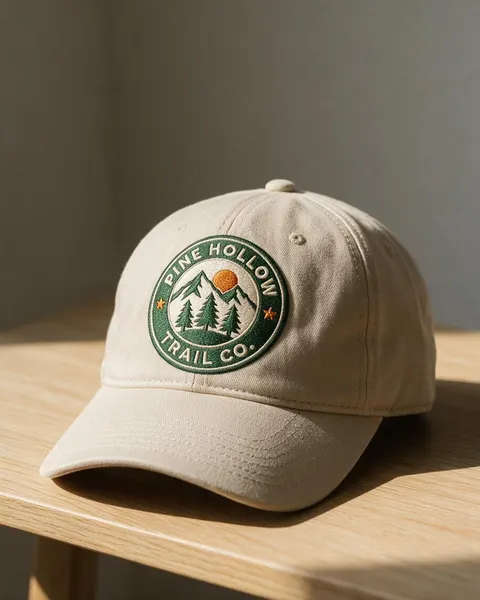
Embroidered cap · trucker hat · beanie · bucket hat
Hat Mockup Generator
Upload your logo, name the hat and the finish (embroidery, woven patch, leather patch), and get a photorealistic hat mockup with your design on it: a cap on a table, a trucker hat being worn, a beanie in a flat lay. No PSD templates or smart objects.
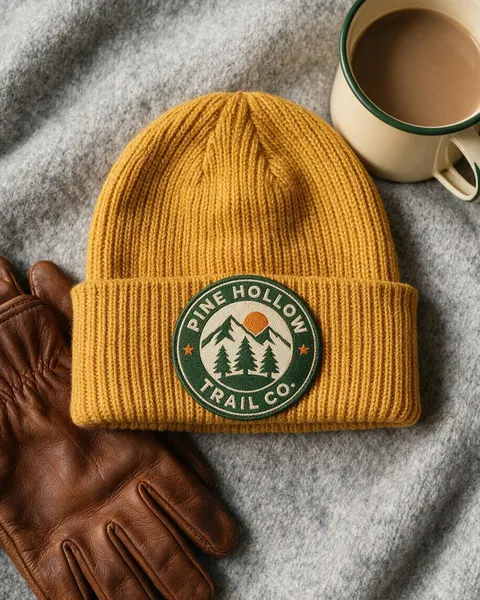
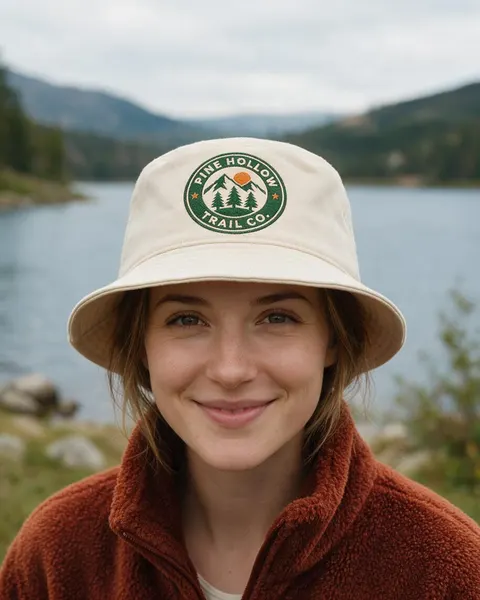
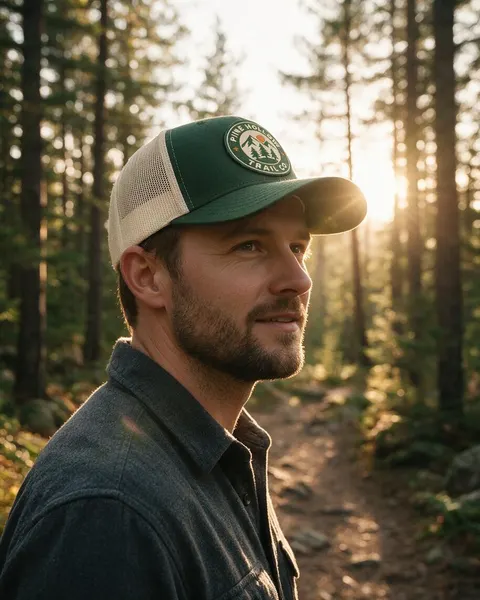
- Your logo, kept the same
- Embroidery or patches
- Caps, beanies, bucket hats
- No watermark
Updated by the Kenerate AI team




On this page
Quick answer

How do I make a hat mockup?
To make a hat mockup, upload your logo to Kenerate's Image Studio, pick Seedream 5.0 Pro and describe the hat and the finish: “embroidered on the front of a stone-beige dad hat on an oak table”. It returns a 915 × 1144 px (4:5) photo for 13.5 credits at 1K. Our “PINE HOLLOW” badge stayed spelled right on 3 of 4 hats.
Key facts
- Input
- Your logo: PNG or JPG, flat artwork on white
- Hats tested
- Embroidered cap · trucker hat · beanie · bucket hat
- Model used
- Seedream 5.0 Pro edit
- Output
- 1K, 1.5K or 2K · 4:5 for shops and Instagram
- Design kept
- Lettering exact on 3 of 4 hats; small patch drifted
- Templates needed
- None
- Watermark
- None
Gallery
Hat mockups from one logo
Real Seedream 5.0 Pro edits, one try each. Every hat mockup started from the same flat “PINE HOLLOW” badge we made for this page.
Before / after
From flat logo to hat mockup
The logo file on one side, the mockup on the other. Drag the slider and check the lettering, the colours and the shapes.
Same prompt
Same prompt, two models
The logo, then the same embroidered-dad-hat prompt run on Seedream 5.0 Pro and on GPT Image 2.5 Sunburst.
PromptPhotorealistic hat mockup: this exact logo embroidered on the front panel of a stone-beige cotton baseball cap (six-panel dad hat with a curved brim), the cap resting on a light oak table against a plain warm grey wall, front three-quarter view, soft window daylight from the left, raised satin-stitch embroidery thread texture visible, shot on a 50mm lens. The logo must match the image exactly: the round green badge, three pine trees, two mountains, the orange sun and two orange stars, the words "PINE HOLLOW" and "TRAIL CO." spelled exactly as in the image. Do not add any other text or logos.
 DesignInput · GPT Image 2.5 Sunburst
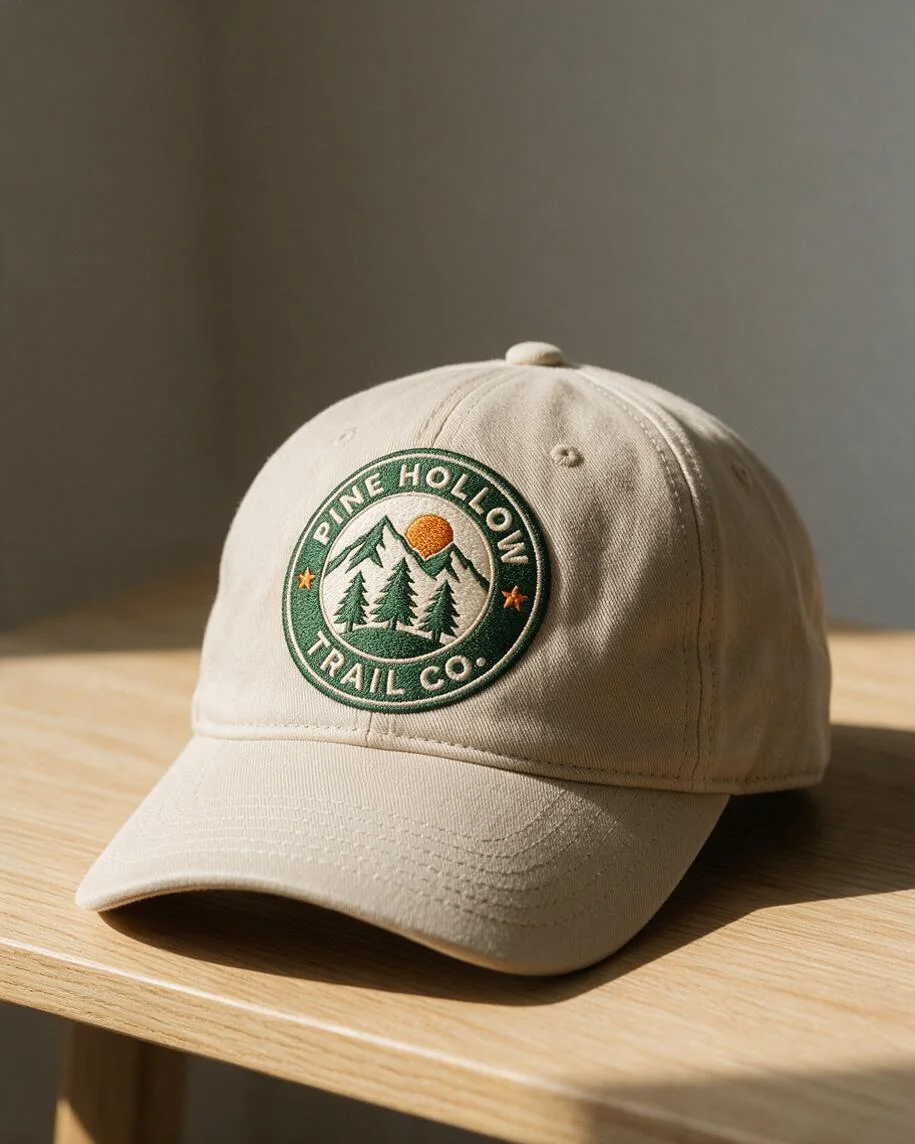 Seedream 5.0 ProSmaller logo, deep stitch texture, warm side light
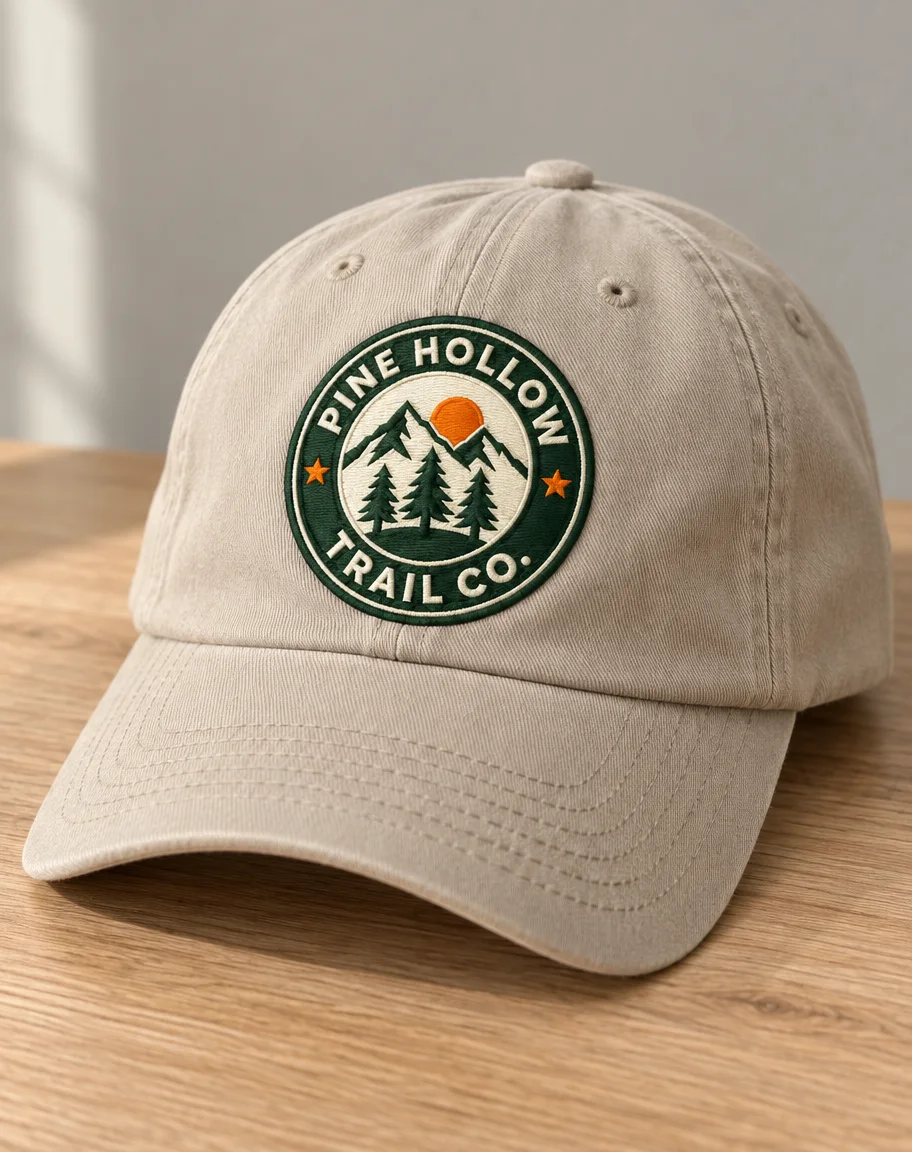 GPT Image 2.5 SunburstBigger, flatter logo, straight-on, brighter orange
How to
How to use the hat mockup generator
- Time needed
- Steps
- 4 steps
Step 1
Open Image Studio
Press “Make a hat mockup”: Image Studio opens with Seedream 5.0 Pro selected. Sign in with Google, GitHub or Discord.
Step 2
Upload your logo
Add the flat logo as the reference image: a PNG or JPG of the whole design on white.
Step 3
Describe the hat
Hat style and colour, embroidery or patch, where the logo sits, then the scene: on a table, in a flat lay or worn. Pick 4:5 for product pages.
Step 4
Check and download
Compare the logo with your file, letter by letter, then download. No watermark.
See it in the app

Open Image Studio and type what you want to see — subject, style, lighting and mood.


Watch the tour · 1:23
Prompts, styles, references, edit, Arena & chat
Chapters
Tips
Hat mockups that keep your logo right
What made the difference in our tests.
Upload the flat logo on white, not a photo of a hat you already made: the model copies the fabric and shadows it sees.
Name the finish: “embroidered”, “round woven patch”, “leather patch” or “printed”. Each looks different on the crown.
Name the hat: dad hat, trucker hat with mesh back, cuffed beanie, bucket hat, five-panel. And give it a colour.
Ask for the logo “large and clearly readable, facing the camera”. On a worn hat seen from the side, small lettering is the first thing to slip.
Add “the words … spelled exactly as in the image” and “do not add any other text or logos”.
Keep logos for hats simple: bold shapes and a few solid colours read as embroidery; thin lines and gradients don't.
Zoom in on every letter before you use a mockup in a shop listing.
Models
Which model is best for hat mockups?
What each model is good at. Open any one straight in the generator.

ByteDance
Seedream 5.0 Pro
- Reference images
- Up to 10
- Output
- 1K–2K
Open Seedream 5.0 ProBest for
Made every mockup in the gallery: real stitch texture

OpenAI
GPT Image 2.5 Sunburst
- Reference images
- Up to 16
- Output
- 1K–4K
Open GPT Image 2.5 SunburstBest for
Bigger, flatter logo; crisp lettering
Google
Nano Banana 2.1
- Reference images
- Up to 14
- Output
- 1K–4K
Open Nano Banana 2.1Best for
The same hat across a set of colourways
- Free plan

Alibaba
Qwen Image 3.0
- Reference images
- Up to 3
- Output
- 1K · 2K
Open Qwen Image 3.0Best for
Free plan · quick drafts
FAQ
Hat Mockup Generator questions
8 questions

How do I make a hat mockup?
Upload your logo in Kenerate's Image Studio, pick Seedream 5.0 Pro and describe the hat, the finish and the scene, for example “embroidered on the front panel of a stone-beige six-panel cap on a light oak table”. The four hat mockups in the gallery were made that way from one logo, one try each, and their full prompts are shown.
Link to this answerIs there a free hat mockup generator?
You can start free. A new Kenerate account gets 25 credits, enough for one Seedream 5.0 Pro hat mockup at 1K (13.5 credits) or two GPT Image 2.5 Sunburst mockups (11.7 credits each with one logo), and Qwen Image 3.0 is on the free plan for drafts. After that, credits come in one-time packs with no subscription.
Link to this answerWill the AI change my logo?
It can, so check every result. In our test Seedream 5.0 Pro kept “PINE HOLLOW”, “TRAIL CO.”, the pines, the sun and both stars on the cap, the beanie and the bucket hat. On the trucker hat the patch came out small and at an angle, and the last letter and the full stop slipped. Ask for the logo large and facing the camera.
Link to this answerCan I show my logo embroidered?
Yes. Write “embroidered”, or “raised satin-stitch embroidery with visible thread texture”, and Seedream 5.0 Pro draws the stitches and the slight relief. For a patch, write “round woven patch sewn on the front”; for leather, “debossed on a tan leather patch”.
Link to this answerCan I make a trucker hat or beanie mockup?
Yes. Name the hat: “forest green trucker cap with a cream mesh back”, “mustard ribbed beanie with a folded cuff”, “cream canvas bucket hat”. Our beanie came out as a top-down flat lay with the patch on the cuff, the trucker hat worn on a trail.
Link to this answerCan I show the hat on a person?
Yes. Describe a fictional adult model, the pose and where the logo faces, for example “an adult woman in her late 20s, facing the camera straight on, head and shoulders”. The bucket hat in the gallery was made that way. Don't use photos of real people without their permission.
Link to this answerWhat size should a hat mockup be?
Use 4:5 or 1:1 for Etsy, Shopify and Instagram listings. Seedream 5.0 Pro outputs 1K, 1.5K or 2K; our 4:5 mockups came out at 915 × 1144 pixels at 1K. For a bigger file pick 2K (27 credits) or upscale the result.
Link to this answerCan I use the mockup to sell hats?
Yes, as a preview of the product. Send your original logo file to your embroiderer or print-on-demand supplier, not the mockup, and ask for a stitch-out or sample to check colours. Kenerate puts no watermark on downloads.
Link to this answerIn depth
Hat Mockup Generator, explained
What works, what to avoid, and how to pick a model.
Hat mockup prompts to copy
Upload your logo, then pick one line and add “the logo must match the image exactly, the words … spelled exactly as in the image, no other text or logos”:
- Dad hat: embroidered on the front of a stone-beige six-panel cotton cap on a light oak table, window light, three-quarter view.
- Trucker hat: a round woven patch on the foam front of a green trucker cap with a cream mesh back, worn on a forest trail.
- Beanie: a woven patch on the cuff of a mustard ribbed beanie, flat lay on a grey wool blanket, seen from above.
- Bucket hat: embroidered large on the front of a cream canvas bucket hat, worn facing the camera by a lake.
- Leather patch: the logo debossed on a tan leather patch on a black snapback, on a concrete step.
- Five-panel: a small embroidered logo on a navy five-panel camp cap hanging on a wall hook.
- Colourways: the same cap in black, navy and olive side by side on a white shelf, the logo on each.
Embroidery, patch or print?
Embroidery suits bold logos with few colours and no tiny text: thread can't hold hairlines. A woven patch holds finer detail and small lettering. Leather patches are usually one colour, debossed or laser-engraved.
Ask the model for the finish you will actually order, so the mockup shows what the hat will look like, and check it against your supplier's stitch limits before you sell it.
By the Kenerate AI teamLast updated and reviewed
We build and run Kenerate Image Studio. Every mockup here is a real output of the model named under it (one try each, 15 November 2026), made from a logo we generated for this page; models and limits were checked against the app's code.
Sources: Kenerate Image Studio