

Black and white · blind shadows · deep blacks
Noir filter — your photo as a 1940s film still
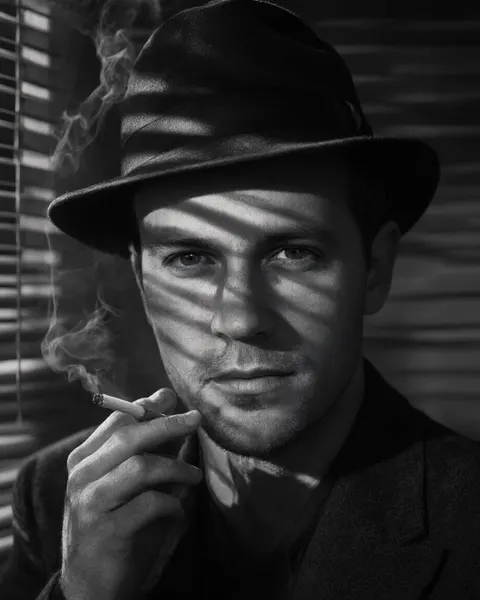
Upload a photo and an AI edit relights it like a 1940s crime film: black and white, one hard light, venetian-blind shadows across the face and deep blacks. Your face, expression and clothes stay the same, and nothing is added unless you ask.
- Your own photo
- Blind shadows and deep blacks
- No props unless you want them
- No watermark
Updated by the Kenerate AI team




Made with Kenerate
On this page
Quick answer

How do I make a photo look like film noir?
To make a photo look like film noir, turn it black and white with high contrast, light the face with one hard light, and throw venetian-blind shadows across it. Kenerate's noir filter opens Image Studio with that instruction filled in; add your photo and press Create. It runs on Qwen Image 3.0, the free-plan model. AI Filter's one-click Film Noir look also adds a fedora and a cigarette.
Key facts
- Works on
- Your own photo, or one you have permission to edit
- What changes
- Colour to black and white, light, shadows, grain
- Keeps
- Face, expression, hair, clothes, framing
- Two routes
- Image Studio prompt (no props) · AI Filter Film Noir (adds fedora and cigarette)
- Default model
- Qwen Image 3.0 (free plan)
- Examples below
- 3 fictional adults, 1 try each
- Watermark
- None
Noir looks
Noir looks, and the words that make them
Swap the first sentence of the filter for any row. Keep the last sentence about your face and framing.
| Look | What gives it away | Prompt words or tool |
|---|---|---|
| Classic noir portrait | Black and white, blind shadows across the face, deep blacks | a 1940s film noir still: black and white, high contrast, deep blacks, hard venetian-blind shadows across the face, a single hard key light, fine film grain |
| Detective noir | Fedora, cigarette smoke, blinds | AI Filter · Film Noir look (one click, adds the props) |
| Rainy street noir | Wet pavement, streetlamp glow, long shadows | a 1940s film noir street scene at night: black and white, wet reflective pavement, a single streetlamp, long hard shadows, light fog |
| Low-key silhouette | Face half in darkness, rim light | a low-key film noir portrait: black and white, half the face in deep shadow, a thin rim light on the profile, black background |
| Neo-noir in colour | Orange-and-teal grade, smoke, blinds of light | AI Filter · Neo-Noir Film look (one click) |
| Red-accent noir | Black and white with one red detail | a film noir still in black and white with one spot colour: keep only the red of the lipstick, scarf or sign |
| Comic noir | Inked black and white, one red spot colour | AI Filter · Comic Noir look (one click) |
| Plain black and white | Just greyscale, no relighting | Use the black and white converter instead |
Sources: Wikipedia — Film noir
Gallery
Noir filter examples
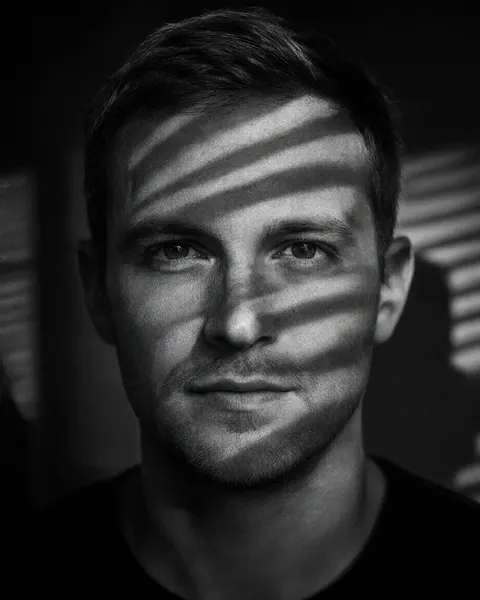
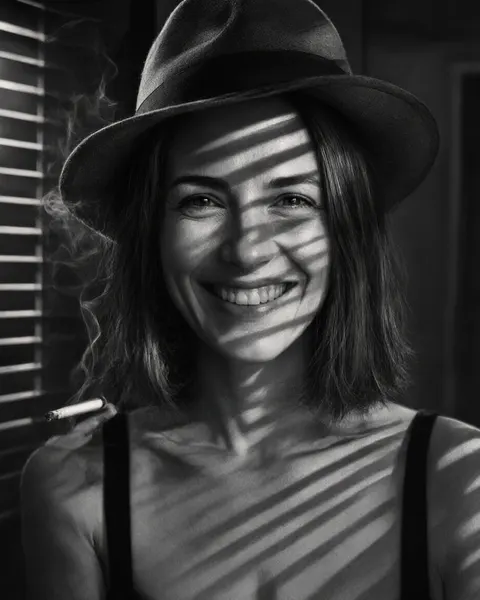
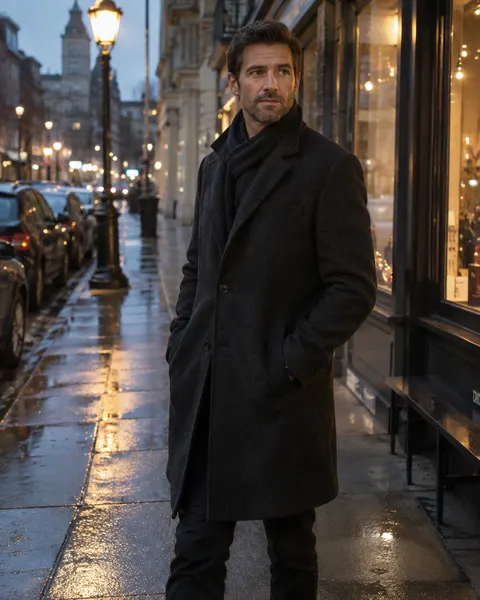
Real runs, one try each. The noir filter prompt kept the man exactly as he was. AI Filter's Film Noir look added a fedora and a cigarette every time, even when the Twist asked it not to.
Same prompt
Before and after: colour photo to noir still
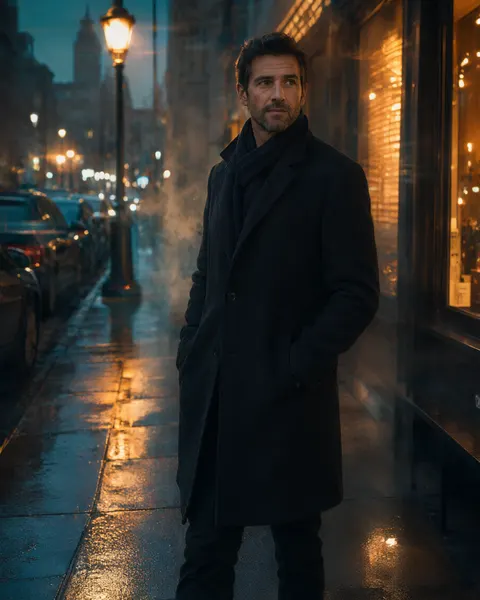
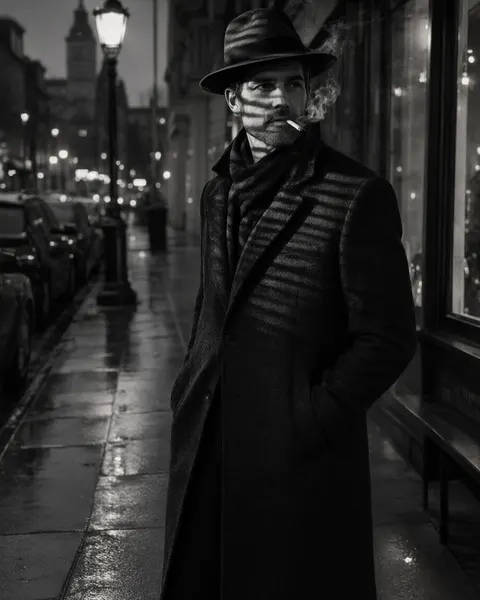
Left of each pair is the original. The noir filter prompt changed only the colour and the light; the street run used AI Filter's Film Noir look, which also added the props.
PromptTurn this photo into a 1940s film noir still: black and white, high contrast, deep blacks, hard venetian-blind shadows across the face, a single hard key light, fine film grain. No cigarette, no smoke, no hat. Keep the same face and identity, expression, hair, clothing and framing exactly the same.
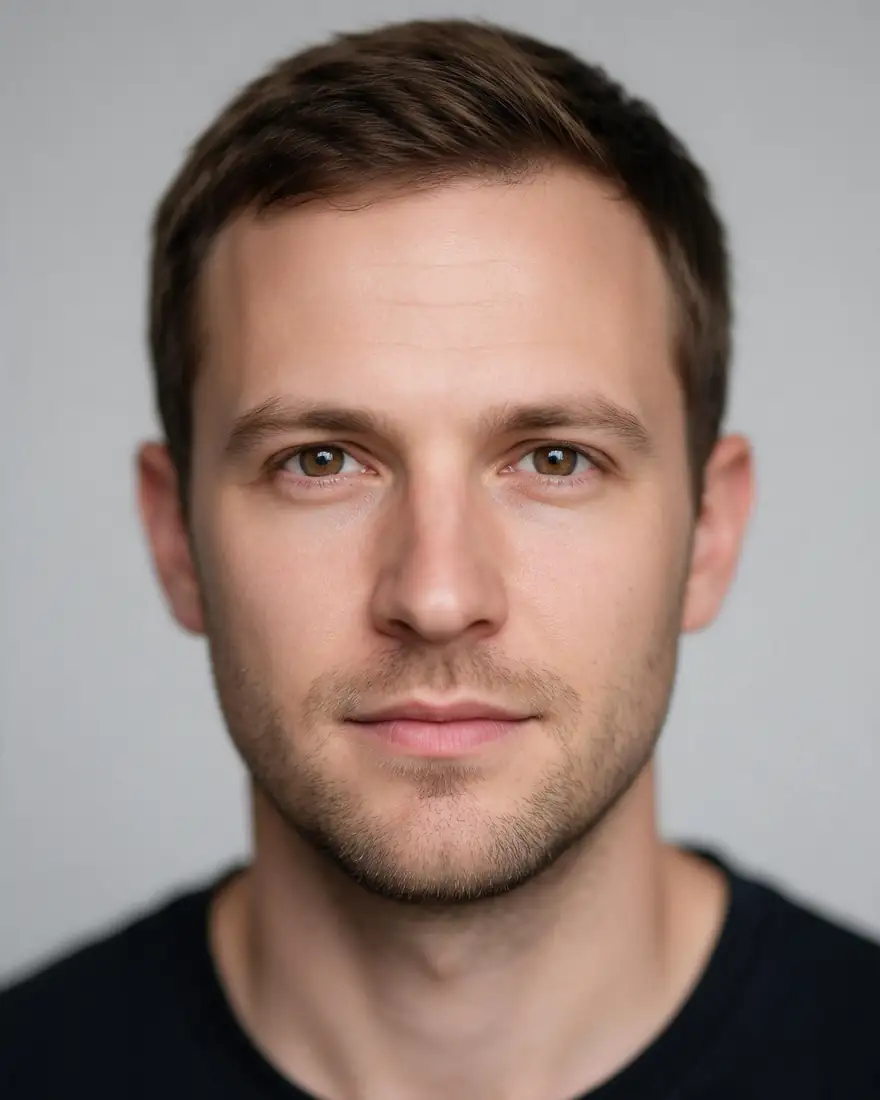 BeforeStudio photo
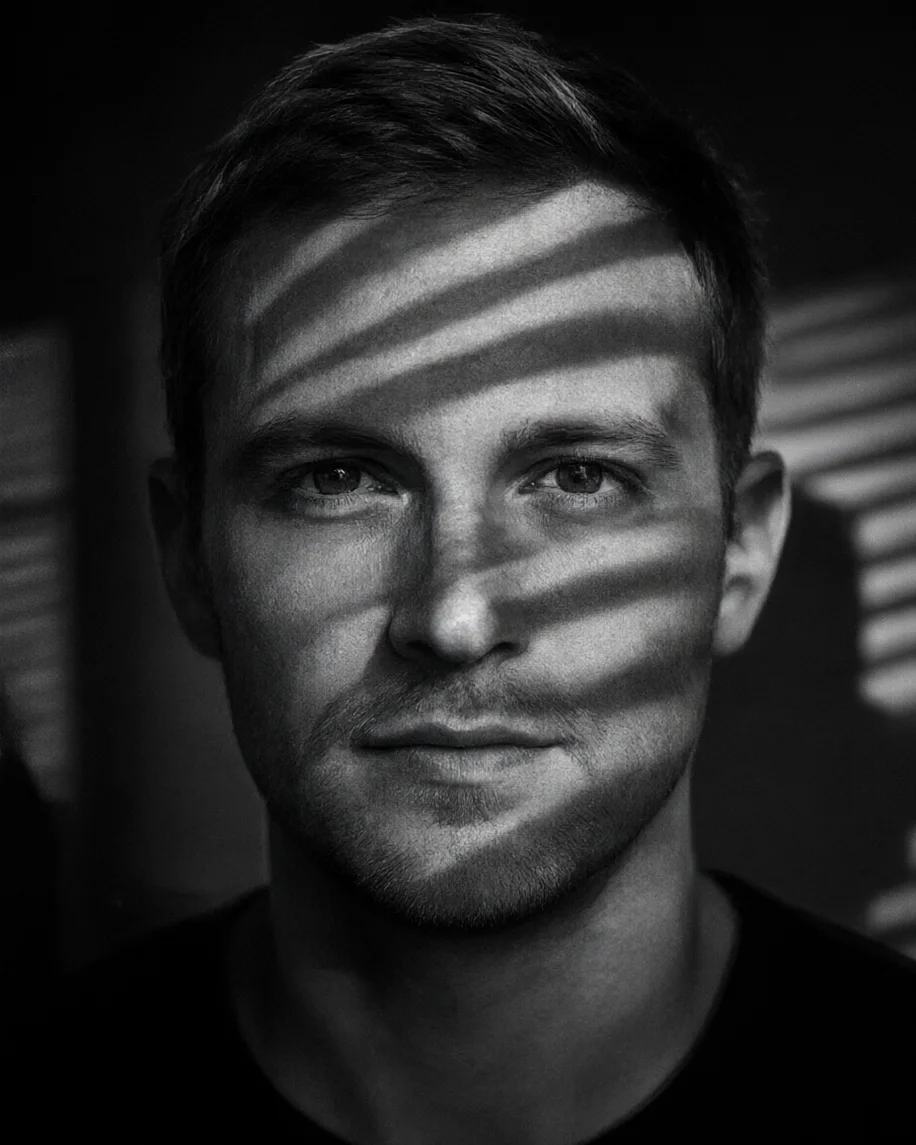 AfterNoir filter prompt
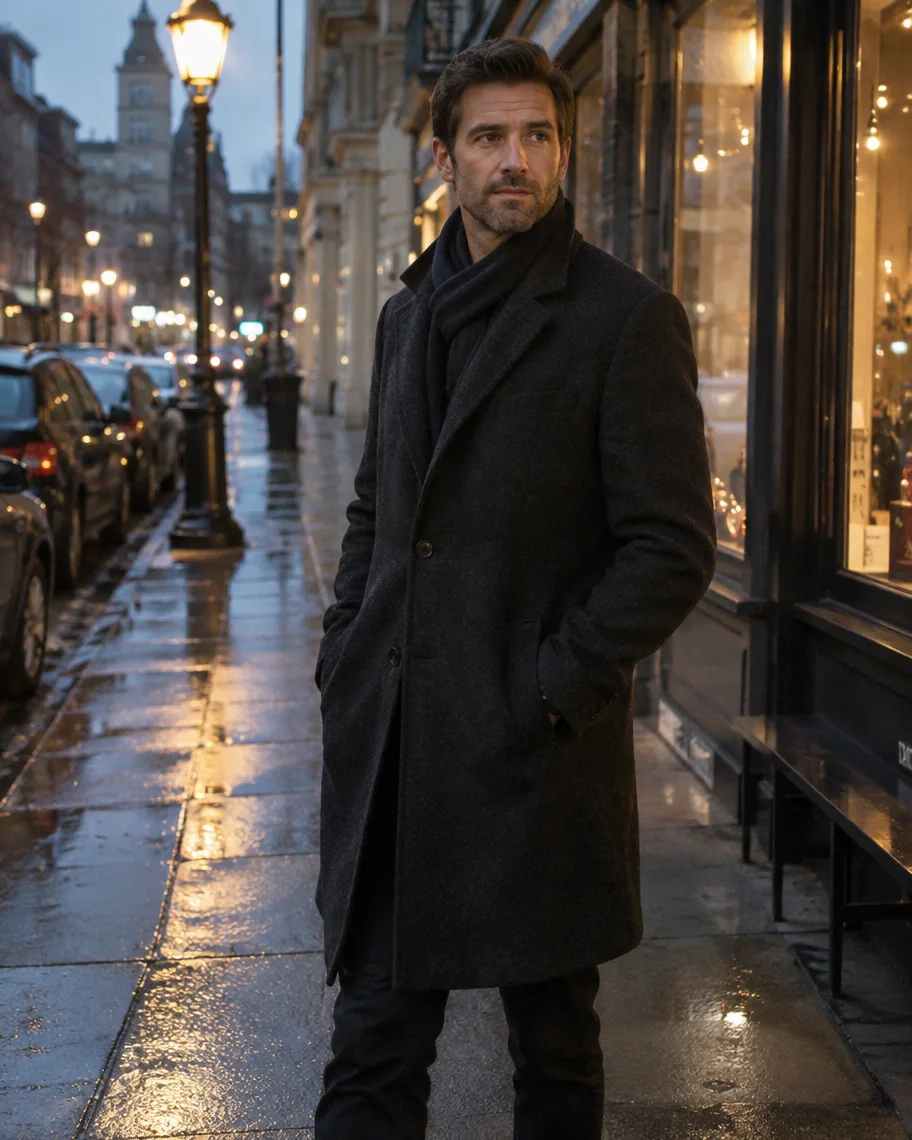 BeforeStreet at dusk
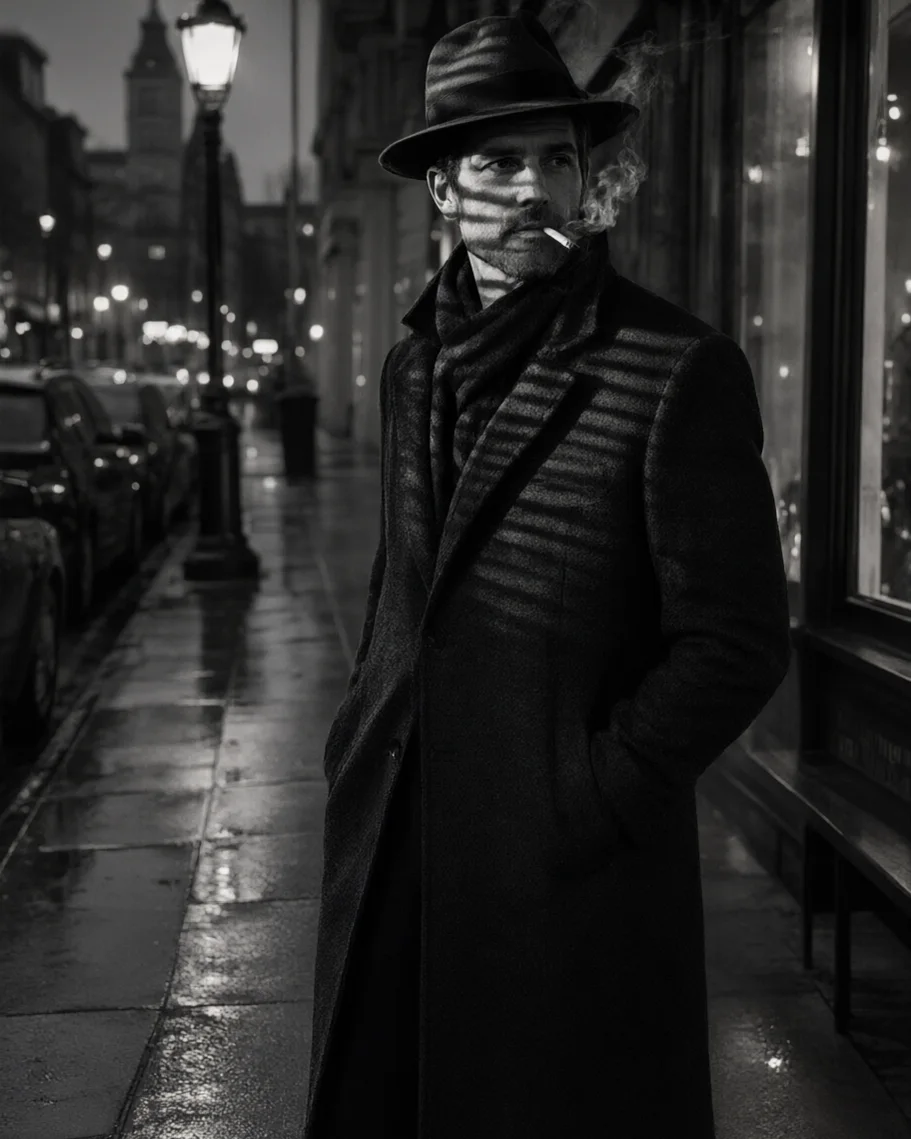 AfterAI Filter · Film Noir
How to
How to use the noir filter
- Time needed
- Steps
- 4 steps
Step 1
Open the noir filter
Press “Add your photo”. Image Studio opens with the film noir instruction in the prompt box. Sign in free for starter credits.
Step 2
Upload your photo
Add a portrait or a street photo you took or have permission to edit — one clear subject works best.
Step 3
Pick the look
Keep the classic noir portrait, or swap the first sentence for a rainy street, low-key silhouette or red-accent row from the table.
Step 4
Create and download
Press Create, compare two takes, and download the one you like without a watermark.
See it in the app

Open Image Studio and type what you want to see — subject, style, lighting and mood.


Watch the tour · 1:23
Prompts, styles, references, edit, Arena & chat
Chapters
Tips
Make it noir, not just grey
What separates a noir still from a black-and-white photo.
Ask for one hard light and venetian-blind shadows. Without a light pattern it's just black and white.
Say “deep blacks” and “high contrast”: noir lives in the shadows, not in mid-greys.
Don't want a fedora or a cigarette? Use the noir filter prompt, which says “no cigarette, no smoke, no hat”. The Twist didn't remove them in our test.
Night street shots, rain and a single streetlamp make the strongest scenes.
Keep the last sentence about your face and clothes, so only the light and colour change.
Want colour? Pick Neo-Noir Film in AI Filter for the orange-and-teal version.
Models
Models and tools for noir edits
What each model is good at. Open any one straight in the generator.
- Free plan

Alibaba
Qwen Image 3.0
- Reference images
- Up to 3
- Output
- 1K or 2K
Open Qwen Image 3.0Best for
Default here · free plan · made the no-props portrait

ByteDance
Seedream 5.0 Pro
- Reference images
- Up to 10
- Output
- Up to 2K
Open Seedream 5.0 ProBest for
Cinematic grades and texture
Google
Nano Banana 2.1
Kenerate tool
AI Filter · Film Noir
- Reference images
- 1 photo
Open AI Filter · Film NoirBest for
One click: blinds, fedora and cigarette smoke
Kenerate tool
AI Filter · Neo-Noir Film
FAQ
Noir Filter questions
9 questions

How do I make a photo look like film noir?
Turn it black and white with high contrast, light the face with one hard light, and add venetian-blind shadows and deep blacks. In Kenerate, the noir filter opens Image Studio with that instruction filled in: add your photo and press Create. Your face, expression and clothes stay the same.
Link to this answerWhat is a noir filter?
A noir filter restyles a photo as a still from a 1940s or 1950s crime film: black and white, low-key lighting with hard shadows, often venetian-blind stripes, deep blacks and fine grain. Unlike a plain black-and-white filter, it changes the light as well as the colour.
Link to this answerIs a noir filter the same as black and white?
No. A black-and-white filter only removes colour and keeps the original light. A noir filter relights the scene with one hard light, deep shadows and blind stripes, so a flat studio portrait comes back looking like a film still. For plain greyscale, use the black and white converter.
Link to this answerIs there a free noir filter?
Yes, to start. New Kenerate accounts get 25 free starter credits, and Qwen Image 3.0, the model behind the noir filter prompt, is on the free plan. AI Filter's one-click Film Noir and Neo-Noir looks cost 10 credits a run on Qwen Image 3. There's no subscription, and results have no watermark.
Link to this answerWhy did the noir filter add a hat and a cigarette?
That's AI Filter's Film Noir look: it asks for “cigarette smoke, fedora-era styling”, and in our runs it added a fedora and a cigarette to all three people. Writing “no cigarette and no hat” in the Twist didn't remove them. Use the noir filter prompt on this page instead; it says no cigarette, no smoke, no hat, and our run came back without them.
Link to this answerCan I keep one colour in a noir photo?
Yes. Ask for black and white with one spot colour, for example “keep only the red of the scarf”. That's the red-accent row in the table. AI Filter's Comic Noir look does a similar thing in ink: black and white with one red spot colour.
Link to this answerWhat is neo-noir?
Neo-noir is the colour version that came after the classic period: the same shadows and blinds, but with a strong colour grade. AI Filter's Neo-Noir Film look gives an orange-and-teal grade, smoke and blinds of light; our street run kept the man and the street and changed the colour and atmosphere.
Link to this answerWhere does the term film noir come from?
French critic Nino Frank used “film noir” — “black film” — for Hollywood crime dramas in 1946. The classic period is usually dated to the 1940s and 1950s, and the style is known for low-key, black-and-white lighting.
Link to this answerCan I use someone else's photo?
Only with their permission. Use your own photo or one of someone who agreed, and don't upload photos of anyone under 18. Don't combine separate photos of different people into one noir scene. Kenerate's content rules apply to every edit.
Link to this answerIn depth
Noir Filter, explained
What works, what to avoid, and how to pick a model.
On this page
Prompt or one-click look: which noir filter to use
The noir filter prompt in Image Studio changes only colour, contrast, light and grain, so the person comes back as they were, just lit like a film still. AI Filter's Film Noir look is a costume as well as a grade: it adds a fedora, cigarette smoke and blinds. Pick the prompt for a profile picture or a portrait you'll share, and the look for a detective-movie joke or a party invite.
The four ingredients of a noir still
Every noir frame mixes the same things:
- Black and white with high contrast and deep, true blacks.
- One hard key light, low and to the side, so half the face falls into shadow.
- A light pattern: venetian-blind stripes, a window frame or a streetlamp pool.
- Atmosphere: rain on the pavement, fog, fine film grain.
What it costs
The noir filter prompt runs on Qwen Image 3.0, which is on the free plan; new accounts also get 25 starter credits. AI Filter runs cost 10 credits on Qwen Image 3 or Kenerate Filter, 14 on Seedream 5 Pro and 21 on GPT Image 2, and a failed run is refunded.
By the Kenerate AI teamLast updated and reviewed
We build and run the Kenerate generator. Every example is a real output of the model named under it; models and presets were checked against the app's code.
Sources: Wikipedia — Film noir · Kenerate Image Studio · Kenerate AI Filter
