

Pink-and-cyan sky · neon grid · marble · VHS glitch
Vaporwave filter — neon grid, marble busts and palms behind you
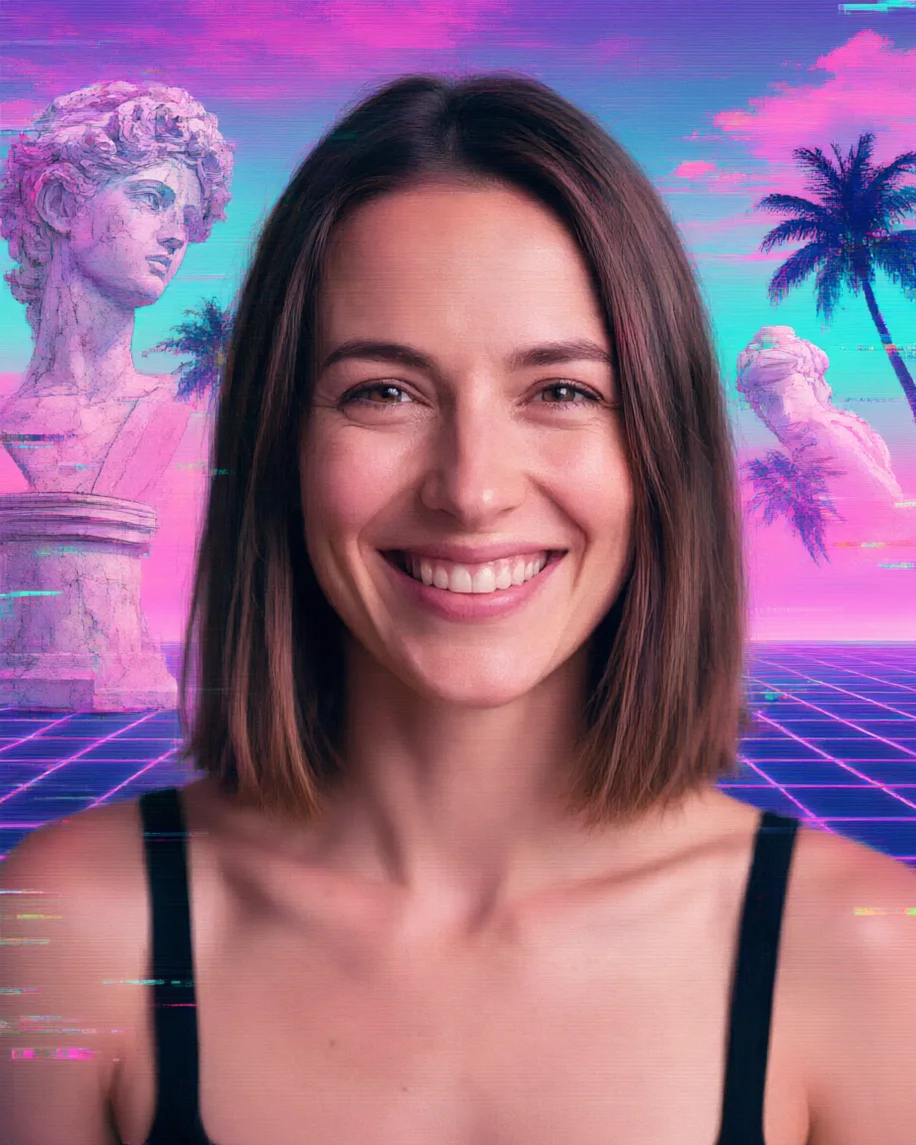
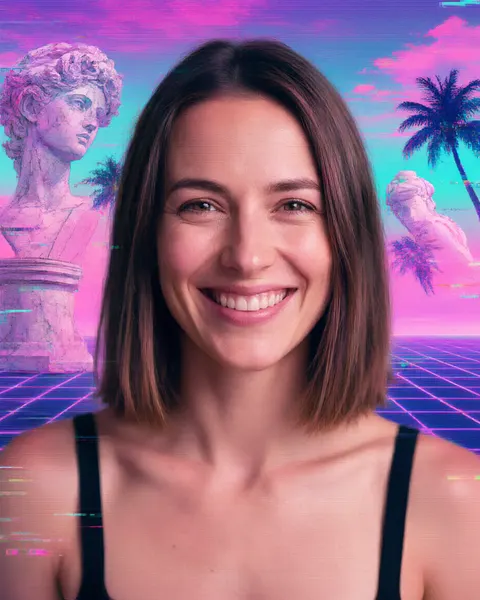
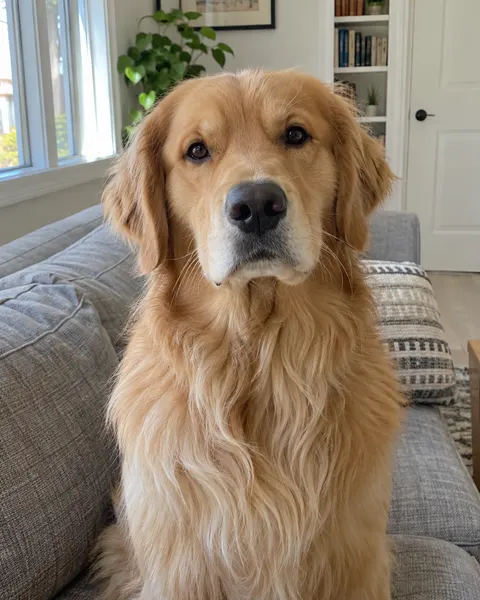
Upload a photo and AI Filter rebuilds the scene as vaporwave: a pink-and-cyan gradient sky, a neon grid floor, marble statues, palm silhouettes and glitchy VHS scanlines. You, your clothes and your pose stay as they are. It works on pets too.
- One click, no prompt
- Works on people and pets
- Same face and clothes
- No watermark
Updated by the Kenerate AI team




Made with Kenerate
On this page
Quick answer

How do I make a vaporwave picture?
To make a vaporwave picture, put your subject in front of a pink-and-cyan gradient sky with a neon grid floor, marble statues, palm silhouettes and VHS glitch lines. Kenerate AI Filter does it in one click: pick the Vaporwave look, add your photo and press Apply. It keeps your face and clothes and replaces the background in about 10–20 seconds, for 10 credits on Qwen Image 3.
Key facts
- Look
- Vaporwave (Retro & Culture group)
- What changes
- Background, colour grade, glitch lines
- Keeps
- Face, clothes, pose, framing
- Works on
- Portraits, full-length photos, pets
- Best engine
- Qwen Image 3 (default)
- Input
- One photo · JPG, PNG or WebP · up to 20 MB
- Examples below
- 2 fictional adults + 1 dog, 1 try each
Retro looks
Vaporwave, synthwave, Y2K or cyberpunk?
Four retro-future looks that get mixed up, what sets each apart, and where to find it in Kenerate.
| Look | Palette | Signature details | In Kenerate |
|---|---|---|---|
| Vaporwave | Pastel pink, cyan, lilac | Marble busts, palm silhouettes, neon grid, VHS glitch, early-web graphics | AI Filter · Vaporwave (this page) |
| Synthwave / retrowave | Hot magenta, purple, orange sunset | Striped setting sun, chrome, sports cars, mountains on a grid | No single look: try Vaporwave mixed with Cyberpunk in AI Filter (not run for this page) |
| Y2K | Silver, ice blue, bubblegum pink | Chrome bubble lettering, frosted plastic, butterfly clips, lens sparkles | AI Filter · Y2K |
| Cyberpunk | Neon magenta and cyan at night | Rain-slick streets, holographic signs, tech implants | AI Filter · Cyberpunk |
| 80s portrait | Warm studio colour, soft focus | Big hair, laser backdrop, mall-studio lighting | AI 80s photo filter |
| Pixel art | Limited game palette | Chunky pixels, dithering, sprite look | AI Filter · Pixel Art |
Sources: Wikipedia — Vaporwave
Gallery
Vaporwave filter examples
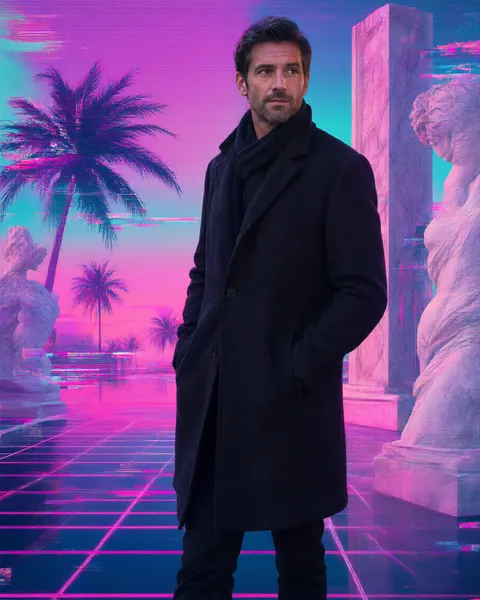
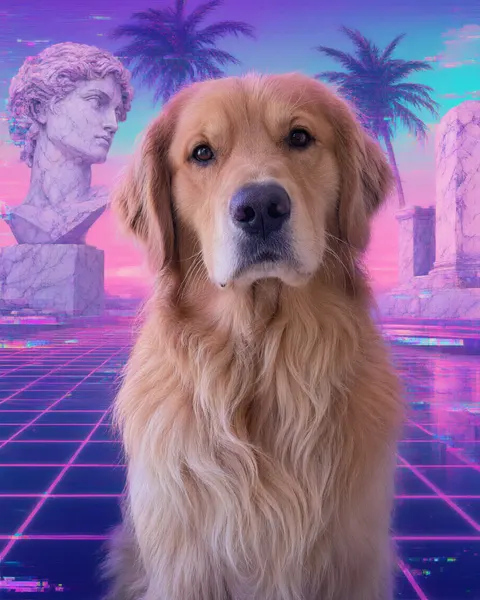
Real AI Filter runs on Qwen Image 3, one try each. Every run kept the subject and swapped the room or street for the vaporwave set; the colour grade reaches the skin and fur only lightly.
Same prompt
Before and after: same subject, new world
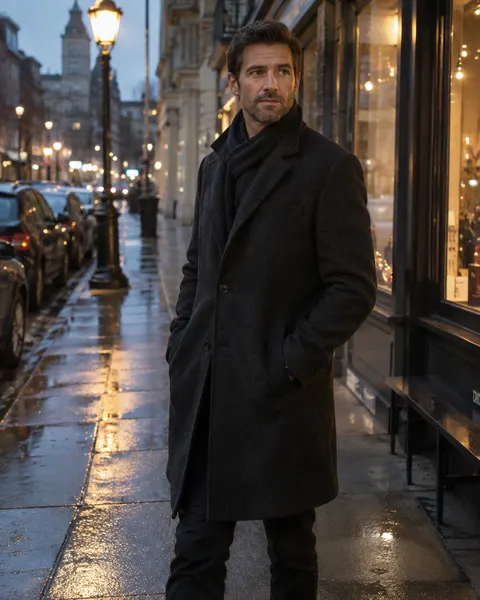
The originals next to the vaporwave runs. The man kept his coat and pose, the dog kept its fur and expression; the background was rebuilt.
PromptTransform this photo into a vaporwave aesthetic: pink-and-cyan gradient sky, neon grid floor, marble statue textures, palm silhouettes, glitchy VHS scanlines. Keep the same person/subject with their exact identity, facial features, expression, pose, framing and composition; do not add or remove people. High detail, clean edges, no text or watermark unless the style itself includes lettering.
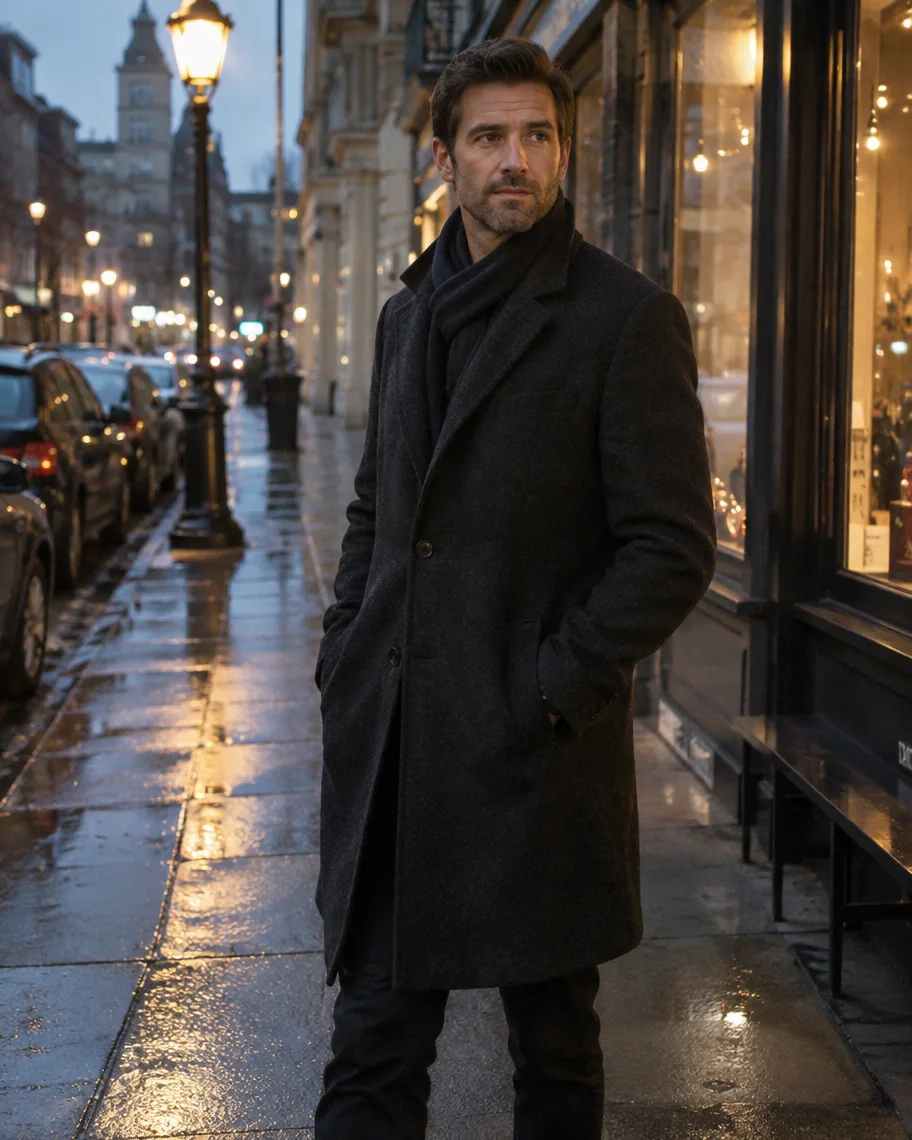 BeforeStreet at dusk
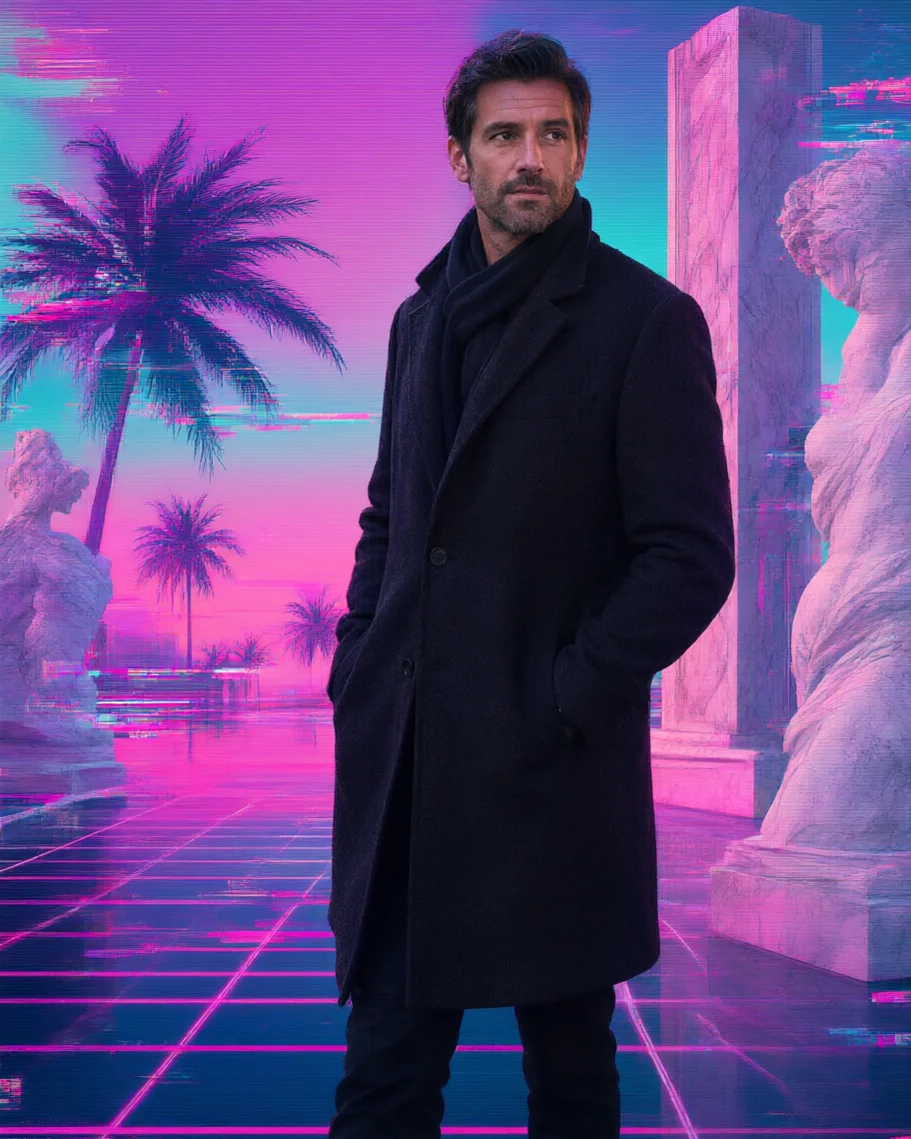 AfterVaporwave
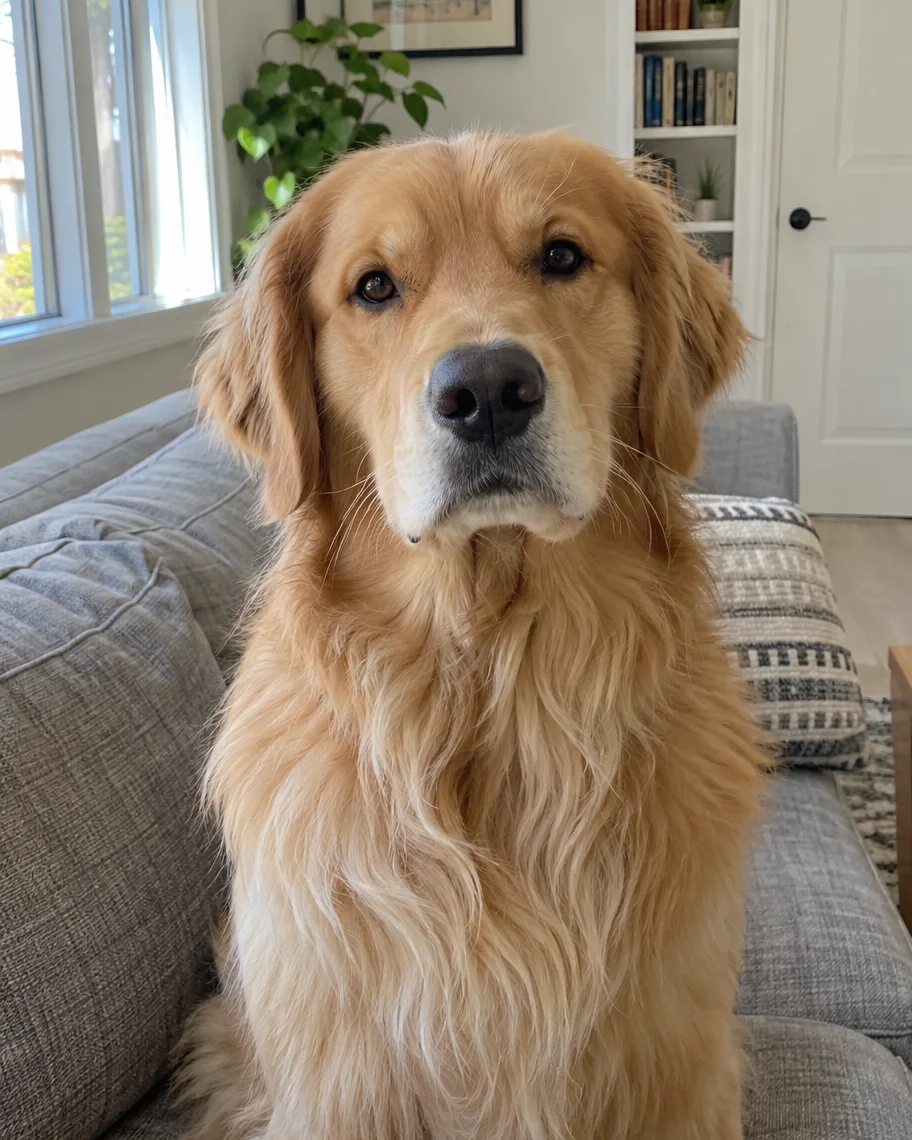 BeforeLiving room
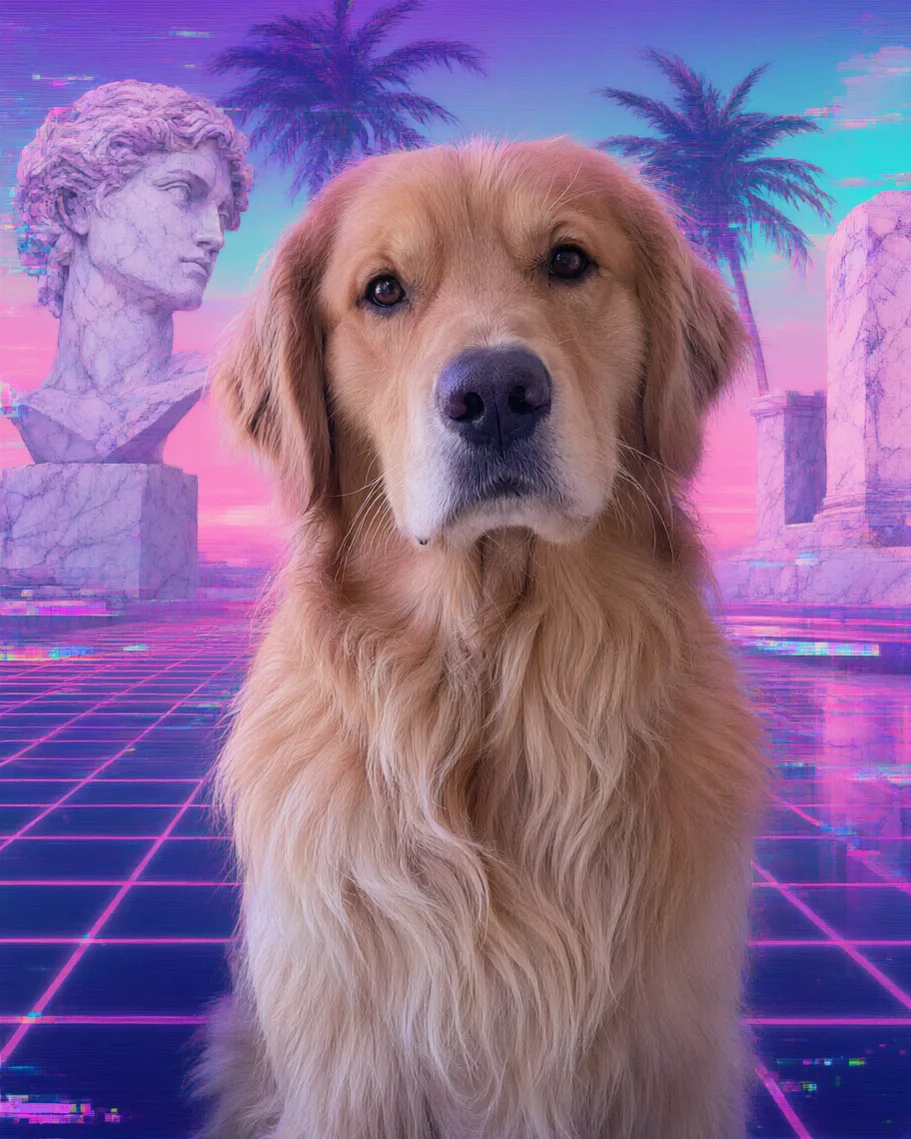 AfterVaporwave
How to
How to use the vaporwave filter
- Time needed
- Steps
- 4 steps
Step 1
Open the vaporwave filter
Press “Add your photo”. AI Filter opens with the Vaporwave look and the Qwen Image 3 engine already picked. Sign in for free starter credits.
Step 2
Add your photo
Upload, snap or paste a photo of yourself, a pet or a friend who agreed — JPG, PNG or WebP up to 20 MB.
Step 3
Add a Twist if you like
Optional, up to 300 characters: “keep my background” or “add a pink sunset behind me”.
Step 4
Apply and download
Press Apply, drag the Compare slider, and download the result without a watermark.
See it in the app

Open AI Filter and upload the photo you want to restyle.


Watch the tour · 1:46
56 looks in 7 groups, four engines, before / after, mix two looks, add a twist, hand-offs & chat
Chapters
Tips
Get a clean vaporwave edit
What worked, and what didn't, in our runs.
Stay on Qwen Image 3. On Kenerate Filter the look replaced our test subject with a marble statue.
Photos with one clear subject work best; the whole background is replaced anyway.
Want your own room or street kept? Ask for it in the Twist, for example “keep my background, add the pink-and-cyan grade and glitch lines”.
Full-length photos get the neon grid under your feet; head-and-shoulders crops get more marble and sky.
For a profile picture, crop the result square and keep your face in the centre third.
Run it twice. The statues and palms land in different places each time.
Models
Which engine for vaporwave?
AI Filter's four engines, with what each did on this page.
Alibaba
Qwen Image 3
- Reference images
- 1 photo
Open Qwen Image 3Best for
Default and recommended: made all three examples and kept every subject.
Kenerate
Kenerate Filter
- Reference images
- 1 photo
Open Kenerate FilterBest for
Bold re-renders. In our vaporwave test it replaced the man with a statue, so we don't recommend it for this look.
ByteDance
Seedream 5 Pro
- Reference images
- 1 photo
Open Seedream 5 ProBest for
Painterly and cinematic texture. Not run for this page.
OpenAI
GPT Image 2
- Reference images
- 1 photo
Open GPT Image 2Best for
The tool's pick for complex mixes. Not run for this page.
FAQ
Vaporwave Filter questions
9 questions

How do I make a vaporwave picture?
Upload a photo to Kenerate AI Filter with the Vaporwave look picked and press Apply. It replaces the background with a pink-and-cyan gradient sky, a neon grid floor, marble statues and palm silhouettes, adds VHS glitch lines, and keeps you, your clothes and your pose. Each of our three runs worked on the first try.
Link to this answerWhat is vaporwave?
Vaporwave is an internet music microgenre and visual style that emerged in the early 2010s. The music slows down and loops smooth jazz, lounge and 1980s–90s pop; the visuals use Greek and Roman statues, early web and Windows 95-era graphics, Japanese text, pastel pink and cyan and VHS glitches.
Link to this answerIs there a free vaporwave filter?
Yes, to start. New Kenerate accounts get 25 free starter credits after verifying their email, and a Vaporwave run costs 10 credits on Qwen Image 3, the default engine — enough for two tries. No subscription is required, a failed run is refunded automatically, and results have no watermark.
Link to this answerWill the vaporwave filter change my face?
Not in our runs on Qwen Image 3: the woman, the man and the dog all kept their faces, hair and clothes, and only the background and grade changed. The tool tells the engine to keep your identity, expression, pose and framing. It still redraws the picture, so check small details.
Link to this answerWhich engine is best for vaporwave?
Qwen Image 3, the default. We also tried Kenerate Filter on a studio portrait of a man, and it returned a marble statue on a neon grid instead of the man. Keep Qwen Image 3 for this look unless you want the statue.
Link to this answerCan I keep my own background?
You can ask for it. The look replaces the background by default; type “keep my background, add the pink-and-cyan grade and glitch lines” in the Twist, the optional note of up to 300 characters. We didn't run that variant for this page, so expect to try twice.
Link to this answerWhat's the difference between vaporwave and synthwave?
Vaporwave is pastel pink and cyan with marble busts, palms and early-web glitches, and it's often ironic. Synthwave, also called retrowave, is darker: hot magenta and orange sunsets, chrome, sports cars and a striped sun over a grid. The table above sets them side by side with Y2K and cyberpunk.
Link to this answerCan I make a vaporwave pfp?
Yes. Run a head-and-shoulders photo through the Vaporwave look, then crop the result square with your face in the centre. Our portrait example came back with a marble bust on one side and palms on the other, which crops well into a profile picture.
Link to this answerCan I use someone else's photo?
Only with their permission. Use your own photo, a pet's, or a photo of someone who agreed. Don't upload photos of anyone under 18 and don't combine photos of different people. Kenerate's content rules apply to every run.
Link to this answerIn depth
Vaporwave Filter, explained
What works, what to avoid, and how to pick a model.
On this page
What the Vaporwave look changes
The look builds a whole set around your subject: a pink-and-cyan gradient sky, a neon grid floor, marble statue textures, palm silhouettes and glitchy VHS scanlines. In all three of our runs the background was replaced completely, while faces, hair, clothes and fur kept their natural colour with only a light pink cast at the edges.
The building blocks of a vaporwave image
Most vaporwave pictures mix the same parts:
- A pastel palette: pink, cyan, lilac and teal.
- Classical sculpture: a Greek or Roman bust, a column, a plinth.
- A neon perspective grid running to the horizon.
- Palm silhouettes and a gradient sunset sky.
- Tech nostalgia: VHS scanlines, glitch bands, early-web graphics, Japanese text.
Engines and credits
Every engine returns one image per run: Qwen Image 3 and Kenerate Filter cost 10 credits, Seedream 5 Pro 14 and GPT Image 2 21, and a failed run is refunded. Our four test runs cost 40 credits; three are on this page, and the fourth, on Kenerate Filter, lost the subject.
By the Kenerate AI teamLast updated and reviewed
We build and run the Kenerate generator. Every example is a real output of the model named under it; models and presets were checked against the app's code.
Sources: Wikipedia — Vaporwave · Kenerate AI Filter
