

Comic · flat vector · pop art · anime · coloured pencil
Photo to illustration — five styles from one photo
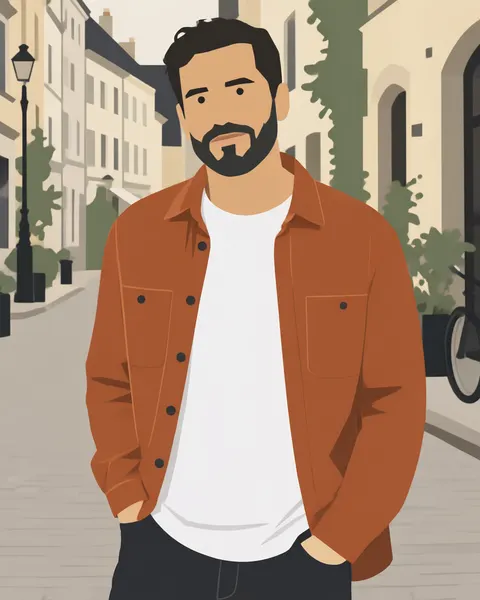
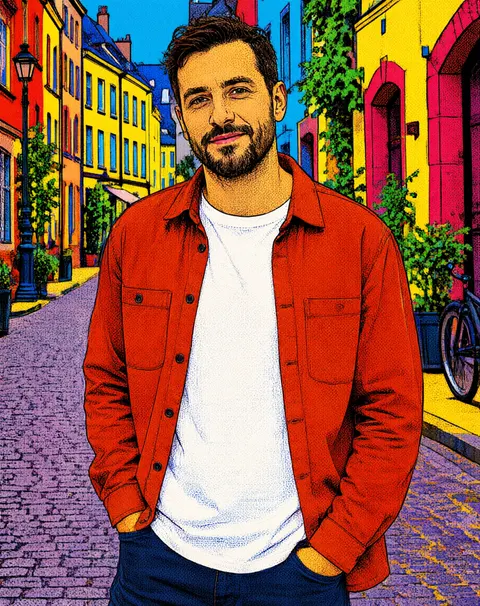
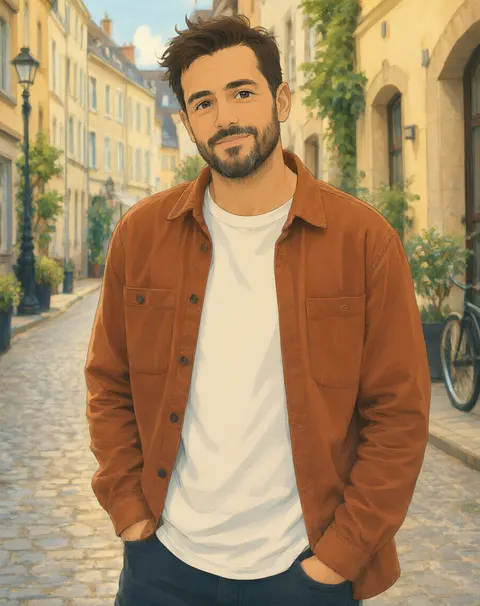
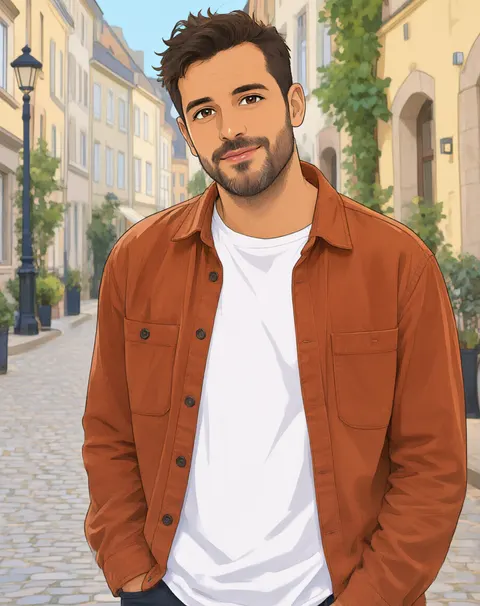
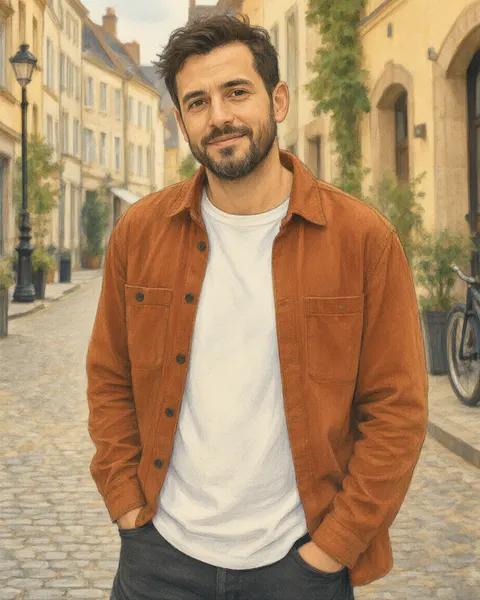
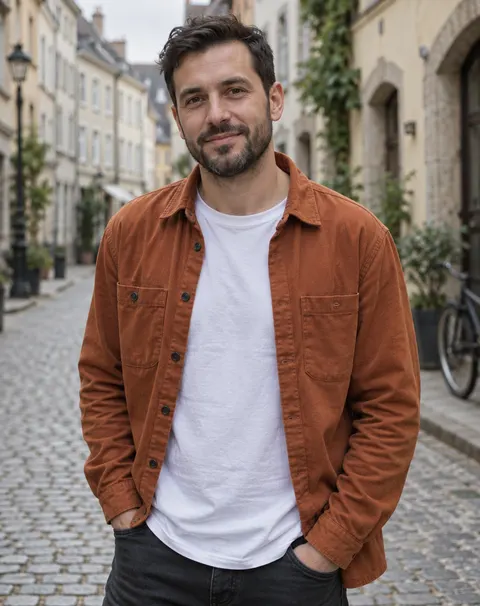
Upload a photo and pick an illustration style: a clean webtoon comic panel, a flat vector illustration, a pop-art print, a hand-painted anime frame or a coloured-pencil drawing. Same person, pose and scene, drawn.
- Same person and scene
- 5 styles tested
- 56 one-click looks
- No watermark
Updated by the Kenerate AI team




Made with Kenerate
On this page
Quick answer

How do I turn a photo into an illustration?
To turn a photo into an illustration, upload it to an AI filter or image editor and name the style, such as "clean webtoon comic" or "flat vector illustration", keeping the same person and composition. On Kenerate, AI Filter does it in one click with 56 looks; Image Studio takes any style you describe. All five examples below came from one photo, one try each.
Key facts
- One-click tool
- AI Filter · 56 looks
- Any style
- Image Studio · describe it
- Styles shown
- Webtoon · flat vector · pop art · hand-painted anime · coloured pencil
- Default engine
- Qwen Image 3 (AI Filter)
- Input
- One photo · Qwen Image 3 takes 384–2048 px, up to 20 MB
- Output
- A raster image, not an editable vector file
- Watermark
- None
Illustration styles
Illustration styles to try, and how to get each one
AI Filter looks are one click; for the rest, paste the words into Image Studio with your photo.
| Style | What it looks like | AI Filter look or prompt words |
|---|---|---|
| Webtoon comic | Clean digital line art, soft flat shading, pastel light | AI Filter → Webtoon |
| Hand-painted anime | Warm painterly backgrounds, gentle cel shading | AI Filter → Ghibli (hand-painted anime) |
| Pop art | Bold outlines, saturated colour blocks, halftone dots | AI Filter → Pop Art |
| Flat vector | Geometric shapes, flat fills, no gradients, minimal face | “flat vector illustration, clean geometric shapes, flat colour fills with no gradients, limited palette” |
| Coloured pencil | Soft pencil strokes and paper grain, realistic drawing | “coloured-pencil and gouache illustration, visible paper grain, warm muted colours” |
| Comic book / manga | Heavy ink lines, screentone or comic shading | AI Filter → Shonen Manga or Comic Noir |
| Chibi / sticker | Big head, tiny body, sticker outline | AI Filter → Chibi or Die-cut Sticker |
| Line art | Black outlines only, no colour | “clean black line art illustration, no shading, white background” |
Sources: Kenerate AI Filter (the tool)
Gallery
One photo, five illustrations
A fictional photo made with Kenerate, then turned into five illustration styles, one try each: three AI Filter looks and two Image Studio edits. The “picture-book” prompt came out as a realistic coloured-pencil drawing, so it's labelled that way.
Same prompt
Photo to illustration, side by side
The original and three styles. Pose, clothes, street and framing stayed the same; only the drawing style changed.
PromptTurn this photo into a flat vector illustration: clean geometric shapes, flat colour fills with no gradients, simplified face with minimal features, a limited palette. Keep the same person, pose, clothing, background and composition.
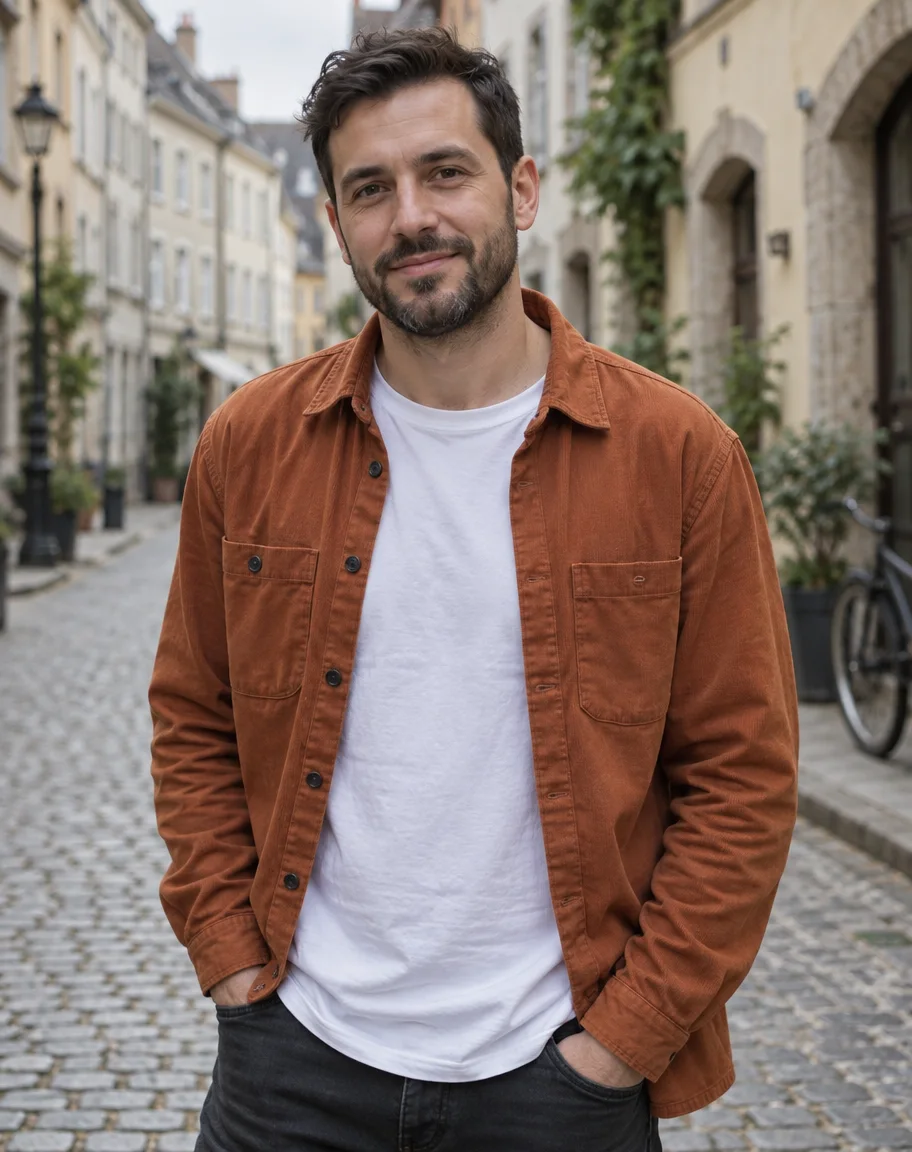 PhotoOriginal
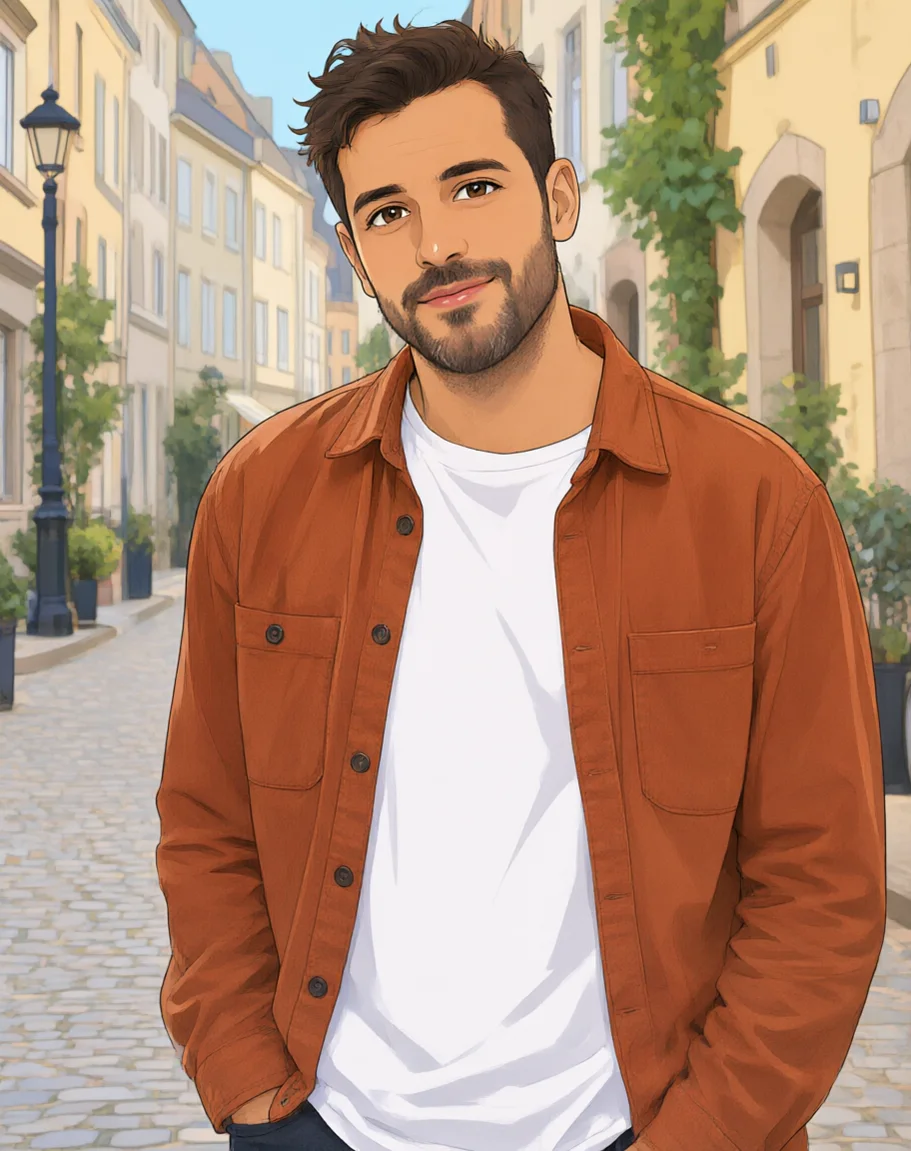 WebtoonAI Filter
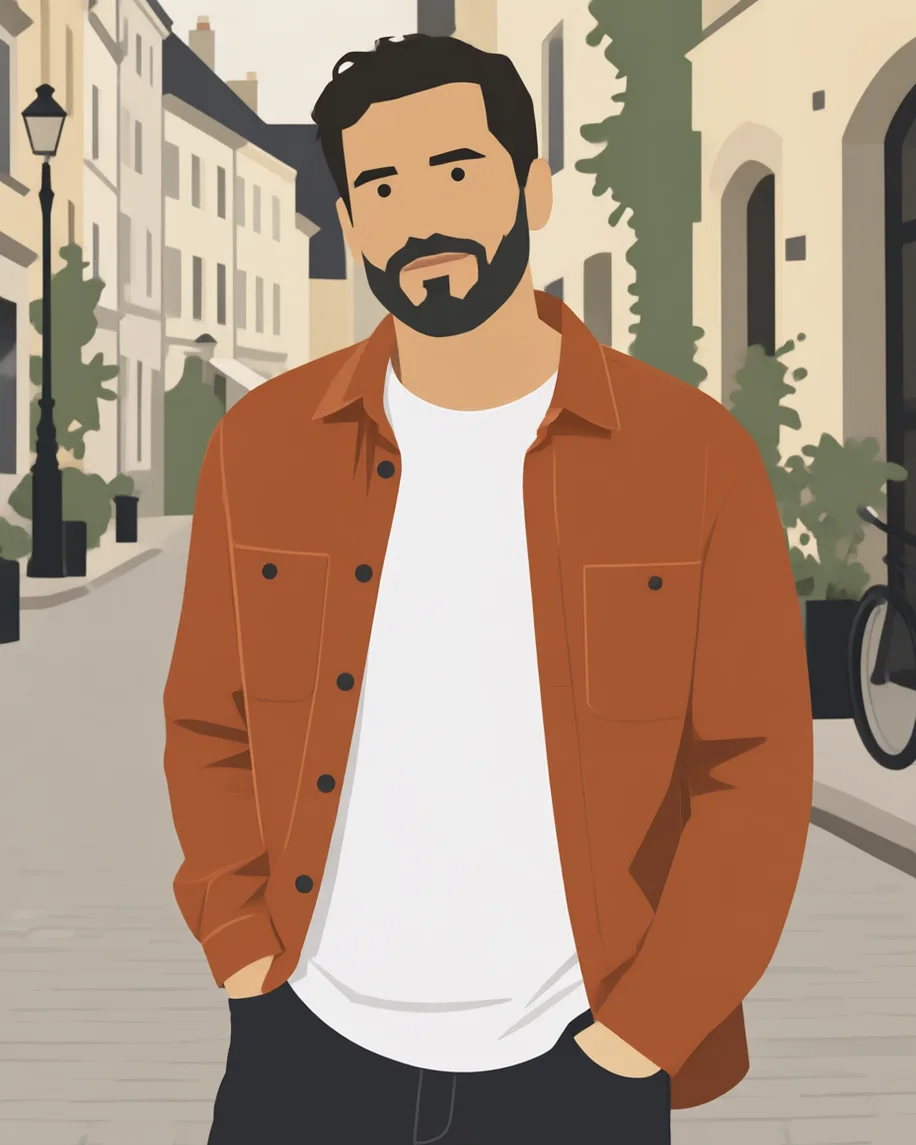 Flat vectorImage Studio
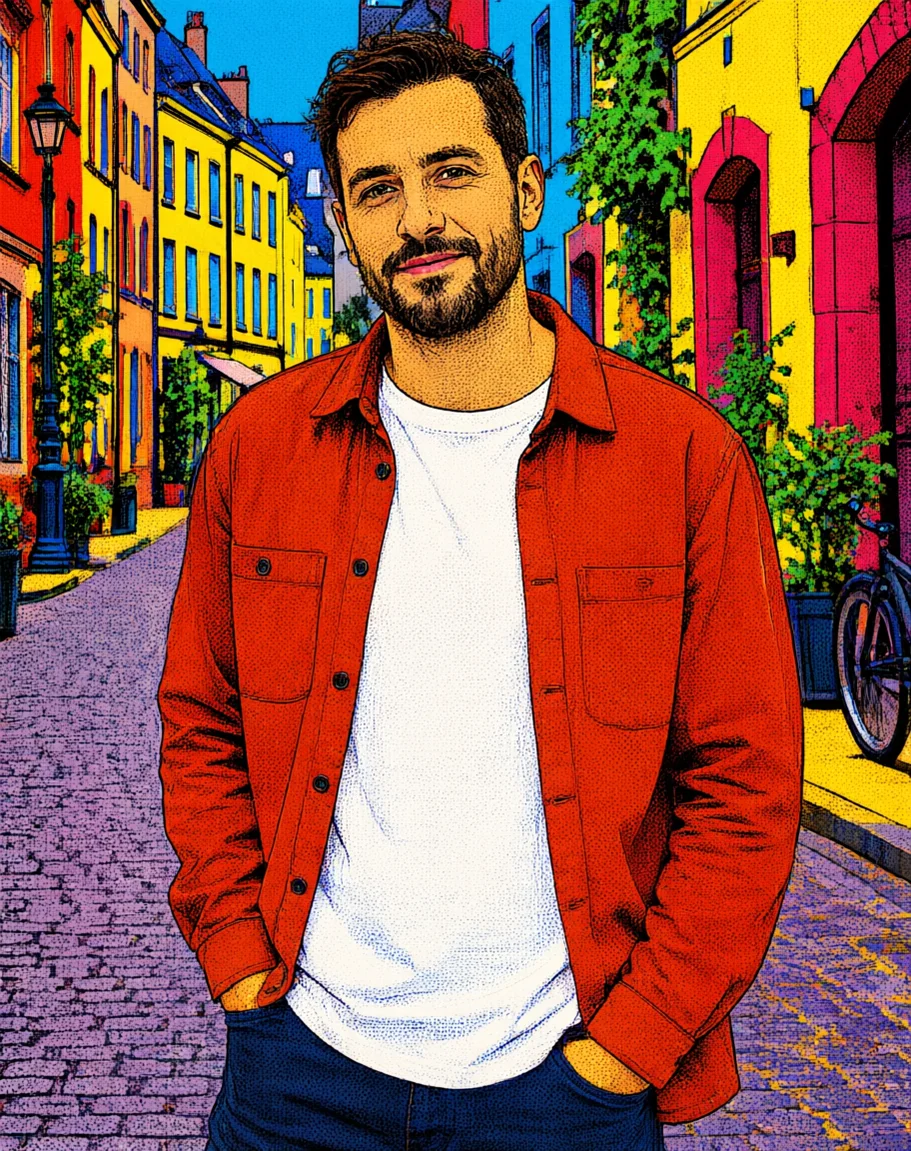 Pop artAI Filter
How to
How to use the photo to illustration
- Time needed
- Steps
- 4 steps
Step 1
Open AI Filter
Press “Add your photo”. AI Filter opens on the Webtoon look. Sign in free for starter credits.
Step 2
Upload your photo
Add a sharp photo; for the Qwen Image 3 engine, between 384 and 2048 px and up to 20 MB.
Step 3
Pick the illustration style
Choose Webtoon, Pop Art, Ghibli, Shonen Manga, Chibi or another look, or describe your own style in Image Studio.
Step 4
Create and download
Press Create, compare two or three styles on the same photo, and download without a watermark.
See it in the app

Open Image Studio and type what you want to see — subject, style, lighting and mood.


Watch the tour · 1:23
Prompts, styles, references, edit, Arena & chat
Chapters
Tips
Illustrations that still look like your photo
What made the difference in our five runs.
Start from a sharp photo with one clear subject; busy backgrounds turn into clutter when simplified.
One-click looks: AI Filter keeps the face, pose and framing for you.
Your own style: in Image Studio, name the medium (“flat vector”, “ink line art”) and add “keep the same person, pose and composition”.
Name a palette for flat and vector styles, e.g. “rust, cream, charcoal and sage green”.
Mix two looks in AI Filter (70/50/30) when one style is too strong.
Need a real vector file? Trace the PNG in a vector app; the AI output is pixels.
Models
Engines and models for photo to illustration
What each model is good at. Open any one straight in the generator.
Alibaba
AI Filter · Qwen Image 3
- Output
- Input 384–2048 px
Open AI Filter · Qwen Image 3Best for
AI Filter default · made 3 of the examples
ByteDance
AI Filter · Seedream 5 Pro
OpenAI
AI Filter · GPT Image 2
Open AI Filter · GPT Image 2Best for
Best with complex style mixes
- Free plan
Alibaba
Image Studio · Qwen Image 3.0
- Reference images
- Up to 3
- Output
- 1K or 2K
Open Image Studio · Qwen Image 3.0Best for
Free plan · any style you describe
FAQ
Photo to Illustration questions
8 questions

How do I turn a photo into an illustration?
Upload the photo to an AI filter or image editor and name the illustration style, keeping the same person and composition. On Kenerate, AI Filter turns it into a webtoon, pop-art, anime, manga or sticker look in one click, and Image Studio takes any style you describe, such as “flat vector illustration with a limited palette”. All five examples on this page came from one photo.
Link to this answerIs there a free photo to illustration converter?
Yes, to start. A new Kenerate account gets 25 free starter credits, which cover a couple of AI Filter runs, and Qwen Image 3.0 in Image Studio is a free-plan model. After that, credits come in one-time packs with no subscription. Downloads have no watermark.
Link to this answerWhat's the difference between an illustration and a painting filter?
An illustration filter draws the photo with lines, flat shapes or comic shading: webtoon, vector, pop art, manga. A painting filter repaints it in a paint medium such as oil or watercolour with brushstrokes. For paint styles, use photo to painting; for pencil and charcoal, photo to sketch.
Link to this answerCan I turn a photo into a vector illustration?
You can get the flat vector look, as in the example on this page, but the file is a PNG, not an editable SVG with paths. If you need real vectors for print or a cutter, trace the PNG in a vector app such as Inkscape or Illustrator; flat styles with few colours trace cleanly.
Link to this answerWill the illustration still look like me?
Usually, yes. AI Filter is built to keep the face, pose and framing of the photo while it changes the look, and our webtoon, pop-art and anime examples kept the beard, overshirt and street. Strong styles simplify faces; flat vector reduced the face to a few shapes. Run it again or mix in less of the style if it drifts.
Link to this answerWhich illustration style suits a profile picture?
Webtoon and hand-painted anime keep the most likeness, so they suit avatars. Pop art is bold and works small. Flat vector suits a consistent set of team or speaker portraits, because the same prompt and palette give matching results for each photo.
Link to this answerCan I use it for children's book illustrations?
You can restyle your own photos of adults, places, pets or objects into a storybook look, one image at a time. Photos of minors can't be uploaded; for characters, describe them in a prompt instead. Note our “picture-book” prompt came out as a realistic coloured-pencil drawing, so ask for “simple rounded shapes, flat colour” for a younger look.
Link to this answerCan I use someone else's photo?
Only your own photo, or one the person has agreed to. An illustration still shows a real person's likeness, so share it only with their consent. Don't upload photos of anyone under 18, and don't combine photos of different people into one picture.
Link to this answerIn depth
Photo to Illustration, explained
What works, what to avoid, and how to pick a model.
On this page
How does AI turn a photo into an illustration?
It's an image edit, not a trace. Your photo and a style instruction go to an image model's edit endpoint, and the model redraws the scene in that style while it keeps the subject, pose and framing. AI Filter writes the instruction for you from the look you pick (and can blend two looks); Image Studio sends your own sentence.
AI Filter or Image Studio?
Use the one that matches how specific you are:
- AI Filter: one click, 56 looks in seven groups, four engines, keeps the identity and pose by default, two looks can be mixed.
- Image Studio: any style you can describe (flat vector, line art, coloured pencil, a named palette), any edit model, but you write the “keep the same person and composition” line yourself.
An illustration prompt to start from
“Turn this photo into a [style] illustration: [line and shading], [colour palette], [texture]. Keep the same person, face, pose, clothing, background and composition.” Example: “a flat vector illustration: clean geometric shapes, flat colour fills with no gradients, a palette of rust, cream, charcoal and sage green.”
By the Kenerate AI teamLast updated and reviewed
We build and run the Kenerate generator. Every example is a real output of the model named under it; models and presets were checked against the app's code.
Sources: Kenerate AI Filter (the tool) · Kenerate Image Studio
