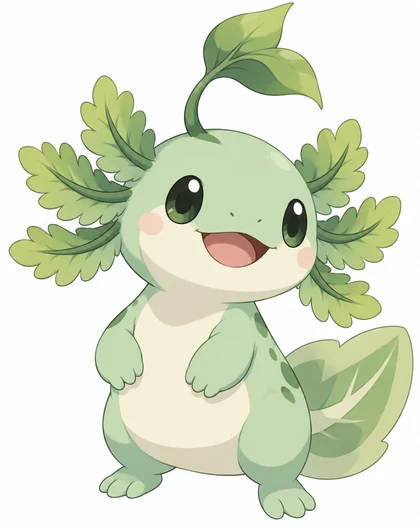
Original creature art · name, HP & moves lettered in · 63×88 mm print size
Pokemon Card Maker — custom fan cards with original creatures
Describe an original creature and its card: the name, HP, two moves, weakness and retreat cost. You get the creature art, or a full fan-made card with the text in an original frame, sized for a standard 63×88 mm card. Unofficial and for personal fan use; not affiliated with Nintendo or The Pokémon Company.
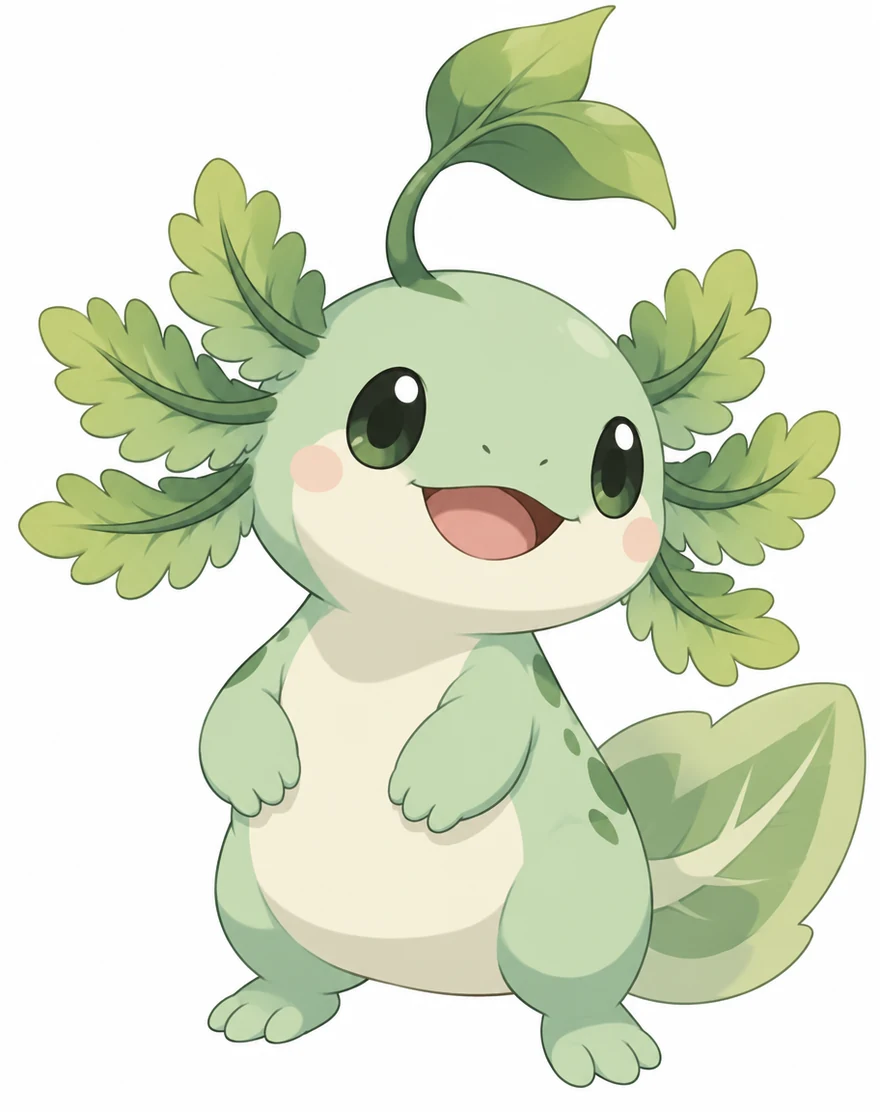
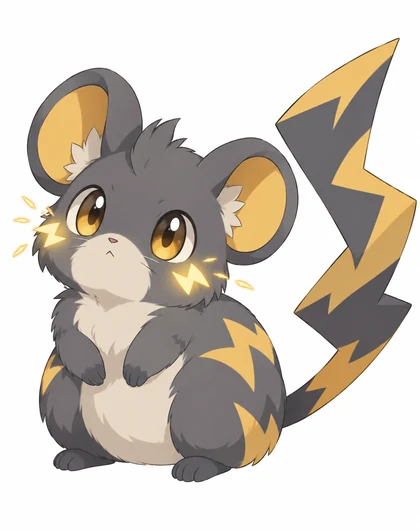
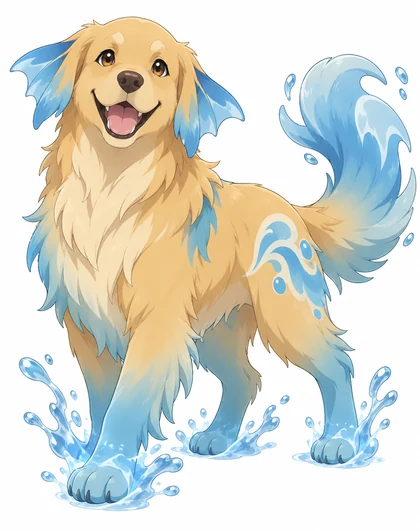
- Name, HP & moves lettered in
- Card print size explained
- Free credits to start
- No watermark
Updated by the Kenerate AI team




On this page
Quick answer

How do you make a custom Pokémon-style card?
A pokemon card maker turns your own creature and stats into a fan-made trading card. On Kenerate AI you describe the creature, an original frame and the text in quotes, and GPT Image 2.5 Sunburst letters the name, HP and moves into the card for 7.2 credits at 1K (12 at 2K). Pick the 3:4 ratio: a standard card is 63×88 mm (2.5×3.5 in), about 825×1125 px with bleed. Kenerate has no fill-in template and no official frames, so use your own creature and design. Cards are unofficial fan content for personal use, can't be played in sanctioned events and aren't for sale.
Key facts
- Best for card text
- GPT Image 2.5 Sunburst, 1K to 4K
- One style across a set
- Nano Banana 2.1 · up to 14 reference cards
- Card size
- 63×88 mm (2.5×3.5 in)
- Print file
- ≈ 825×1125 px at 300 dpi with 1/8 in bleed
- Ratio to pick
- 3:4 for a full card
- Free start
- 25 starter credits · Qwen Image 3.0 on the free plan
- Affiliation
- None · personal fan use, not for sale
Gallery
Creature art for your custom card
Three real GPT Image 2.5 Sunburst outputs, shown as card art rather than finished cards. Open one to copy its prompt, then add the frame and text from the template below.
How to
How to use the pokemon card maker
- Time needed
- Steps
- 4 steps
Step 1
Open the Image Studio
Go to /app/image and pick GPT Image 2.5 Sunburst. Sign in free for 25 starter credits.
Step 2
Choose 3:4 and the size
3:4 is the closest ratio to a 63×88 mm card with bleed. Pick 2K if you'll print it.
Step 3
Describe the card
The frame colour, your original creature, then the name, HP, moves with damage, weakness and retreat cost in quotes with their positions. Add your creature art as a reference to keep it the same.
Step 4
Check, fix, download
Zoom in on every word, fix a wrong one with Edit Text in Image, upscale for print, then download without a watermark.
See it in the app

Open Image Studio and type what you want to see — subject, style, lighting and mood.


Watch the tour · 1:23
Prompts, styles, references, edit, Arena & chat
Chapters
Tips
Get custom cards that read right and print right
Small text, a matching look across cards and the trim line are where AI cards go wrong. This avoids all three.
Put every piece of text in quotes and say where it goes: the name top left, the HP top right, the moves under the art, weakness and retreat along the bottom.
Keep it to two short moves. Long move descriptions are where letters slip; add long text in a card editor instead.
Write one frame line (border colour, panel style, font) and reuse it for every card in the set.
Make the creature first, then add it as a reference when you make the full card, so the art stays the one you chose.
Pick 3:4 and keep text about 1/8 in inside the trim. That edge is cut off when the card is printed.
Ask for an original frame with simple round icons and no logos. Leave out official creature names, energy symbols and card backs.
Models
Models for custom fan cards
What each model is good at. Open any one straight in the generator.

OpenAI
GPT Image 2.5 Sunburst
- Reference images
- Up to 16
- Output
- 1K–4K
Open GPT Image 2.5 SunburstBest for
Full cards with name, HP and moves lettered in
Google
Nano Banana 2.1

ByteDance
Seedream 5.0 Pro
- Reference images
- Up to 10
- Output
- 1K–2K
Open Seedream 5.0 ProBest for
Anime-style creature art
- Free plan

FAQ
Pokemon Card Maker questions
10 questions

How do I make a custom Pokémon-style card?
Open Kenerate's Image Studio, pick GPT Image 2.5 Sunburst and the 3:4 ratio, and describe the card: an original frame, your creature, then the name, HP, moves, weakness and retreat cost in quotes with where each goes. Generate, zoom in on the text, then download. A card costs 7.2 credits at 1K or 12 at 2K.
Link to this answerIs this pokemon card maker free?
Free to start. A new Kenerate account gets 25 credits on sign-up, enough for three GPT Image 2.5 Sunburst cards at 1K. Qwen Image 3.0 is a free-plan model for art drafts. After that, credits come in one-time packs with no subscription. Downloads have no watermark.
Link to this answerIs this an official Pokémon card maker?
No. Kenerate isn't affiliated with or endorsed by Nintendo, Creatures Inc., GAME FREAK or The Pokémon Company. This page is for fan-made cards with original creatures and original frames. It has no official artwork, logos or card templates.
Link to this answerWhat is the best custom pokemon card maker?
It depends on what you want. Template tools such as TCGStacked, PKM Card Maker and PokeArt give you form fields over a ready frame, so the text is always crisp, and you bring the art. An AI image model is better when you want a new creature and your own frame design. Many people combine them: make the art here, then letter it in a template tool.
Link to this answerCan I make just the creature art and use a card template?
Yes, and it's often the cleanest route. Ask for the creature alone, then add it to a card template tool and type the moves there, so every card's text matches. The three images on this page are that kind of art.
Link to this answerCan I make a card of an official Pokémon?
We don't recommend it. Official characters, names and artwork belong to their owners, and the prompts here are written for original creatures. If you want a creature in that style, describe your own: its type, the animal it's based on and one signature feature.
Link to this answerCan I sell the cards I make?
Not if they use Pokémon names, characters, frames or logos. The Pokémon legal page says fan art gives you no right to their property beyond private, non-commercial use at home, and sharing fan art grants them a broad licence to it. Kenerate's terms give you ownership of the images you generate, so fully original art in your own game is yours to use.
Link to this answerCan I use custom cards in tournaments?
No. Custom cards aren't legal in sanctioned play. Use them for gifts, display, or casual games at a table that agrees to them, and never present a custom card as a real one.
Link to this answerWhat size is a Pokémon-style card for printing?
A standard trading card is 63×88 mm, or 2.5×3.5 in. Print services usually want 1/8 in bleed on every side at 300 dpi, which makes a 2.75×3.75 in file of about 825×1125 pixels. Generate at 3:4, render at 2K or upscale, and keep text 1/8 in inside the trim.
Link to this answerCan I put my pet or a friend on a card?
Yes, with their permission. Add the photo as a reference and describe the card around it: your dog as a water-type creature, a friend as the trainer on a birthday card. A GPT Image 2.5 Sunburst card with one reference costs 11.7 credits at 1K.
Link to this answerIn depth
Pokemon Card Maker, explained
What works, what to avoid, and how to pick a model.
On this page
What goes on a custom creature card
Decide these before you write the prompt, so the card reads like a real game piece:
- Name, top left: short enough to read at card size. Invent one; don't reuse an official name.
- HP, top right: the creature's health. Pick a round number that suits how strong it looks.
- Type: shown by the frame colour and a simple round icon you describe yourself.
- Art: your original creature, in the top half of the card.
- Moves: one or two, each with a cost, a name, a damage number and at most one short line of text.
- Weakness and resistance: the type that hurts it more, and the type that hurts it less.
- Retreat cost: a row of small icons along the bottom.
A full card prompt to copy
Paste this into the Image Studio at 3:4, then swap in your own creature and text. Keep the frame line the same across a set:
Fan-made creature trading card, full card, portrait. Original frame design with a soft green border and a cream text panel. Top left: the name “Fernlotl”. Top right: “HP 70”. Art window: a chubby mint-green axolotl creature with leafy gills, cel-shaded, in a sunny pond. Move one: “Leaf Splash”, “30”. Move two: “Fern Shield”, “50”. Bottom row: “Weakness: Fire” and “Retreat: 1”. Simple round leaf icons. No logos, no official symbols.
Card sizes, ratios and pixels
Pick the size before you generate, so nothing important is trimmed:
- Standard card: 63×88 mm (2.5×3.5 in). With 1/8 in bleed the file is 2.75×3.75 in.
- Print file at 300 dpi: about 825×1125 px. Generate at 3:4 and trim about 2% off the width.
- Full-art cards: generate the whole card at 3:4 and leave clear space behind the text.
- A 1K render is short of print size. Render at 2K, or run the Image Upscaler (3 credits).
Card art only vs a full card
Card art only is the safest route for a set you'll print: the model draws the creature, and a card editor handles the frame and text, so every card's type matches.
A full card in one generation is fastest for a one-off or a birthday gift. Keep the text short, describe an original frame and check every word before you share it.
Making a whole custom set
A standard deck is 60 cards: at 1K on GPT Image 2.5 Sunburst that's 432 credits, at 2K 720. Most people make a handful of signature cards rather than a full deck.
Start with two or three finished cards to lock the style, then add them as references for the rest. For evolution lines and creature types, plan the creatures with the fakemon generator first.
Fan-made, not official
Cards you make here are your own fan creations, not Pokémon products. Pokémon and its character names are trademarks of Nintendo. The Pokémon legal page says fan art gives no right to use their property beyond private, non-commercial use at home, and that distributing fan art grants them a broad licence to it, so keep cards personal and don't sell them. Kenerate isn't affiliated with Nintendo, Creatures Inc., GAME FREAK or The Pokémon Company.
By the Kenerate AI teamLast updated and reviewed
We build and run the Kenerate generator. Every example is a real output of the model named under it; models and presets were checked against the app's code.
Sources: Pokémon — legal information and fan art terms · TCGStacked — custom card maker · Event Horizon Hobbies — learn to play the trading card game · Phygitals wiki — card anatomy · Kenerate terms — ownership of your outputs · Kenerate Image Studio