Random creature roll · design your own · your pet as a creature
Random Pokemon Maker & AI Generator — roll a brand-new Pokémon-style creature
Roll a random type, base animal, habitat and evolution stage, and the AI draws a brand-new Pokémon-style creature from it in seconds. Or describe a creature of your own, or turn your pet into one. Original designs only: it doesn't pick or copy official Pokémon, and it isn't affiliated with Nintendo or The Pokémon Company.
- Random roll, new creature
- Original fan designs
- Your pet as a creature
- No watermark
Updated by the Kenerate AI team




On this page
Quick answer

What is a random pokemon maker?
A random pokemon maker rolls the parts of a creature — an element type, a base animal or object, a habitat and an evolution stage — and here the AI turns that roll into a brand-new Pokémon-style creature instead of picking an existing one. On Kenerate AI you roll the table on this page, drop the values into the prompt template in Image Studio, and GPT Image 2.5 Sunburst draws it for 7.2 credits at 1K; every example on this page is a real one-try result. You can also describe a creature yourself, or add your pet's photo as a reference (11.7 credits) to redraw it as one. To pull a random official Pokémon from the real list you need a picker site; the designs here are original fan art, and this tool isn't affiliated with Nintendo or The Pokémon Company.
Key facts
- Random roll
- Type · base · habitat · stage → a new creature
- Creature art from text
- GPT Image 2.5 Sunburst
- Your pet as a creature
- Add the photo as a reference
- Anime / illustration alternative
- Seedream 5.0 Pro
- Pixel sprites
- Recraft 20B Pixel art style
- Free plan
- Qwen Image 3.0
- Official Pokémon
- Not picked or copied
- Affiliation
- None — original fan art only
Gallery
Random rolls and custom creatures, one try each
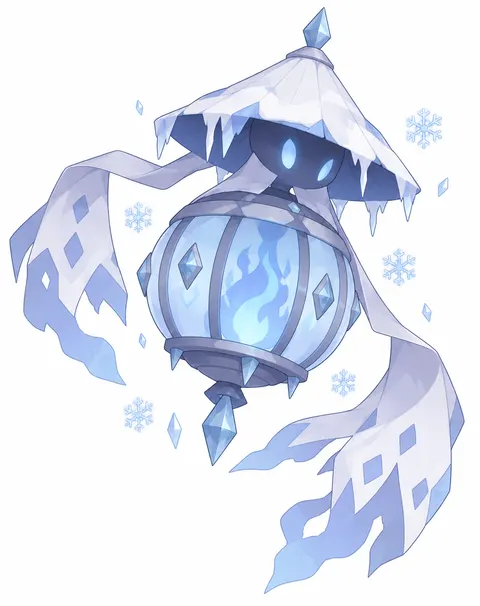
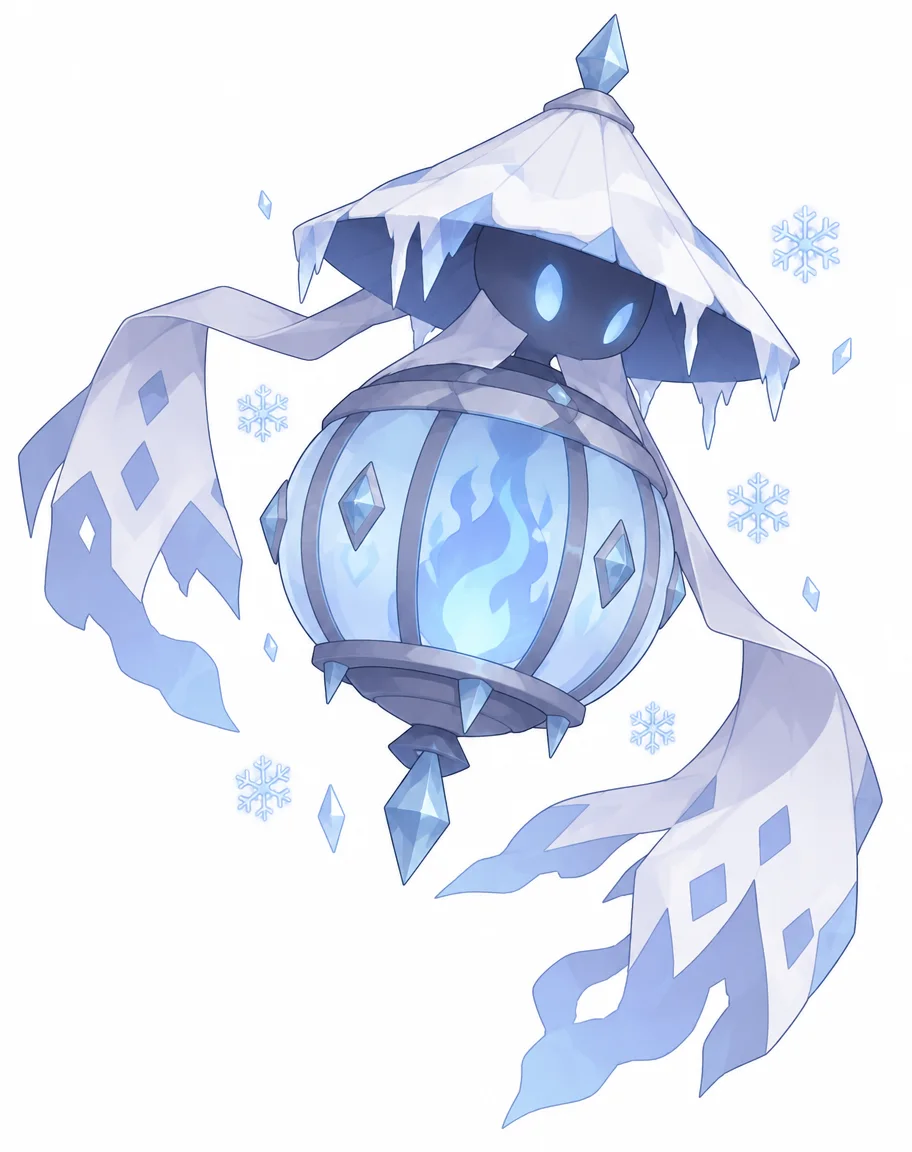
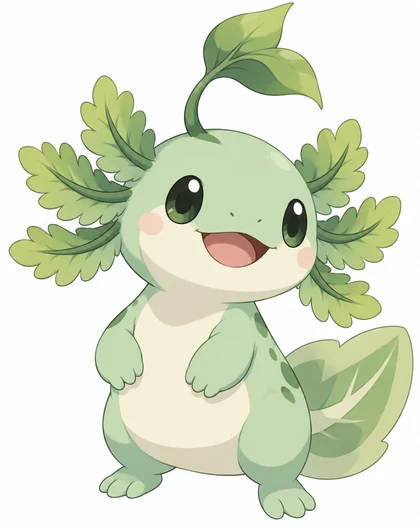
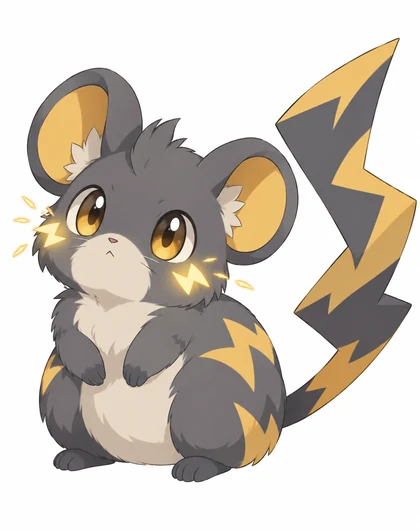
Four GPT Image 2.5 Sunburst generations, first attempt, prompts included. The first is a random roll (stage 2, ice/ghost, paper lantern, frozen tundra); open any one to copy it.
How to
How to use the pokemon AI generator
- Time needed
- Steps
- 4 steps
Step 1
Roll the creature
Roll one value per line in the random-roll table below: type (twice for a dual type), base animal or object, habitat, evolution stage and colours.
Step 2
Fill the template
Open Image Studio and paste the values into the prompt template. The Make my creature button opens it with a rolled ice/ghost lantern creature already filled in.
Step 3
Generate
GPT Image 2.5 Sunburst draws it; Qwen Image 3.0 runs on the free plan. Re-roll one line at a time to keep the parts you like.
Step 4
Or design your own, or start from your pet
Write your own type, base and colours, or upload a pet photo as a reference and ask for its silhouette and face to stay recognisable. Download without a watermark.
See it in the app

Open Image Studio and type what you want to see — subject, style, lighting and mood.


Watch the tour · 1:23
Prompts, styles, references, edit, Arena & chat
Chapters
Tips
How do you prompt pokemon-style art?
The style reads as “official creature art” when the prompt covers type, base, colours and shading.
Lead with “original creature design” plus the element type and base animal: “a grass-type creature based on an axolotl”.
Keep two or three colours and one signature feature — a leaf crest, a lightning-bolt tail, a wave marking.
Ask for “clean cel-shaded anime creature art, soft outlines, plain white background, no text” — that's the look.
For your pet, add its photo as a reference and say what must stay: “keep the dog's silhouette and happy face recognisable”.
Leave out official creature names, logos and card frames — the model should invent, not copy.
Want an evolution line, types and sprites? That's the fakemon generator's workflow.
Models
Which AI model is best for pokemon-style art?
What each model is good at. Open any one straight in the generator.

OpenAI
GPT Image 2.5 Sunburst
- Reference images
- Up to 16
- Output
- 1K–4K
Open GPT Image 2.5 SunburstBest for
Every example on this page; pet-photo redraws

ByteDance
Seedream 5.0 Pro
- Reference images
- Up to 10
- Output
- 2K
Open Seedream 5.0 ProBest for
Anime and illustration, creature line-ups
Google
Nano Banana 2.1
- Reference images
- Up to 14
- Output
- Up to 4K
Open Nano Banana 2.1Best for
Same creature across several images
Recraft
Recraft 20B
- Reference images
- None
- Output
- 1K
Open Recraft 20BBest for
Built-in Pixel art style for sprite-style art
- Free plan

Alibaba
Qwen Image 3.0
- Reference images
- Up to 3
- Output
- 1K · 2K
Open Qwen Image 3.0Best for
Free plan; quick drafts
FAQ
Pokemon AI Generator questions
11 questions

What is a pokemon AI generator?
An AI image tool prompted to draw in the visual language of monster-collecting games: a small creature with an element type, simple shapes, cel shading and a plain background. You describe the creature and the model draws an original design in that style. Every example on this page is a real first-try generation with its prompt shown.
Link to this answerCan it make real Pokémon like the official ones?
It makes original, fan-made designs in a similar art style — not copies of official creatures. Pokémon characters, names and logos belong to Nintendo, Creatures Inc. and GAME FREAK, so don't ask for existing creatures by name, don't add official logos, and don't sell results as official art. This page and Kenerate AI aren't affiliated with The Pokémon Company.
Link to this answerIs there a free pokemon AI generator?
Free to start. A new Kenerate account gets 25 credits on sign-up, and Qwen Image 3.0 runs on the free plan. GPT Image 2.5 Sunburst — used for every example here — costs 7.2 credits per 1K image from text, or 11.7 with a photo reference. After the starter credits, credits come in one-time packs with no subscription, and downloads carry no watermark.
Link to this answerCan I turn my pet into a pokemon-style creature?
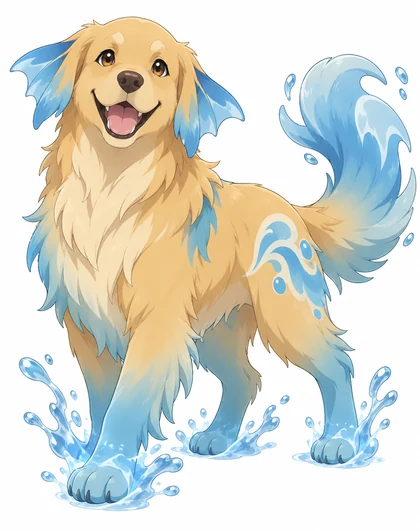
Yes — that's the third example on this page. Upload a clear photo of your pet as a reference, pick an element type that fits its personality, and ask for the silhouette and face to stay recognisable while the fur, ears and markings turn into the type's look. A pet-photo redraw with GPT Image 2.5 Sunburst costs 11.7 credits.
Link to this answerIs this a random pokemon maker or a random pokemon picker?
A maker. Random pokemon pickers choose an existing official creature from a list by type, region or evolution stage. This page rolls a type, base animal, habitat and evolution stage instead, puts them in a prompt, and the AI draws a brand-new original creature. It can't pick official Pokémon and doesn't copy them. Each roll costs 7.2 credits with GPT Image 2.5 Sunburst, or runs on the free plan with Qwen Image 3.0.
Link to this answerHow do I make a random pokemon with AI?
Roll one value from each line of the random-roll table (a die, a coin or a random number works), paste them into the template, and generate in Image Studio. The Make my creature button opens the studio with one rolled creature, a stage 2 ice/ghost type based on a paper lantern, already filled in, so you can generate it as-is or swap in your own roll. The first image in the gallery is that exact roll.
Link to this answerCan it make a pokemon randomizer ROM or a nuzlocke run?
No. Randomizer ROMs and nuzlocke runs come from game-patching tools that shuffle the creatures inside a game file, and Kenerate doesn't touch game files. This page makes pictures of new, original creatures; use them for art, a tabletop game or your own fan project.
Link to this answerHow do I design my own pokemon?
Decide the concept in one sentence (type, base animal, personality), generate three or four versions and keep the one with the clearest silhouette, then attach it as a reference for every later image so the markings stay the same. Add evolutions, a name, a sprite or a card from there — the step-by-step section above walks through each stage.
Link to this answerWhat prompts work best?
Type + base animal + colours + style, in that order: “Original creature design: a small fire-type creature based on a hedgehog, ember-orange spines, cream belly, clean cel-shaded anime creature art, plain white background, no text.” Keep two or three colours, one signature feature, and say “original creature design” so the model invents rather than copies.
Link to this answerCan I use the art commercially?
Be careful. Your own original creature designs are yours to use under Kenerate's terms, but anything that copies an official character, name or logo infringes Nintendo's rights, and the U.S. Copyright Office's 2025 report says prompts alone generally don't make an image copyrightable. Keep commercial work clearly original and add your own drawn refinements.
Link to this answerDoes it add a watermark?
No. Images download without a watermark on the free plan and on credit packs alike, at the model's full resolution — GPT Image 2.5 Sunburst outputs 1K to 4K, Nano Banana 2.1 up to 4K. You can also upscale a keeper to 4K in Edit Studio before downloading. For a full evolution line with types and sprites, see the fakemon generator.
Link to this answerIn depth
Pokemon AI Generator, explained
What works, what to avoid, and how to pick a model.
On this page
What makes art look “pokemon-style”?
The style is a design language, not a logo: a small creature built from simple readable shapes, one or two element types driving the colours and features, flat cel shading with soft outlines, and a plain background. Get those four right and an entirely original design reads as creature art at a glance.
That's also why this page only makes original designs. The style is free to draw in; the official characters, names and logos are not — they're Nintendo's trademarks, and fan art of them stays personal, not commercial.
Pokemon-style prompts you can copy
Swap the type, base animal and colours for your own idea — these are the structures behind the examples above:
- Grass type: “Original creature design for a monster-collector anime game: a small grass-type creature based on an axolotl, mint-green body, leafy frilled gills, a sprouting leaf on its head, big dark eyes, clean cel-shaded anime creature art, plain white background, no text.”
- Electric type: “Original creature design: a small electric-type creature based on a plump dormouse, storm-grey fur, golden zigzag markings, a lightning-bolt tail, tiny cheek sparks, cel-shaded anime creature art, white background.”
- Your pet: “[photo attached] This dog reimagined as an original water-type creature: silhouette and happy face kept recognisable, fur fading to aqua-blue tips, fin ears, a wave marking, cel-shaded anime creature art, white background.”
- Battle scene: “Two original cel-shaded creatures facing off in a grassy arena, one fire-type fox-like, one rock-type tortoise-like, dynamic anime action angle, no text, no logos.”
- Pixel sprite: “16-bit pixel art sprite of an original ghost-type creature based on a teapot, limited palette, front-facing, plain white background.”
Random pokemon maker: roll a creature, get a new design
Most random pokemon generators pick an existing official creature from a list, filtered by type, region and evolution stage. Here the same kind of roll becomes a prompt, and the AI draws a creature nobody has seen before. Roll one value from each line (a die, a coin flip or a friend picking a number all work), then drop them into the template below:
Template: “Original creature design for a monster-collector anime game: a [stage] [type 1]/[type 2]-type creature based on a [base], living in [habitat], [colours], one signature feature. Clean cel-shaded anime creature art, plain white background, no text.”
- Type (1–18): fire, water, grass, electric, ice, rock, ground, flying, bug, poison, ghost, psychic, dragon, steel, fairy, dark, fighting, normal — roll twice for a dual type.
- Base (1–12): fox, axolotl, owl, beetle, tortoise, jellyfish, hedgehog, moth, teapot, lantern, cactus, crab.
- Habitat (1–8): volcanic island, frozen tundra, mossy forest, desert ruins, coral reef, city rooftops, mountain peak, haunted marsh.
- Evolution stage (1–3): 1 = small and round “baby” form, 2 = taller with sharper features, 3 = large final form with full armour, wings or crest.
- Colours: two or three that fit the type — ember orange + cream, ice blue + white, moss green + bark brown.
- Re-roll one line at a time to keep the parts you like. At 7.2 credits per GPT Image 2.5 Sunburst image, ten rolls cost 72 credits; Qwen Image 3.0 drafts run on the free plan.
How to design your own pokemon, step by step
A custom creature holds together when you decide the concept before you prompt, then lock the look before you build on it:
- Concept: one sentence — type, base animal or object, and personality (“a shy ghost-type based on a paper lantern”).
- Silhouette: generate three or four versions with the same prompt and pick the one that reads at a glance in black and white.
- Lock it: attach the keeper as a reference image for every later prompt so the colours and markings stay identical.
- Evolutions: ask for stage 2 and 3 “of this same creature, same markings, bigger and more armoured” with the reference attached — Nano Banana 2.1 holds the likeness best across re-runs.
- Name and stats: write them yourself; avoid names that copy or pun too closely on official ones.
- Extras: a 16-bit sprite with Recraft 20B's Pixel art style (6.6 credits), or a 3D model of the final design with the image-to-3D tool.
Make a trading-card layout for your creature
A card is a strong way to show off a custom design, as long as the card is yours too. Ask GPT Image 2.5 Sunburst — it renders short text most reliably — for “a trading-card style illustration of this creature with my own simple frame, a name banner reading ‘[name]’, a small [type] icon, HP [number], two move names”. Keep names to one or two words and check the spelling before you download.
Design your own frame, colours and type icons. Copying an official card frame, logo, set symbol or energy icon turns fan art into a trademark problem, even for a personal print.
Turning a pet photo into a creature
The pet redraw works when the model knows what to keep and what to transform:
- Use one clear, well-lit photo where the whole body is visible.
- Name what must stay: “keep the dog's silhouette, proportions and happy face recognisable”.
- Pick a type that matches the pet — water for a swimmer, electric for a zoomies cat — and describe two or three type features.
- Ask for “cel-shaded anime creature art, plain white background” so the output matches the genre, not a filtered photo.
- GPT Image 2.5 Sunburst (11.7 credits with the photo) and Nano Banana 2.1 (21 credits, strongest likeness across re-runs) both do this well.
By the Kenerate AI teamLast updated and reviewed
We build and run the Kenerate generator. Every example is a real output of the model named under it; models and presets were checked against the app's code.
Sources: Kenerate Image Studio · Pokémon — Legal information (trademark notice) · U.S. Copyright Office — Copyright and Artificial Intelligence, Part 2: Copyrightability (Jan 2025)