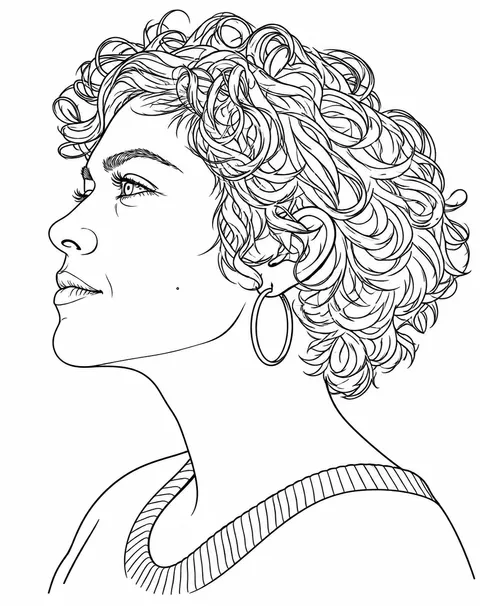
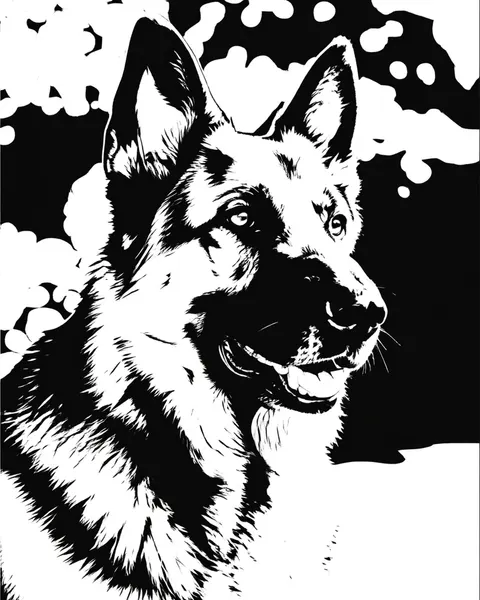
Photo to stencil · text to stencil · tattoo · spray paint · pumpkin carving
Stencil maker — photo or text to a clean black-and-white stencil
Upload a photo and get it redrawn as a two-tone stencil with bold shapes and bridges, or as thin tattoo-transfer linework. No photo? Describe the stencil and get one from scratch.
- Photo or text
- Cut, tattoo and carving styles
- SVG from text prompts
- No watermark
Updated by the Kenerate AI team




On this page
Quick answer

How do you turn a photo into a stencil?
To turn a photo into a stencil, upload it to Kenerate Image Studio and ask for "a two-tone cut stencil: solid black shapes on pure white, no grey, with bridges so every white island stays connected". GPT Image 2.5 Sunburst (the default here) redraws the photo as bold black-and-white shapes instead of just thresholding it, for 11.7 credits per photo at the default size; Qwen Image 3.0 is the free-plan option. For a tattoo stencil, ask for thin single-weight outlines instead. With no photo, describe the stencil and GPT Image 2.6 draws it — and can save text-to-image results as SVG, ready for a cutting machine.
Key facts
- Two ways in
- Photo to stencil (upload) · text to stencil
- Styles
- Cut stencil with bridges · tattoo linework · pumpkin carving · wood burning · silhouette
- Photo stencils
- PNG or JPG
- Text stencils
- PNG, JPG, WebP or SVG on GPT Image 2.6
- Free-plan model
- Qwen Image 3.0
- Watermark
- None
Before / after
Photo to stencil: real before and after
Each pair is one photo and one edit in Image Studio with the prompt shown, one try each. Drag the slider to compare.
Stencil types
Stencil types, what they're for, and the words that get them
Add the prompt words after “Turn this photo into…” (photo) or after your subject (text). End with “pure black and white, no grey”.
| Stencil | Looks like | Use it for | Prompt words |
|---|---|---|---|
| Cut stencil (two-tone) | Solid black shapes on white, bold simplified shadows, bridges | Spray paint, airbrush, wall and T-shirt stencils, vinyl | two-tone cut stencil, solid black shapes, bridges connect every white island, no grey |
| Tattoo stencil | Thin, even, closed outlines, no shading | Printing onto transfer paper for an artist | tattoo stencil linework, thin single-weight black outlines, no shading, no fill |
| Pumpkin carving | Chunky black cut-out areas, every white piece attached | Jack-o'-lanterns, carved fruit, foam | pumpkin carving stencil, black is carved out, chunky shapes, all white pieces connected |
| Wood burning | Clean outlines plus a few solid dark areas | Tracing onto wood for pyrography | wood burning pattern, clean black outlines, a few solid dark areas, no fine texture |
| Silhouette | One solid black shape, no inner detail | Wall decals, window art, signs | solid black silhouette on white, no inner detail, crisp edge |
| Portrait stencil | Face reduced to 2–3 shadow shapes | Street-art portraits, gifts | high-contrast portrait stencil, face as two or three bold shadow shapes, pure black and white |
Prompts
Stencil prompts to copy
Photo prompts need an upload; the rest work from text alone. Each one opens Image Studio with the prompt filled in.
- Subject
- What to stencil, or “this photo”
- Type
- Cut, tattoo, carving, wood burning
- Shapes
- Bold solids or thin even lines
- Clean-up
- Pure black and white, bridges, no grey
Photo to cut stencil
Turn this photo into a two-tone cut stencil: solid black shapes on pure white, no grey, no gradients. Simplify into a few bold shadow shapes, keep the subject recognisable, and add bridges so every white island connects to the background. Keep the pose and framing.
Photo to tattoo stencil
Turn this photo into a tattoo stencil: thin, clean, single-weight black outlines on pure white, no shading, no fill, no grey, closed lines, ready for transfer paper. Keep the proportions exactly.
Portrait stencil
Turn this portrait into a high-contrast street-art stencil: the face as two or three bold black shadow shapes on white, hair as solid black, no grey, no outlines, bridges where needed.
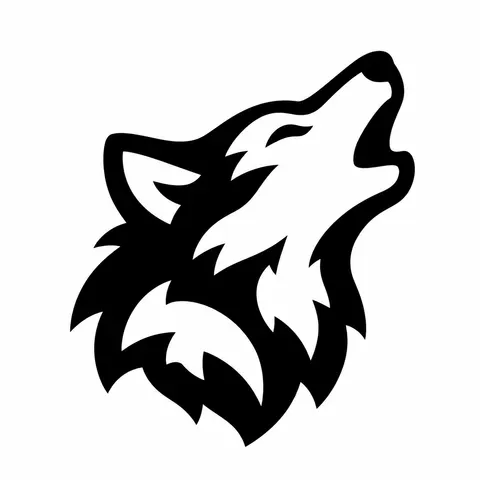
Wolf cut stencil
Single-layer cut stencil of a howling wolf's head in profile: solid black shapes on pure white, bold simplified shadows, wide bridges that connect every white island to the outside so nothing falls out when cut, no thin lines, no grey, no gradients, centred with a wide white margin.
More prompts (4)
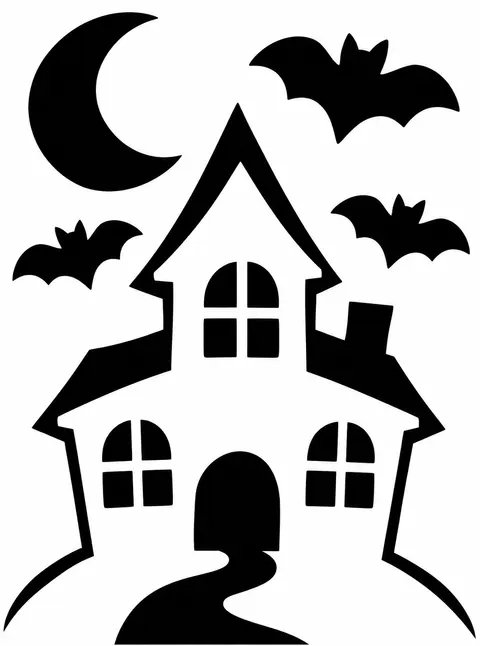
Pumpkin carving
A flat printable pumpkin carving stencil on a plain white sheet of paper — a flat black and white template, not a photo of a pumpkin. Design: a haunted house on a hill with a crescent moon and three bats. Black areas are the parts to carve out, white is the skin left on. Chunky simple shapes no smaller than a fingertip, every white piece connected so it stays attached, pure black and white, no grey, no orange, no outlines.
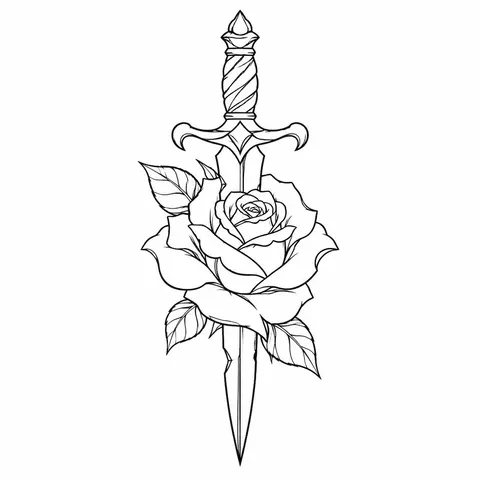
Tattoo linework
Tattoo stencil linework of a rose wrapped around a dagger: thin, clean, single-weight black outlines on pure white, no shading, no fill, no grey, closed lines, centred, ready for transfer paper.
Wood burning pattern
Wood burning pattern of a mountain range with pine trees and a rising sun: clean black outlines with a few solid dark areas, no fine texture, no grey, white background, sized to fit a round wooden coaster.
Vinyl decal
Solid black silhouette of a hummingbird drinking from a flower, one connected shape on pure white, no inner detail, crisp smooth edges, made for cutting as a vinyl decal.
Gallery
Stencils made from a text prompt
No photo needed: each one is a single GPT Image 2.6 Sunburst run from the prompt under it. Open one to make your own.
Same prompt
Same photo, same prompt, two models
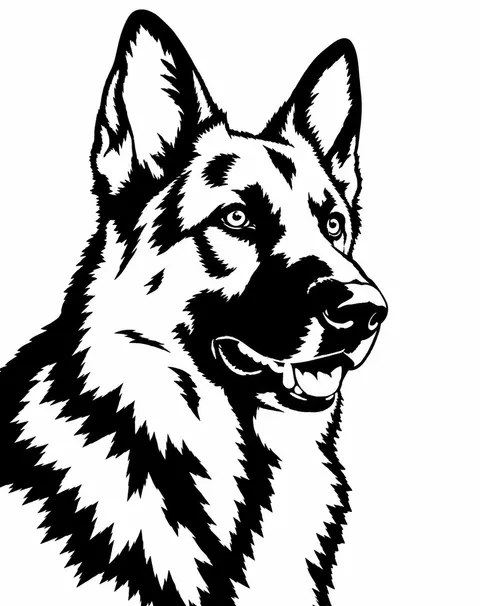
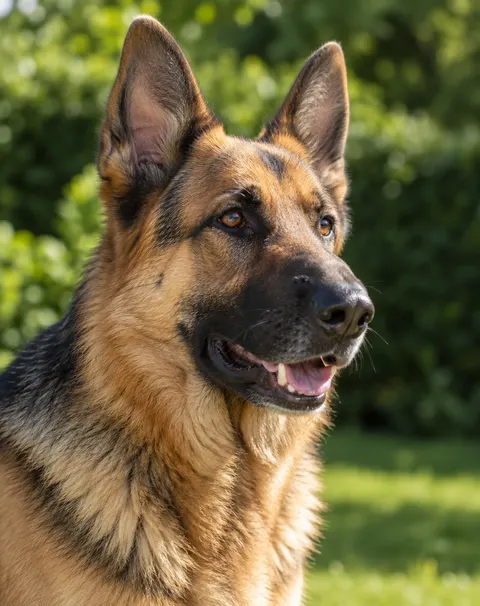
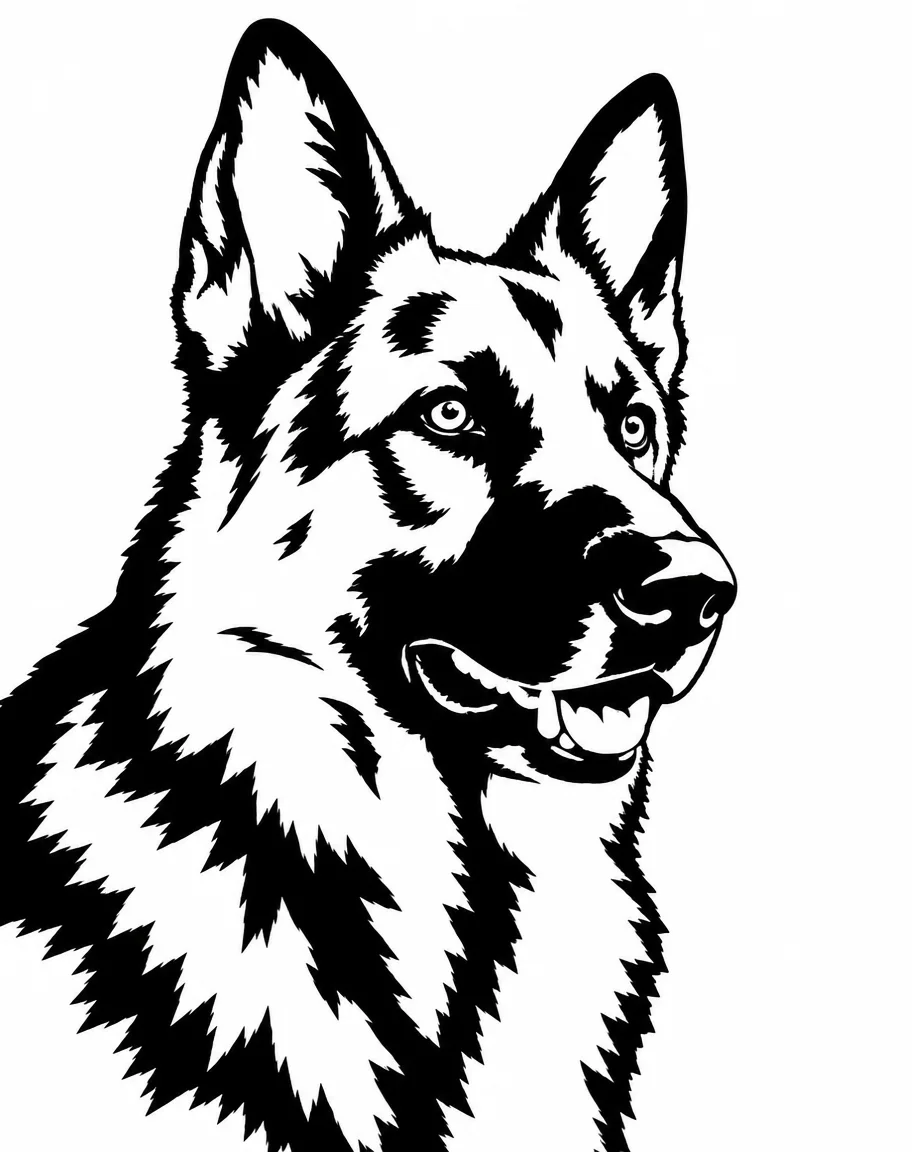
We ran one dog photo through both edit models with the stencil prompt below, one try each. GPT Image 2.5 Sunburst dropped the background and drew bold, cuttable shapes; Qwen Image 3.0 kept the garden as black blobs and more fine fur — usable as art, harder to cut.
PromptTurn this photo into a two-tone cut stencil: solid black shapes on pure white, no grey, no gradients, no thin sketch lines. Simplify the fur into a few bold shadow shapes, keep the eyes, nose and ears recognisable, and add white bridges so every white island connects to the background. Keep the pose and framing.
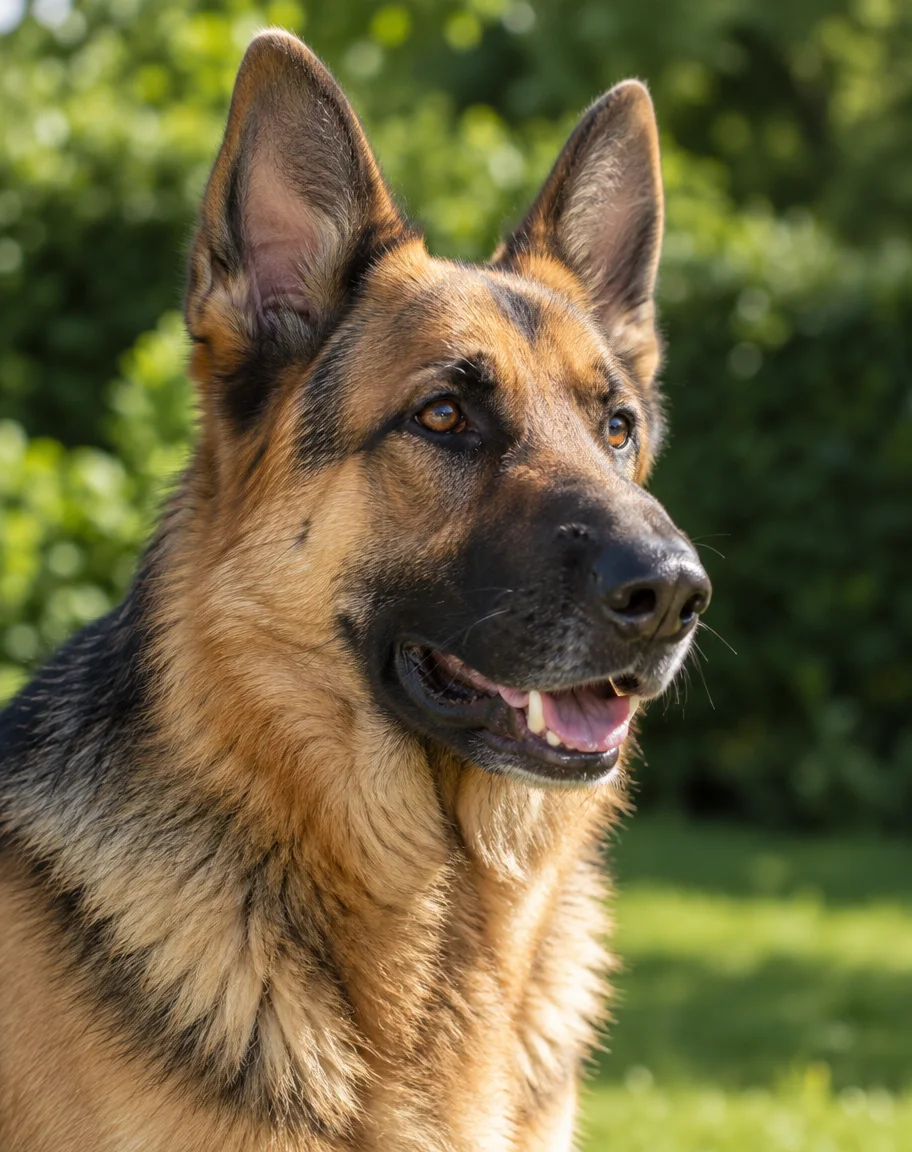 Original photoGPT Image 2.5 Sunburst photo
- GPT Image 2.5 SunburstDefault here · white background, bold cut shapes
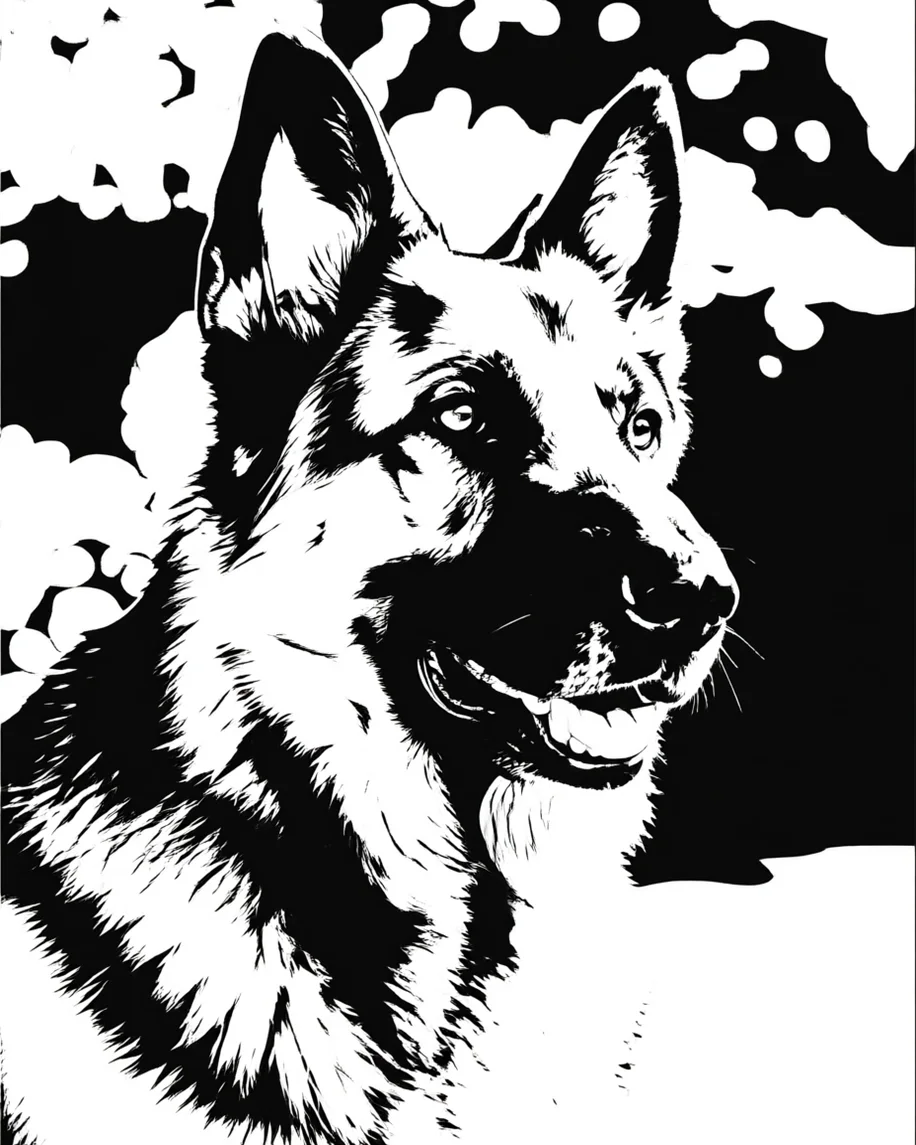 Qwen Image 3.0Free plan · kept the background and fine fur, closer to a threshold
How to
How to use the stencil maker
- Time needed
- Steps
- 4 steps
Step 1
Open Image Studio
Press “Make a stencil”. Image Studio opens on GPT Image 2.5 Sunburst. Sign in free for starter credits.
Step 2
Upload a photo, or skip it
For photo to stencil, upload a clear, well-lit photo. For text to stencil, leave the upload empty and switch to GPT Image 2.6 Sunburst if you want an SVG.
Step 3
Describe the stencil
Pick a type from the table — cut stencil, tattoo linework, pumpkin carving — and copy its prompt words, ending with “pure black and white, no grey”.
Step 4
Check it and download
Zoom in for grey pixels and white islands with no bridge, regenerate if needed, then download. Upscale it for a large wall or print it at size for transfer.
See it in the app

Open Image Studio and type what you want to see — subject, style, lighting and mood.


Watch the tour · 1:23
Prompts, styles, references, edit, Arena & chat
Chapters
Tips
Get a stencil you can actually cut
What separates a clean stencil from a grey photo filter.
Say “pure black and white, no grey, no gradients” — two tones is the whole point of a stencil.
For anything you cut, ask for bridges: thin strips that keep the middle of an O, an eye or a window from falling out.
Pick photos with strong light and a plain background; flat, evenly lit photos turn into mush.
Tattoo stencils want thin even outlines and no fill; spray-paint stencils want big solid shapes and no outlines.
Keep cut-out shapes no smaller than a fingertip for pumpkins and foam, and no thinner than a pencil line for vinyl.
Need a vector for a cutting machine? Make it from text on GPT Image 2.6 with SVG picked, or trace the PNG.
Models
Models for stencils
What each model is good at. Open any one straight in the generator.

OpenAI
GPT Image 2.5 Sunburst
- Reference images
- Up to 16
- Output
- 1K to 4K
Open GPT Image 2.5 SunburstBest for
Default here · cleanest two-tone photo stencils in our test
OpenAI
GPT Image 2.6 Sunburst
- Reference images
- Up to 16
- Output
- 1K to 4K
Open GPT Image 2.6 SunburstBest for
Text to stencil · can save as SVG (text to image only)
- Free plan

Alibaba
Qwen Image 3.0
- Reference images
- Up to 3
- Output
- 1K or 2K
Open Qwen Image 3.0Best for
Free plan · busier, threshold-like photo stencils in our test
OpenAI
GPT Image 2
- Reference images
- Up to 16
- Output
- 1K to 4K
Open GPT Image 2Best for
Accurate edits when the likeness has to hold
FAQ
Stencil Maker questions
9 questions

How do I turn a photo into a stencil?
Upload the photo in Image Studio and write: “Turn this photo into a two-tone cut stencil: solid black shapes on pure white, no grey, with bridges so every white island connects to the background; keep the pose.” The model redraws the photo as bold shapes rather than just cutting it at one brightness level, which is what threshold tools do. A photo with strong light and a plain background gives the cleanest stencil.
Link to this answerWhat's the difference between a cut stencil and a tattoo stencil?
A cut stencil is solid black and white shapes — you cut out one colour and paint or carve through it, so it needs bridges and no thin lines. A tattoo stencil is thin linework that is printed or traced onto transfer paper and pressed onto skin; it has no fill at all. Ask for the one you need by name; the table above has the words for each.
Link to this answerCan I make a stencil from text, without a photo?
Yes. Leave the upload empty and describe the subject plus the stencil type, for example “single-layer cut stencil of a howling wolf, solid black shapes on white, bridges, no grey”. Every stencil in the gallery above was made that way on GPT Image 2.6 Sunburst.
Link to this answerCan I get an SVG stencil for Cricut or another cutting machine?
From a text prompt, yes: GPT Image 2.6 Sunburst and Flare can save text-to-image results as SVG (pick SVG as the output format), which costs 6 credits more than a PNG at the same size. Photo-to-stencil edits come back as PNG or JPG — the SVG option isn't available for edits — so trace the PNG to a vector first, for example with Inkscape's Trace Bitmap or your cutting software's image-trace step.
Link to this answerWhat are bridges in a stencil?
Bridges are thin strips that hold the inside of a shape to the rest of the stencil. Without them the middle of an O, the white of an eye or a window in a house falls out when you cut. Ask for “bridges so every white island connects to the background”, then zoom in and check before you cut.
Link to this answerIs the stencil maker free?
Free to start. A new Kenerate account gets 25 free credits. A photo stencil costs 11.7 credits on GPT Image 2.5 Sunburst or 9.9 on Qwen Image 3.0, the free-plan model, at the default size; a text stencil on GPT Image 2.6 Sunburst costs 15 credits, or 21 as an SVG. Credits come in one-time packs with no subscription, and downloads have no watermark.
Link to this answerWhich photos make the best stencils?
One clear subject, strong side or window light that makes real shadows, and a plain background. Flat, evenly lit or busy photos give the model nothing to turn into bold shapes. Crop close to the subject before you upload.
Link to this answerCan I use an AI stencil for a real tattoo?
As a starting point. Print it at the size you want and take it to your artist; they will adjust the lines for the placement and redraw anything too fine to hold up in skin. Use your own photos or original designs, not someone else's artwork, logo or character.
Link to this answerCan I use it for pumpkin carving or wood burning?
Yes. For a pumpkin, ask for chunky black carve-out areas with every white piece attached; print it, tape it to the pumpkin and poke along the edges. For wood burning, ask for clean outlines with a few solid dark areas and transfer it with graphite paper.
Link to this answerIn depth
Stencil Maker, explained
What works, what to avoid, and how to pick a model.
On this page
Threshold tools vs an AI stencil maker
Classic photo-to-stencil tools pick one brightness level and turn everything darker into black. That is fast, but it keeps every bit of noise and often leaves floating white islands. An image model redraws the photo: it decides which shadows matter, merges them into a few bold shapes and can add bridges when you ask. The trade-off is that it is a redraw, so check that small details such as eyes and lettering came out the way you want.
Where each stencil goes next
A stencil is a step, not the finished thing. What to do with the file:
- Tattoo transfer: print at the final size on a thermal or inkjet stencil printer, or hand it to your artist.
- Spray paint and airbrush: print, glue to card, acetate or mylar, then cut the black areas out with a craft knife.
- Cutting machines (vinyl, card, mylar): they cut paths, so use an SVG — from a text prompt on GPT Image 2.6, or by tracing the PNG.
- Pumpkin carving: print on plain paper, tape it on, poke the outline through with a pin, then carve.
- Wood burning: transfer with graphite paper and burn the outlines first, then the solid areas.
Stencil vs line art vs sketch
Three close cousins. A stencil is two tones made to be cut or transferred. Line art is clean outlines for colouring, prints or logos — see the line art generator. A sketch keeps pencil shading and texture — see photo to sketch.
By the Kenerate AI teamLast updated and reviewed
We build and run the Kenerate generator. Every example is a real output of the model named under it; models and presets were checked against the app's code.
Sources: Inkscape — Tracing bitmaps tutorial · Introducing Images 2.6 — OpenAI · Kenerate Image Studio