

Soft pastel film · dark academia · golden hour
Aesthetic filter — soft film, moody or golden, on your own photo
Upload a photo and an AI edit gives it a consistent aesthetic: soft pastel film with matte blacks and a light leak, moody dark academia browns and greens, or a warm golden-hour glow. The people, faces and scene stay the same, so a whole feed can match.

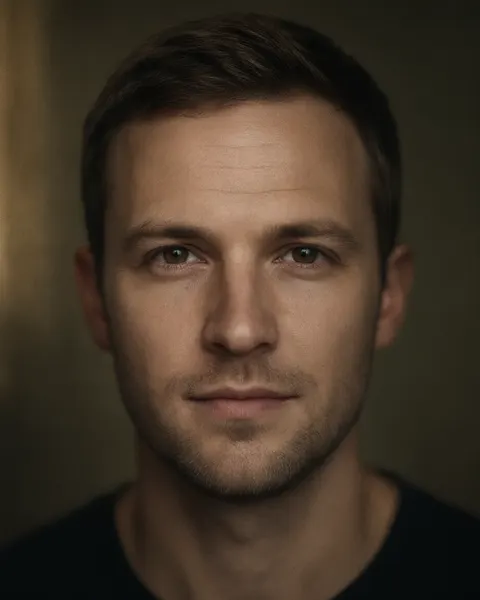
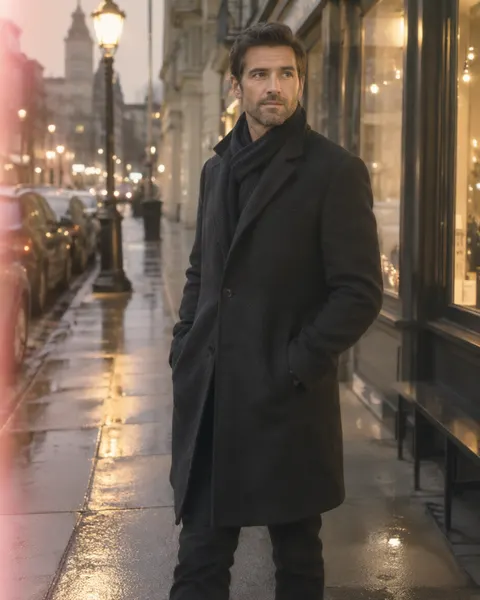
- Your own photo
- Same people and scene
- Matching looks for a feed
- No watermark
Updated by the Kenerate AI team




Made with Kenerate

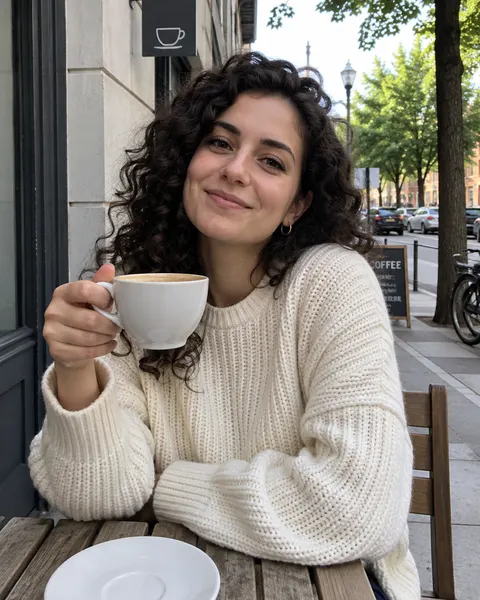
On this page
Quick answer

How do I make my photos look aesthetic?
To make a photo look aesthetic, give it one consistent mood: soft pastel colours, lifted matte blacks, low contrast, a gentle glow and fine grain are the most common recipe. Kenerate's aesthetic filter opens Image Studio with that edit filled in; add your photo and press Create. It runs on Qwen Image 3.0, the free-plan model, and keeps the people and the scene.
Key facts
- Works on
- Your own photo, or one you have permission to edit
- What changes
- Colour, contrast, light, grain
- Keeps
- People, faces, clothes, the scene
- Aesthetics run here
- Soft pastel film · dark academia · golden hour
- Default model
- Qwen Image 3.0 (free plan)
- Examples below
- 3 fictional adults, 1 try each
- Watermark
- None
Aesthetics
Aesthetics to try, and the words that make them
Replace the first sentence of the filter with any row and keep the last one about the people and the scene. The first three rows are runs on this page.
| Aesthetic | Mood | Prompt words or tool | Run on this page |
|---|---|---|---|
| Soft pastel film | Airy, dreamy, nostalgic | warm pastel tones (peach, cream and sage), lifted matte blacks, low contrast, a gentle glow on the highlights, a faint pink light leak at one edge and fine 35mm grain | Yes: café and street (subtle) |
| Dark academia | Moody, bookish, autumnal | muted earthy browns and deep greens, warm low-key window light from one side, soft shadows, slightly desaturated, fine film grain | Yes: studio portrait |
| Golden hour | Warm, glowing, romantic | AI Filter · Golden Hour look (one click; it replaced our café street with a sunlit garden) | Yes: café |
| Clean beige | Minimal, calm, neutral | a clean minimal edit: soft beige and white tones, bright even light, low saturation, no grain | No |
| Cottagecore | Soft, rural, floral | a cottagecore edit: soft warm daylight, muted greens and creams, gentle haze, a few wildflowers in the foreground | No |
| Cool blue hour | Quiet, cinematic, cold | a cool blue-hour edit: deep blue shadows, teal midtones, soft city lights, gentle grain | No |
| Grunge | Raw, dark, gritty | a 90s grunge edit: crushed blacks, green-yellow cast, heavy grain, slight blur and a flash look | No |
| Vintage film | Retro, faded | Use the vintage photo filter for era looks: sepia, 70s print, Polaroid, VHS | No |
Sources: Kenerate Image Studio
Gallery
Aesthetic filter before and after
Real runs, one try each. The soft pastel edit is subtle — warmer, flatter, with a pink leak — and kept every detail. Dark academia changed the light and colour. Golden Hour is stronger: it kept the woman but swapped the street for a sunlit garden.
Same prompt
One photo, three aesthetics
The original café photo, then the soft pastel edit, the Golden Hour look, and a dark academia edit of a studio portrait.
PromptGive this photo a soft aesthetic film edit: warm pastel tones (peach, cream and sage), lifted matte blacks, low contrast, a gentle glow on the highlights, a faint pink light leak at one edge and fine 35mm grain. Keep every person, face, expression, clothing, the background and the composition exactly the same.
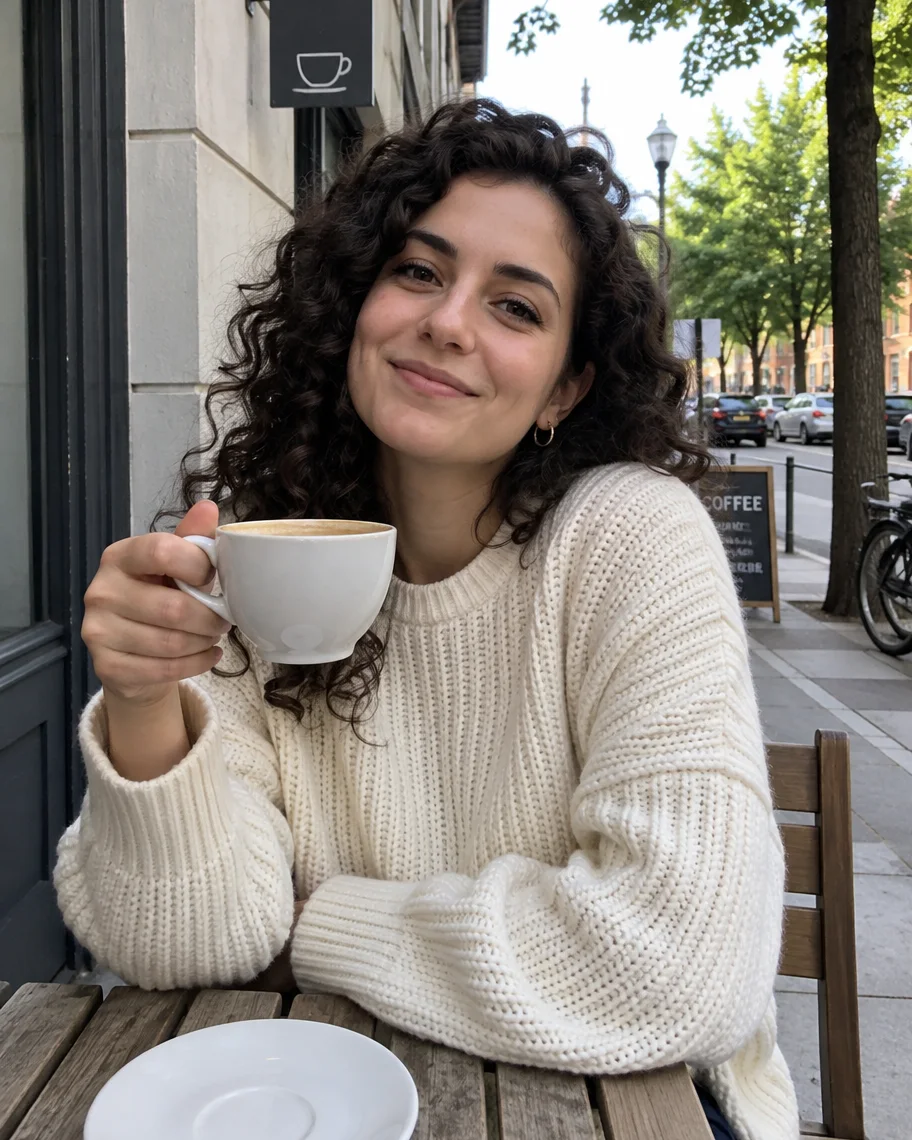 BeforePlain daylight
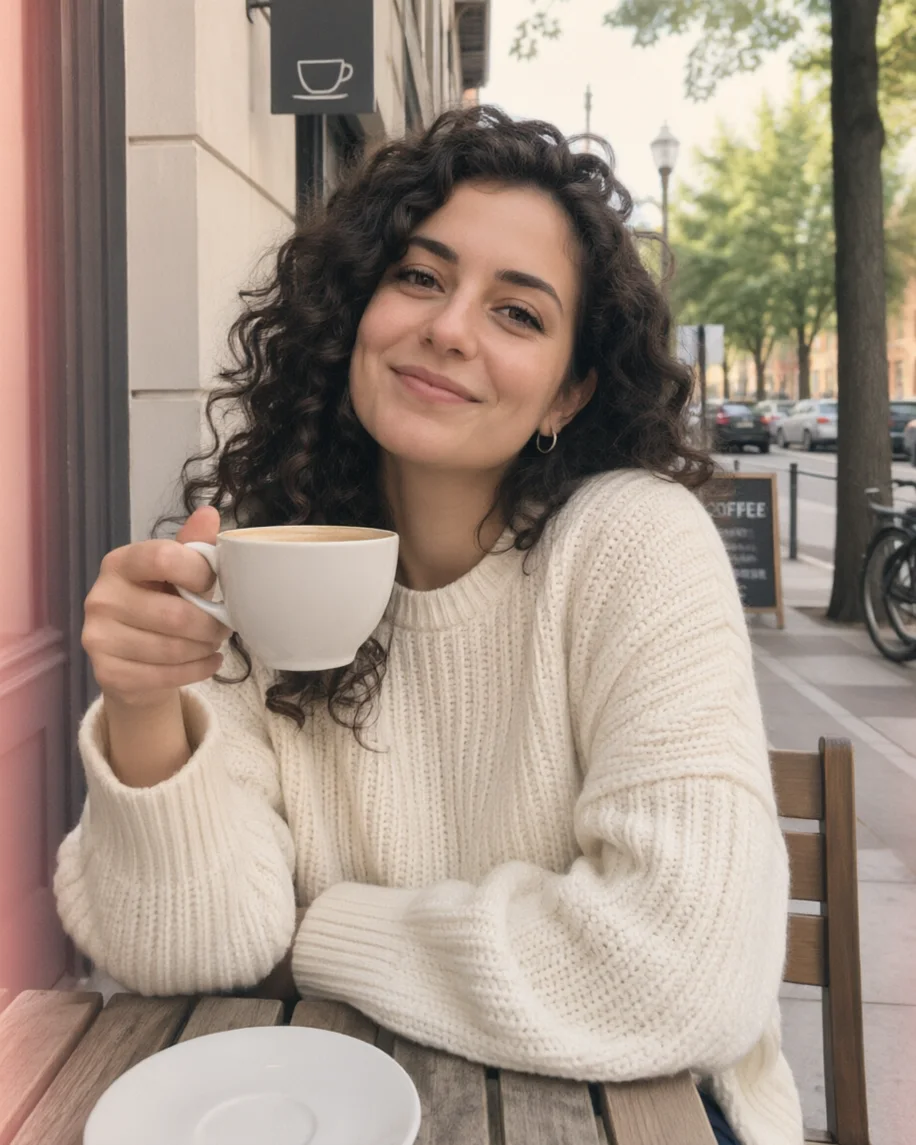 Soft pastel filmNoticeably subtle
 Golden hourBackground replaced
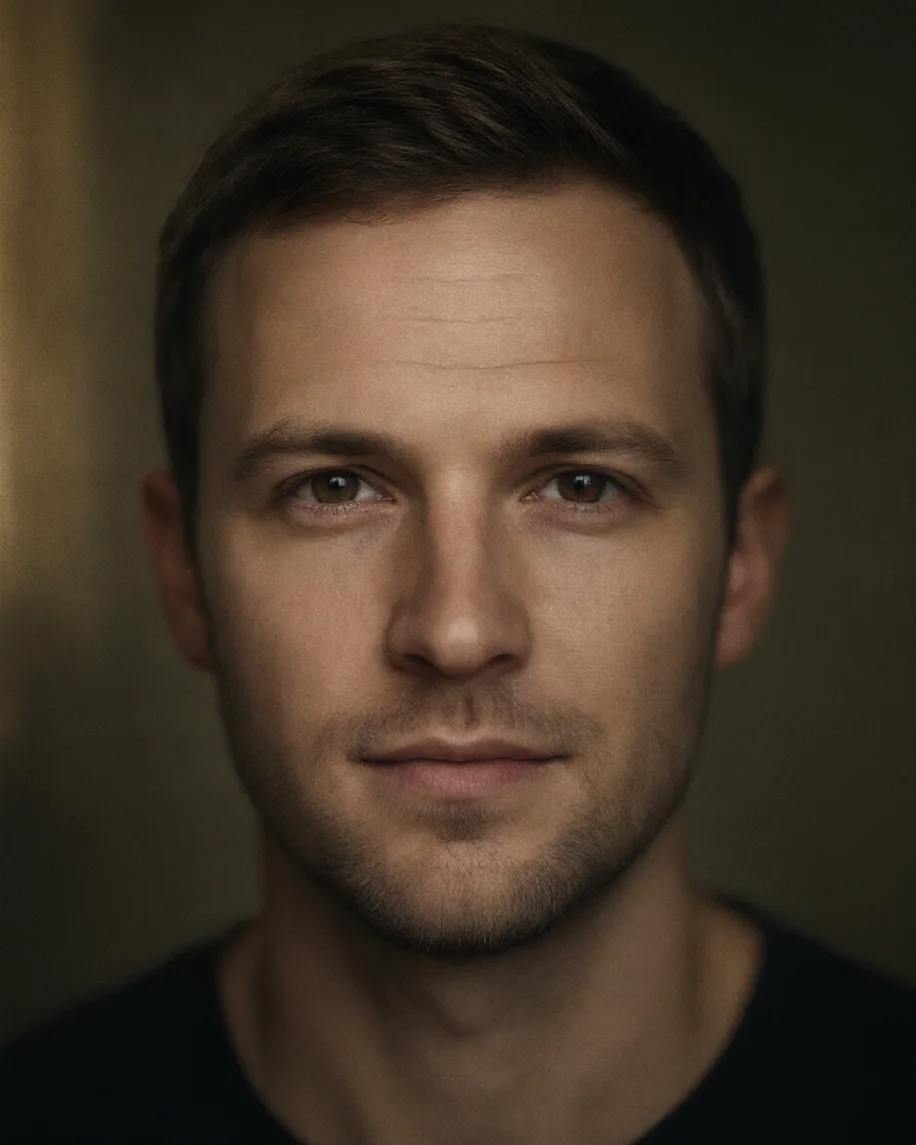 Dark academiaStudio portrait
How to
How to use the aesthetic filter
- Time needed
- Steps
- 4 steps
Step 1
Open the aesthetic filter
Press “Add your photo”. Image Studio opens with the soft pastel film edit in the prompt box. Sign in free for starter credits.
Step 2
Upload your photo
Add a selfie, outfit, travel or café photo you took or have permission to edit.
Step 3
Pick the aesthetic
Keep soft pastel film, or swap the first sentence for dark academia, clean beige, cottagecore or another row from the table.
Step 4
Create and download
Press Create, compare two takes, and download the one you like without a watermark.
See it in the app

Open Image Studio and type what you want to see — subject, style, lighting and mood.


Watch the tour · 1:23
Prompts, styles, references, edit, Arena & chat
Chapters
Tips
Make a whole feed look like one aesthetic
What helps photos match, and what we saw in our runs.
Pick one row from the table and use the exact same words on every photo. Consistency is the aesthetic.
The soft pastel edit is gentle. Want more? Add “stronger pastel grade, more glow” to the first sentence.
Keep the last sentence about the people and the background, or the model may restage the scene.
Golden Hour replaces the background with a sunlit scene. Use the prompt instead if the place matters.
Similar light in, similar look out: a set shot at the same time of day matches best.
Run it twice and keep the take whose colours sit closest to the rest of your feed.
Models
Models and tools for aesthetic edits
What each model is good at. Open any one straight in the generator.
- Free plan

Alibaba
Qwen Image 3.0
- Reference images
- Up to 3
- Output
- 1K or 2K
Open Qwen Image 3.0Best for
Default here · free plan · made the edits

ByteDance
Seedream 5.0 Pro
- Reference images
- Up to 10
- Output
- Up to 2K
Open Seedream 5.0 ProBest for
Painterly and cinematic grades
Google
Nano Banana 2.1
Kenerate tool
AI Filter · Golden Hour
- Reference images
- 1 photo
Open AI Filter · Golden HourBest for
One click: warm backlight, glowing hair, bokeh
FAQ
Aesthetic Filter questions
8 questions

How do I make my photos look aesthetic?
Give every photo the same mood: a consistent palette, softer contrast, matching light and a little grain. The aesthetic filter does it in one edit — add your photo to Image Studio with the soft pastel instruction filled in and press Create. Use the same words on every photo so your feed matches.
Link to this answerWhat is an aesthetic filter?
An aesthetic filter gives a photo a recognisable mood rather than fixing it: soft pastel film, moody dark academia, warm golden hour, clean beige and so on. An AI aesthetic filter applies the look from a sentence and keeps the people and the scene, so it adapts to each photo instead of laying one fixed preset over it.
Link to this answerIs there a free aesthetic filter?
Yes, to start. A new Kenerate account gets 25 free starter credits, and Qwen Image 3.0, the model behind the aesthetic filter, is on the free plan. AI Filter's one-click Golden Hour look costs 10 credits a run on Qwen Image 3. There's no subscription, and results download without a watermark.
Link to this answerWill the aesthetic filter change my face or outfit?
Not with the prompt: our soft pastel and dark academia edits kept the faces, hair and clothes and changed only colour, contrast and light. AI Filter's Golden Hour look kept the woman, her sweater and her coffee cup but replaced the café street with a sunlit garden, so use the prompt when the place matters.
Link to this answerHow do I make all my Instagram photos match?
Pick one aesthetic and use the same prompt words on every photo, in the same model. Shoot in similar light where you can, and run each photo twice so you can keep the takes that sit closest together. The table above has the exact words for eight aesthetics.
Link to this answerWhat is the dark academia aesthetic?
Dark academia is a moody, bookish look: muted browns and deep greens, warm low window light, soft shadows and a slightly faded, filmic finish. Our dark academia edit turned a flat grey studio portrait into a warm, low-key one without changing the man's face or clothes.
Link to this answerWhy does my aesthetic edit look so subtle?
The soft pastel instruction asks for lifted blacks and low contrast, which flattens the photo rather than adding a strong colour; on our café photo it mostly warmed the tones and added a pink light leak. For a stronger result, ask for “a stronger pastel grade and more glow”, or pick golden hour or dark academia.
Link to this answerCan I use someone else's photo?
Only with their permission. Edit photos you took or that the people in them agreed to, and don't upload photos of anyone under 18. Don't combine separate photos of different people into one picture. Kenerate's content rules apply to every edit.
Link to this answerIn depth
Aesthetic Filter, explained
What works, what to avoid, and how to pick a model.
On this page
What makes a photo look aesthetic
An aesthetic is a set of choices repeated across photos. Four of them do most of the work:
- Palette: a narrow range of colours, such as peach, cream and sage, or brown and green.
- Contrast: lifted, matte blacks for a soft look; deep shadows for a moody one.
- Light: one kind of light every time — golden backlight, cool blue hour, warm window light.
- Texture: fine grain, a soft glow or a light leak, used the same way on every photo.
AI aesthetic filter vs a preset
A preset is a fixed colour curve: fast and identical on every photo, but it can look wrong on a photo shot in different light. An AI aesthetic filter reads the scene and repaints the colour and light to fit the mood, so a dusk street and a midday café can land close together. The trade-off is that it redraws, so check small details such as text and hands.
What it costs
The aesthetic filter runs on Qwen Image 3.0, which is on the free plan; new accounts also get 25 starter credits. Our three Image Studio edits used Qwen Image 3.0 at 9.9 credits each, and the Golden Hour run in AI Filter cost 10.
By the Kenerate AI teamLast updated and reviewed
We build and run the Kenerate generator. Every example is a real output of the model named under it; models and presets were checked against the app's code.
Sources: Kenerate Image Studio · Kenerate AI Filter
