You · your pet · your product, inside a snow globe
AI Snow Globe Generator — put yourself inside the glass
Upload a photo and get yourself, your dog or your product shrunk into a glass snow globe — swirling snow, carved base, warm Christmas lights behind it — ready for cards, profile pictures and holiday posts.
- Keeps your face
- Pets and products too
- Snow, glass and glow
- No watermark
Updated by the Kenerate AI team




On this page
Quick answer

How do you put yourself in a snow globe with AI?
An AI snow globe generator takes a photo and redraws its subject as a miniature inside a glass snow globe — the trend Gemini made viral. On Kenerate AI you upload the photo, describe the scene inside the globe, and GPT Image 2.5 Sunburst or Nano Banana 2.1 (the Google model family behind the Gemini trend) renders it. Our three tests kept the man's face and the dog's colouring recognisable through the glass. A snow globe from a photo costs 11.7 credits, and a new account starts with 25 free credits — two globes free.
Key facts
- Snow globes made
- 3 (portrait · pet · village)
- Likeness kept
- Yes — face, curls, fur colour
- Model
- GPT Image 2.5 Sunburst (OpenAI)
- Watch out for
- Small logos on clothes can redraw
- Watermark
- None
Gallery
Three snow globes, one try each
Real GPT Image 2.5 Sunburst renders made for this page — two from photos, one from text alone. Open any one to copy the prompt.
Same prompt
The photo, then the snow globe
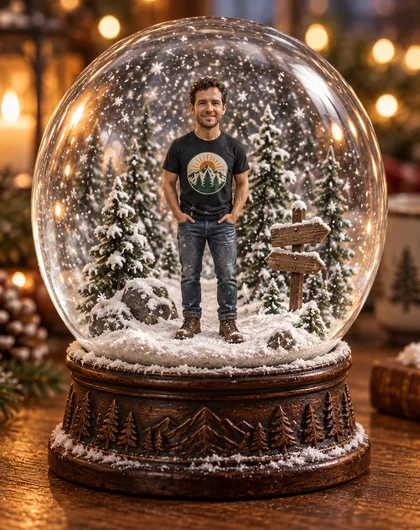
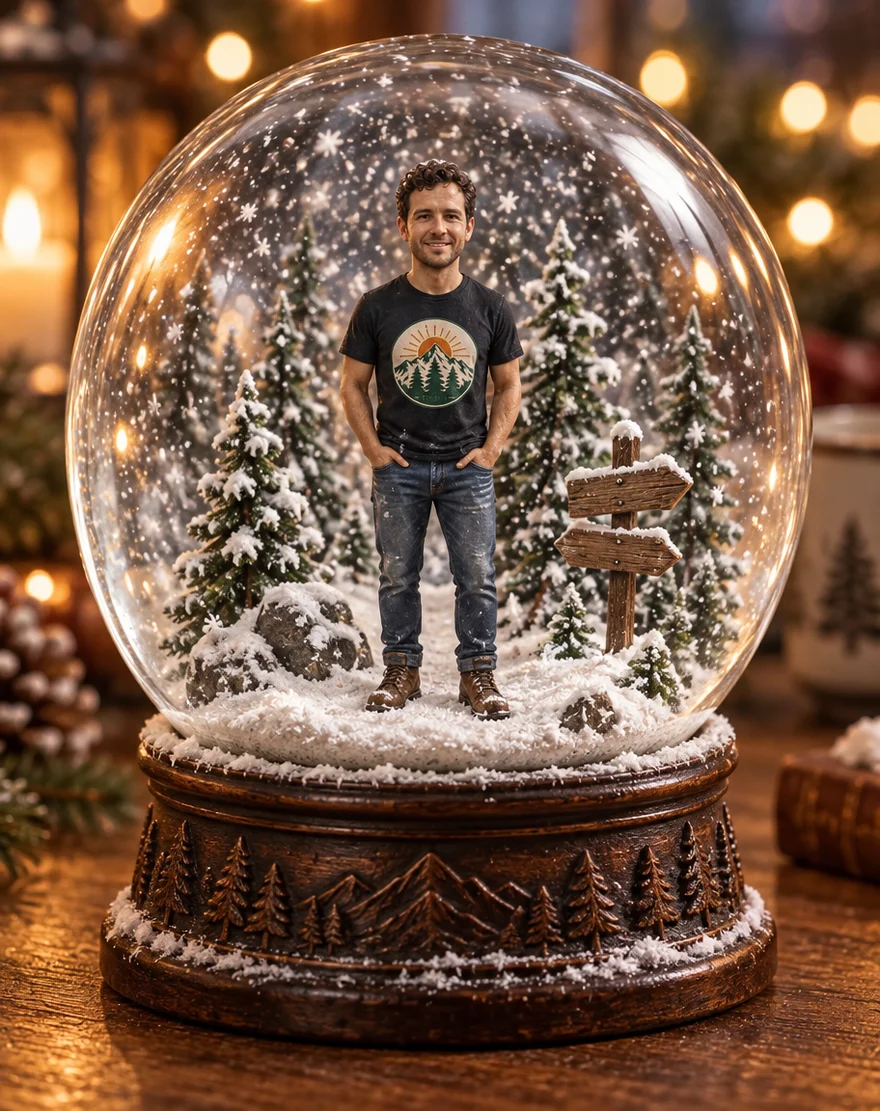
One photo in, a snow globe out. The face, curls, stubble and outfit carried into the miniature; the small badge on his t-shirt came back as a generic mountain logo.
PromptPut this man inside a classic glass snow globe. Keep his face recognisable — same curly dark hair, stubble and smile — as a miniature figure on a tiny snowy pine-forest base. Snowflakes swirling inside, carved wooden base, warm fairy lights behind the glass.
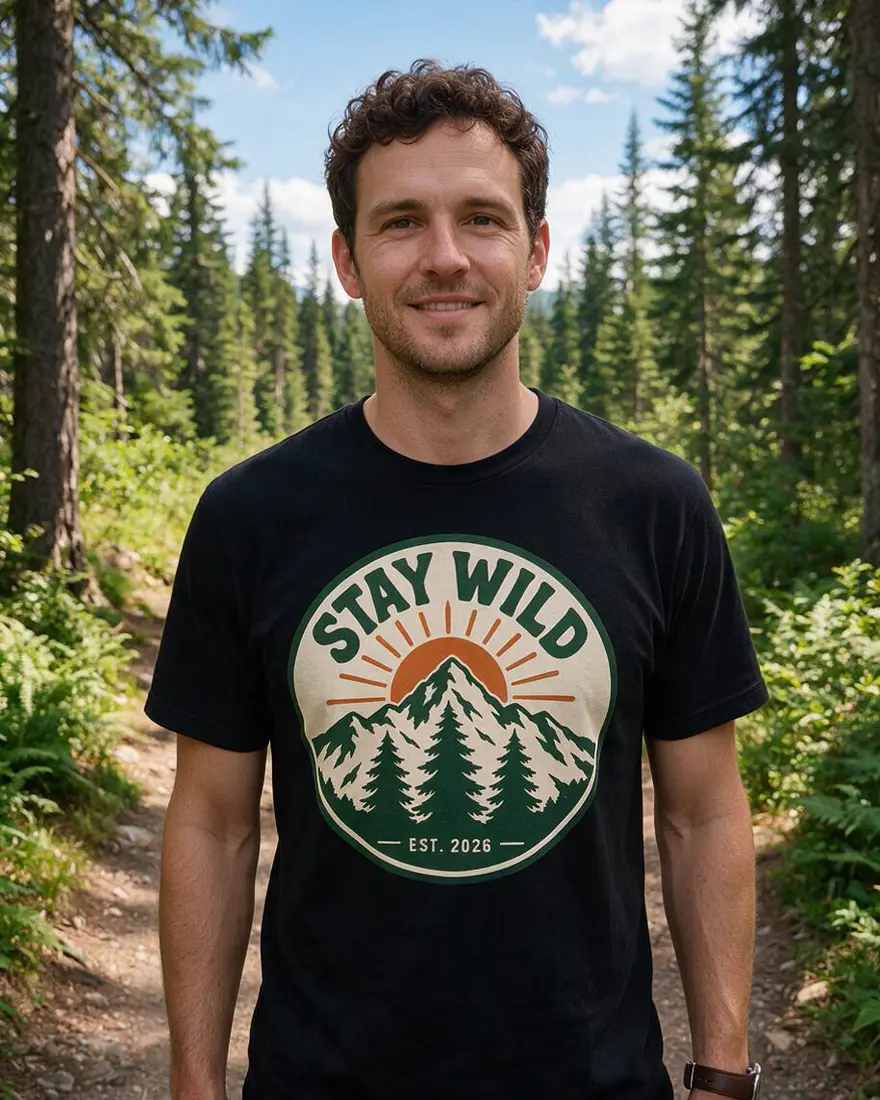 PhotoInput
 Snow globeGPT Image 2.5 Sunburst
How to
How to use the AI snow globe generator
- Time needed
- Steps
- 4 steps
Step 1
Upload your photo
In /app/image, add a clear photo of yourself, your pet or your product as a reference. Sign in free for starter credits.
Step 2
Pick GPT Image 2.5 Sunburst
Or Nano Banana 2.1, the Google model family behind the Gemini snow globe trend.
Step 3
Describe the globe
Who's inside, the tiny scene around them, the base, and where the globe sits.
Step 4
Download
Regenerate if the likeness is off, then download without a watermark.
See it in the app

Open Image Studio and type what you want to see — subject, style, lighting and mood.


Watch the tour · 1:23
Prompts, styles, references, edit, Arena & chat
Chapters
Tips
Get a snow globe that still looks like you
What worked in our tests.
Use a clear, well-lit photo — the face or fur is what the model copies into the miniature.
Say “keep the face recognisable” and name what to keep: hair, glasses, beard, your pet's markings.
Describe the scene inside the globe: snowy pines, a tiny Christmas tree, a signpost, a gift.
Name the base — “carved dark wood”, “polished red and gold” — or the model invents one.
Put the globe somewhere: a wooden table, a mantel, a fur throw, bokeh lights behind it.
Expect small logos and lettering on clothes to redraw; crop them out if they matter.
Models
Models for snow globes
What each model is good at. Open any one straight in the generator.

OpenAI
GPT Image 2.5 Sunburst
- Reference images
- Up to 16
- Output
- 1K–4K
Open GPT Image 2.5 SunburstBest for
Made all three globes here
Google
Nano Banana 2.1
- Free plan

FAQ
AI Snow Globe Generator questions
10 questions

How do I put myself in a snow globe with AI?
Upload a clear photo in Kenerate's Image Studio, pick GPT Image 2.5 Sunburst and describe it: “put this person inside a classic glass snow globe as a miniature, keep the face recognisable, snowflakes swirling, carved wooden base”. Our test photo came back with the same curls, stubble and smile — shrunk to a few centimetres tall under the glass.
Link to this answerWhat is the Gemini snow globe trend?
A holiday-season photo trend: people ask Gemini to shrink them into a glass snow globe, powered by Google's Nano Banana image models. You can make the same picture here — Kenerate runs Nano Banana 2.1, and GPT Image 2.5 Sunburst does the same job for about half the credits. You also control the whole prompt: the scene, the base, the lighting.
Link to this answerIs the AI snow globe generator free?
Free to start. A new Kenerate account gets 25 credits on sign-up — two snow globes from a photo on GPT Image 2.5 Sunburst at 11.7 credits each — and Qwen Image 3.0 is on the free plan. After that, credits come in one-time packs that never expire, with no subscription. Downloads carry no watermark.
Link to this answerCan I put my pet in a snow globe?
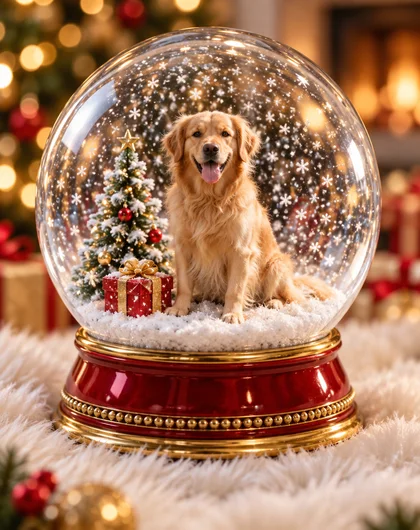
Yes — our second test was a golden retriever. Upload the pet's photo and describe the scene: “this dog inside a snow globe, sitting by a tiny Christmas tree and a wrapped gift, real fur colour and markings kept”. The render kept the coat colour and the happy face. Only upload photos of your own pets.
Link to this answerCan I make a snow globe without a photo?
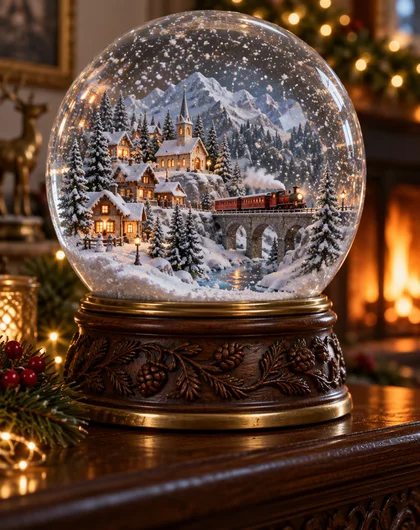
Yes. Describe the scene instead — our third test was text-only: a miniature alpine village with lit cottages, a church and a tiny red train on a bridge, all inside the glass. Text-to-image on GPT Image 2.5 Sunburst costs 7.2 credits at 1K. Use it for village scenes, ornament-style art or card backgrounds with nobody in them.
Link to this answerWhat's a good snow globe AI prompt?
Name four things: who or what is inside (“this man, face kept recognisable”), the tiny scene (“snowy pines and a wooden signpost”), the globe itself (“thick glass, snowflakes swirling, carved dark wooden base”), and the setting (“on a wooden table, warm bokeh fairy lights behind it”). Every example on this page shows its full prompt — copy one and swap the details.
Link to this answerCan I put my product in a snow globe?
Yes — the same edit works for a bottle, a sneaker or a perfume: “put this product inside a glass snow globe on a snowy pedestal, label kept exactly, snowflakes swirling, studio lighting”. For products and exact labels Nano Banana 2.1 is the safer pick — it's built for keeping the reference unchanged. Great for seasonal ads and festive product shots.
Link to this answerWill it really look like me?
In our tests, yes: the face, curly hair and stubble survived the shrink to miniature scale, and the dog kept its fur colour and expression. One caveat we hit: the small badge on the man's t-shirt was redrawn as a generic mountain logo. Keep important small text out of the frame, or accept it may change.
Link to this answerCan I turn the snow globe into a video?
Yes — generate the snow globe image first, then animate it in Kenerate's video studio with an image-to-video model: the start frame keeps the globe exact while snow swirls and the lights flicker. A few seconds of looping snow makes a strong story post or digital card.
Link to this answerIs it safe to upload my photo?
Upload only photos of yourself, or of people who agreed — never a celebrity or a stranger. Kenerate keeps your results private if you switch on Private, and downloads carry no watermark.
Link to this answerIn depth
AI Snow Globe Generator, explained
What works, what to avoid, and how to pick a model.
On this page
Why the snow globe picture works
A snow globe is a miniature world under glass: one subject, one tiny scene, snow caught mid-fall. That's exactly what an image model is good at — it shrinks your photo's subject, builds the diorama around it, and adds the two things that sell the illusion: curved reflections on the glass and snowflakes suspended inside.
The model needs two things from you: a clear photo to copy the face or fur from, and words for the scene inside the globe. Leave the scene out and you get a generic snowman diorama instead of something personal.
The snow globe prompt, written out
The Gemini trend runs on a one-line prompt. Writing it out yourself gets you control over every part:
- Who: “this man / this woman / this dog” with the photo attached, “face kept recognisable”.
- The tiny scene: snowy pines, a signpost, a Christmas tree, a gift, a park bench.
- The globe: “thick glass sphere, snowflakes swirling, soft reflections”.
- The base: “carved dark wood”, “polished red and gold”, “walnut with a brass ring”.
- The setting: “on a wooden table / mantel / fur throw, warm bokeh lights behind it”.
Photo, pet, product — or no photo at all
From a photo, the 11.7-credit Sunburst edit copies the subject before it shrinks it — that's the portrait and the retriever on this page. For a product shot where the label must survive exactly, use Nano Banana 2.1: it's built for keeping a reference unchanged and takes up to 14 reference images.
From text alone it's 7.2 credits: describe the scene and the model invents it. Our alpine village — lit cottages, a church, a tiny train crossing a bridge — came from one text prompt, no photo involved.
Ideas for the globe
One edit each, all from the same recipe:
- Couple globe: “this couple inside a snow globe, dancing under a tiny lamppost, snow falling”.
- Family card: “this family of four inside a snow globe, building a snowman together”.
- Pet ornament: “this cat curled inside a snow globe on a tiny tartan blanket”.
- Festive product shot: “this perfume bottle inside a snow globe on a snowy pedestal, label exact”.
- House portrait: “this house as a miniature inside a snow globe, windows glowing, chimney smoking”.
Preset snow globe filters vs a prompt
Most snow globe tools are one-click filters: upload a selfie, get the house style, no say over the scene, the base or where the globe sits. Quick, but every globe looks like the same globe.
Here you write the prompt — so the scene inside the glass can be your dog, your product, your village, your joke — and every example on this page shows the exact prompt behind it. The trade-off is credits instead of a preset: 25 free on sign-up, then one-time packs with no subscription.
What we got
Three snow globes, one try each, on GPT Image 2.5 Sunburst:
- Portrait: face, curls, stubble and pose kept; the t-shirt's small badge redrew as a mountain logo.
- Pet: the retriever's coat and happy expression carried over, with the tree and gift exactly as asked.
- Village from text: church, cottages, swirling snow and the tiny red train on its bridge — all present.
By the Kenerate AI teamLast updated and reviewed
We build and run the Kenerate generator. Every example is a real output of the model named under it; models and presets were checked against the app's code.
Sources: Kenerate Image Studio