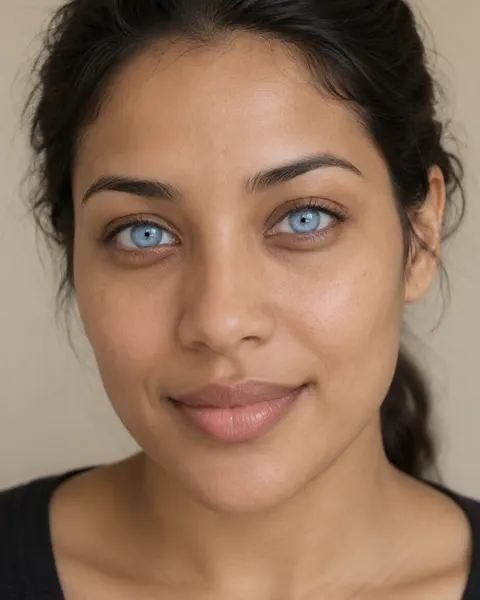
Your own photo · six shades of blue
Blue eye filter — ice, sapphire or grey-blue
Upload a photo of yourself and pick a blue: pale ice blue, bright sky blue, deep sapphire, grey-blue, steel or teal-blue. Only the iris changes; your pupils, lashes, face and background stay as they are.
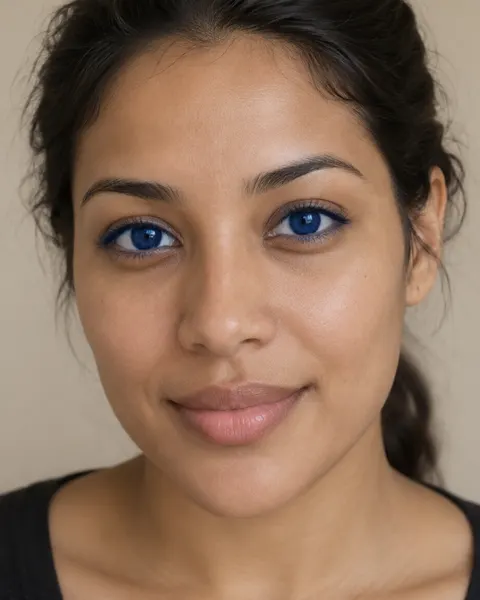

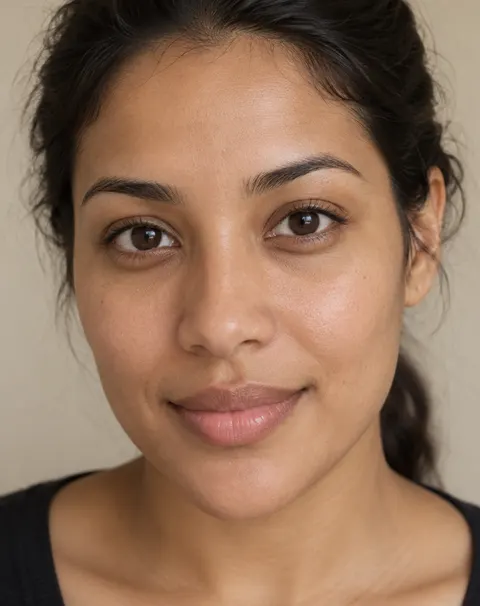
- Only the iris changes
- Six shades of blue
- Free to start
- No watermark
Updated by the Kenerate AI team




On this page
Quick answer

What would I look like with blue eyes?
To see yourself with blue eyes, upload a sharp, front-facing photo with your eyes open to an AI image editor and name the shade, such as "pale ice blue; keep my pupils, lashes and face the same". Kenerate's blue eye filter opens the editor with that instruction filled in. The brown-to-blue examples below took one try each on Qwen Image 3.0, the free-plan model.
Key facts
- Works on
- Your own photo, or one you have permission to edit
- What changes
- The iris only
- Shades
- Ice · sky · sapphire · grey-blue · steel · teal-blue
- Default model
- Qwen Image 3.0 (free plan)
- Examples below
- 2 fictional adults, brown eyes to blue, 1 try each
- Watermark
- None
Blue shades
Shades of blue to try, and the words that get them
“Blue” alone gives a flat, bright blue. Name the shade and one detail of the iris.
| Shade | What it looks like | Prompt words |
|---|---|---|
| Ice blue | Very pale, almost silver, bright against dark lashes | pale ice blue irises with a thin darker rim |
| Sky blue | Clear mid-blue, the classic “blue eyes” | clear sky blue irises with soft lighter flecks |
| Sapphire | Deep, saturated blue with a dark ring | deep sapphire blue with a darker blue ring around the edge of the iris |
| Grey-blue | Soft blue with grey, the most natural on most faces | soft grey-blue irises, natural texture |
| Steel blue | Cool dark blue-grey | steel blue irises, cool and slightly dark |
| Teal-blue | Blue with a hint of green near the pupil | teal-blue irises with a little green around the pupil |
Gallery
Blue eye filter before and after
Two fictional adults with brown eyes, three blues, one Qwen Image 3.0 edit each. In the sapphire run the lash line turned slightly blue too; the preset now asks to keep the eyeliner and lashes the same.
Same prompt
Dark brown eyes to blue, same photo
Two originals next to their blue edits. Pupils, catchlights, skin and background stayed the same.
PromptChange my eye colour to pale ice blue. Keep my pupils, the catchlights, eye shape, eyelashes, eyeliner, face, expression, skin, hair, the background and the lighting exactly the same.
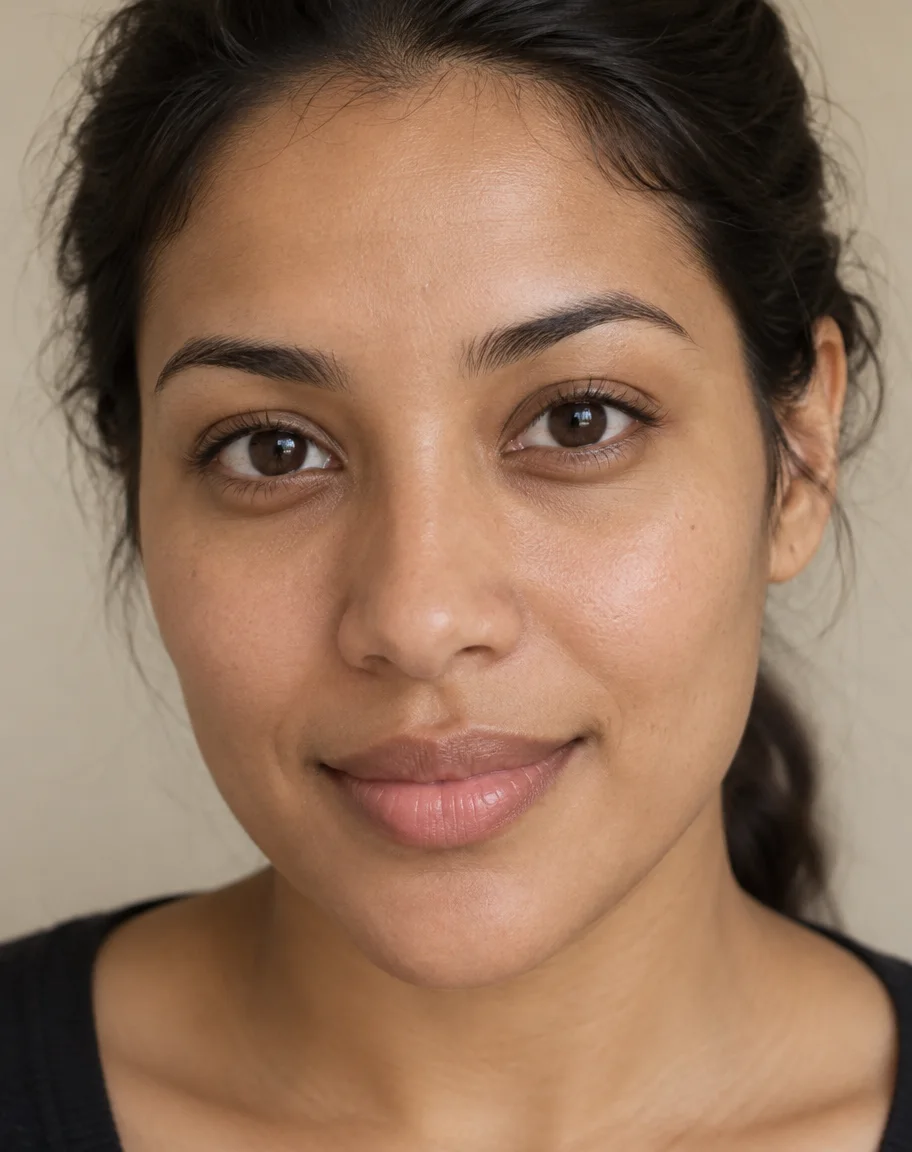 BeforeVery dark brown
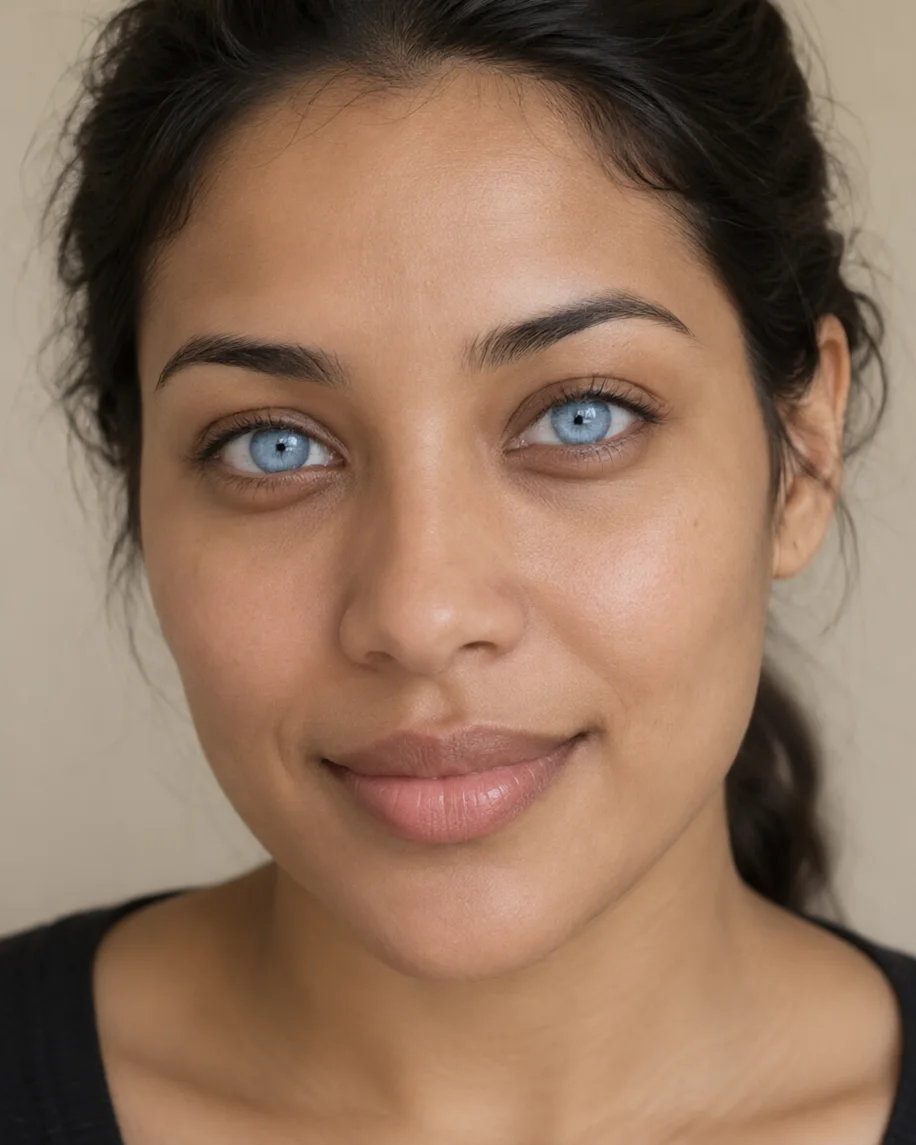 Ice blueQwen Image 3.0
 BeforeBrown
 Grey-blueQwen Image 3.0
How to
How to use the blue eye filter
- Time needed
- Steps
- 4 steps
Step 1
Open the blue eye filter
Press “Add your photo”. Image Studio opens with the ice-blue instruction in the prompt box. Sign in free for starter credits.
Step 2
Upload your photo
Add a sharp, front-facing photo of yourself with your eyes open and in focus. A close-up works best.
Step 3
Pick the blue
Keep ice blue or swap in a shade from the table: sky, sapphire, grey-blue, steel or teal-blue.
Step 4
Create and compare
Press Create, try a second shade on the same photo and download the one you like without a watermark.
See it in the app

Open Image Studio and type what you want to see — subject, style, lighting and mood.


Watch the tour · 1:23
Prompts, styles, references, edit, Arena & chat
Chapters
Tips
Get blue eyes that still look like your eyes
Eyes are small; these habits matter more than the model.
Use a sharp, front-facing photo with your eyes open, in focus and not in shadow.
Name the shade (“pale ice blue”, “soft grey-blue”), not just “blue”.
Keep “same pupils and catchlights”; the small white reflection is what makes an eye look real.
Add “keep my eyelashes and eyeliner the same”. In our sapphire run the lash line picked up a blue tint without it.
Very dark brown eyes look most natural with grey-blue or steel blue; ice blue is the most dramatic.
Run it twice and compare; the shade varies a little between runs.
Models
Models for blue eye edits
What each model is good at. Open any one straight in the generator.
- Free plan

Alibaba
Qwen Image 3.0
- Reference images
- Up to 3
- Output
- 1K or 2K
Open Qwen Image 3.0Best for
Default here · free plan · made the examples

ByteDance
Seedream 5.0 Pro
- Reference images
- Up to 10
- Output
- Up to 2K
Open Seedream 5.0 ProBest for
Strong at keeping faces the same
Google
Nano Banana 2.1

OpenAI
GPT Image 2.5 Sunburst
- Reference images
- Up to 16
- Output
- 1K to 4K
Open GPT Image 2.5 SunburstBest for
Fine iris detail at 2K–4K
FAQ
Blue Eye Filter questions
8 questions

What would I look like with blue eyes?
Upload a sharp, front-facing photo of yourself with your eyes open to the blue eye filter and press Create to find out. The editor opens with an ice-blue instruction filled in, and the model recolours only your irises while your pupils, lashes, face and background stay the same. Swap the shade to compare sky blue, sapphire or grey-blue on the same photo.
Link to this answerIs the blue eye filter free?
Yes, to start. A new Kenerate account gets 25 free starter credits, and Qwen Image 3.0, the default model here and the one that made every example on this page, is on the free plan. Seedream 5.0 Pro, Nano Banana 2.1 and GPT Image 2.5 Sunburst use credits from a one-time pack; there's no subscription. Results download without a watermark.
Link to this answerCan a blue eye filter work on dark brown eyes?
Yes. Both people on this page started with brown eyes, one of them very dark brown, and each blue took one edit. On very dark eyes, grey-blue and steel blue look the most natural; ice blue is striking but obviously edited. Keep the line about the pupils and catchlights so the eye still reads as real.
Link to this answerWhich shade of blue looks most natural?
Grey-blue and soft sky blue look most like natural blue eyes in photos, because real blue irises are rarely one flat colour. Add a detail such as “a thin darker rim” or “lighter flecks” for texture. Sapphire and ice blue are bolder looks, closer to coloured contact lenses.
Link to this answerWhy did the filter change my eyeliner or lashes?
The model sometimes spreads the new colour beyond the iris, as in our sapphire example, where the lash line picked up a blue tint. Add “keep my eyelashes and eyeliner exactly the same” (the preset already does) and run it again. If it keeps happening, try Nano Banana 2.1, which Google built for stronger consistency.
Link to this answerHow is this different from the eye color changer?
The eye color changer covers every colour: green, hazel, grey, amber and blue. This blue eye filter is only about blue, with six named shades, prompt words for each and real brown-to-blue before/afters. Use whichever matches what you want to try.
Link to this answerAre blue coloured contact lenses safe?
Only with a prescription and fitting. The US FDA says decorative coloured lenses are medical devices, not cosmetics, that selling them without a prescription is illegal, and that badly fitted lenses can scratch the cornea or cause infections that lead to blindness. Use the filter to preview the colour, then ask an eye-care professional.
Link to this answerCan I use someone else's photo?
Only your own photo, or one the person has agreed to. Changing someone's eye colour edits their likeness, so share the result only with their consent. Don't upload photos of anyone under 18, and don't combine photos of different people. Kenerate's content rules apply to every edit.
Link to this answerIn depth
Blue Eye Filter, explained
What works, what to avoid, and how to pick a model.
On this page
How does a blue eye filter work?
It's an instruction edit. Your photo and one sentence go to an image model's edit endpoint; the model finds the irises, repaints them in the blue you name and keeps the pupil, the catchlight and the iris texture. A fixed overlay filter pastes a blue disc on top instead, which is why older filters looked like costume lenses.
How do I write a blue eye prompt?
Three parts are enough:
- The shade: “pale ice blue”, “soft grey-blue”, “deep sapphire”.
- One iris detail: “a thin darker rim”, “lighter flecks”, “a little green around the pupil”.
- What must not change: “keep my pupils, catchlights, eye shape, lashes, eyeliner, face and background exactly the same”.
Filter, contact lenses or neither
A filter is the zero-risk way to see a colour on your own face. Coloured contact lenses are medical devices in the US and need a prescription and a fitting, even when they don't correct vision; the FDA warns that unfitted lenses can scratch the cornea and cause infections that lead to blindness.
By the Kenerate AI teamLast updated and reviewed
We build and run the Kenerate generator. Every example is a real output of the model named under it; models and presets were checked against the app's code.
Sources: US FDA — Colored and decorative contact lenses: a prescription is a must · Kenerate Image Studio