Pine garland · tartan · Polaroid · your own words
Christmas Photo Frame — add a festive border to your own photo
Upload a photo of yourself, your family or your pet, describe the frame — snowy pine, red tartan, a Polaroid with a handwritten date — and get the same photo back with a Christmas border around it.


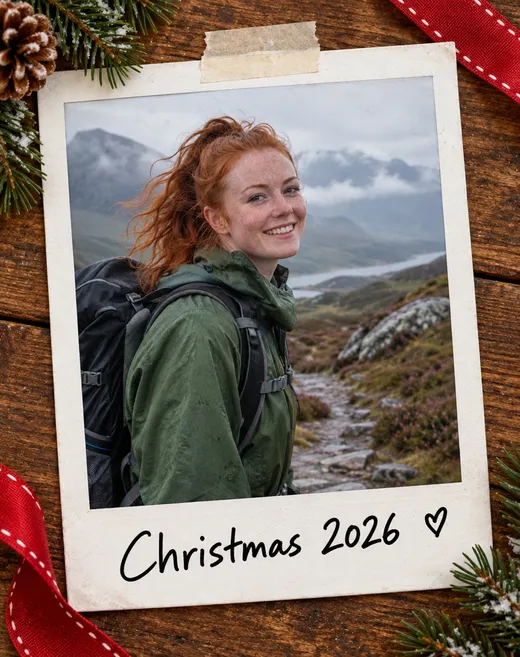
- Your photo stays the same
- Greeting written on the frame
- Free credits to start
- No watermark
Updated by the Kenerate AI team




On this page
Quick answer

How do you add a Christmas frame to a photo online?
A Christmas photo frame adds a holiday border — pine garland, tartan, holly, snow or a Polaroid edge — around a photo you already have, without changing the people or pets in it. On Kenerate AI you upload the photo to the Image Studio, describe the frame in one sentence and add “keep the photo inside the frame exactly the same”. GPT Image 2.5 Sunburst did that in all three of our tests, first try, at 11.7 credits per framed photo, and wrote “Merry Christmas” on the border when we asked. Downloads have no watermark.
Key facts
- Frames tested
- 3 (pine garland, tartan + greeting, Polaroid)
- Photo kept
- 3 of 3, first try
- Model
- GPT Image 2.5 Sunburst (OpenAI)
- Text on the frame
- Yes — spelled right in both tests
- Free-plan option
- Qwen Image 3.0
- Watermark
- None
Gallery
Christmas frames made with Kenerate AI
Three existing photos of fictional people and a dog, each framed with one prompt. GPT Image 2.5 Sunburst, one try each. Open any one to copy the prompt.
Same prompt
Before and after: same photo, Christmas frame
The originals are fictional photos from our other pages. One sentence added the border; the face, hair, clothes and background inside stayed as they were.
PromptPut this photo inside a red and green tartan plaid Christmas frame with a thin gold inner edge, holly in the top corners and "Merry Christmas" in cream script on the bottom border. Keep the photo inside the frame exactly the same.
 OriginalStudio portrait
 Tartan + greetingSunburst edit · 11.7 credits
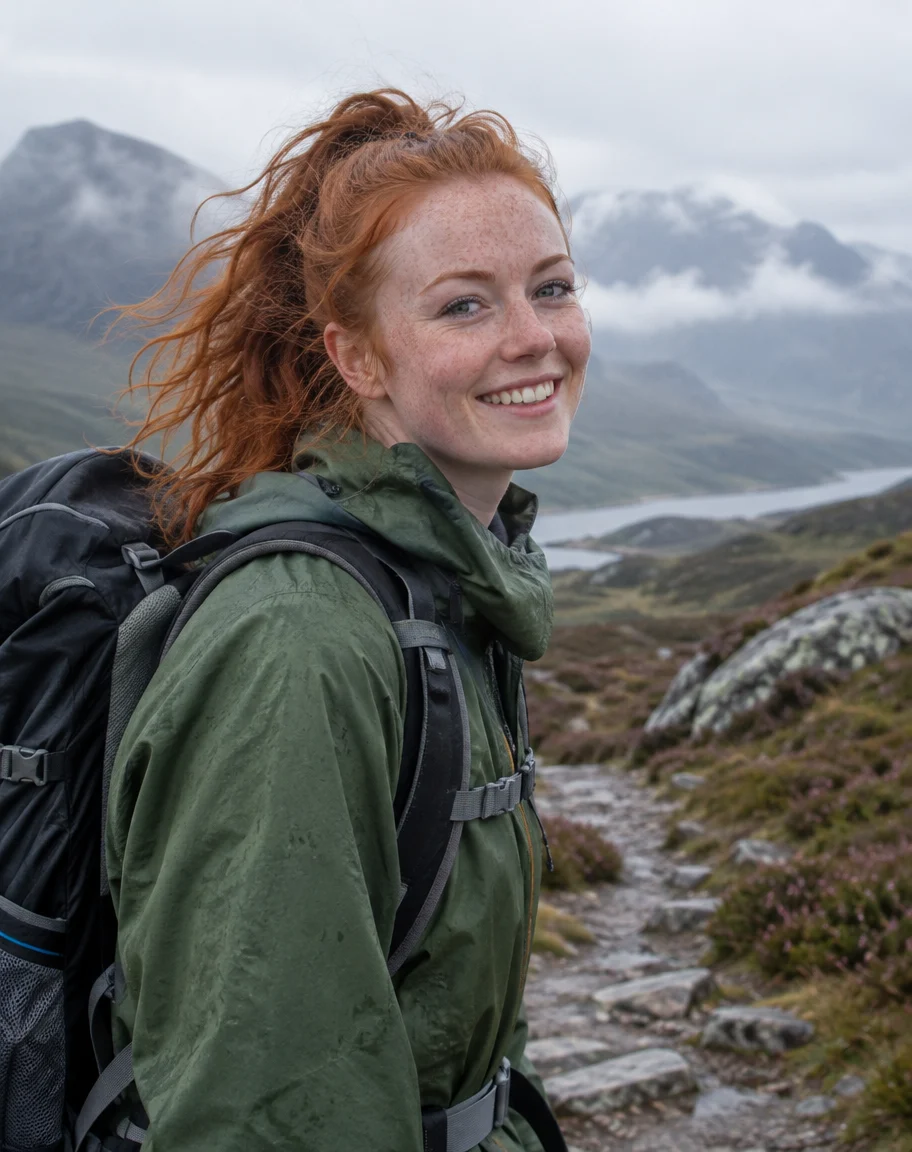 OriginalHiking photo
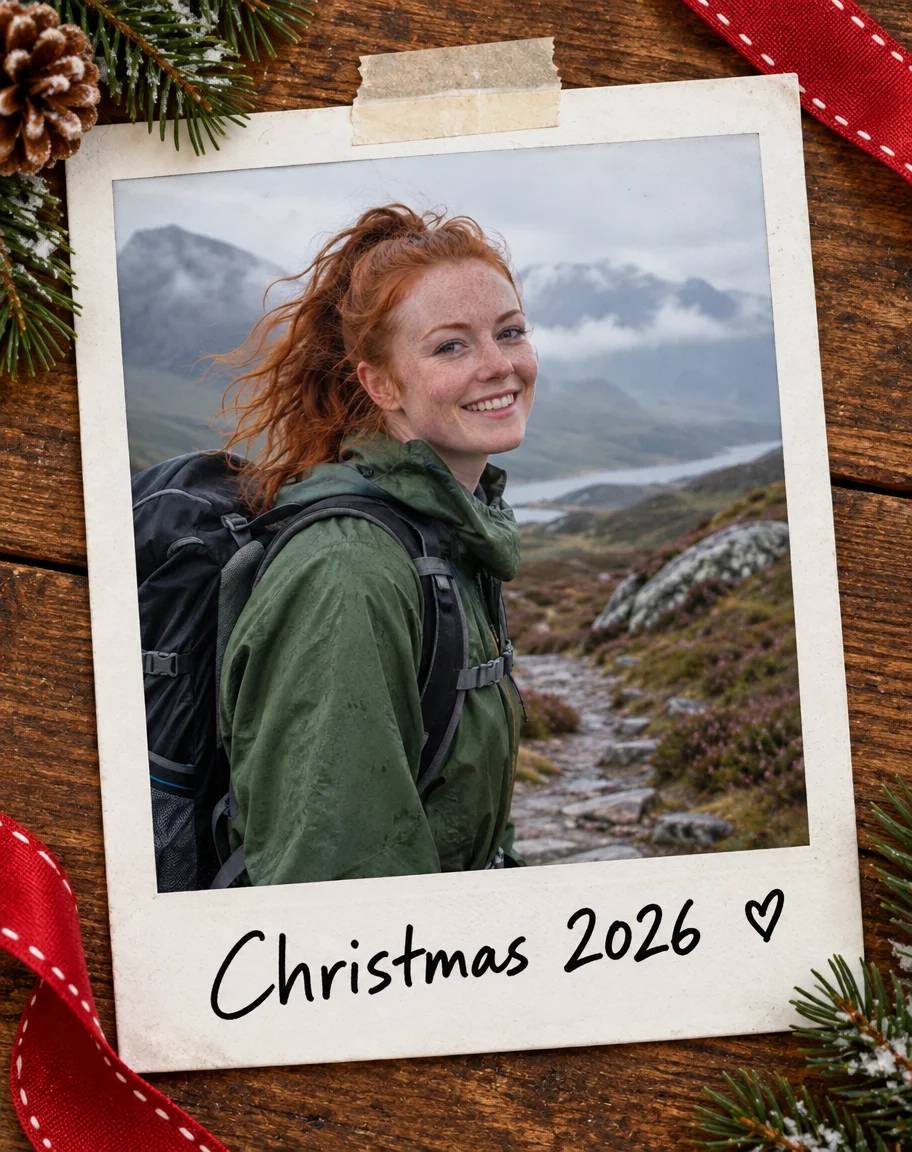 Polaroid frameSunburst edit · 11.7 credits
How to
How to use the christmas photo frame
- Time needed
- Steps
- 4 steps
Step 1
Open the Image Studio
Go to /app/image. Sign in free for 25 starter credits.
Step 2
Upload your photo
Add the family, pet or holiday photo you want to frame. Pick GPT Image 2.5 Sunburst.
Step 3
Describe the frame
Border style, colours, decorations and any greeting in quotes — plus “keep the photo inside the frame exactly the same”.
Step 4
Download
Regenerate if a detail is off, then download without a watermark — or upscale up to 4K for printing.
See it in the app

Open Image Studio and type what you want to see — subject, style, lighting and mood.


Watch the tour · 1:23
Prompts, styles, references, edit, Arena & chat
Chapters
Tips
Get a frame that leaves your photo alone
What worked in our three tests.
Always add “keep the photo inside the frame exactly the same” — and name what matters: face, hair, pet markings, background.
Describe the frame in one line: material, colour and one or two decorations (“red tartan, gold inner edge, holly in the top corners”).
Put words in quotes and say where they go: “Merry Christmas” in cream script on the bottom border.
Want the whole photo visible? Say “the border sits outside the photo, nothing is covered” — our pine garland overlapped the edges.
For Instagram use 4:5 or 1:1; for a 4×6 print use 2:3 and leave a margin.
Write “no text” if you plan to add the greeting yourself in a card editor.
Models
Models for Christmas photo frames
What each model is good at. Open any one straight in the generator.

OpenAI
GPT Image 2.5 Sunburst
- Reference images
- Up to 16
- Output
- 1K–4K
Open GPT Image 2.5 SunburstBest for
Made every frame on this page; writes greetings
Google
Nano Banana 2.1
- Reference images
- Up to 14
- Output
- Up to 4K
Open Nano Banana 2.1Best for
Same frame across a set of family photos

ByteDance
Seedream 5.0 Pro
- Reference images
- Up to 10
- Output
- 1K · 2K
Open Seedream 5.0 ProBest for
Illustrated and watercolour borders
- Free plan

FAQ
Christmas Photo Frame questions
9 questions

How do I add a Christmas frame to a photo online?
Open the Kenerate Image Studio, upload the photo, pick GPT Image 2.5 Sunburst and describe the frame — for example “a red and green tartan frame with holly in the corners” — adding “keep the photo inside the frame exactly the same”. You get the framed photo back in seconds and can download it without a watermark.
Link to this answerIs the Christmas photo frame free?
Free to start. A new Kenerate account gets 25 credits on sign-up — enough for two framed photos with Qwen Image 3.0 (9.9 credits each), which works on the free plan. GPT Image 2.5 Sunburst (11.7 credits per framed photo) unlocks once you buy a credit pack. Credits come in one-time packs that don't expire, with no subscription.
Link to this answerWill the frame change my photo?
Not if you say so. In all three of our tests the face, hair, clothes, the dog and the background inside the frame stayed the same. The one thing to watch: a thick garland can overlap the outer edge of the photo. If you need every pixel visible, ask for the border to sit outside the photo.
Link to this answerCan I write “Merry Christmas” or our family name on the frame?
Yes. Put the words in quotes and say where they go — “Merry Christmas” in cream script on the bottom border. Both of our text tests came out spelled correctly on the first try. Keep it short: a greeting, a name or a year reads better than a full sentence.
Link to this answerWhat frame styles can I make?
Anything you can describe: snowy pine garland with fairy lights, red and green tartan, gold baroque, candy-cane stripes, holly and berries, a Polaroid with a handwritten date, a snow-covered window, a gingerbread border or a watercolour wreath. There are no fixed templates, so the frame matches the photo.
Link to this answerCan I frame a photo of my pet?
Yes. Upload the pet photo and add “keep the same dog, fur, face and pose”. Our golden retriever came back unchanged inside a pine-and-bauble border. For a Santa hat or a fireplace scene instead of a border, use the AI Christmas photo generator.
Link to this answerWhat size should I use for printing or Instagram?
Use 4:5 or 1:1 for Instagram and Facebook posts, 9:16 for stories, and 2:3 for a 4×6 inch print. GPT Image 2.5 Sunburst renders from 1K to 4K, and the Image Upscaler takes any result up to 4K for a sharper print.
Link to this answerCan I use the same frame on several photos?
Yes. Reuse the same prompt for each photo, or add a framed result as a second reference and ask for “the same frame as the reference”. Each extra reference adds 4.5 credits to a Sunburst edit; Nano Banana 2.1 is good at keeping a look consistent across a set.
Link to this answerCan I frame photos of celebrities or other people?
Only upload photos of yourself or of people who have agreed, and don't use celebrities' or strangers' photos. Kenerate's terms of service apply to everything you generate.
Link to this answerIn depth
Christmas Photo Frame, explained
What works, what to avoid, and how to pick a model.
On this page
AI frame or template frame?
Most Christmas photo frame sites and apps give you a fixed PNG border that you drag your photo into. That is quick, but the frame never quite fits the photo — the colours clash or a face lands under the holly.
An AI frame is drawn around your photo: you describe it, the model fits it to the shape and colours of the picture, and you can write your own words on it. The trade-off is that you check the result instead of picking from a list.
15 Christmas photo frame prompt ideas
Add “keep the photo inside the frame exactly the same” to any of these:
- Snowy pine garland with red berries, gold baubles and warm fairy lights.
- Red and green tartan with a thin gold inner edge and holly in the corners.
- White Polaroid frame taped to a wooden table, “Christmas 2026” in black marker.
- Ornate gold baroque frame on a dark green wall with a wreath above it.
- Candy-cane striped border with small peppermints in the corners.
- Frosted window frame with snow on the sill and candles on each side.
- Gingerbread cookie border with white icing swirls.
- Watercolour wreath of eucalyptus and red berries on white paper.
- Scandinavian red-and-white knit pattern border with tiny snowflakes.
- Vintage 1950s greeting-card frame with tinsel and “Season's Greetings”.
- Snow globe frame — the photo inside the glass, glitter snow falling.
- Kraft paper border with twine, pine sprigs and a gift tag reading your family name.
- Starry night-blue frame with gold stars and “Happy Holidays”.
- Fireplace mantel frame: the photo hangs above stockings and garland.
- Film-strip frame with three of your photos and a ribbon at the top.
What we got
Three existing photos of fictional people and a dog, GPT Image 2.5 Sunburst at 4:5, one try each:
- All three kept the photo inside the frame — the dog's coat, the woman's bob and smile, the hiker's freckles and the mountain path behind her.
- “Merry Christmas” and “Christmas 2026” came out spelled correctly, in the style and position we asked for.
- The pine garland covers the outer edge of the dog photo rather than sitting outside it, so a little of the floor is hidden.
- The Polaroid edit added a small hand-drawn heart after the date that wasn't in the prompt.
- The tartan, gold edge and holly matched the description closely; the holly also appeared next to the greeting.
By the Kenerate AI teamLast updated and reviewed
We build and run the Kenerate generator. Every example is a real output of the model named under it; models and presets were checked against the app's code.
Sources: Kenerate Image Studio · Kenerate terms of service