

Concerts · markets · fun runs · workshops · trivia · fundraisers
Event Flyer Maker — your date, time and venue lettered in
Describe the event, put the name, date, time, venue and one line of details in quotes, and get a finished flyer with every word typeset in. Print it for the notice board or post it as a 4:5 or 9:16 graphic.
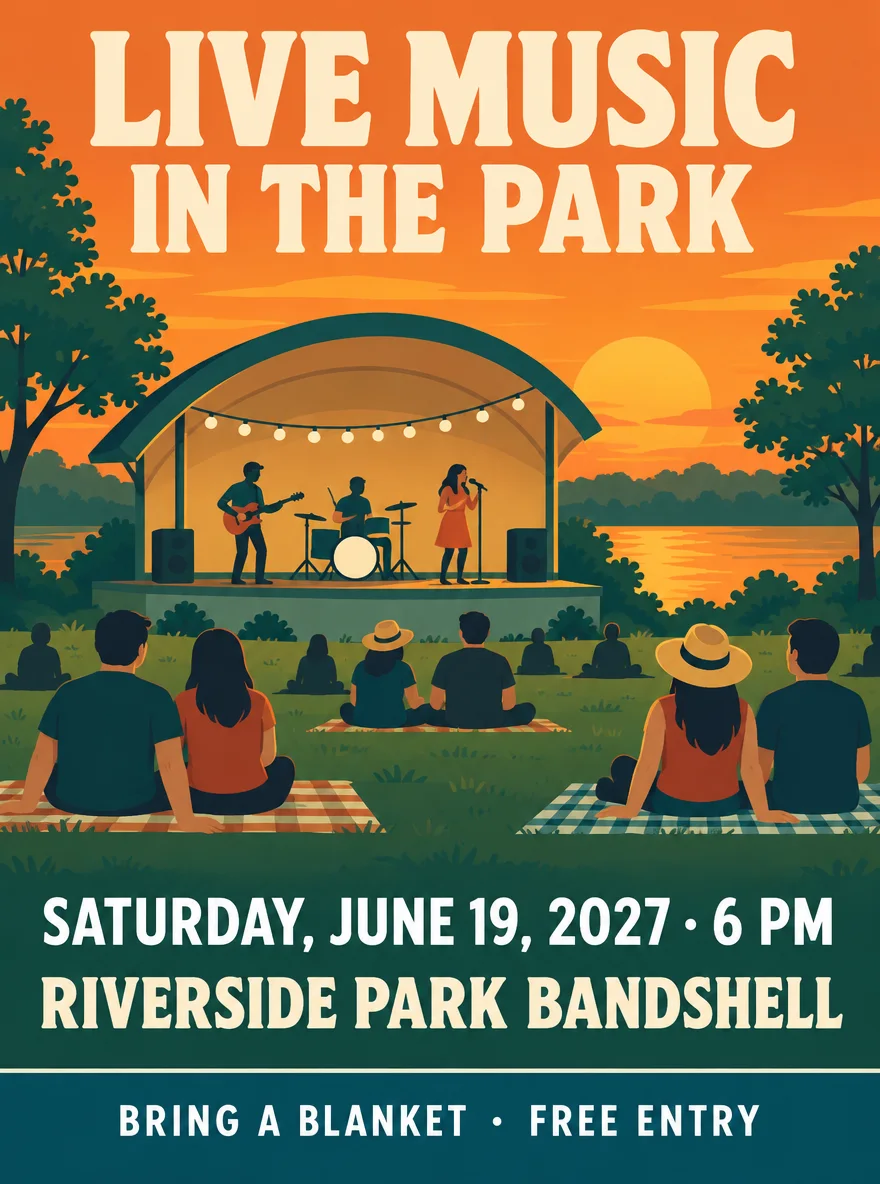
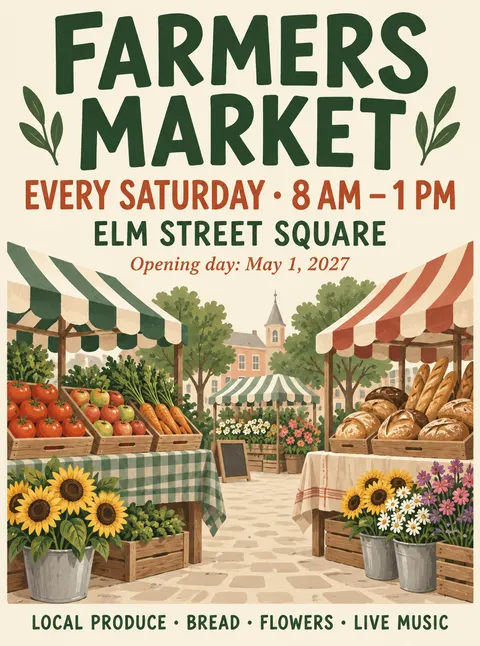
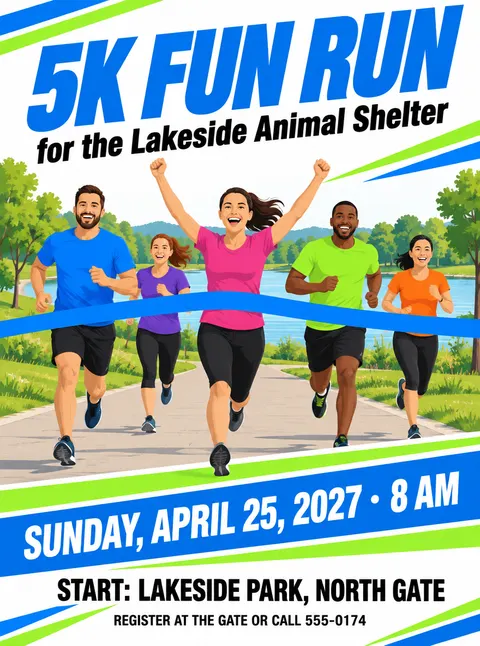
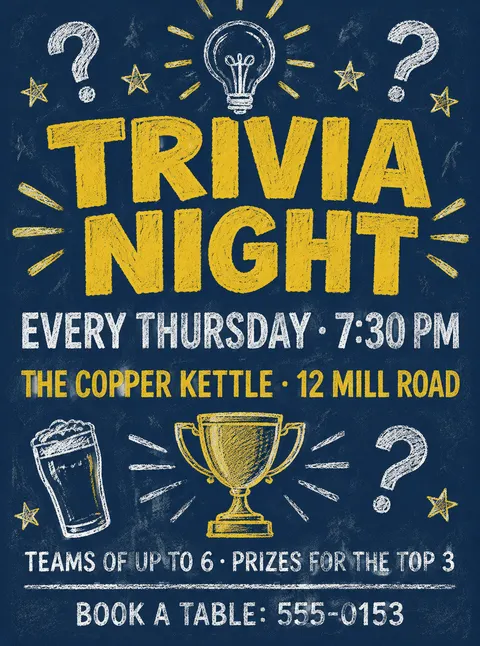
- Date, time and venue drawn as text
- Your own photo or logo as a reference
- Letter, A4 and social sizes
- No watermark
Updated by the Kenerate AI team




Made with Kenerate

On this page
Quick answer

How do I make an event flyer with AI?
An event flyer maker turns your event details into a finished flyer. On Kenerate AI, open the Image Studio, pick GPT Image 2.5 Sunburst (7.2 credits at 1K), choose 3:4 for a US Letter flyer and write the event name, day, date, time, venue and one line of details in quotes. Our concert, market and fun run flyers came back with every word right first time.
Key facts
- Best for flyer lettering
- GPT Image 2.5 Sunburst · GPT Image 2.6 Sunburst
- Free plan model
- Qwen Image 3.0
- Your photos or logo
- Up to 16 per flyer (Sunburst models)
- US Letter flyer
- 3:4
- Instagram post · story
- 4:5 · 9:16
- Max size
- 4K (Sunburst models)
- Watermark
- None
Gallery
Event flyers made with AI
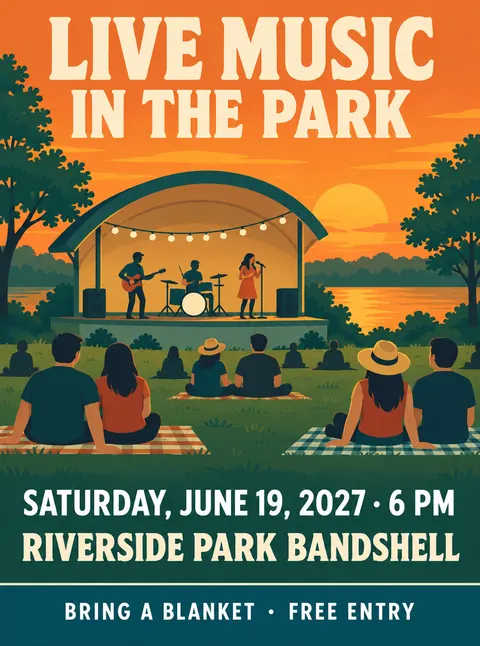
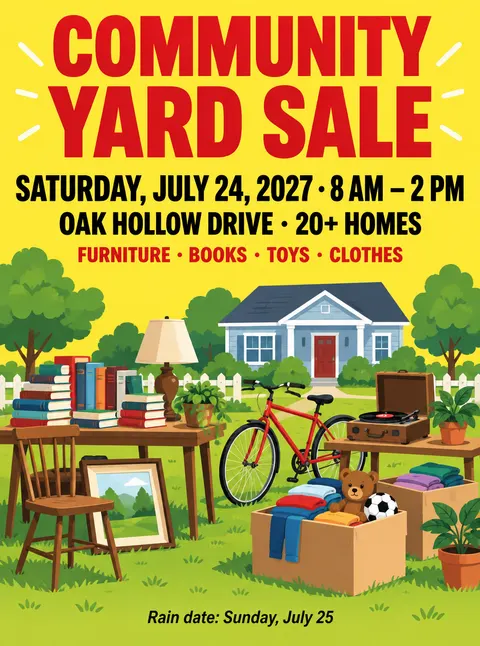
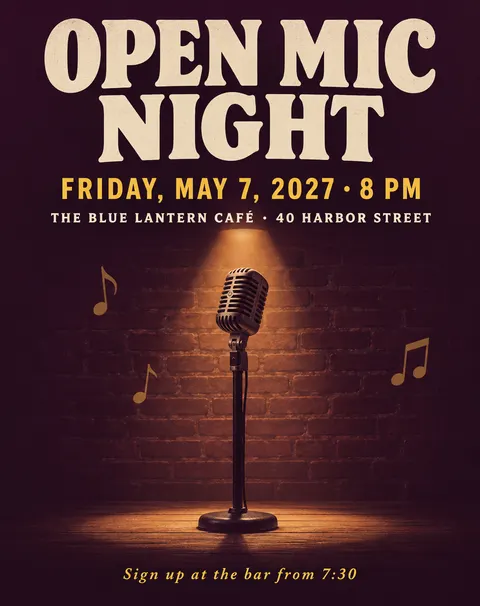
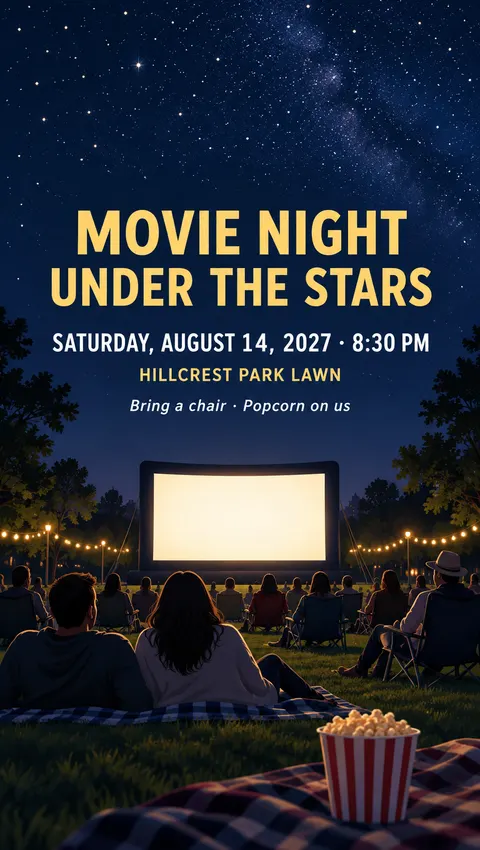
Event flyer examples from one try each at 1K: a concert, a farmers market, a charity fun run, a trivia night, a yard sale, a workshop, an Instagram post and a story. We read every word: all spelled right. Venues and 555 numbers are made up.
How to
How to use the event flyer maker
- Time needed
- Steps
- 4 steps
Step 1
Open the Image Studio
Go to /app/image and pick GPT Image 2.5 Sunburst, or Qwen Image 3.0 on the free plan.
Step 2
Pick the shape
Choose 3:4 for a US Letter flyer, 4:5 for an Instagram post or 9:16 for a story. Upload your logo or a photo if you want it on the flyer.
Step 3
Write the flyer
The event name, day and date, time, venue and one line of details, each in quotes, plus the picture, where each line goes and the colours.
Step 4
Check and download
Read every line, fix any slip with a follow-up edit, then download with no watermark, or upscale to 4K for print.
See it in the app

Open Image Studio and type what you want to see — subject, style, lighting and mood.


Watch the tour · 1:23
Prompts, styles, references, edit, Arena & chat
Chapters
Tips
How to get an event flyer people act on
What worked in our eight tests, plus what an event flyer has to get right: what, when, where, and what to do next.
Lead with the event name in the biggest letters: “LIVE MUSIC IN THE PARK”, not “Join us for…”.
Put every line in quotes: the event name, the day and date, the time, the venue and one line of details.
Write the weekday with the date and check it on a calendar: 19 June 2027 is a Saturday.
Keep it to five or six lines; ticket links, maps and long schedules belong on your event page.
Say where each line goes: headline at the top, picture in the middle, date and venue under it, contact at the bottom.
Use 3:4 for a US Letter flyer, 4:5 for an Instagram post and 9:16 for a story; generate at 4K or upscale for print.
Models
Which model to use for event flyers
What each model is good at. Open any one straight in the generator.

OpenAI
GPT Image 2.5 Sunburst
- Reference images
- Up to 16
- Output
- 1K–4K
Open GPT Image 2.5 SunburstBest for
Made the concert, market, fun run, yard sale and social examples
OpenAI
GPT Image 2.6 Sunburst
- Reference images
- Up to 16
- Output
- 1K–4K
Open GPT Image 2.6 SunburstBest for
Made the trivia night flyer; tagged for text rendering
- Free plan

Alibaba
Qwen Image 3.0
- Reference images
- Up to 3
- Output
- 1K or 2K
Open Qwen Image 3.0Best for
Free plan; made the pottery workshop flyer
FAQ
Event Flyer Maker questions
8 questions

How do I make an event flyer with AI?
Open Kenerate's Image Studio, pick GPT Image 2.5 Sunburst and a 3:4 shape, and write the flyer in one prompt: the event name, day and date, time, venue and one line of details, each in quotes, plus the picture you want and where each line goes. All eight flyers above were made that way in one try.
Link to this answerWhat should an event flyer include?
What, when, where and what to do next: the event name in the biggest letters, the day, date and time, the venue or address, and one line such as “Bring a blanket”, “Register at the gate” or a phone number. Five or six lines read from across a room; put schedules and ticket links on your event page.
Link to this answerIs there a free event flyer maker?
You can start free. A new Kenerate account gets 25 credits, and Qwen Image 3.0, which made the pottery workshop flyer above, is open on the free plan at 9 credits a flyer. GPT Image 2.5 Sunburst costs 7.2 credits at 1K and GPT Image 2.6 Sunburst 15. Downloads have no watermark.
Link to this answerWhat size is an event flyer?
The usual flyer is US Letter, 8.5 × 11 in (A4 outside North America); in the Image Studio pick 3:4, the closest shape, and leave a margin. Use 4:5 for an Instagram post and 9:16 for a story. For print, a Letter flyer at 300 dpi is 2550 × 3300 pixels, so generate at 4K or upscale a 1K flyer.
Link to this answerCan AI write the date, time and phone number correctly?
Usually. Every line on the flyers above came out right on the first try, including “Saturday, July 24, 2027 · 8 AM – 2 PM”, “Book a table: 555-0153” and “Oak Hollow Drive · 20+ homes”. Image models can still swap a digit, so read every number before you print, and fix a wrong one with a follow-up edit.
Link to this answerCan I add my logo or a photo to the flyer?
Yes. Attach it as a reference image (Sunburst models take up to 16) and say where it goes: “use this logo small at the bottom right” or “use this photo of our venue as the main picture, unchanged”. Only use logos and photos you own or have permission to use.
Link to this answerCan I make the same flyer for Instagram?
Yes. Run the same prompt at 4:5 for a feed post or 9:16 for a story, as in our open mic and movie night examples. For a story, add “keep the top and bottom fifth free of words” so the app's buttons don't cover the date.
Link to this answerCan I use a famous band, film or brand on my flyer?
Only with permission. Band names, film titles and brand logos belong to their owners, and a generated copy of a logo is usually wrong anyway. Our movie night prompt ends with “no logos, no film titles”; type the film's name yourself if you are licensed to show it.
Link to this answerIn depth
Event Flyer Maker, explained
What works, what to avoid, and how to pick a model.
On this page
Event flyer prompts by type
Swap in your own event, date, venue and contact; keep the structure: the event type, the picture, every line in quotes, where it goes and the colours.
- Concert: “'LIVE MUSIC IN THE PARK' headline, a band on a bandstand at golden hour, the day, date and time, the venue, 'Bring a blanket' in a bottom band.”
- Market: “'FARMERS MARKET' in hand-lettered capitals, market stalls with produce, 'Every Saturday · 8 AM – 1 PM', the square, the opening day.”
- Fundraiser: “'5K FUN RUN', who it's for, adult runners at a finish line, the date on a coloured band, the start point and a phone number.”
- Pub night: “Chalkboard style, 'TRIVIA NIGHT', 'Every Thursday · 7:30 PM', the pub and address, team size and prizes, 'Book a table: your number'.”
- Community: “'COMMUNITY YARD SALE', a lawn of items, the date and hours, the street, what's for sale, a rain date.”
- Social: “4:5 post or 9:16 story, one strong picture, the event name, date, venue and one call to action, top and bottom edges clear.”
What still goes wrong
In our eight event flyers nothing was misspelled, but the models add small extras: Qwen Image 3.0 drew its flyer as a sheet on a cream backdrop even though the prompt said “edge to edge”, and GPT Image 2.5 Sunburst added a house to the yard sale scene we didn't ask for. Crop the backdrop off in Edit Studio, or say “no icons, nothing else in the picture” to keep the scene tight.
By the Kenerate AI teamLast updated and reviewed
We build and run the Kenerate generator. Every example is a real output of the model named under it; models and presets were checked against the app's code.
Sources: Kenerate Image Studio
