Phone photo or cut-out · top-down · props and surface
Flat Lay Photo Generator
Upload a plain photo or a cut-out of your product. The AI lays it out from directly above on the surface you name, with the props and light you describe, and keeps the product, its colours and its label.
- Shot from directly above
- Product and label kept
- Your surface and props
- No watermark
Updated by the Kenerate AI team




On this page
Quick answer

How do I make a flat lay photo with AI?
A flat lay photo shows a product from directly above with props arranged around it. To make one with AI on Kenerate, upload a phone photo or cut-out of the product with GPT Image 2.5 Sunburst (11.7 credits with one photo at 1K) and the flat-lay instruction, then name the surface and props. Our serum bottle kept its label word for word, first try.
Key facts
- Starts from
- A phone photo, a cut-out or a packshot of the product
- Camera angle
- Straight down, 90° overhead
- Best model in our serum test
- GPT Image 2.5 Sunburst
- Best model in our shirt test
- Nano Banana 2.1 (kept the plain linen)
- Shape
- 4:5 for feeds and shops · 1:1 · 9:16
- Clothes in batches
- Fashion Studio · Flat lay shoot
- Watermark
- None
Before / after
Flat lay photo generator: real before and after
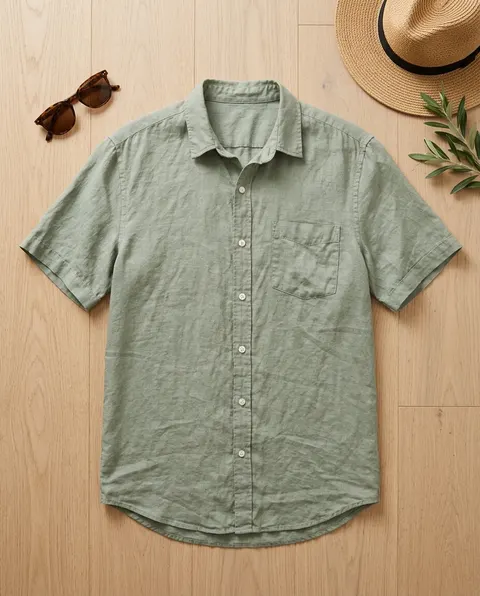
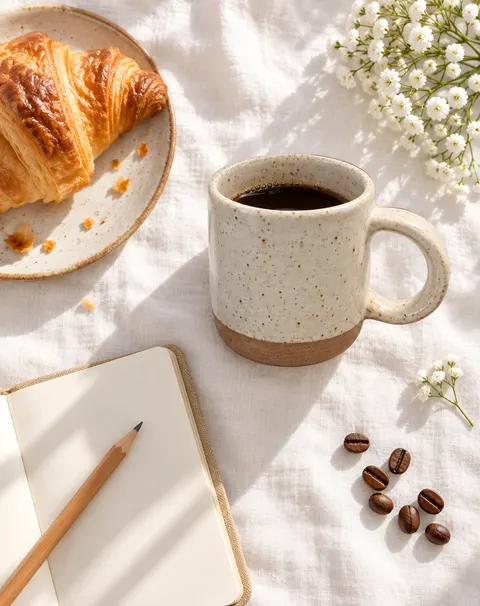
A phone photo of a serum bottle, a shirt on a hanger and a cut-out mug, each turned into a top-down flat lay in one try. Drag the slider to compare.
Gallery
More flat lay photos: from text and the second models
A flat lay from a prompt alone on Seedream 5.5, and the second model in each of our two tests. Open any one to copy the prompt.
Same prompt
Same serum photo, two models
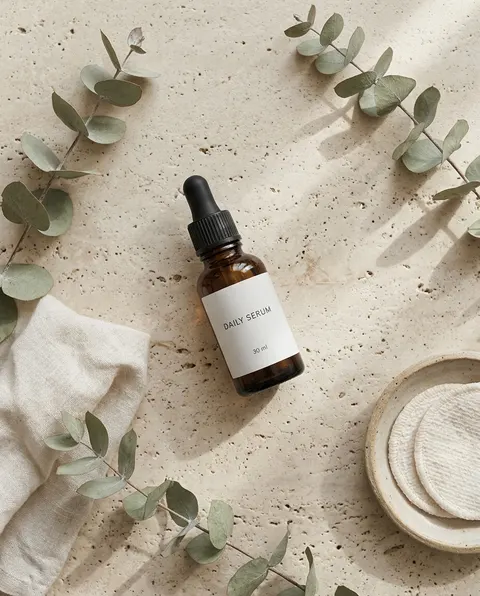
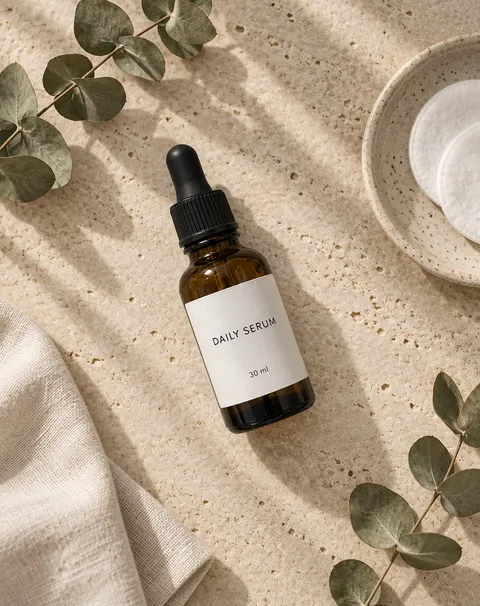
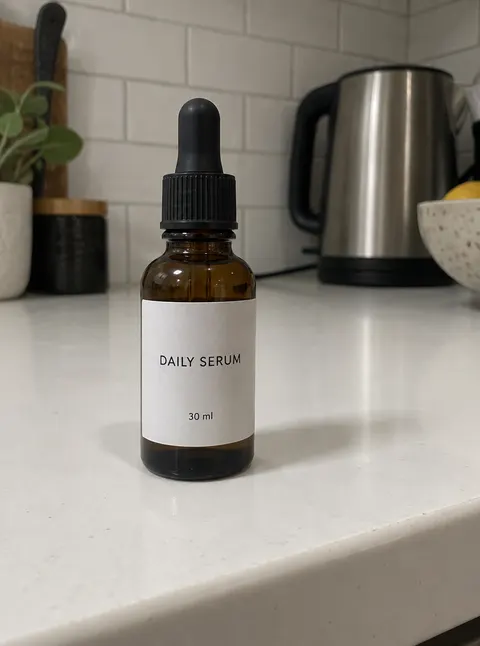
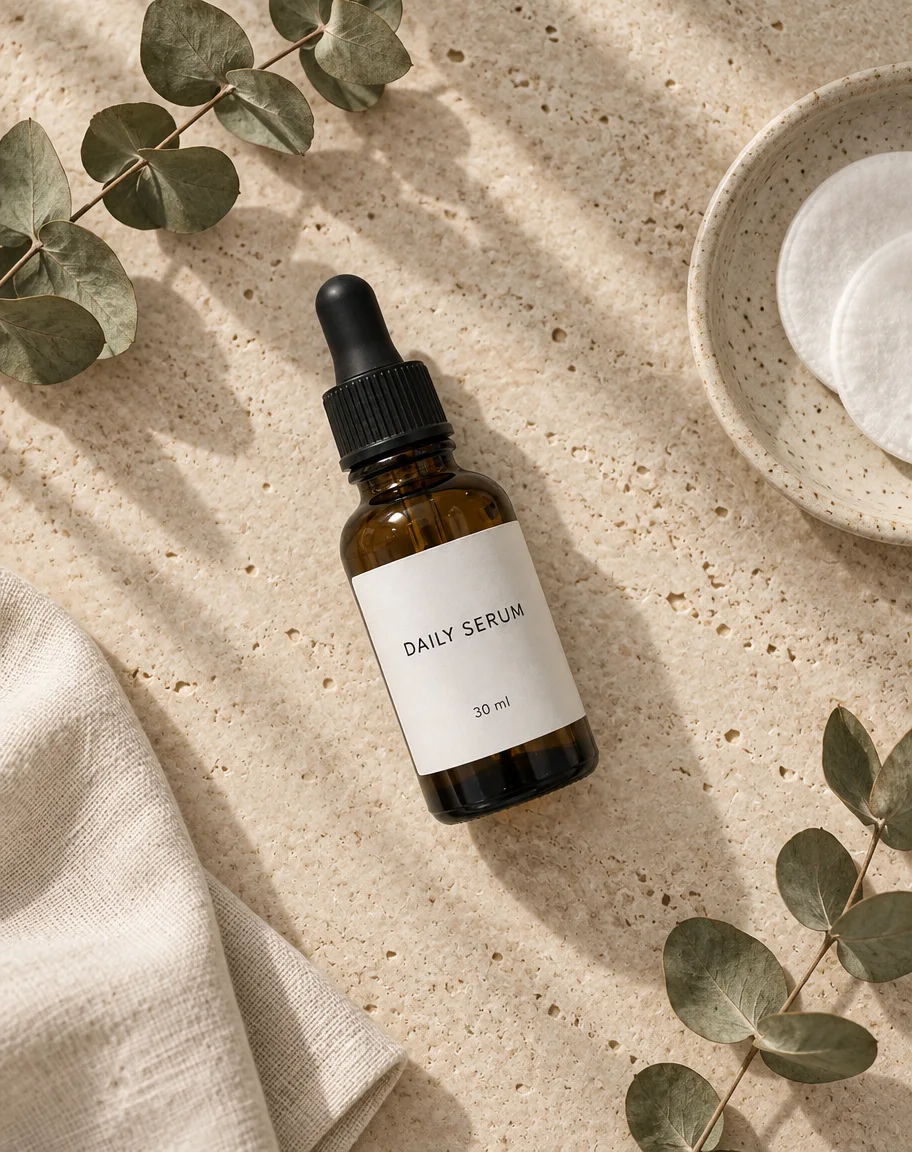
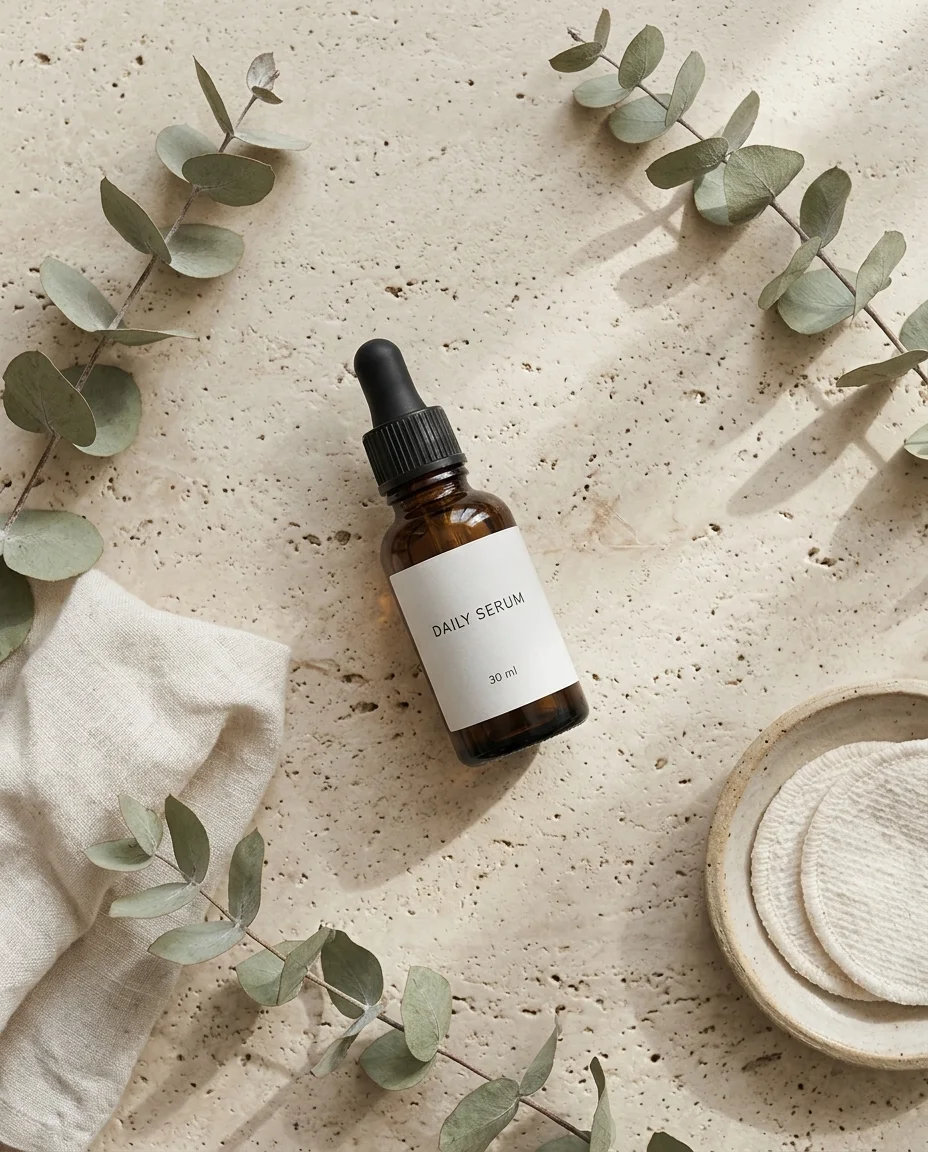
The phone photo, then the same flat-lay prompt on GPT Image 2.5 Sunburst and on Nano Banana 2.1. Both kept the bottle and both label lines.
PromptTurn this product photo into a styled flat lay photo shot straight down from directly above. The same serum bottle lies on its side in the centre of the frame. Keep the bottle exactly the same: the amber glass, the black ribbed dropper cap and rubber bulb, the plain white label with "DAILY SERUM" and "30 ml" in thin black capitals. Surface: pale beige travertine stone. Props arranged around the edges with space between them: two dried eucalyptus sprigs, a small folded off-white linen cloth, a round ceramic dish with a few cotton pads, and soft window-light shadows falling diagonally. Calm, minimal, natural colours, editorial product photography. No other text, no logos.
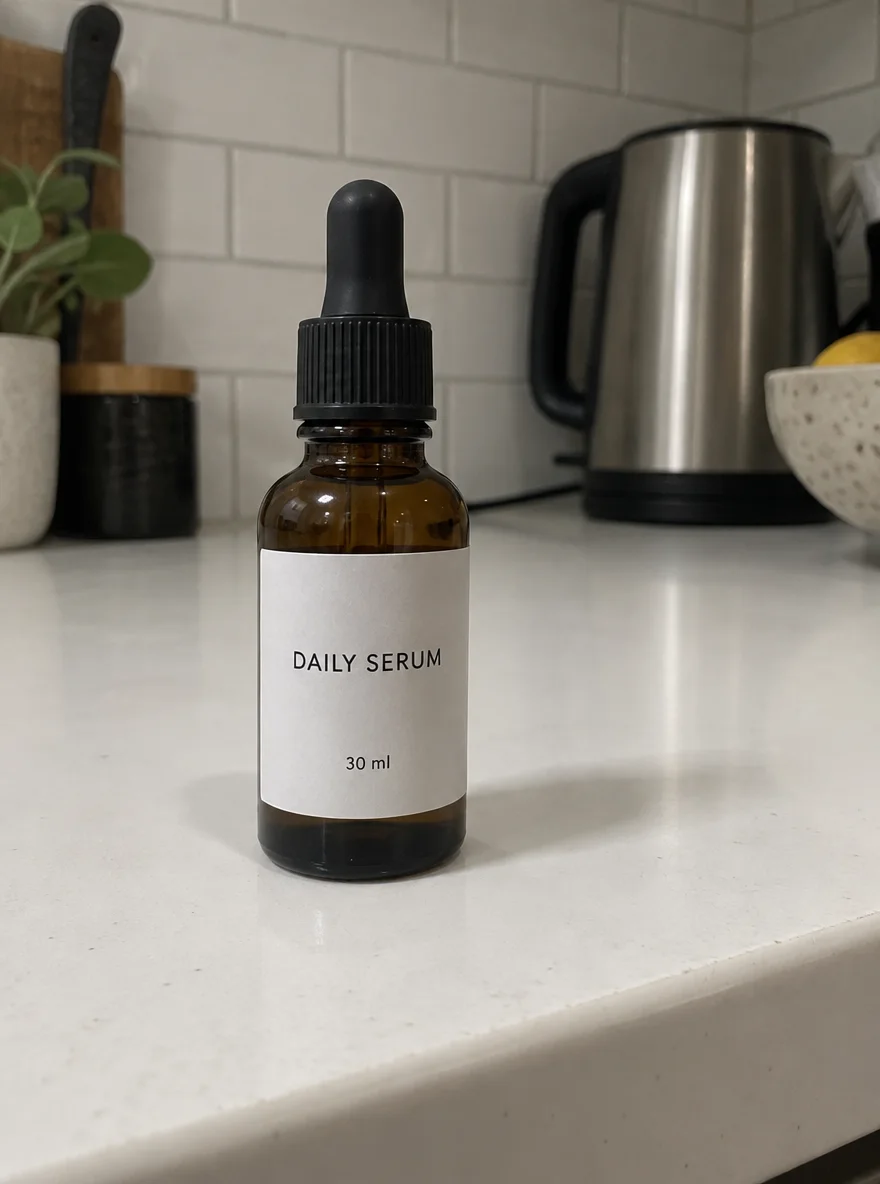 InputPhone photo on a kitchen counter
- GPT Image 2.5 SunburstBottle large, props exactly as listed
 Nano Banana 2.1Bottle smaller, four sprigs instead of two
How to
How to use the flat lay photo generator
- Time needed
- Steps
- 4 steps
Step 1
Open the flat lay tool
Press “Add your photo”: the Image Studio opens with GPT Image 2.5 Sunburst and the flat-lay instruction filled in.
Step 2
Upload the product
A phone photo, a packshot or a cut-out. The whole product in frame, in even light. JPG, PNG or WebP.
Step 3
Describe the lay
Name the surface, three or four props and the light, and list the details to keep, including any label words in quotes. Pick 4:5.
Step 4
Check and download
Compare with the real product at 100% (label, colour, texture), then download. No watermark.
See it in the app

Open Image Studio and type what you want to see — subject, style, lighting and mood.


Watch the tour · 1:23
Prompts, styles, references, edit, Arena & chat
Chapters
Tips
Flat lay photography tips that also work with AI
The rules photographers use for a flat lay, and what made the difference in our tests.
Shoot straight down. Say “shot straight down from directly above”; without it the model drifts to a high angle, as our mug did.
One hero, a few props. Name three or four props and where they go (“around the edges, space between them”) so the product stays the focus.
Pick one surface: travertine, linen, oak, marble, kraft paper or a flat colour. A plain surface reads better than a busy one.
Name every detail to keep: the material, the colour, the cap, the buttons, and every word on the label in quotes.
Use soft side light, such as window light, for gentle shadows; ask for “nearly shadowless” for a catalogue look.
Zoom in before you post. Check fabric texture, label text and colour against the real product: models can add a pattern or shift a shade.
Models
Which model makes the best flat lay photos?
What each model is good at. Open any one straight in the generator.

OpenAI
GPT Image 2.5 Sunburst
- Reference images
- Up to 16
- Output
- 1K–4K
Open GPT Image 2.5 SunburstBest for
Won the serum test: label and props exactly as asked
Google
Nano Banana 2.1
- Reference images
- Up to 14
- Output
- 1K–4K
Open Nano Banana 2.1Best for
Won the shirt test: kept the plain linen weave
ByteDance
Seedream 5.5
- Reference images
- Up to 10
- Output
- 1K–2K
Open Seedream 5.5Best for
Flat lays from a prompt alone
Kenerate
Fashion Studio · Flat lay
- Reference images
- 1–4 garment and accessory photos
- Output
- 4:5 · marketplace sizes
Open Fashion Studio · Flat layBest for
Clothing flat lays with accessories, batch exports
FAQ
Flat Lay Photo Generator questions
8 questions

What is a flat lay photo?
A flat lay is a photo taken from directly above, at 90 degrees, of a product laid on a flat surface with props arranged around it. It is common for skincare, food, stationery, clothing and accessories on product pages and Instagram, because every item shows its full shape and the layout looks tidy.
Link to this answerHow do I make a flat lay photo with AI?
Upload a photo or cut-out of your product in Kenerate's Image Studio, pick GPT Image 2.5 Sunburst and use the flat-lay instruction: shot straight down from directly above, the product kept exactly, a named surface, three or four props and soft light. The serum, shirt and mug above were each made in one try.
Link to this answerWhich AI model keeps my product the same in a flat lay?
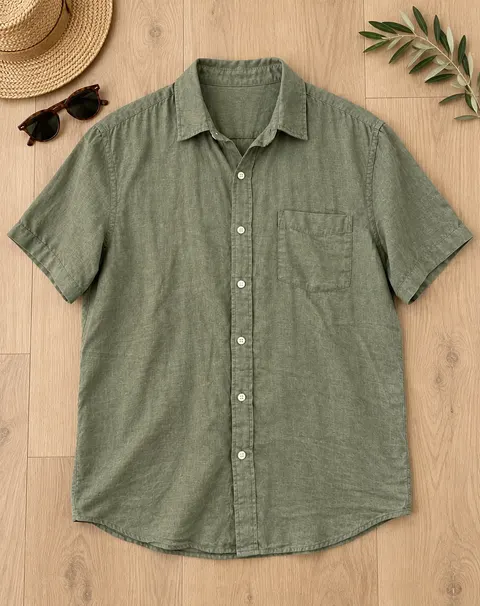
It depended on the product. On our serum bottle, GPT Image 2.5 Sunburst kept the glass, cap and both label lines and followed the prop list exactly; Nano Banana 2.1 also kept the label but made the bottle smaller and added sprigs. On our linen shirt, Sunburst added a faint pattern to the plain fabric, while Nano Banana 2.1 kept the weave but lightened the green. Check every result against the real product.
Link to this answerCan I make a flat lay from a cut-out?
Yes. Our mug was cut out of a cluttered desk photo with Kenerate's Object Pick (keep one described object, everything else goes), then placed in a breakfast flat lay with GPT Image 2.5 Sunburst. A cut-out removes clutter the model might otherwise copy into the scene.
Link to this answerHow much does an AI flat lay cost?
One GPT Image 2.5 Sunburst edit with one product photo costs 11.7 credits at 1K; Nano Banana 2.1 costs 21; a Seedream 5.5 flat lay from a prompt alone costs 6. A new Kenerate account gets 25 credits. Downloads have no watermark.
Link to this answerCan I make clothing flat lays?
Yes. Upload a photo of the garment on a hanger, a person or a bed and ask for it laid flat and smoothed from above. For a whole catalogue, Fashion Studio's Flat lay shoot takes 1 to 4 photos of the garment and accessories and exports marketplace sizes; it is part of the premium plans.
Link to this answerWhat props should I use in a flat lay?
Props that fit how the product is used: eucalyptus, linen and cotton pads for skincare; a croissant, coffee beans and a notebook for a mug; sunglasses and a straw hat for summer clothes. Use three or four, keep them smaller than the product and spread them around the edges.
Link to this answerWhat aspect ratio is best for a flat lay?
4:5 is the most useful: it fills an Instagram feed post and crops cleanly to a square for Shopify or Etsy listings. Use 1:1 for a marketplace grid and 9:16 for stories and pins.
Link to this answerIn depth
Flat Lay Photo Generator, explained
What works, what to avoid, and how to pick a model.
On this page
How to shoot a flat lay with a phone
If you shoot the flat lay yourself, or want a better input photo for the AI:
- Put the surface on the floor or a low table next to a window, so the light comes from one side.
- Hold the phone flat above the product, screen parallel to the surface; turn on the grid and keep the edges of the surface straight.
- Use the 1× lens and step up on a chair rather than zooming, so the product isn't distorted.
- Place the product first, then add props one at a time from the edges in; leave gaps between items.
- Tap on the product to focus and lower the exposure slightly so white surfaces don't blow out.
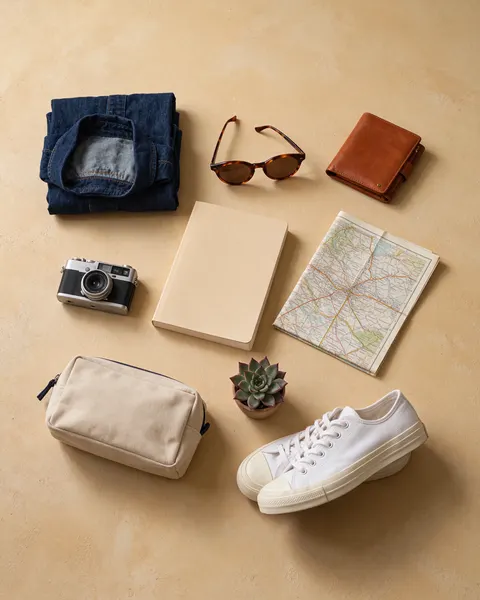
Flat lay prompts to copy
Upload the product, then add one of these lines to the instruction from the tool:
- Skincare: pale travertine, two eucalyptus sprigs, folded linen, a dish of cotton pads, diagonal window shadows.
- Clothing: laid flat and smoothed on light oak, sunglasses, a straw hat in one corner, an olive sprig.
- Mug or food: white linen tablecloth, a croissant on a plate, an open notebook with a pencil, coffee beans, small white flowers.
- Stationery: kraft paper surface, a pen, paper clips, a small plant, a cup of tea in one corner.
- Tech: matte black surface, a cable coiled neatly, earbuds, a notebook, cool soft light.
What it doesn't do
The model redraws your product rather than pasting it in, so small things can change: in our tests a plain linen shirt picked up a faint pattern on one model and lightened on the other, and a text-only flat lay put tiny illegible engravings on a camera. Label words came back right when we put them in quotes. Compare every result with the real product at full size before it goes on a product page.
By the Kenerate AI teamLast updated and reviewed
We build and run the Kenerate generator. Every example is a real output of the model named under it; models and presets were checked against the app's code.
Sources: Kenerate Image Studio · Kenerate Fashion Studio — Flat lay shoot