

Multi-round edits · up to 10 references
Seedream 5.5 Image Edit
Upload a picture, say what to change, and Seedream 5.5 changes only that — then edit the result again, and again. ByteDance built 5.5 to keep everything you didn't touch pixel-for-pixel the same, for up to 100 rounds, so a product, a face or a room stays put while the scene around it moves.

- Changes only what you ask
- Edit the result again
- Up to 10 references
- No watermark
Updated by the Kenerate AI team




Made with Kenerate


On this page
Quick answer

How good is Seedream 5.5 at image editing?
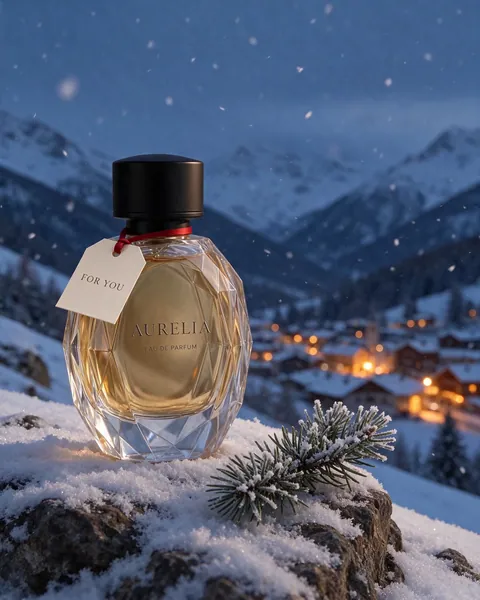
Seedream 5.5 is ByteDance's 9 November 2026 image model, and editing is its headline: ByteDance says it keeps unedited regions identical at the pixel level and avoids colour shifts and detail loss across up to 100 rounds of edits. In our tests on Kenerate it moved a perfume bottle into a snowy scene, then changed only its cap, then added only a gift tag — the glass, lettering and scene stayed the same each time. Edits take up to 10 reference images and cost 8.4 credits at 1K with one image.
Key facts
- Model
- Seedream 5.5 (ByteDance)
- Edit rounds
- Up to 100 (ByteDance)
- Unedited areas
- Kept at pixel level
- References
- Up to 10 per edit
- Sizes
- 1K · 1.5K · 2K
- Where
- /app/edit or /app/image
Gallery
Seedream 5.5 edits, before and after
Real Seedream 5.5 edits on Kenerate, one try each. The perfume is one chain — each round edited the result of the one before. Open any image to copy the edit prompt.
Same prompt
One bottle, three rounds of edits
Each edit changed one thing. The facets, the AURELIA lettering and everything we didn't mention stayed the same.
PromptOriginal → move to a snowy ledge → make the cap matte black → add a FOR YOU gift tag
 OriginalText to image
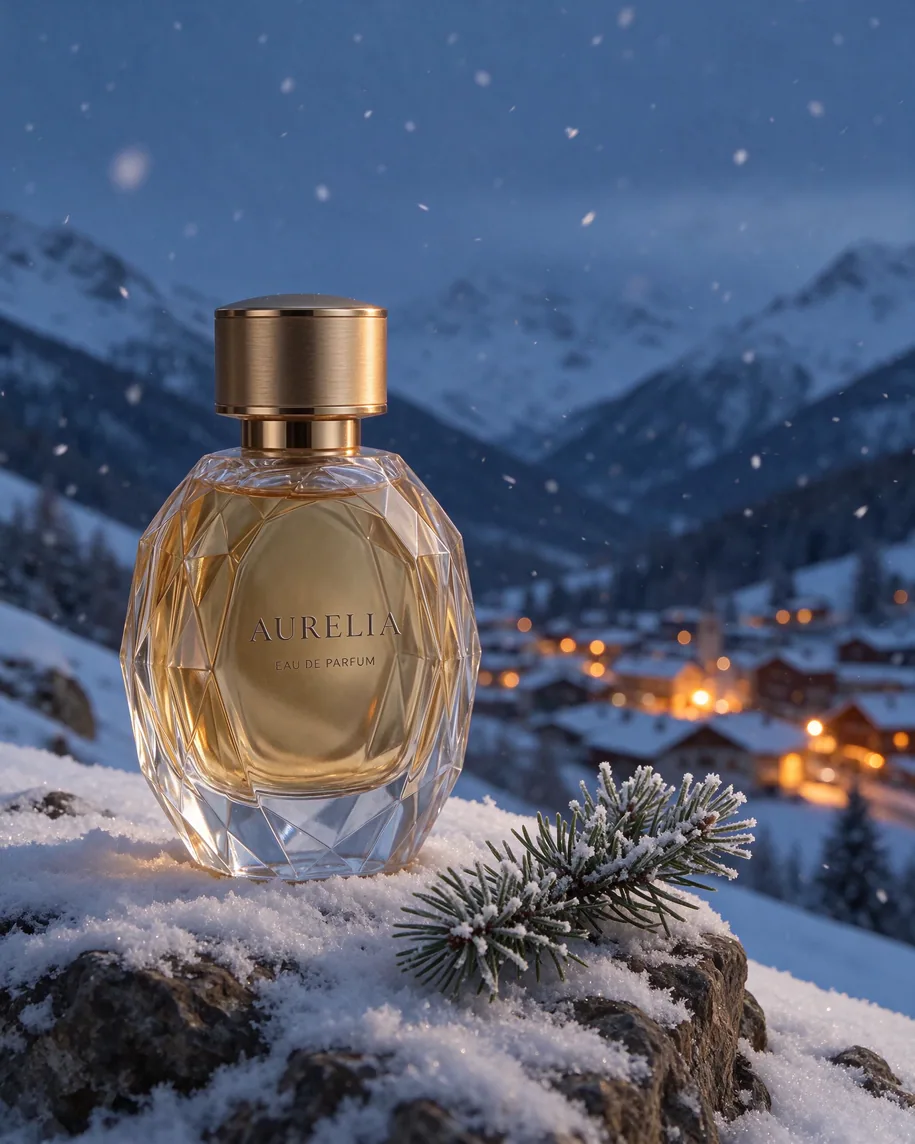 Round 1New scene
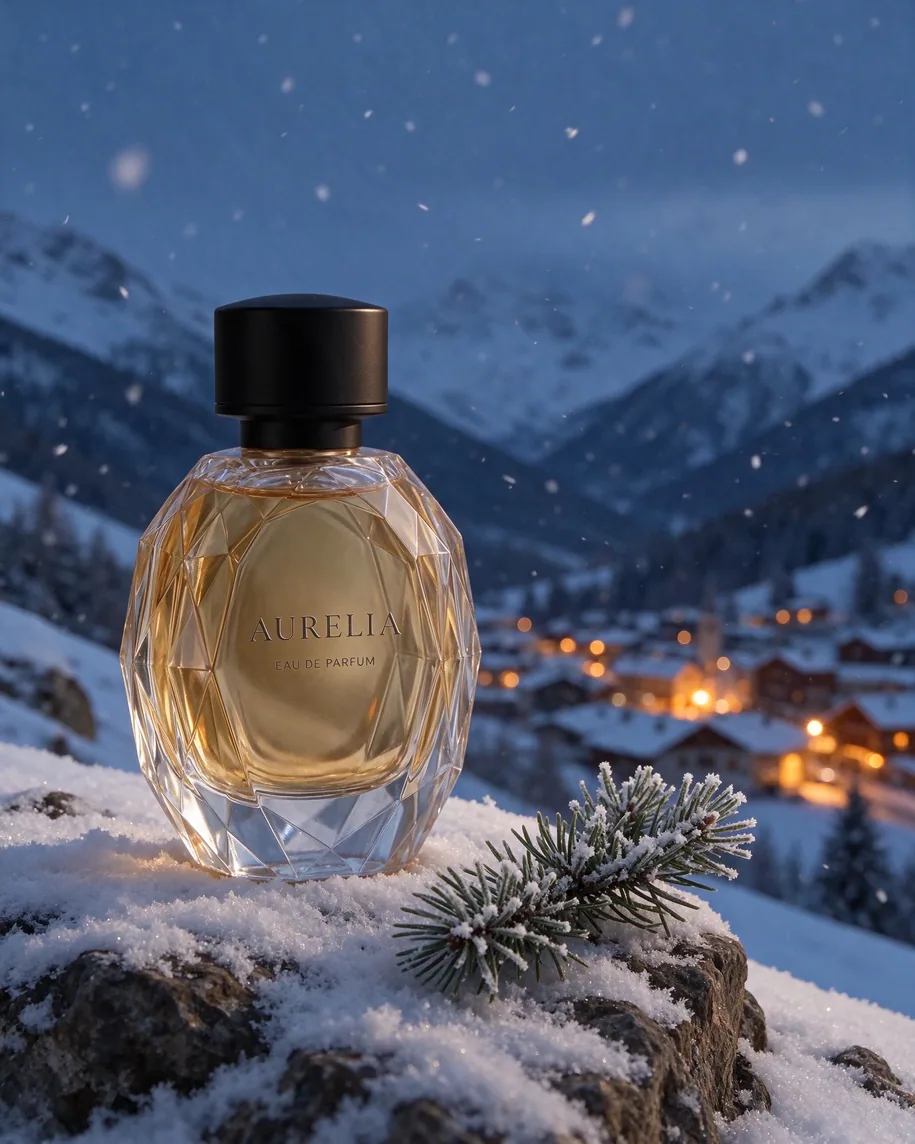 Round 2Only the cap
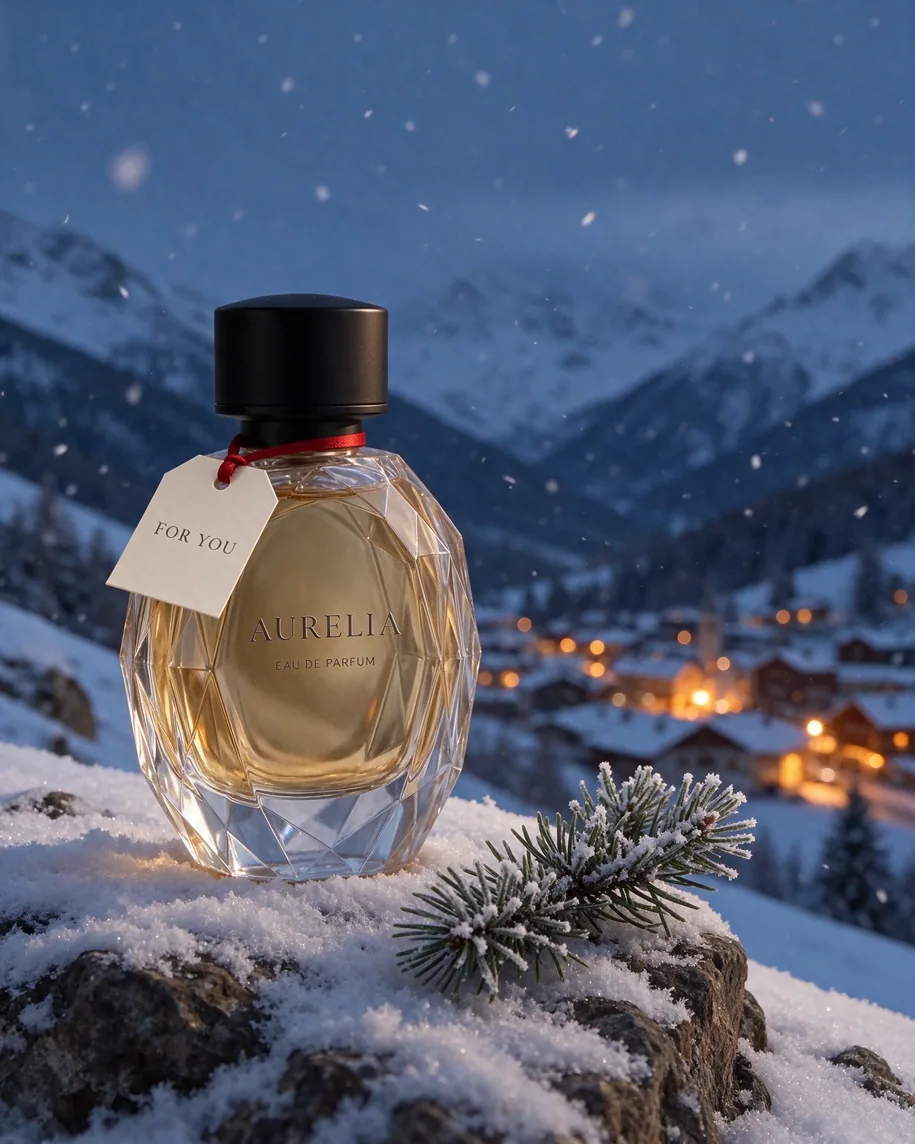 Round 3Only the tag
How to
How to use the seedream 5.5 image edit
- Time needed
- Steps
- 4 steps
Step 1
Open the editor
Go to /app/edit (or /app/image with a reference) and pick Seedream 5.5. It needs a one-time credit pack.
Step 2
Upload your image
Add the picture to edit, plus up to 9 more references for a style, a product or a face.
Step 3
Describe one change
Say what to change and what must stay exactly the same. Pick 1K, 1.5K or 2K.
Step 4
Edit again
Use the result as the next input and make the next change. Download when it's right — no watermark.
See it in the app

Open Edit Studio and upload an image, or pick one from your history.


Watch the tour · 2:01
AI Edit, Magic Eraser, Change Region, light, style, expand, camera angle & chat edits
Chapters
Tips
How to write an edit prompt for Seedream 5.5
Say the one change, then list what must not move. Short, specific edits keep the rest of the image intact.
Start with the change: "Change only the cap", "Replace the sweater with…", "Turn this room into night".
Then name what stays: "Keep the face, beard and expression exactly the same".
Make one change per round. Three small edits beat one long prompt with three changes.
Quote any new text exactly — "FOR YOU", "Lisbonne, tram 28" — and say where it goes.
Edit the latest result, not the original, when you are building something up step by step.
For a style or texture, upload it as a second reference and say "in the style of the second image".
Turn on Transparent background to get the edited subject back as a cut-out PNG.
Models
Image editing models on Kenerate
What each model is good at. Open any one straight in the generator.
ByteDance
Seedream 5.5
- Reference images
- Up to 10
- Output
- 1K–2K
Open Seedream 5.5Best for
Keeps unedited areas, many rounds
OpenAI
GPT Image 2.6 Sunburst
Google
Nano Banana 2.1

ByteDance
Seedream 5.0 Pro
- Reference images
- Up to 10
- Output
- 1K–2K
Open Seedream 5.0 ProBest for
Layer separation
FAQ
Seedream 5.5 Image Edit questions
9 questions

Can Seedream 5.5 edit images?
Yes. Upload an image as a reference, describe the change and what must stay, and Seedream 5.5 returns the edited picture. On Kenerate it takes up to 10 references per edit, in /app/edit or in /app/image.
Link to this answerWhat does "100 rounds of editing" mean?
ByteDance says Seedream 5.5 keeps the parts of an image you didn't ask to change identical at the pixel level and avoids colour shifts and detail loss, so you can keep editing the same picture — each result becoming the next input — for up to 100 rounds. We ran three rounds on one bottle and nothing we didn't mention moved.
Link to this answerHow much does a Seedream 5.5 edit cost?
On Kenerate, the image price plus 2.4 credits per input image: 8.4 credits for a 1K edit with one reference, 12.9 at 2K. With all 10 references a 1K edit costs 30 credits.
Link to this answerWill it keep a face the same?
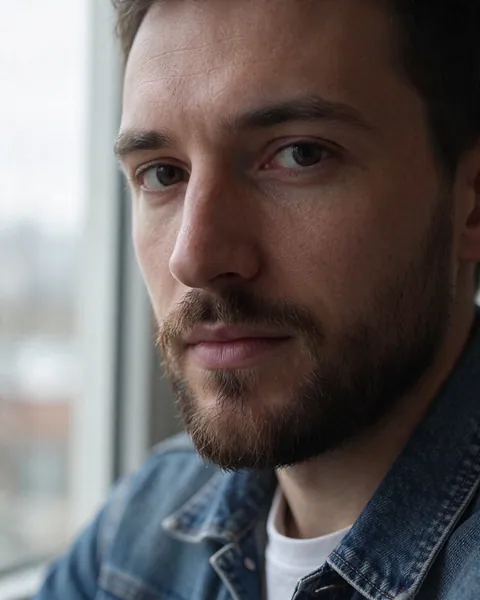
In our test it did: we swapped a man's sweater for a denim jacket and his face, beard, freckles and expression stayed identical. Say "keep the face exactly the same" in the prompt, and use the original photo as the reference.
Link to this answerCan it change text inside an image?
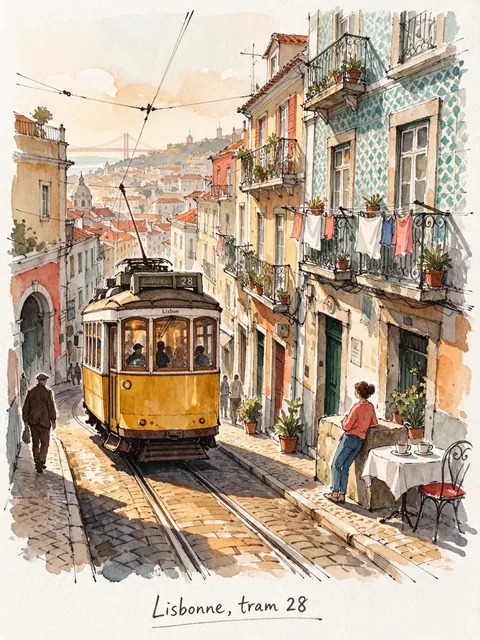
Yes. Quote the new words exactly and say where they go. We changed a watercolor caption from English to French — "Lisbonne, tram 28" — and the rest of the painting stayed the same.
Link to this answerSeedream 5.5 or Nano Banana 2.1 for editing?
Use Seedream 5.5 for step-by-step edits on one image where everything else must stay put, at a lower price. Use Nano Banana 2.1 to fuse many images — up to 14 — or when you need 4K.
Link to this answerWhich Edit Studio tools use Seedream 5.5?
AI Edit, Style, Light, Palette, Change Region and Magic Eraser in /app/edit can all run on Seedream 5.5, priced the same way.
Link to this answerCan I edit and get a transparent PNG?
Yes. Keep Transparent background on in /app/image while editing and the result comes back as a PNG with no background.
Link to this answerIs it free?
Not on the free plan: the 25 sign-up credits run the free models. Any one-time credit pack unlocks Seedream 5.5; credits never expire and there is no watermark.
Link to this answerIn depth
Seedream 5.5 Image Edit, explained
What works, what to avoid, and how to pick a model.
On this page
Why multi-round editing is hard
When one output becomes the next input, small errors pile up: colours drift, edges soften and details you never touched slowly change. ByteDance says Seedream 5.5 uses targeted training to preserve unedited regions at the pixel level, which lets creative teams keep refining one image through up to 100 rounds [1].
What we saw
Six edits, one try each:
- Three rounds on one product: the faceted glass, the AURELIA and EAU DE PARFUM lettering, the snow and the village stayed put while the scene, then the cap, then a tag changed.
- A face survived an outfit swap with no change to beard, freckles or expression.
- A room went from winter day to night with the same furniture and camera angle.
- A caption was translated inside a watercolor without repainting the rest.
- New lettering — the FOR YOU tag — came out spelled right.
Limits
Edits follow the words you give: if you don't say what must stay, the model may restyle more than you wanted. Each input image adds to the price, and edits top out at 2K. Through APIs the edit endpoint takes up to 10 images, a resolution of 1K, 1.5K or 2K and the same background setting as generation [2].
By the Kenerate AI teamLast updated and reviewed
We build and run the Kenerate generator. Every example is a real output of the model named under it; models and presets were checked against the app's code.
Sources: Introducing Seedream 5.5 — ByteDance Seed · Seedream 5.5 edit API reference — WaveSpeed AI
