

5×7 print · funny or gentle
Get well soon card maker — printable cards with their name
Describe the card — sunflowers, a cup of tea, a soup pun, their cat — and put their name and your words in quotes. You get a finished card front with the lettering in place, ready to print at 5×7 or send by message. Eight real designs below, each with its prompt, and short messages for the inside.
- Their name lettered in
- Eight real card designs
- Funny and gentle messages
- Cards for after surgery or a coworker
Updated by the Kenerate AI team




Made with Kenerate
On this page
Quick answer
How do I make a get well soon card with AI?
A get well soon card maker designs the card front — the artwork and a short line such as “Get well soon” or “Feel better soon, Daniel” lettered in — from a few words of description. On Kenerate, GPT Image 2.6 Sunburst made all eight cards on this page at 15 credits a design (1K; 30 at 2K). Pick 3:4 for a 5×7 card, about 1500×2100 px to print.
Key facts
- Best for lettering
- GPT Image 2.6 Sunburst, 1K to 4K
- Card designs on this page
- Eight, with the prompt for each
- 5×7 print
- ≈ 1500×2100 px at 300 DPI, + 0.125 in bleed
- Ratios to pick
- 3:4 for 5×7 · 2:3 for 4×6 · 1:1 square
- Fix a word
- Edit Text in Image in Edit Studio
- On the free plan
- Qwen Image 3.0
Gallery
Get well soon cards made with Kenerate
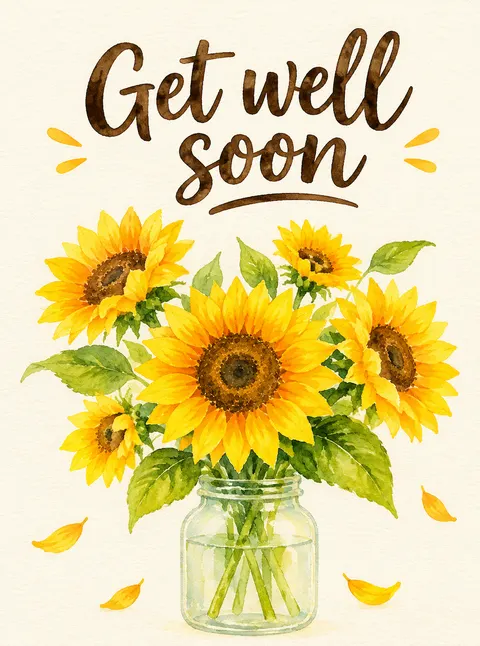
Eight get well card fronts, each a single GPT Image 2.6 Sunburst run from the prompt under it. Every line and all five made-up names came out spelled right. Open one to copy the prompt, then swap in their name.
How to
How to make a get well soon card
- Time needed
- Steps
- 4 steps
Step 1
Open Image Studio
Press “Design a get well card”. Image Studio opens with GPT Image 2.6 Sunburst (credit pack), or pick Qwen Image 3.0 on the free plan. Sign in free with Google, GitHub or Discord.
Step 2
Choose the ratio
3:4 for a 5×7 card, 2:3 for 4×6, 1:1 for a square card or a card sent by message, and 2K if you'll print.
Step 3
Describe the card
What cheers them up (flowers, tea, their cat, a pun), the colours, and the line and their name in quotes with where each goes.
Step 4
Check, fix, print
Zoom in on the lettering, fix any word with Edit Text in Image, upscale to 4K for print, then download and print or send.
See it in the app

Open Image Studio and type what you want to see — subject, style, lighting and mood.


Watch the tour · 1:23
Prompts, styles, references, edit, Arena & chat
Chapters
Tips
Get a card you can actually print
Lettering and tone are where get well cards go wrong. This keeps both right.
Put every word in quotes and say where it goes: “Get well soon” in brown brush lettering at the top, “Love, Ana” small below.
Keep puns short — under about eight words — so the model letters them cleanly. Longer jokes go inside.
Match the tone to the illness: a soup pun suits a cold; for surgery or a long illness, pick calm flowers and “Wishing you a smooth recovery”.
Keep the front to one line and a name. Your own message belongs inside, in your handwriting.
Pick the ratio for the print: 3:4 for a 5×7 (trim the sides a little), 2:3 for a 4×6, 1:1 for a square card.
Zoom in on every letter, the name above all; fix one wrong word with Edit Text in Image instead of starting again.
Models
Models for get well soon cards
What each model is good at. Open any one straight in the generator.
OpenAI
GPT Image 2.6 Sunburst
- Reference images
- Up to 16
- Output
- 1K–4K
Open GPT Image 2.6 SunburstBest for
Made all eight cards · words and names lettered in
Recraft
Recraft V4.1
- Output
- 5 ratios
Open Recraft V4.1Best for
Flat, graphic and typographic card designs
Google
Nano Banana 2.1
- Reference images
- Up to 14
- Output
- Up to 4K
Open Nano Banana 2.1Best for
Their pet's photo painted onto the card
- Free plan
FAQ
Get well soon card questions
9 questions

How do I make a get well soon card with AI?
Open Kenerate's Image Studio, pick GPT Image 2.6 Sunburst and a 3:4 ratio, and describe the card: what cheers them up, the colours, and the line and their name in quotes with where each goes — “Get well soon” in brown brush lettering at the top. Generate, zoom in on the lettering, then download. A design costs 15 credits at 1K or 30 at 2K.
Link to this answerIs the get well soon card maker free?
Free to start. A new Kenerate account gets 25 credits on sign-up — enough for two Qwen Image 3.0 card designs at 9 credits each, which runs on the free plan. GPT Image 2.6 Sunburst, which lettered the cards on this page, needs a one-time credit pack; the Starter pack is $15 for 1,300 credits, with no subscription.
Link to this answerWhat do you write in a get well soon card?
Two or three warm sentences: say you're thinking of them, wish them a good recovery, and offer something specific. For example: “Sorry you're stuck in bed, Daniel. Rest up — I'll drop off soup and the new crossword on Saturday.” Sign off with “Feel better soon” or “With love”. There are more messages further down this page.
Link to this answerCan I put their name on the card?
Yes. Put the name in quotes, such as “Rest up, Daniel” or “Wishing you a smooth recovery, Linda”, and say where it goes. All five made-up names on this page (Daniel, Linda, Priya, Marcus and Mochi the cat) came out spelled right first time. Read every letter anyway; fix a slip with Edit Text in Image in Edit Studio.
Link to this answerWhat size should a printed get well card be?
The usual size is 5×7 inches with an A7 envelope (5.25×7.25 in). Print shops ask for at least 300 DPI at the final size, which is about 1500×2100 pixels for a 5×7, and usually 0.125 in of bleed on each side, so keep words away from the edges. Generate at 3:4 and crop a little, or 2:3 for a 4×6 card.
Link to this answerCan I make a funny get well soon card?
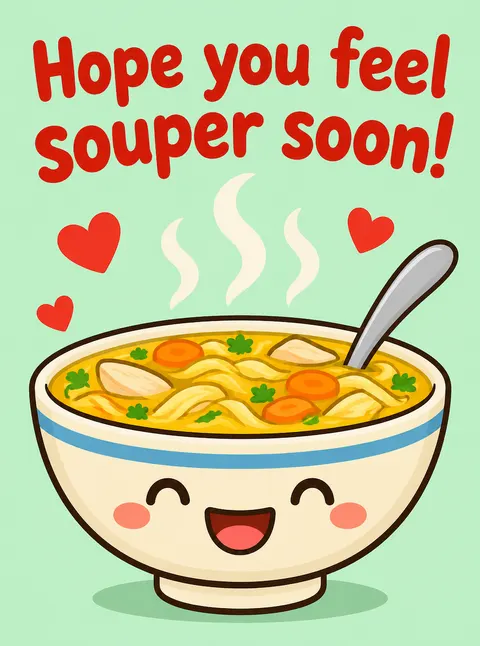
Yes. Short puns letter best: our soup card reads “Hope you feel souper soon!” over a smiling bowl of chicken noodle soup, spelled right first time. Keep the joke light and save it for colds, flu or a broken bone; for surgery or a serious illness, a gentle card is safer.
Link to this answerWhat do you write in a get well card after surgery?
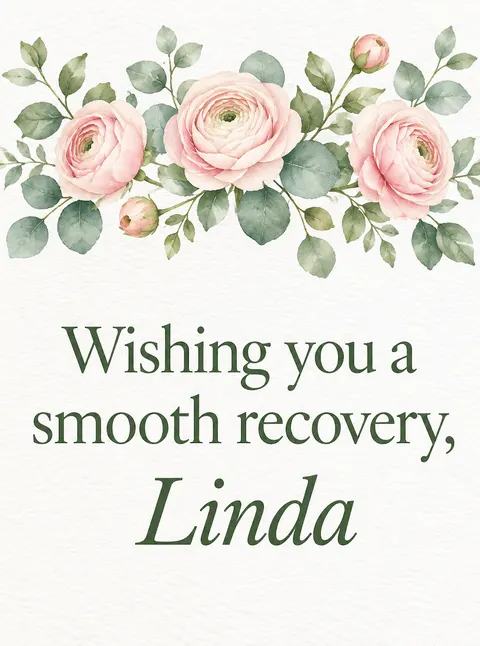
Keep it calm and practical: “Wishing you a smooth recovery, Linda. Take it slowly — I'll walk the dog all week.” Avoid asking for details of the operation or the prognosis. Our surgery card is a soft eucalyptus and ranunculus garland with that first line lettered in.
Link to this answerCan I make a get well card for a coworker?
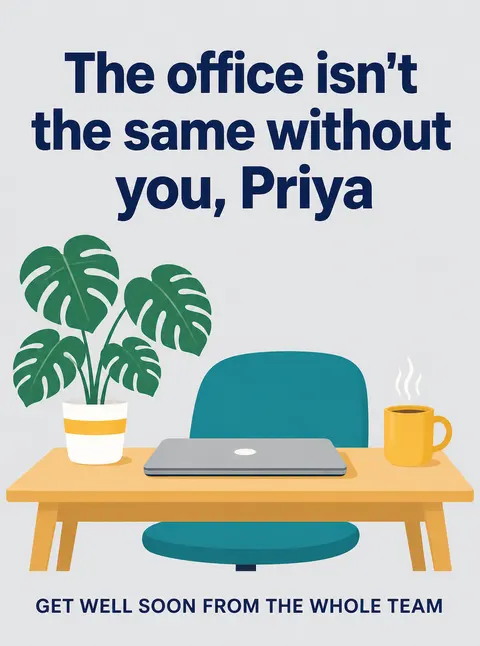
Yes. Name the team or office in the prompt, print one card and pass it round to sign. Our office card reads “The office isn't the same without you, Priya” over an empty desk with a monstera, with “Get well soon from the whole team” below.
Link to this answerCan I send it by text instead of printing?
Yes. Make it at 1:1 or 4:5, download it and send it by text, WhatsApp or email. A 1K image (1024×1024 px for a square card) is plenty for a phone screen.
Link to this answerIn depth
Get well soon cards, explained
What works, what to avoid, and how to pick a model.
On this page
What to write in a get well soon card
The front carries one short line; your own words go inside. Some to start from:
- “Thinking of you and hoping each day is a little easier. Get well soon!”
- “Rest up and let everyone else do the dishes for once. Love, Ana.”
- “Wishing you a smooth recovery. I'll walk the dog every morning this week — no arguments.” (after surgery)
- “Sorry you're feeling rotten. Soup, films and a long nap are on prescription.” (a cold or flu)
- “The office is far too quiet without you. Take all the time you need.” (from coworkers)
- “Hope that cast comes off soon. I'll sign it when it does.” (a broken bone)
- “No need to reply — just know we're thinking of you.” (a long illness)
- “Sending love and a very large box of biscuits.” (a short, warm sign-off)
What to avoid writing
Skip medical advice, stories about someone else with the same illness, and questions about the prognosis. If the illness is serious, leave out jokes and “you'll be back to normal in no time”; “thinking of you” is enough.
Card sizes, ratios and pixels
Pick the ratio before you generate, so nothing important gets cropped:
- 5×7 in (A7 envelope, 5.25×7.25 in): generate at 3:4, crop a little off the sides; about 1500×2100 px at 300 DPI.
- 4×6 in photo card: 2:3 fits exactly; about 1200×1800 px.
- 5.5×5.5 in square: 1:1; about 1650×1650 px.
- With 0.125 in bleed on each side, a 5×7 file is 5.25×7.25 in — about 1575×2175 px. A 4K upscale covers it.
- Our cards came out at 1K (880×1184 px for 3:4), fine to send by message; for print, make them at 2K or run the Image Upscaler at 4K.
16 get well soon card ideas
Add the words and their name in quotes and say where they go:
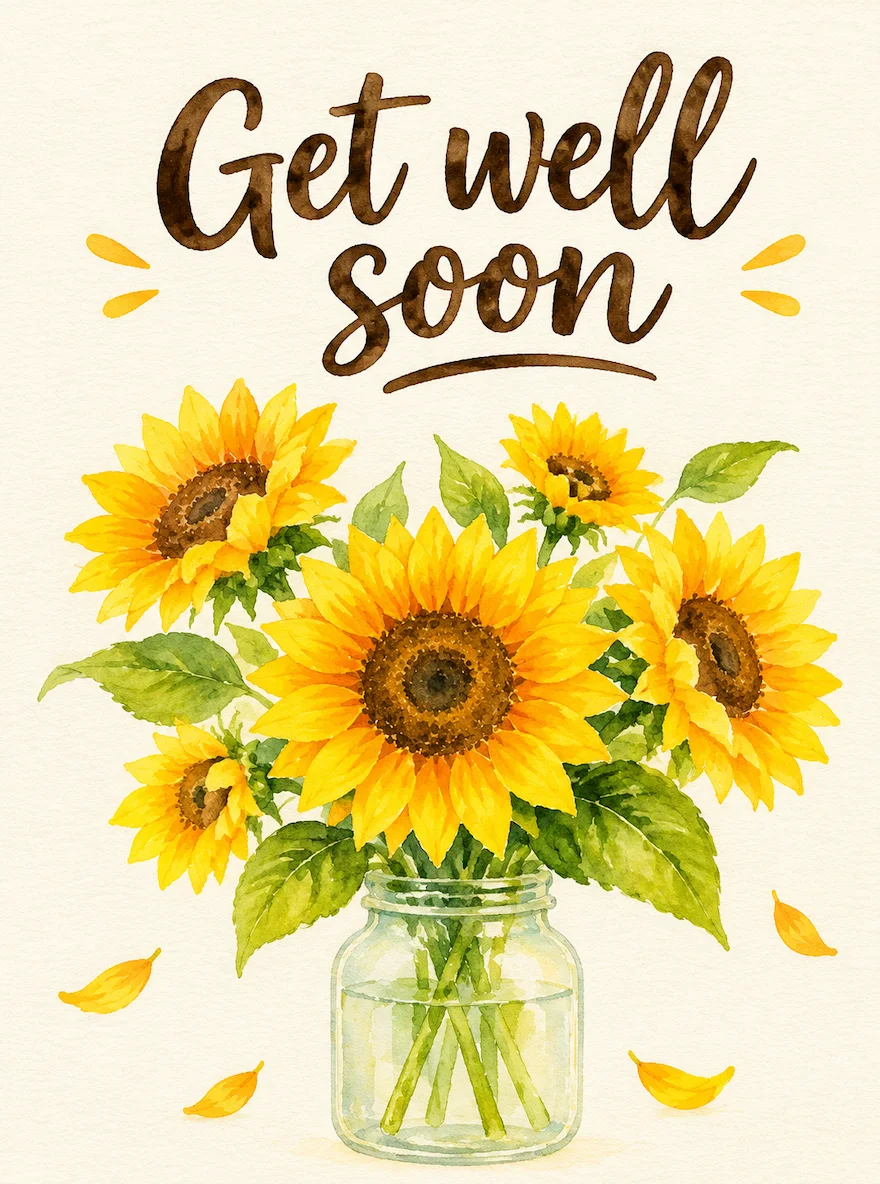
- Watercolor sunflowers in a glass jar, “Get well soon” in brown brush lettering.
- A bowl of chicken noodle soup with a smile, “Hope you feel souper soon!”.
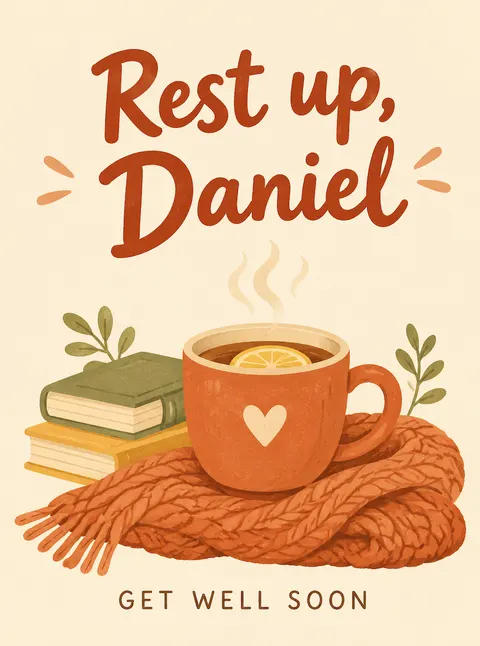
- A mug of lemon tea on a chunky-knit throw with books, “Rest up, Daniel”.
- A eucalyptus and ranunculus garland, “Wishing you a smooth recovery, Linda”.
- An empty office desk with a monstera, “The office isn't the same without you”.
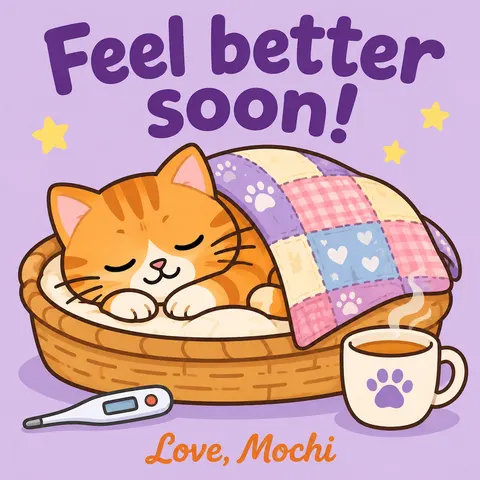
- Their cat asleep under a quilt, “Feel better soon! Love, Mochi”.
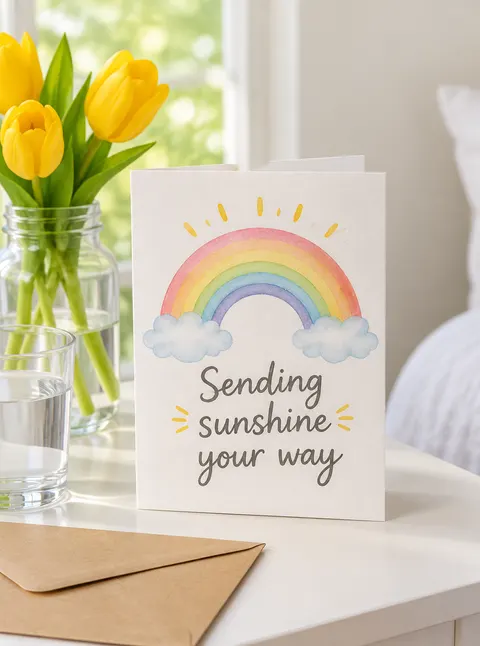
- A pastel rainbow over clouds, “Sending sunshine your way”.
- A cartoon bandage with a smile, “Sorry you're in pieces. Heal soon!”.
- A pile of tissues and an orange juice, “Sorry you've got the flu”.
- A cartoon plaster cast covered in doodles, “Break a leg? You took it literally”.
- A jar of honey and a lemon, “Get well soon, honey”.
- A garden of tulips after rain, “Brighter days are coming”.
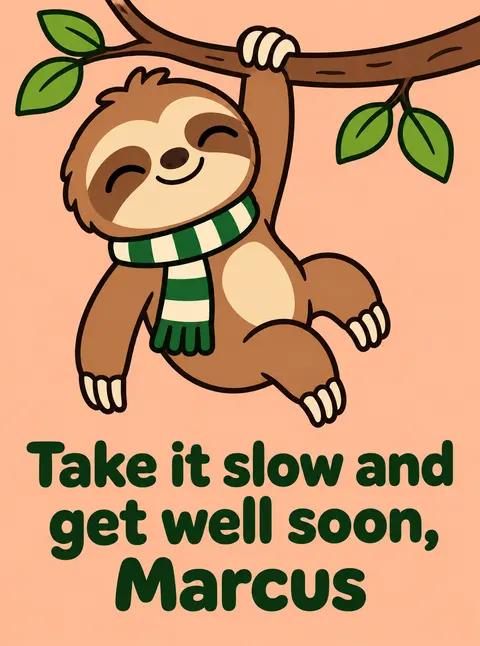
- A sloth hanging from a branch, “Take it slow”.
- A stack of films and a bowl of popcorn, “Doctor's orders: rest”.
- A cosy armchair by a window in the rain, “Thinking of you”.
- Hot-air balloons in a blue sky, “Up, up and on the mend”.
What we got
Eight card designs, made on 18 November 2026, each a single GPT Image 2.6 Sunburst run at medium quality and 1K, 15 credits each.
- Every line (“Get well soon”, “Hope you feel souper soon!”, “Wishing you a smooth recovery”, “Sending sunshine your way”, “Feel better soon!”), the apostrophe in “isn't” and all five made-up names — Daniel, Linda, Priya, Marcus and Mochi — were spelled right first time.
- The flat card fronts filled the frame as asked; the printed-card photo shows the rainbow design standing on a bedside table with tulips and an envelope.
- No people are shown: the designs are flowers, food, a desk, a cat and lettering.
Why lettering fails, and how to fix it
Image models draw letters as shapes, so they slip on long or unusual words and drop small marks such as apostrophes. Short lines in quotes, a named letter style (“brown brush lettering”, “bold rounded red letters”) and a clear position help most. When one word is wrong, Edit Studio's Edit Text in Image changes just that text and keeps the design.
By the Kenerate AI teamLast updated and reviewed
We build and run the Kenerate generator. Every example is a real output of the model named under it; models and presets were checked against the app's code.
Sources: Vistaprint — Christmas card sizes (5x7, A7 envelope, 300 DPI) · 4OVER4 — file size for a 5×7 greeting card · Kenerate AI — Terms of Service · Kenerate Image Studio

Make their card
Sign in with Google, GitHub or Discord. Starter credits on sign-up; GPT Image 2.6 runs on a one-time credit pack.
Tried it? Tell us how it went