

For Hanukkah, Christmas, Kwanzaa and New Year
Happy Holidays GIFs snow, winter and cosy loops
Five animated holiday GIFs to download now: “Happy Holidays” with snow, a polar bear waving, a snow globe swirling around a cabin, a crackling fireplace and twinkling lights over “Season's Greetings”. None is tied to one holiday, so they suit any card, chat or team. Want a name in it? Describe it and GPT Image 2.6 draws the frames.

- Five ready-made GIFs to download
- Snow, winter and cosy scenes
- Fits every December holiday
- Make your own with a name in it
Updated by the Kenerate AI team




Made with Kenerate

On this page
Gallery
Happy Holidays GIFs to download
Five animated holiday GIFs made on Kenerate: a waving polar bear, “Happy Holidays” with snowflakes, a snow globe, a fireplace and twinkling lights. Each loop started as a 6-frame GPT Image 2.6 sprite sheet, cut into frames and joined into a GIF. We read the words on every frame of the three lettered GIFs: “Happy Holidays” and “Season's Greetings” are spelled right in each. Open one to copy its prompt, or grab the .gif from the download list below.
Download
Download the GIFs
Each link opens the .gif file. Save it (right-click, or long-press on a phone) and send it as a picture, or paste it straight into a chat.
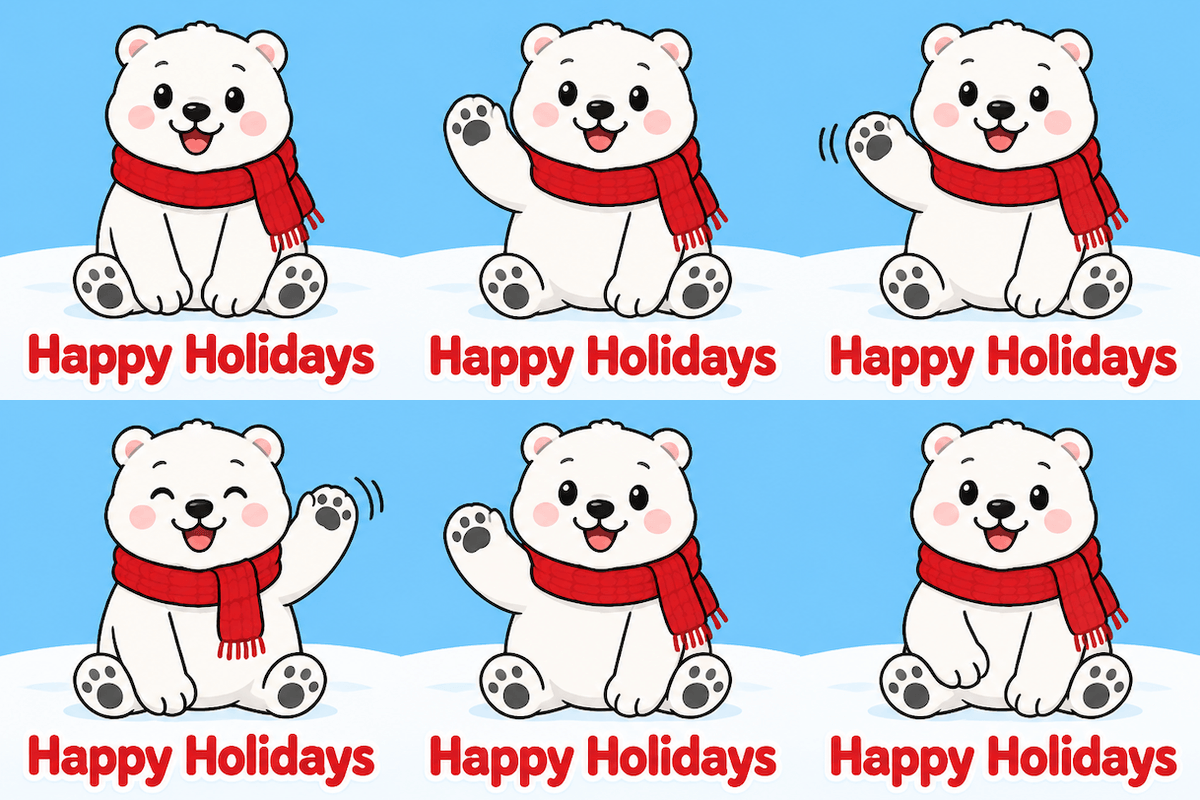
Polar bear waving: Happy Holidays (.gif)
400 × 400 px · 6 frames · 220–320 ms · loops
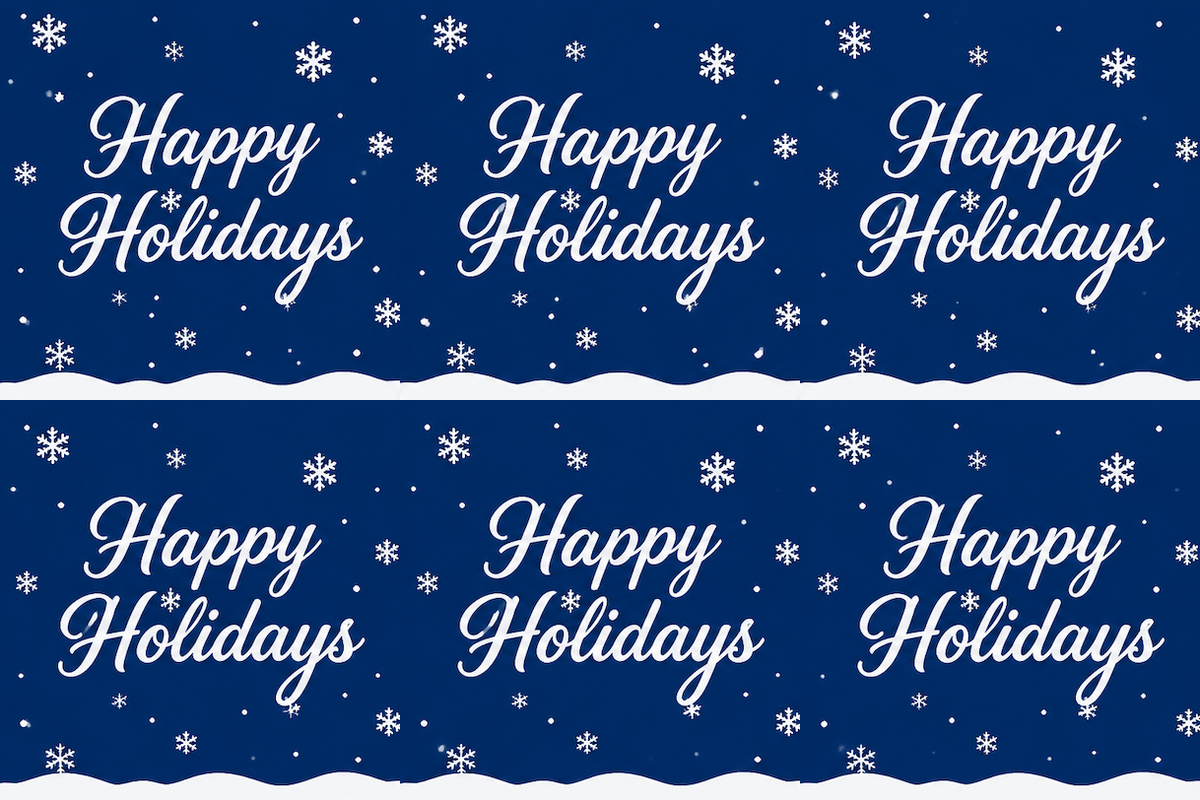
“Happy Holidays” with snowflakes (.gif)
400 × 400 px · 6 frames · 200 ms · loops
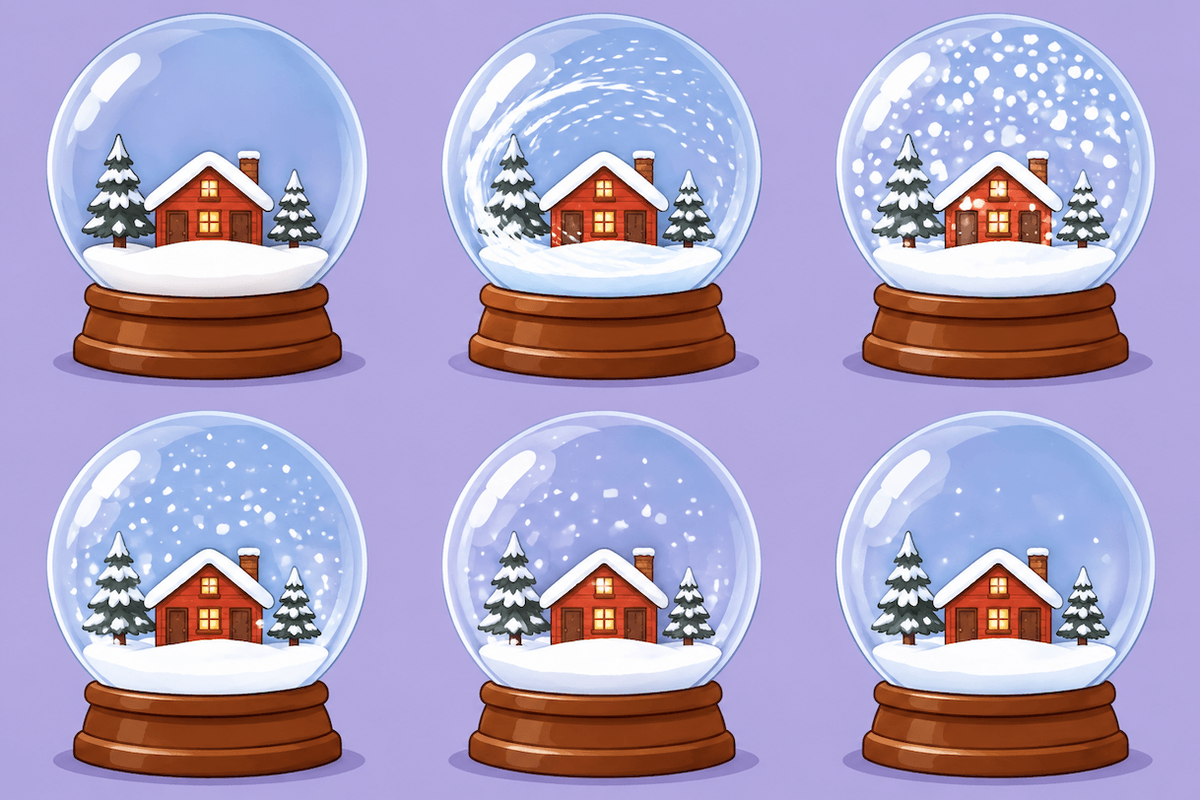
Snow globe with a winter cabin (.gif)
400 × 400 px · 6 frames · 200–500 ms · loops
Crackling fireplace (.gif)
400 × 400 px · 6 frames · 140–180 ms · loops
Twinkling lights: Season's Greetings (.gif)
400 × 400 px · 6 frames · 300 ms · loops
Quick answer
Where can I get a Happy Holidays GIF?
Download one of the five Happy Holidays GIFs on this page — “Happy Holidays” with snowflakes, a polar bear waving, a snow globe swirling around a cabin, a crackling fireplace and twinkling lights over “Season's Greetings” — open the .gif, save it and send it in iMessage, WhatsApp, Slack or a holiday email. Each is a 400 × 400 px, 6-frame loop. To make your own, open GPT Image 2.6 in Kenerate's Image Studio, set Format to GIF, choose 2 to 16 frames and describe the motion with your words in quotes. A GIF costs the same as a still: 15 credits at medium quality and 1K, 9 at low.
Key facts
- Ready-made GIFs
- Five, 400 × 400 px, 6 frames each
- Make your own
- GPT Image 2.6 Sunburst or Flare
- Frames
- 2–16 per GIF, 20–2,000 ms each
- Default
- 9 frames × 200 ms
- Hanukkah 2026
- Sundown Fri 4 Dec to Sat 12 Dec
- Christmas / Kwanzaa
- Fri 25 Dec / Sat 26 Dec to Fri 1 Jan
Where to send
Where to send a holiday GIF
A square GIF works almost everywhere. These are the places a holiday greeting goes most, and the one thing to know for each.
| Where it goes | Best GIF here | How to send it |
|---|---|---|
| Work chat: Slack, Teams or Discord | The lights or the snow lettering | Drag the .gif into the message. For a Slack custom emoji, keep it square and small (Slack asks for under 128 KB) |
| Family chat: iMessage or text | The polar bear or the snow globe | Save the .gif to Photos, then attach it. It plays in the thread |
| Any of the five | Attach it from your gallery or files. WhatsApp may turn it into a short looping clip | |
| Holiday email or e-card to clients | The lights or the snow lettering | Insert it as an image in the body. Some older Outlook versions show only the first frame, so make frame 1 a complete greeting |
| A post or a story | The fireplace or the snow globe | Upload the .gif as a photo; Instagram and Facebook may show it as a short video |
Prompts
Holiday GIF prompts to copy
Written for GIF output: open one, set Format to GIF under Advanced, and generate. The last one needs a photo of your pet.
- Subject
- A polar bear, a snow globe, a fireplace, lights
- One motion
- Waves, swirls, flickers, twinkles, falls
- Words in quotes
- “Happy Holidays”, “Season's Greetings”, a team name
- What stays put
- Same size, same spot, same background, seamless loop
Polar bear greeting
A chubby white cartoon polar bear in a red knitted scarf sits on snowy ground under a pale-blue sky and waves one paw, then lowers it, the words “Happy Holidays” in bold red letters with a white outline along the bottom, spelled the same in every frame. Bold clean outlines, seamless loop.
Snow on the words
The words “Happy Holidays” in white script on midnight blue, spelled the same in every frame, while big white snowflakes fall clearly from the top to the bottom, each flake much lower in every frame. Only the snow moves; seamless loop.
Snow globe
A glass snow globe on a wooden base with a small red cabin and two pine trees inside, on lilac: the snow swirls up, fills the globe, then settles again. The globe and cabin never move. Bold outlines, seamless loop, no text.
Crackling fireplace
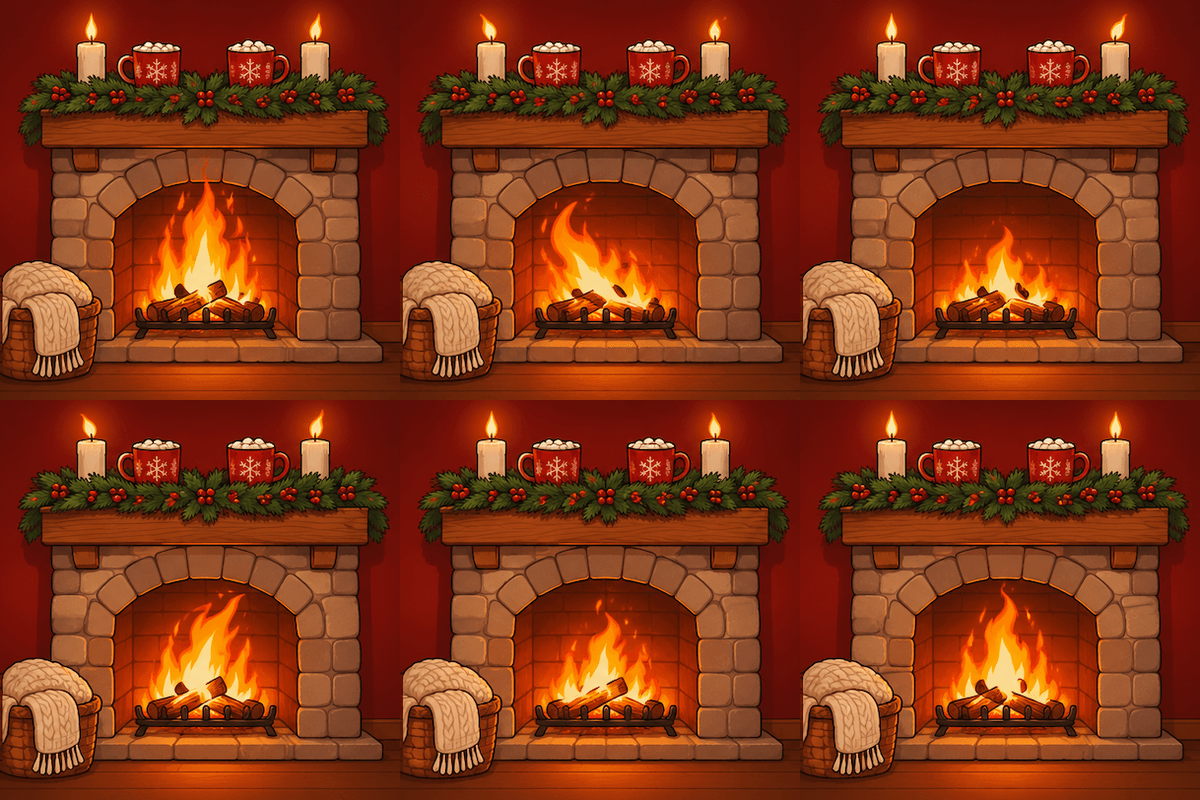
A cosy stone fireplace with a flickering orange fire, a pine garland, two candles and two mugs of cocoa on the mantel, a knitted blanket in a basket. Only the flames and candle flames move. Seamless loop, no text.
More prompts (4)
Season's Greetings lights
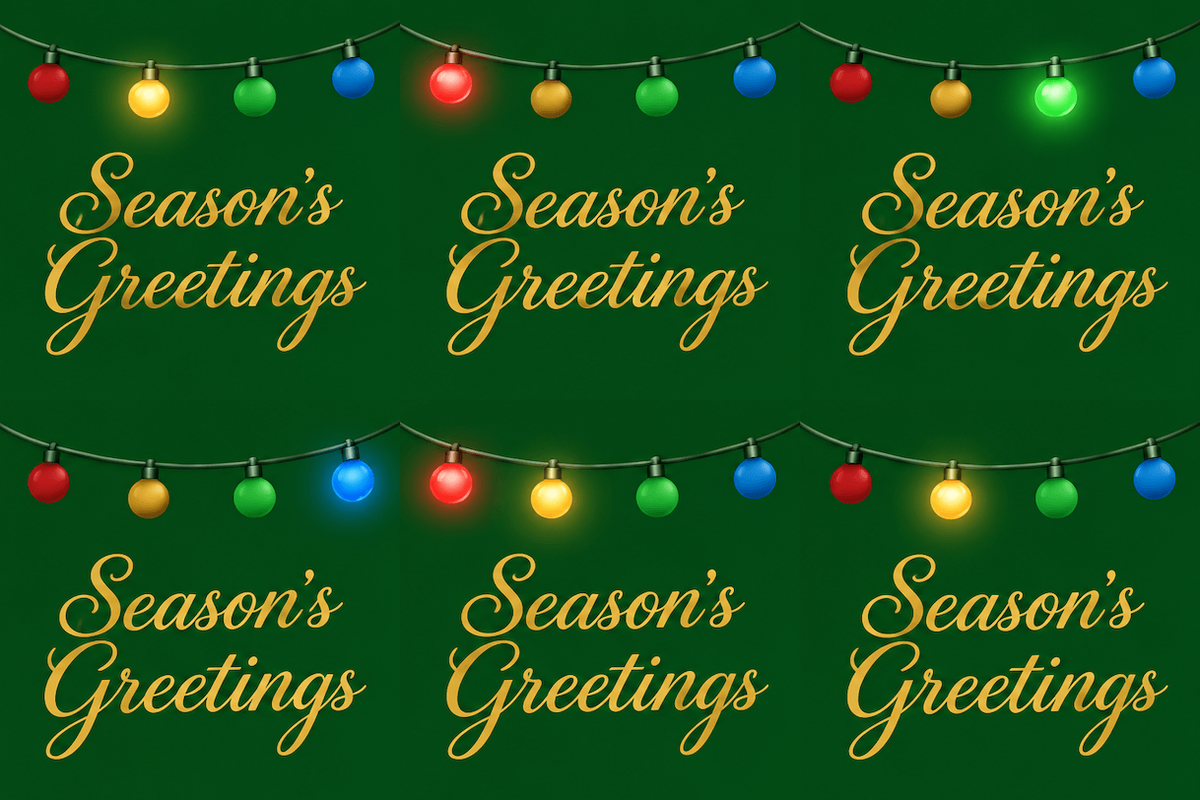
Red, gold, green and blue string lights glowing one after another, left to right, above the words “Season's Greetings” in gold script on dark green, spelled the same in every frame. Seamless loop.
Team greeting with a name
Snowflakes falling past the words “Happy Holidays from the Design Team” in white letters on deep blue, the words spelled exactly the same in every frame, seamless loop.
Winter cabin at night
A small wooden cabin with warm glowing windows in a snowy pine forest at night, smoke curling from the chimney and snow falling. Only the smoke and snow move. Seamless loop, no text.
Your pet in the snow (upload a photo)
My dog wearing a red knitted scarf, sitting in the snow and blinking while snowflakes fall around it. Keep the same dog, fur colour and markings in every frame. Seamless loop, no text.
How to
How to make a Happy Holidays GIF
- Time needed
- Steps
- 4 steps
Step 1
Open GPT Image 2.6
Press “Make my holiday GIF”. Image Studio opens with GPT Image 2.6 Sunburst and the polar bear prompt filled in. It needs a one-time credit pack.
Step 2
Set the format to GIF
Open Advanced and set Format to GIF. Pick 2–16 frames and a frame duration (20–2,000 ms); the default is 9 frames at 200 ms. Keep the shape at Square 1:1.
Step 3
Describe the motion and the words
Name the subject, the one thing that moves and the greeting in quotes. Add a name or team if you like: “Happy Holidays from the Design Team”.
Step 4
Check every frame, then send
Play the loop and read the words on each frame. Download the GIF and send it in Slack, iMessage, WhatsApp or a holiday email.
See it in the app

Open Image Studio and type what you want to see — subject, style, lighting and mood.


Watch the tour · 1:23
Prompts, styles, references, edit, Arena & chat
Chapters
Tips
How to get a holiday GIF that loops cleanly
A GIF is a few drawings in a row. Say what moves, what stays put and what the words are.
Keep the words short and in quotes: “Happy Holidays”, “Season's Greetings”, “Warm wishes”. Ask for them to be spelled the same in every frame.
Keep the words clear of the character. Our first penguin wore a bobble hat right under “Happy Holidays” and two letters washed out; with the words at the bottom, the polar bear came out clean.
For falling snow, say how far it moves: “each flake much lower in every frame”. “A little lower” gave us snow that barely moves.
Give the motion to one thing: a paw waving, snow swirling in a globe, flames flickering, bulbs glowing in turn.
Want it to suit every holiday? Use winter, snow, lights and warmth, and leave out decorated trees, stockings and religious symbols unless you mean them.
Read every frame before you send it. Letters can slip in one frame while the other five are right.
Models
Tools for holiday GIFs on Kenerate
What each model is good at. Open any one straight in the generator.
OpenAI
GPT Image 2.6 Sunburst
- Reference images
- Up to 16
- Output
- GIF · 2–16 frames
Open GPT Image 2.6 SunburstBest for
Best frame-to-frame consistency and lettering
OpenAI
GPT Image 2.6 Flare
- Reference images
- Up to 16
- Output
- GIF · 2–16 frames
Open GPT Image 2.6 FlareBest for
Faster drafts of the same loop
Image Studio
AI GIF generator
Image Studio
Merry Christmas GIF
FAQ
Happy Holidays GIF questions
8 questions

Where can I get a Happy Holidays GIF?
Right here: the five GIFs on this page — a polar bear waving above “Happy Holidays”, the words with snowflakes, a snow globe, a crackling fireplace and lights over “Season's Greetings” — are ready to download. Open a link in the download list, save the .gif and send it. Downloading them costs nothing and needs no account. They were made on Kenerate, so they aren't re-posts from a GIF library.
Link to this answerIs there a snow GIF or a winter GIF here?
Yes. The snow globe swirls snow up around a little red cabin and lets it settle, and “Happy Holidays” sits under white snowflakes on midnight blue (the flakes shimmer more than they fall). The polar bear sits in the snow and the fireplace is the cosy, indoor kind of winter GIF.
Link to this answerAre these GIFs for Christmas only?
No. None of the five shows Santa, a decorated Christmas tree or a religious symbol, so they work for Hanukkah, Christmas, Kwanzaa, the winter solstice or New Year. In 2026 Hanukkah runs from sundown Friday 4 December to Saturday 12 December, Christmas is Friday 25 December and Kwanzaa runs Saturday 26 December to Friday 1 January. For Christmas GIFs, see the Merry Christmas GIF page.
Link to this answerHow do I make my own Happy Holidays GIF with AI?
Open Image Studio with GPT Image 2.6 Sunburst (the button on this page fills in the polar bear prompt), open Advanced and set Format to GIF, then pick the number of frames (2–16) and how long each one shows (20–2,000 ms). Describe the motion and put the greeting in quotes. A GIF costs the same as a still image: 15 credits at medium quality and 1K, 9 at low and 18 at high. GPT Image 2.6 needs a one-time credit pack; new accounts get 25 credits, which run the free-plan image models.
Link to this answerCan I add my company or family name?
Yes. Put the exact words in quotes — “Happy Holidays from the Design Team” or “Warm wishes, the Lees” — and ask for them to be spelled the same in every frame. Keep them clear of the character so nothing covers a letter. To put your pet in the GIF, upload one photo of it as a reference with GPT Image 2.6 and choose GIF: an edit adds 4.5 credits per uploaded image, so one photo at medium 1K comes to 19.5 credits.
Link to this answerWhat size should a holiday GIF be for email, Slack or WhatsApp?
Square works everywhere: our GIFs are 400 × 400 px, 523–690 KB. In an email, insert the GIF as an image in the body; some older Outlook versions show only the first frame, so make frame 1 a complete greeting on its own. Slack, Teams and iMessage play a GIF in the message; WhatsApp and Instagram may turn it into a short looping clip; a Slack custom emoji has to be under 128 KB.
Link to this answerDo these GIFs loop, and how were they made?
Every GIF here loops forever and is 400 × 400 px with 6 frames. Each started as one GPT Image 2.6 Sunburst image of six panels in a 3 × 2 grid, which we cut into frames and joined into a GIF and an animated WebP. In Image Studio you skip that step: set Format to GIF and the model returns the animated GIF itself.
Link to this answerCan I use the GIFs in a company holiday email?
Yes. Kenerate's Terms say Kenerate claims no ownership of what you generate and you may use it commercially, subject to the Terms and the law; you're responsible for how you use it. Keep trademarked characters and brand logos out of your prompts.
Link to this answerIn depth
Holiday GIFs, explained
What works, what to avoid, and how to pick a model.
On this page
How the GIFs on this page were made
Each GIF started as one GPT Image 2.6 Sunburst image at medium quality (15 credits): a sprite sheet of six frames in a 3 × 2 grid, the method OpenAI shows in its own Images 2.6 launch prompts. We cut the sheet into six square frames and joined them into a looping GIF and an animated WebP, with 140 to 500 ms per frame depending on the motion: fast for the fire, slow on the snow globe's first and last frames so the snow rests.
In Image Studio you don't need the sheet step: set Format to GIF and GPT Image 2.6 returns the animated GIF itself, with 2 to 16 frames at the timing you choose.
A holiday GIF for everyone on the list
“Happy Holidays” covers several celebrations at once, so pick the picture for the person:
- Clients and the whole company: “Season's Greetings” lights or “Happy Holidays” with snow, calm and short.
- Family chat: the polar bear or the snow globe.
- Friends who love winter evenings: the crackling fireplace.
- Hanukkah, Kwanzaa or Christmas on its own: add the holiday's name in quotes, or use the Merry Christmas or Happy New Year GIF pages.
What our holiday tests showed
We made 6 sheets for these five GIFs, all on GPT Image 2.6 Sunburst at medium quality:
- “Happy Holidays” and “Season's Greetings” came out spelled right, apostrophe included, in all six frames of the kept lettered GIFs.
- A waving penguin was dropped: its bobble hat sat under the words and the “o” of “Holidays” washed out in two frames. The polar bear, with the words moved to the bottom, came out clean.
- In the snow lettering the flakes move only a few pixels a frame, so it reads as a shimmer rather than a snowfall.
- The bear waves one paw, then the other; the globe's cabin windows shift a little; the lights glow one or two at a time rather than in a strict chase; the model added snowflake prints to the cocoa mugs and berries to the garland.
Downloading a GIF vs making your own
Most “happy holidays gif” results are GIF libraries: huge, searchable and full of the same snowflakes every year. Downloading one is quickest. Making your own takes a minute or two and lets the GIF say exactly what you want — a team name, a family name — in your colours.
By the Kenerate AI teamLast updated and reviewed
We build and run the Kenerate generator. Every example is a real output of the model named under it; models and presets were checked against the app's code.
Sources: Introducing Images 2.6 — OpenAI · Kenerate AI — Terms of Service · Kenerate Image Studio

Make your holiday GIF
Sign in with Google, GitHub or Discord. GPT Image 2.6 runs on a one-time credit pack.
Tried it? Tell us how it went