

Just listed · just sold · for rent · luxury · farming
Real Estate Flyer Maker — from your listing photo
Upload the listing photo, put the address, beds, baths and your phone number in quotes, and get a finished flyer with your photo kept as the main picture and every line typeset in. Print it or post it.
- Your listing photo kept
- Address and details drawn as text
- Letter, A4 and social sizes
- No watermark
Updated by the Kenerate AI team




Made with Kenerate
On this page
Quick answer

How do I make a real estate flyer with AI?
A real estate flyer maker turns a listing photo and your text into a finished flyer. On Kenerate AI, upload the house photo in the Image Studio, pick GPT Image 2.5 Sunburst (11.7 credits with one photo at 1K), choose 3:4 for a US Letter handout and write the headline, address, beds, baths and phone in quotes. Our Just Listed test kept the photo and spelled all six lines right.
Key facts
- Best for flyers with your photo
- GPT Image 2.5 Sunburst · GPT Image 2.6 Sunburst
- Free plan model
- Qwen Image 3.0
- Your photos
- Up to 16 per flyer (Sunburst models)
- Letter handout
- 3:4
- Instagram post · story
- 4:5 · 9:16
- Max size
- 4K (Sunburst models)
- Watermark
- None
Gallery
Real estate flyers made with AI
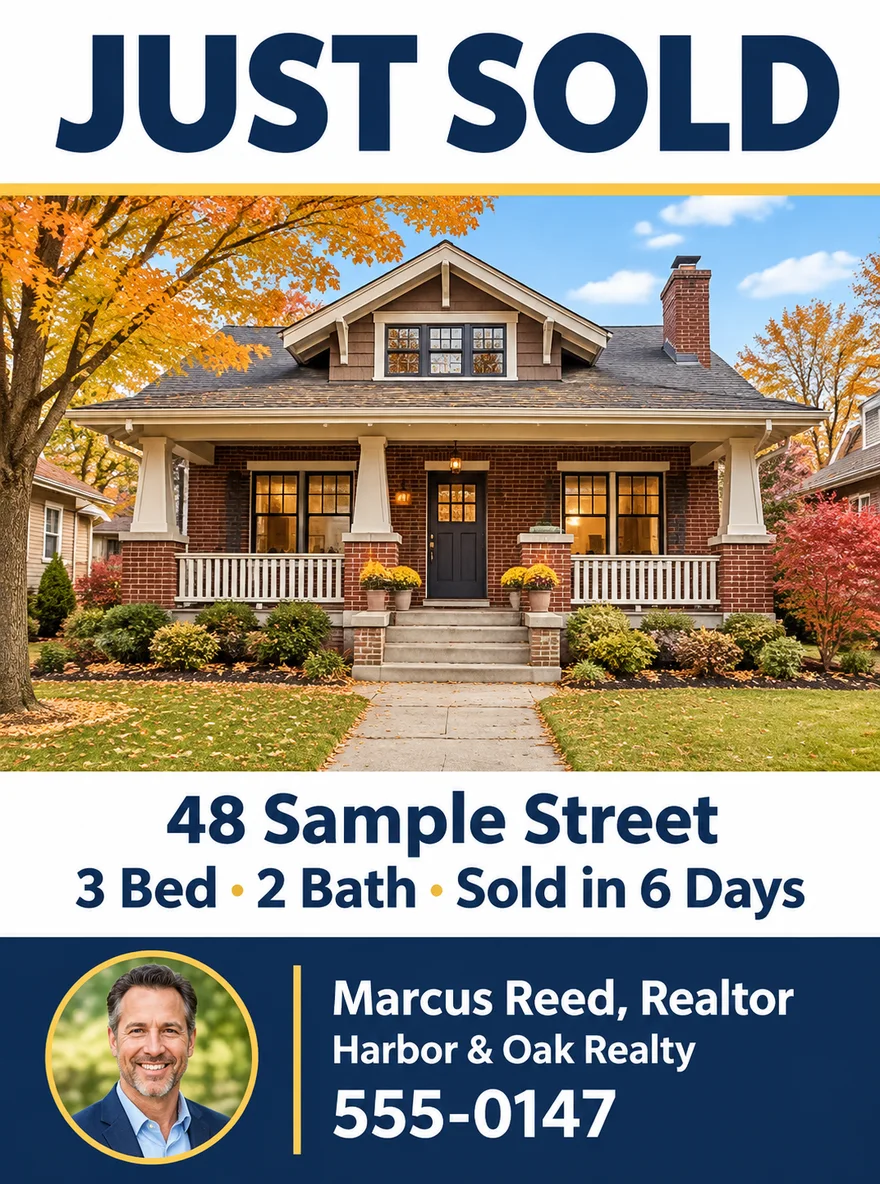
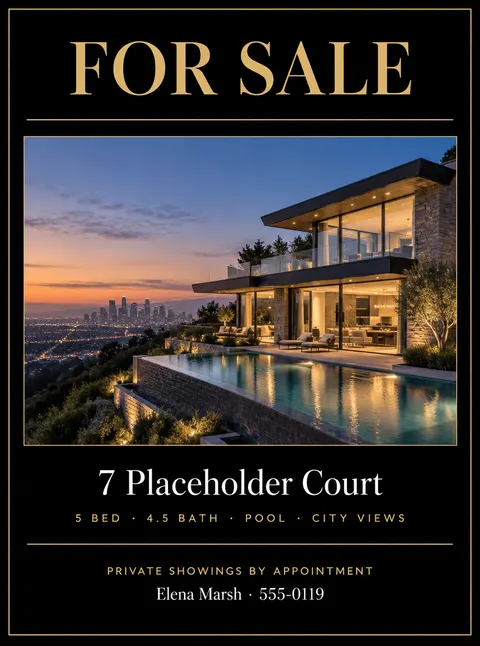
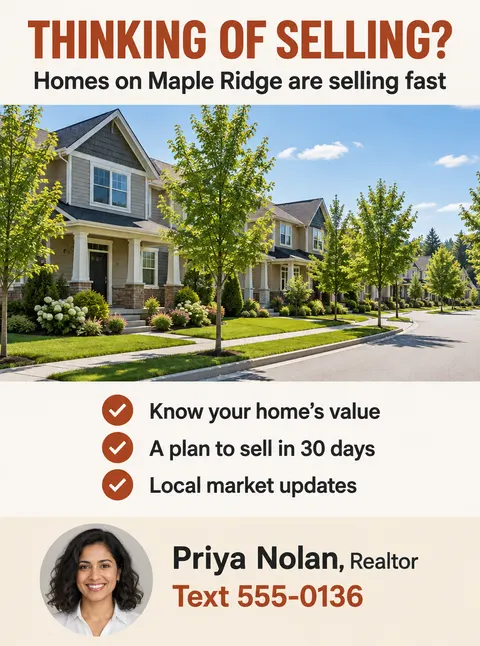
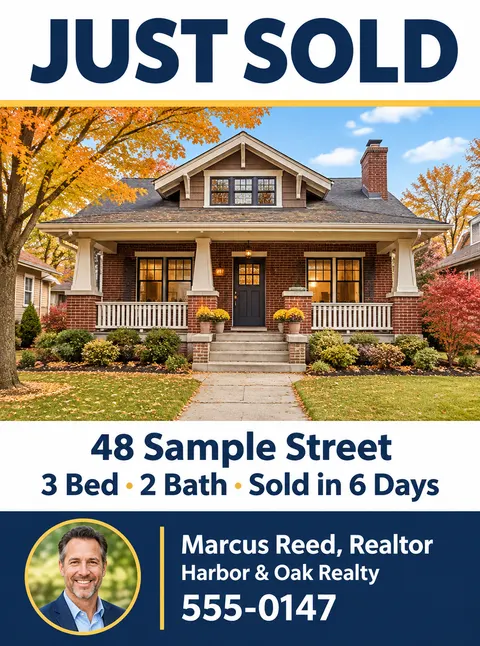
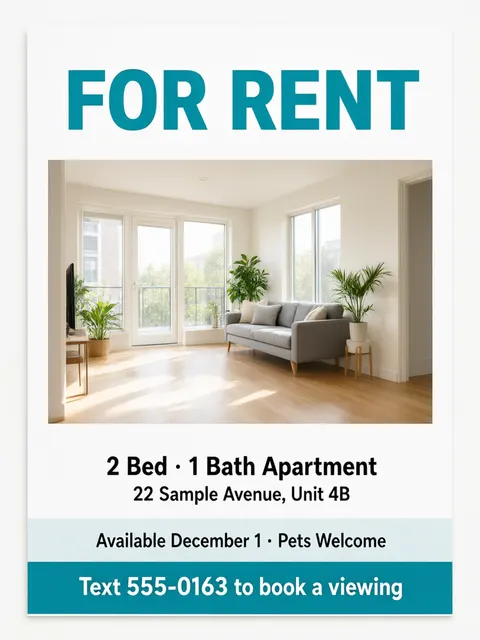
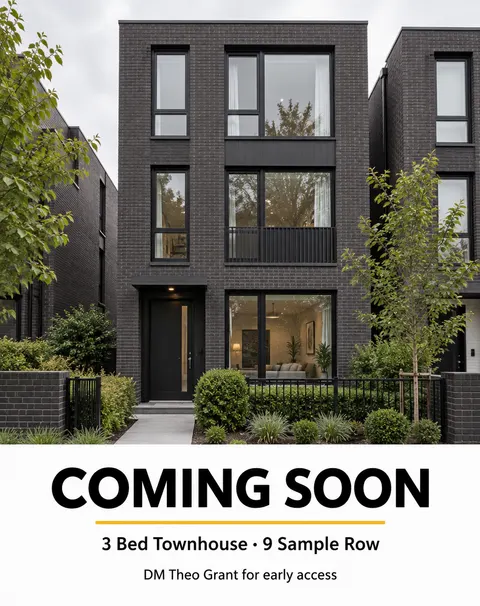
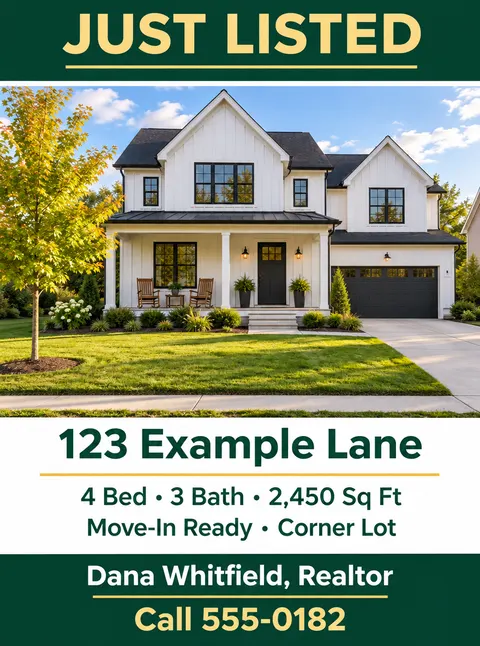
Real estate flyer examples from one try each at 1K: Just Listed from a listing photo, Just Sold, luxury, farming, rental and a social post. We read every word: all spelled right. Names, streets and 555 numbers are made up.
Same prompt
One listing photo, two models
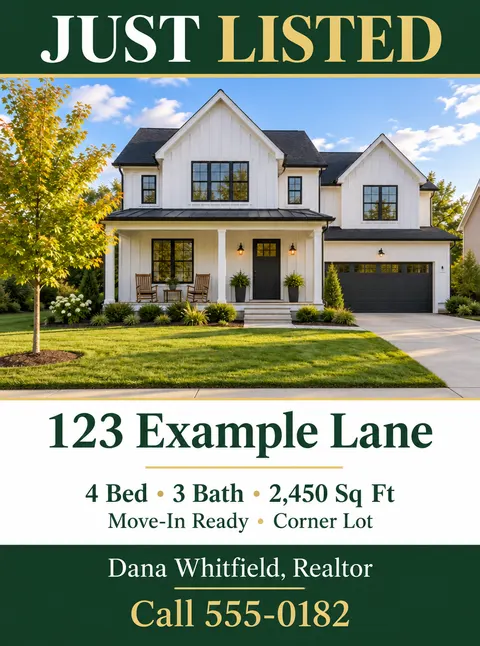
The listing photo, then the same Just Listed prompt on GPT Image 2.5 Sunburst and GPT Image 2.6 Sunburst. Both kept the house and spelled all six lines right; the type style is the main difference.
PromptMake a printed real estate "Just Listed" flyer, US Letter portrait, flat design shown straight on (not a mockup), using this house photo exactly as the main picture across the top half — keep the house, porch, lawn and sky unchanged. Above the photo, a bold headline "JUST LISTED". Under the photo: "123 Example Lane" large, then "4 Bed · 3 Bath · 2,450 Sq Ft", then "Move-In Ready · Corner Lot". Bottom band in deep green: "Dana Whitfield, Realtor" and "Call 555-0182". Clean modern layout, deep green, white and soft gold, generous margins. No other text.
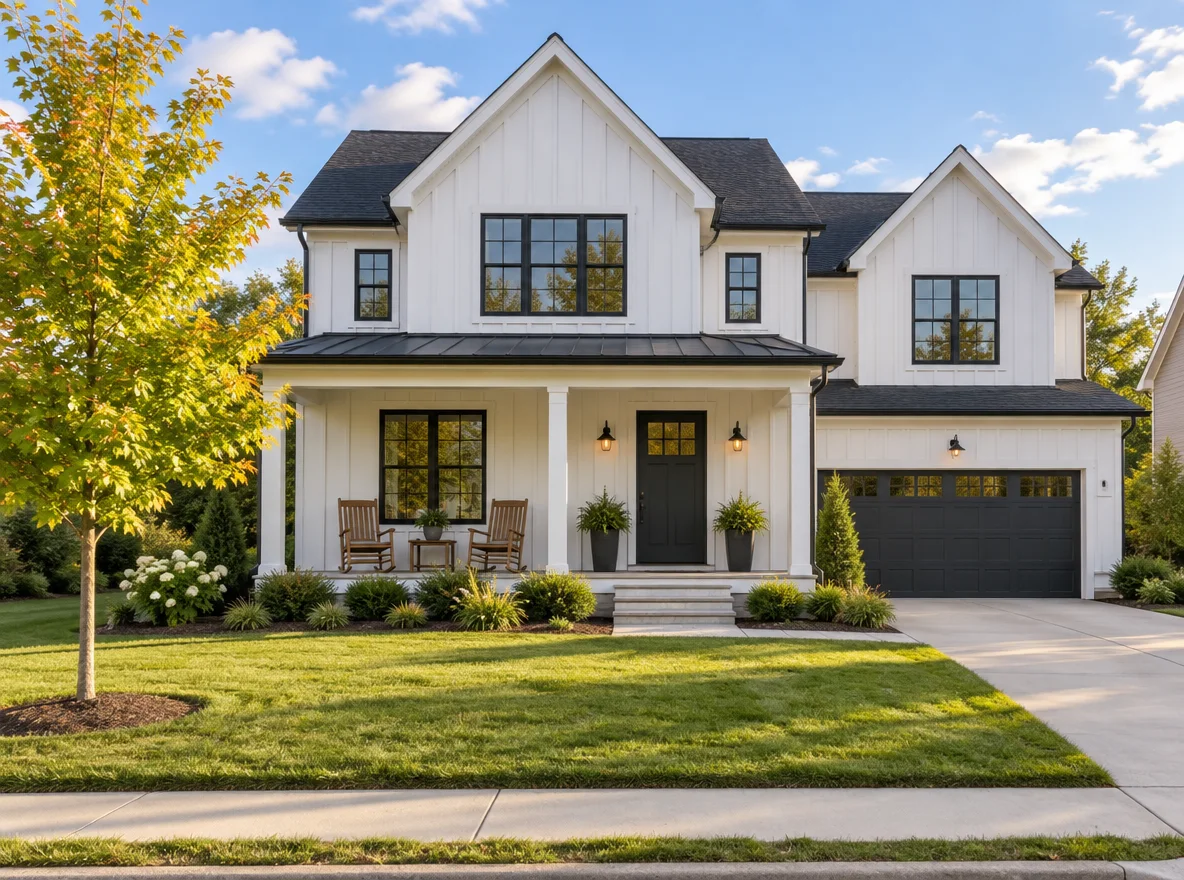 InputListing photo, 4:3
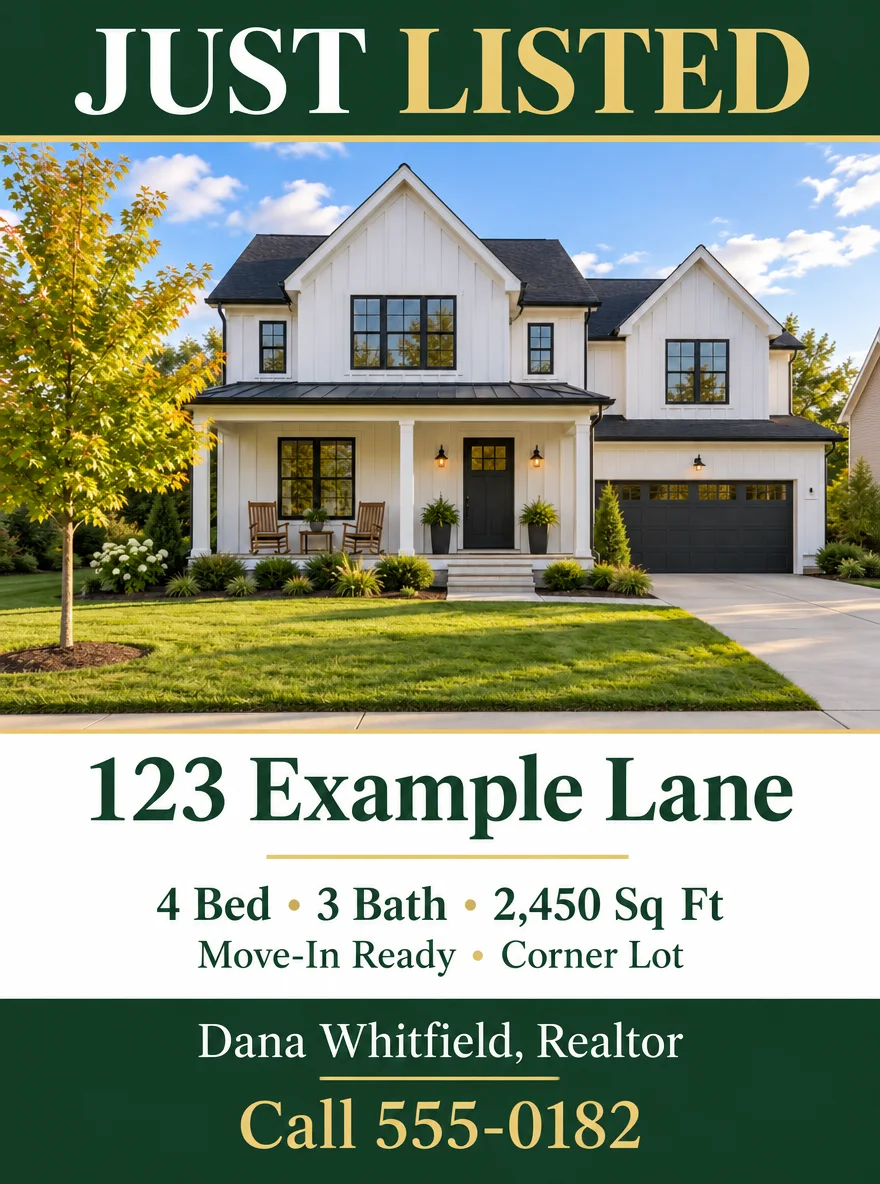 GPT Image 2.5 SunburstSerif type, house unchanged, added a small house icon
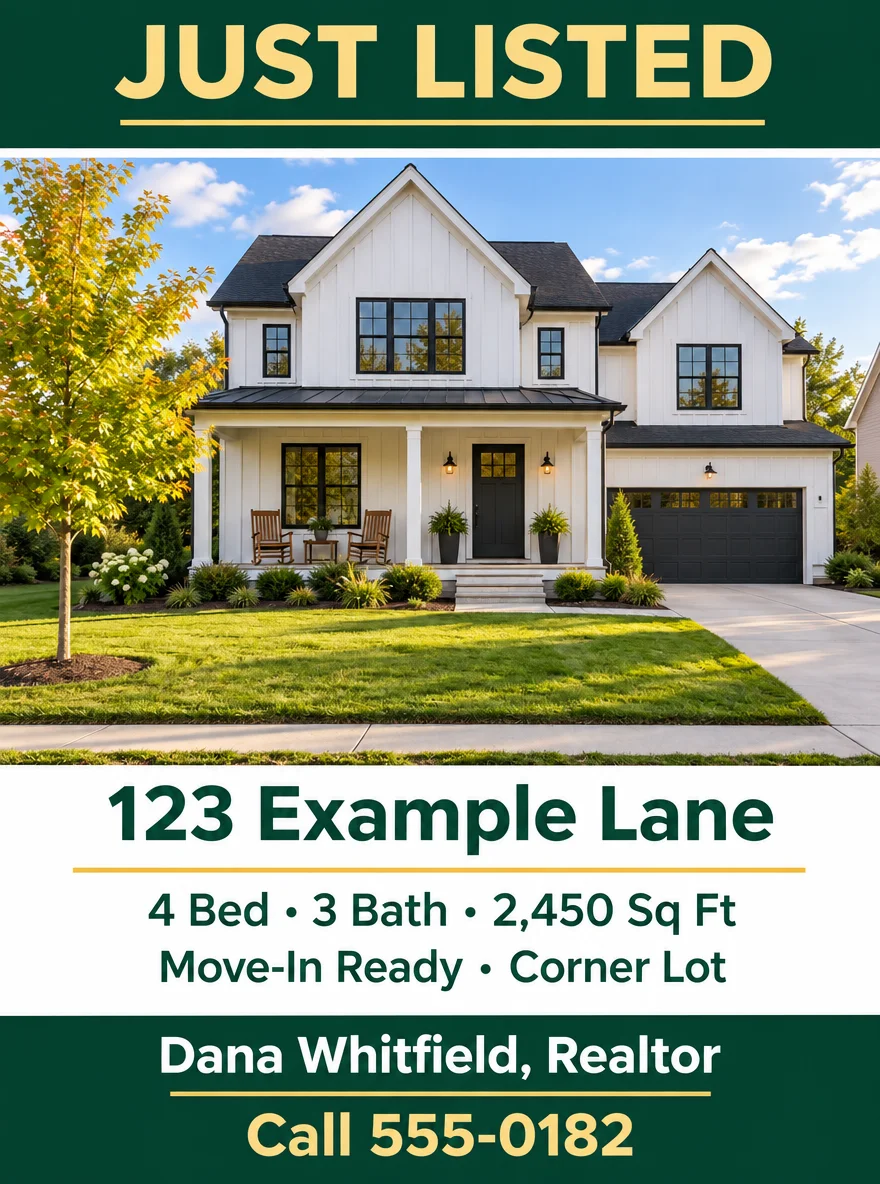 GPT Image 2.6 SunburstSans-serif type, house unchanged, slightly wider crop
How to
How to use the real estate flyer maker
- Time needed
- Steps
- 4 steps
Step 1
Open the Image Studio
Go to /app/image and pick GPT Image 2.5 Sunburst, or Qwen Image 3.0 on the free plan.
Step 2
Add the listing photo
Upload the house photo (and your headshot or logo if you want them on the flyer). Choose 3:4 for a letter handout.
Step 3
Write the flyer
Headline, address, beds and baths, and your name and phone, each in quotes, plus where each goes and the colours.
Step 4
Check and download
Read every line, fix any slip with a follow-up edit, then download with no watermark, or upscale to 4K for print.
See it in the app

Open Image Studio and type what you want to see — subject, style, lighting and mood.


Watch the tour · 1:23
Prompts, styles, references, edit, Arena & chat
Chapters
Tips
How to get a flyer you can print
What worked in our tests, plus what a real estate flyer has to get right.
Upload your own listing photo and say “use this house photo exactly, keep the house unchanged” so the model doesn't redraw the property.
Put every line in quotes: the headline, the address, beds and baths, and the phone number.
Keep it to five or six lines. Long feature lists and small print are where letters slip.
Say where each line goes: headline at the top, photo across the top half, details under it, agent band at the bottom.
Proofread the address and phone number digit by digit before you print, and fix a wrong line with a follow-up edit.
Use 3:4 for a US Letter handout, 4:5 for an Instagram post and 9:16 for a story; generate at 4K or upscale for print.
Models
Which model to use for real estate flyers
What each model is good at. Open any one straight in the generator.

OpenAI
GPT Image 2.5 Sunburst
- Reference images
- Up to 16
- Output
- 1K–4K
Open GPT Image 2.5 SunburstBest for
Made the Just Listed, luxury, farming and social examples
OpenAI
GPT Image 2.6 Sunburst
- Reference images
- Up to 16
- Output
- 1K–4K
Open GPT Image 2.6 SunburstBest for
Made the Just Sold flyer; same accuracy on our listing photo
- Free plan

Alibaba
Qwen Image 3.0
- Reference images
- Up to 3
- Output
- 1K or 2K
Open Qwen Image 3.0Best for
Free plan; made the For Rent flyer
FAQ
Real Estate Flyer Maker questions
8 questions

How do I make a real estate flyer with AI?
Upload the listing photo in Kenerate's Image Studio, pick GPT Image 2.5 Sunburst and a 3:4 shape, and write the flyer in one prompt: the headline, address, beds and baths, and your name and phone, each in quotes, with where each goes. Our Just Listed flyer above was made that way in one try.
Link to this answerCan I use my own listing photo?
Yes. Upload it with the prompt and say “use this house photo exactly as the main picture, keep the house unchanged”. In our test both GPT Image 2.5 Sunburst and GPT Image 2.6 Sunburst kept the farmhouse, porch and lawn as they were. Only use photos you took or have the right to use, and don't add features the house doesn't have.
Link to this answerIs there a free real estate flyer maker?
You can start free. A new Kenerate account gets 25 credits, and Qwen Image 3.0, which made the For Rent flyer above, is open on the free plan at 9 credits a flyer. GPT Image 2.5 Sunburst costs 7.2 credits at 1K, or 11.7 with one listing photo. Downloads have no watermark.
Link to this answerWhat should a real estate flyer include?
A headline (Just Listed, Just Sold, Open House, For Rent), one strong photo, the address, the key facts (beds, baths, square feet, one or two features) and your name, brokerage and phone. Keep it to five or six lines so it reads from arm's length; put longer details on the listing page.
Link to this answerWhat size is a real estate flyer?
The usual handout is US Letter, 8.5 × 11 in; in the Image Studio pick 3:4, the closest shape, and leave a margin. Use 2:3 for A4 with a small trim, 4:5 for an Instagram post and 9:16 for a story. For print, generate at 4K on a Sunburst model or upscale a finished 1K flyer to 4K.
Link to this answerCan AI write my phone number and address correctly?
Usually. Every line on the flyers above came out right on the first try, including 555 phone numbers, street numbers and “2,450 Sq Ft”. Image models can still swap a digit, so read every number before you print, and fix a wrong one with a follow-up edit instead of starting over.
Link to this answerCan I add my headshot and brokerage logo?
Yes. Attach them as extra reference images (Sunburst models take up to 16) and say where they go: “use this headshot in a circle in the bottom band, this logo top right”. The headshots in our examples are generated fictional adults. Check your brokerage's and your MLS's rules for what a flyer must show.
Link to this answerCan I use AI images on a real estate flyer?
Yes for the design, but the property must be shown truthfully. Use your real listing photo for the house, don't let the model add rooms, pools or views that aren't there, and label virtually staged photos if your MLS or local rules require it. The houses on this page are generated examples, not real listings.
Link to this answerIn depth
Real Estate Flyer Maker, explained
What works, what to avoid, and how to pick a model.
On this page
Real estate flyer prompts by type
Swap in your own address, details and phone; keep the structure: the flyer type, the photo, every line in quotes, where it goes and the colours.
- Just Listed: “Using this house photo exactly across the top half: 'JUST LISTED' headline, then 'your address', 'beds · baths · sq ft', agent band with 'your name' and 'your phone'.”
- Just Sold: “'JUST SOLD' headline, this house photo, 'your address' and 'Sold in N days', a round headshot with your name, brokerage and phone in a navy band.”
- Luxury: “Black and gold, elegant serif 'FOR SALE', the photo at dusk, the address in white serif, features in small gold capitals, 'Private showings by appointment'.”
- Farming: “'THINKING OF SELLING?' with a line about the neighbourhood, a street photo, three short checked lines and your headshot, name and phone.”
- For rent: “'FOR RENT', a living-room photo, beds and baths, the unit address, the move-in date and 'Text your number to book a viewing'.”
- Social: “4:5 Instagram post, full-bleed house photo, a white panel with 'COMING SOON', the address and 'DM your name for early access'.”
Flyer from a photo or from a prompt?
For a real listing, start from your own photo: upload it and tell the model to keep the house unchanged. The model then only designs the page around it, which is what you want on a property flyer.
A flyer from a prompt alone, like the Just Sold and luxury examples, draws an invented house. That is fine for a template, a farming mailer or a social post about the market, but never for a specific listing, because the picture would not be the property.
What still goes wrong
In our seven flyer tests nothing was misspelled, but the models add small extras: GPT Image 2.5 Sunburst put a house icon in the agent band we didn't ask for, and Qwen Image 3.0 drew its flyer as a sheet on a grey backdrop. Say “no icons” or “edge to edge, no background around the page” if you don't want them, and keep the copy short.
By the Kenerate AI teamLast updated and reviewed
We build and run the Kenerate generator. Every example is a real output of the model named under it; models and presets were checked against the app's code.
Sources: Kenerate Image Studio
