

5×7 print · funny or classic
Retirement card maker — printable cards with their name
Describe the card — a beach chair, a broken alarm clock, a rowboat on a lake, a globe for the traveller — and put their name and your words in quotes. You get a finished card front with the lettering in place, ready to print at 5×7 and pass round the office. Eight real designs below, each with its prompt, and messages for the inside.
- Their name lettered in
- Eight real card designs
- Funny and heartfelt messages
- Cards from coworkers and for teachers
Updated by the Kenerate AI team




Made with Kenerate
On this page
Quick answer

How do I make a retirement card with AI?
A retirement card maker designs the card front — the artwork and a short line such as “Happy Retirement, Carol” lettered in — from a few words of description. On Kenerate, GPT Image 2.6 Sunburst made all eight cards on this page at 15 credits a design (1K; 30 at 2K). Pick 3:4 for a 5×7 card, about 1500×2100 px to print.
Key facts
- Best for lettering
- GPT Image 2.6 Sunburst, 1K to 4K
- Card designs on this page
- Eight, with the prompt for each
- 5×7 print
- ≈ 1500×2100 px at 300 DPI, + 0.125 in bleed
- Ratios to pick
- 3:4 for 5×7 · 2:3 for 4×6 · 1:1 square
- Fix a word
- Edit Text in Image in Edit Studio
- On the free plan
- Qwen Image 3.0
Gallery
Retirement cards made with Kenerate
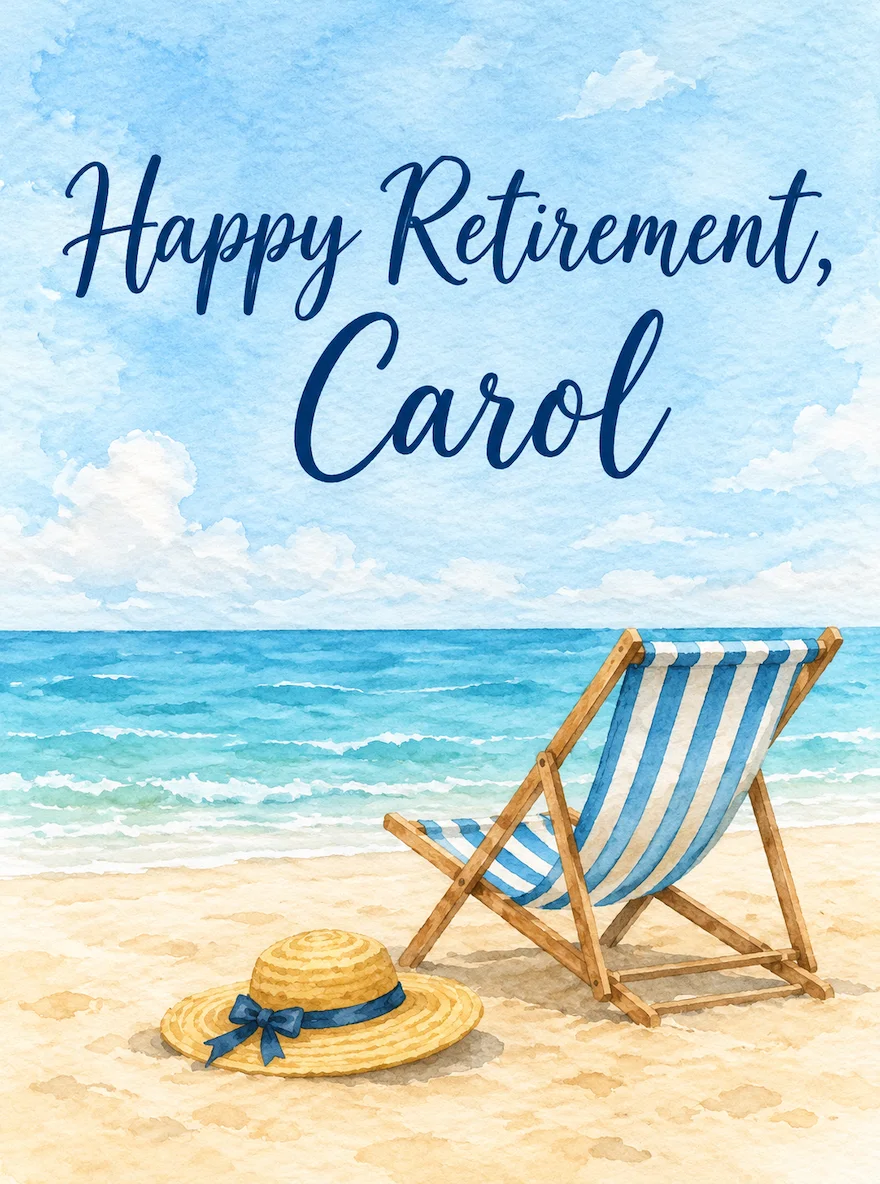
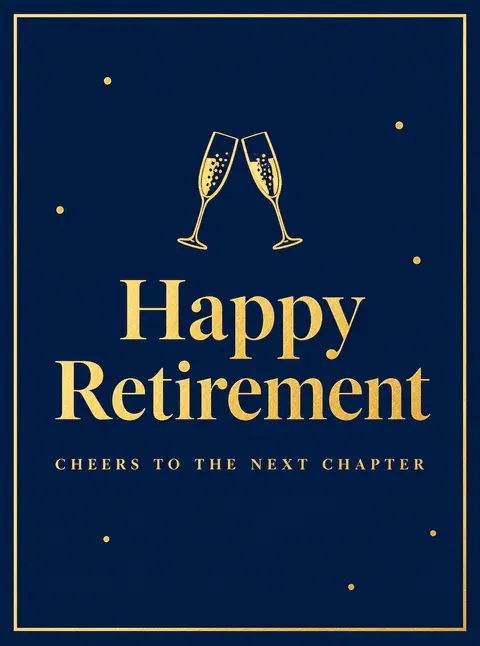
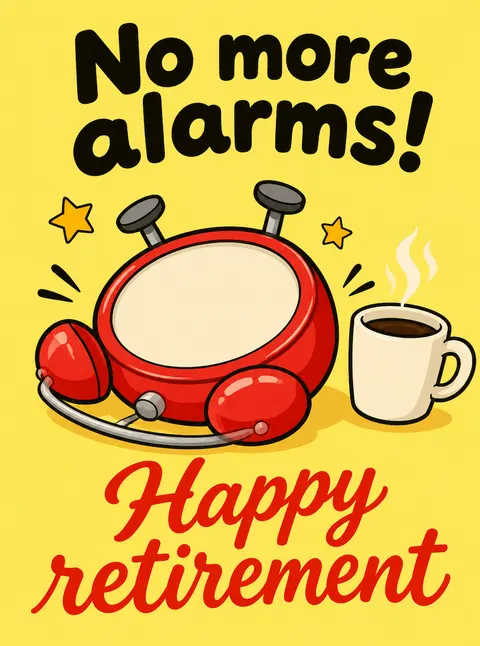
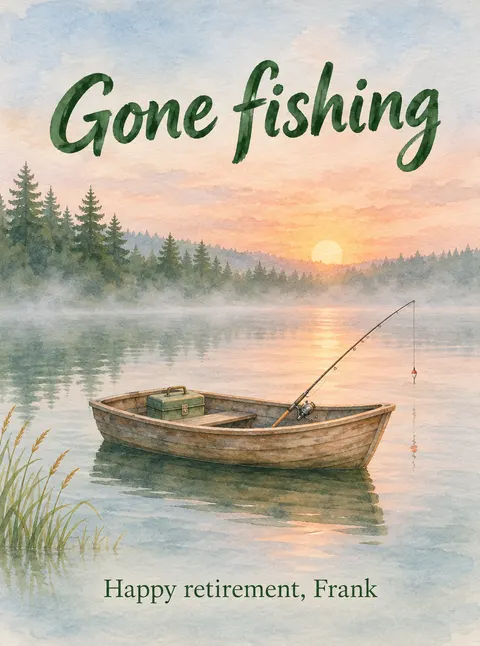
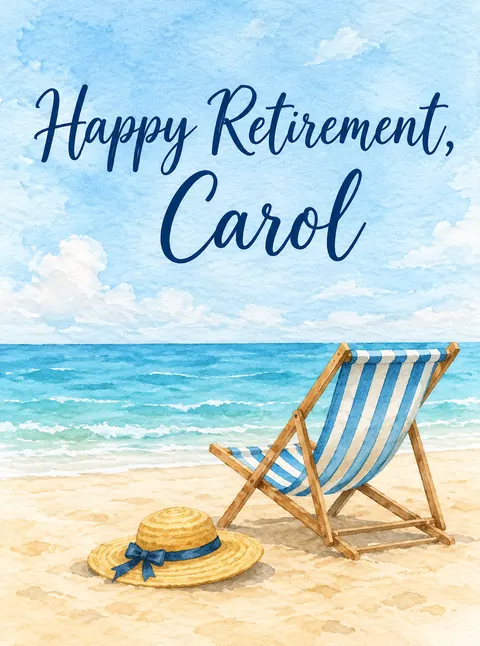
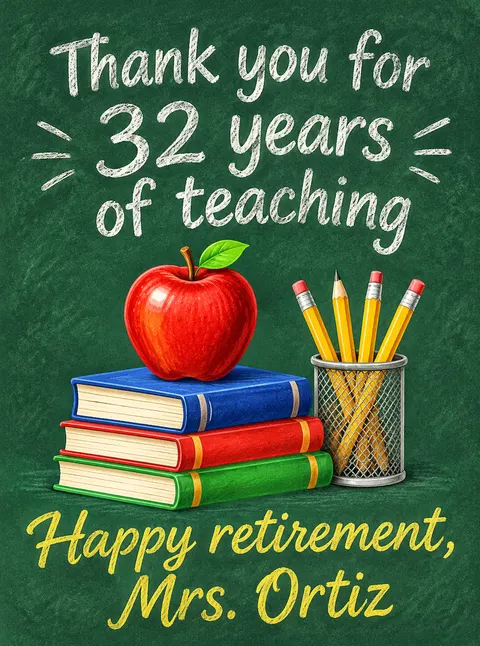
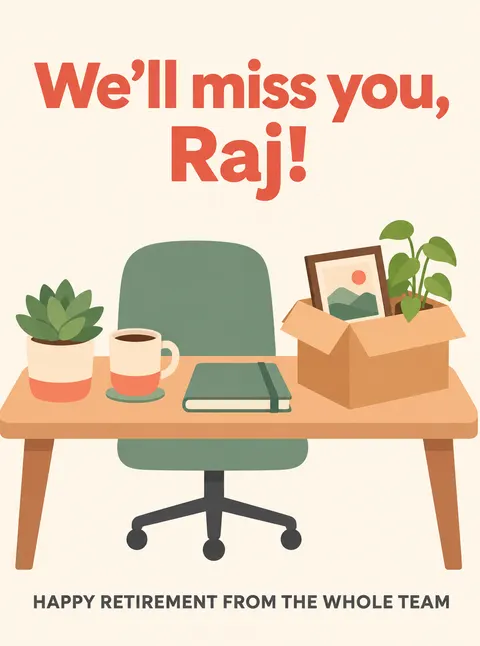
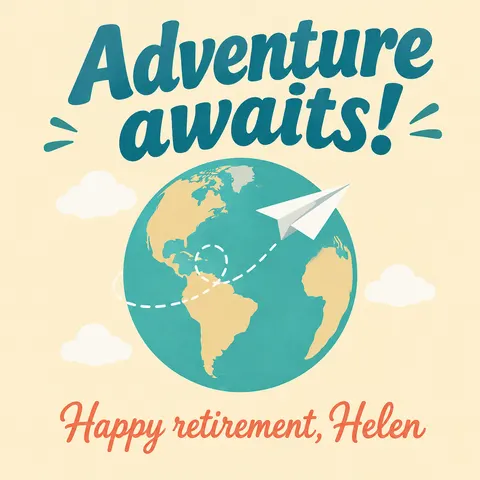
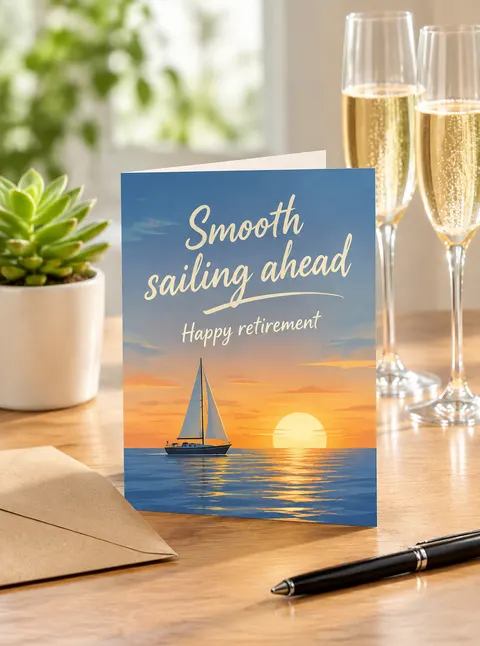
Eight retirement card fronts, each a GPT Image 2.6 Sunburst run from the prompt under it. Every line, all five made-up names and the “32” came out right. Open one to copy the prompt, then swap in their name.
How to
How to make a retirement card
- Time needed
- Steps
- 4 steps
Step 1
Open Image Studio
Press “Design a retirement card”. Image Studio opens with GPT Image 2.6 Sunburst (credit pack), or pick Qwen Image 3.0 on the free plan. Sign in free with Google, GitHub or Discord.
Step 2
Choose the ratio
3:4 for a 5×7 card, 2:3 for 4×6, 1:1 for a square card or a card sent by message, and 2K if you'll print.
Step 3
Describe the card
What they'll do next (the beach, fishing, travel), the colours, and the line and their name in quotes with where each goes.
Step 4
Check, fix, print
Zoom in on the lettering, fix any word with Edit Text in Image, upscale to 4K for print, then download and print or send.
See it in the app

Open Image Studio and type what you want to see — subject, style, lighting and mood.


Watch the tour · 1:23
Prompts, styles, references, edit, Arena & chat
Chapters
Tips
Get a card you can actually print
Lettering and print are where AI cards go wrong. This avoids both.
Put every word in quotes and say where it goes: “Happy Retirement, Carol” in navy brush lettering in the sky.
Build the card around what they'll do next — fishing, golf, travel, the garden — rather than the job they're leaving.
Keep puns short — under about eight words — so the model letters them cleanly. Longer jokes go inside.
For a card the whole office signs, print it at 5×7 and keep the inside blank, or make it 2:3 and print a 4×6.
Render at 2K or upscale to 4K, and keep names a quarter inch away from the edges.
Zoom in on every letter and number (years of service slip most); fix one wrong word with Edit Text in Image.
Models
Models for retirement cards
What each model is good at. Open any one straight in the generator.
OpenAI
GPT Image 2.6 Sunburst
- Reference images
- Up to 16
- Output
- 1K–4K
Open GPT Image 2.6 SunburstBest for
Made all eight cards · words and names lettered in
Recraft
Recraft V4.1
- Output
- 5 ratios
Open Recraft V4.1Best for
Flat, graphic and typographic card designs
Google
Nano Banana 2.1
- Reference images
- Up to 14
- Output
- Up to 4K
Open Nano Banana 2.1Best for
A photo of them, restyled for the card, face kept the same
- Free plan
FAQ
Retirement card questions
9 questions

How do I make a retirement card with AI?
Open Kenerate's Image Studio, pick GPT Image 2.6 Sunburst and a 3:4 ratio, and describe the card: what they'll do next, the colours, and the line and their name in quotes with where each goes — “Happy Retirement, Carol” in navy brush lettering in the sky. Generate, zoom in on the lettering, then download. A design costs 15 credits at 1K or 30 at 2K.
Link to this answerIs the retirement card maker free?
Free to start. A new Kenerate account gets 25 credits on sign-up — enough for two Qwen Image 3.0 card designs at 9 credits each, which runs on the free plan. GPT Image 2.6 Sunburst, which lettered the cards on this page, needs a one-time credit pack; the Starter pack is $15 for 1,300 credits, with no subscription.
Link to this answerWhat do you write in a retirement card?
Congratulate them, name one thing you'll remember about working with them, and wish them well for what's next. For example: “Congratulations, Carol! Thirty years and you never once missed the Friday coffee run. Enjoy every slow morning.” Sign off with “Cheers to you” or “With best wishes”. There are more messages further down this page.
Link to this answerCan I put their name on the card?
Yes. Put the name in quotes, such as “Happy Retirement, Carol”, and say where it goes. All five made-up names on this page (Carol, Frank, Mrs. Ortiz, Raj and Helen) and the “32” on the teacher card came out right first time. Read every letter anyway; fix a slip with Edit Text in Image in Edit Studio.
Link to this answerWhat size should a printed retirement card be?
The usual size is 5×7 inches with an A7 envelope (5.25×7.25 in). Print shops ask for at least 300 DPI at the final size, which is about 1500×2100 pixels for a 5×7, and usually 0.125 in of bleed on each side, so keep words away from the edges. Generate at 3:4 and crop a little, or 2:3 for a 4×6 card.
Link to this answerCan I make a funny retirement card?
Yes. Short jokes letter best: our alarm-clock card reads “No more alarms!” over a clock lying flat on its back, with “Happy retirement” below. Keep it to one line about the freedom ahead, not their age.
Link to this answerCan I make a retirement card from coworkers?
Yes. Our team card reads “We'll miss you, Raj!” over a desk with a packed box, with “Happy retirement from the whole team” below. Print one at 5×7 with a blank inside and pass it round to sign, or make a bigger 2:3 card for a large team.
Link to this answerCan I make a teacher retirement card?
Yes. Our chalkboard card reads “Thank you for 32 years of teaching” over an apple on a stack of books, with “Happy retirement, Mrs. Ortiz” in yellow chalk. Put the years of service and the subject in the prompt; read the number back carefully, since digits slip more often than words.
Link to this answerCan I add a photo of them to the card?
Yes. Upload a photo that already shows them in Image Studio, pick Nano Banana 2.1 or GPT Image 2.6 Sunburst, and describe the card around it, ending with “keep the face exactly the same”. A GPT Image 2.6 edit with one photo costs 19.5 credits at 1K. Use one photo of the person retiring, with their agreement.
Link to this answerIn depth
Retirement cards, explained
What works, what to avoid, and how to pick a model.
On this page
What to write in a retirement card
The front carries one short line; the signatures and messages go inside. Some to start from:
- “Congratulations on your retirement! Thank you for everything you taught me. Enjoy every slow morning.”
- “The office won't be the same without you. Come back and visit — we'll save you a mug.” (from a coworker)
- “Thirty-two years, thousands of students and one very famous red pen. Happy retirement!” (for a teacher)
- “You've earned every lie-in. Happy retirement!”
- “No more meetings, no more alarms. Just the good stuff from here on.” (funny)
- “Wishing you sunshine, long lunches and a garden that finally gets the attention it deserves.”
- “It was a privilege to work for you. Your door was always open, and I won't forget it.” (for a manager)
- “Here's to the next chapter — may it be your best one yet.” (a short sign-off)
What to avoid writing
Skip jokes about age, health or being “put out to pasture”, and anything that sounds like you're glad they're going. If the retirement wasn't their choice, leave out “lucky you” and keep it to thanks and good wishes.
Card sizes, ratios and pixels
Pick the ratio before you generate, so nothing important gets cropped:
- 5×7 in (A7 envelope, 5.25×7.25 in): generate at 3:4, crop a little off the sides; about 1500×2100 px at 300 DPI.
- 4×6 in photo card: 2:3 fits exactly; about 1200×1800 px.
- 5.5×5.5 in square: 1:1; about 1650×1650 px.
- With 0.125 in bleed on each side, a 5×7 file is 5.25×7.25 in — about 1575×2175 px. A 4K upscale covers it.
- Our cards came out at 1K (880×1184 px for 3:4), fine to send by message; for print, make them at 2K or run the Image Upscaler at 4K.
16 retirement card ideas
Add the words and their name in quotes and say where they go:
- A deck chair and sun hat on a beach, “Happy Retirement, Carol”.
- Gold foil on navy with clinking glasses, “Cheers to the next chapter”.
- An alarm clock flat on its back, “No more alarms!”.
- A rowboat on a misty lake, “Gone fishing”.
- A globe and a paper plane, “Adventure awaits”.
- An apple on a stack of books, “Thank you for 32 years of teaching”.
- A desk plant and a coffee mug, “We'll miss you” from the team.
- A golf ball on the tee, “Retired: tee time is any time”.
- A garden bench among tomato plants, “Time to grow”.
- A camper van on a coast road, “The road is all yours”.
- A hammock between two palms, “Officially off the clock”.
- A calendar with every day circled as Saturday, “Every day is Saturday now”.
- Knitting needles and a ball of wool, “Finally, time for the good stuff”.
- A ship's wheel and calm sea, “Bon voyage, Captain”.
- A nurse's stethoscope in a heart shape, “Thank you for caring for us all”.
- Confetti and bold type, “Retired. Not tired.”
What we got
Eight card designs, made on 18 November 2026, each a single GPT Image 2.6 Sunburst run at medium quality and 1K, 15 credits each.
- Every line (“Happy Retirement”, “Cheers to the next chapter”, “No more alarms!”, “Gone fishing”, “Adventure awaits!”, “Smooth sailing ahead”), the “32” and all five made-up names were spelled right.
- Two first tries were remade: the alarm clock's dial came out with jumbled numbers (the remake asks for a blank face), and a camper van on the printed card had a maker-style badge (swapped for a sailboat). Numbers on clocks and badges on vehicles are worth checking.
- No people are shown: the designs are scenes, objects and lettering, so nobody's likeness is used.
Why lettering fails, and how to fix it
Image models draw letters as shapes, so they slip on long or unusual words, names and numbers. Short lines in quotes, a named letter style (“navy brush lettering”, “gold foil serif”) and a clear position help most. When one word is wrong, Edit Studio's Edit Text in Image changes just that text and keeps the design.
By the Kenerate AI teamLast updated and reviewed
We build and run the Kenerate generator. Every example is a real output of the model named under it; models and presets were checked against the app's code.
Sources: Vistaprint — Christmas card sizes (5x7, A7 envelope, 300 DPI) · 4OVER4 — file size for a 5×7 greeting card · Kenerate AI — Terms of Service · Kenerate Image Studio

Make their card
Sign in with Google, GitHub or Discord. Starter credits on sign-up; GPT Image 2.6 runs on a one-time credit pack.
Tried it? Tell us how it went